Twelve years ago today, I bought my first audio amplifier.
The email is still in my Amazon archive. May 4, 2014. Order #202-6562632-2973945. Denon AVR-X3000. £429, one-day delivery to a small flat in Gerrards Cross. I was getting married the following week. Buying this thing felt like part of building a home — even though half our boxes were still sealed and the speakers were leaning against the wall.
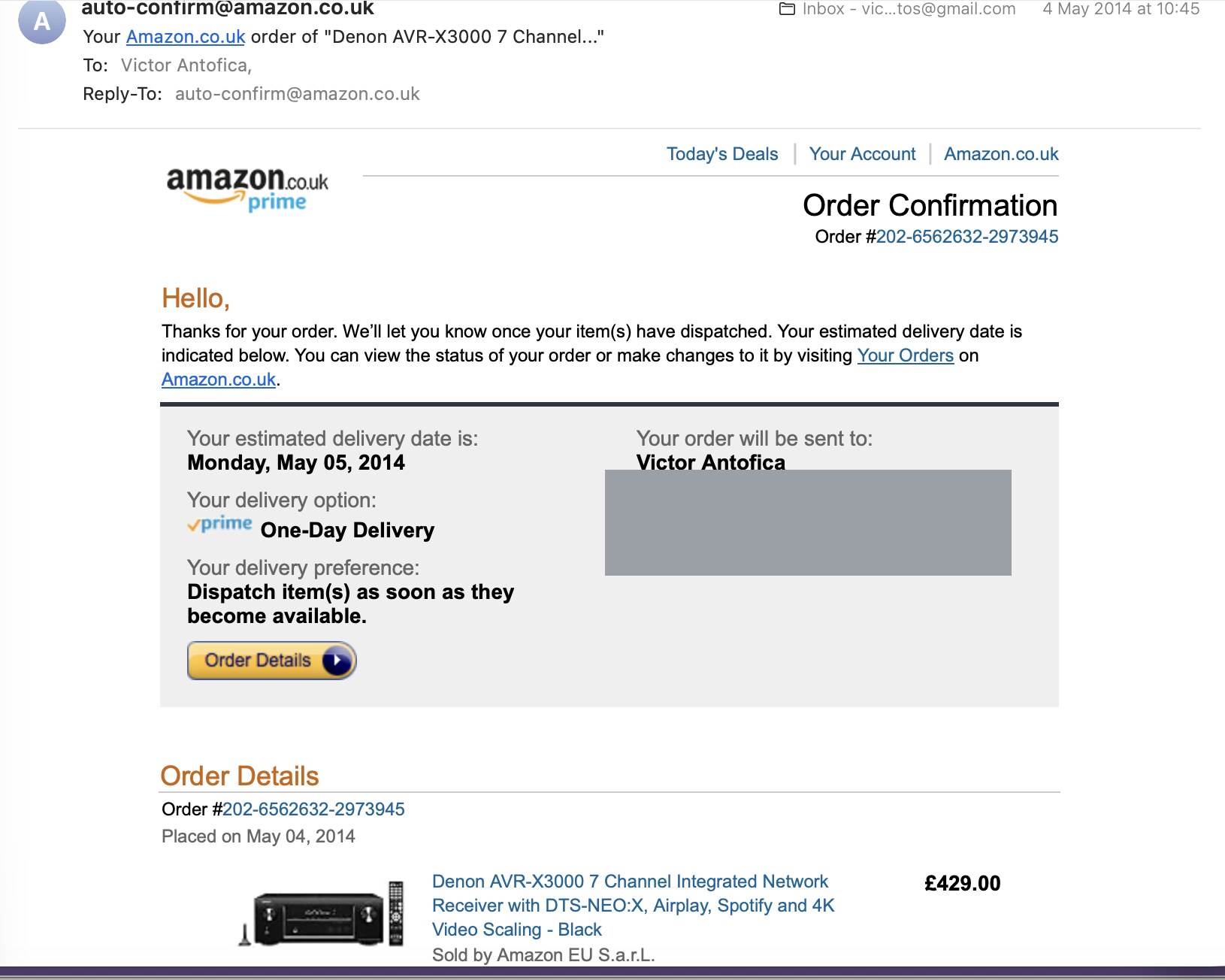 The receipt. (Address redacted; we don't live there anymore.)
I have not loved many objects in my life as much as I have loved that receiver.
Twelve years on, it sounds exactly as good as it did the day it arrived. The remote still works. The HDMI inputs pass through 4K — which felt like the future in 2014 and feels normal now. The amplifier section is the same beautifully analog electronics it was at launch. Everything that was good about it is still good.
Except the Internet Radio button.
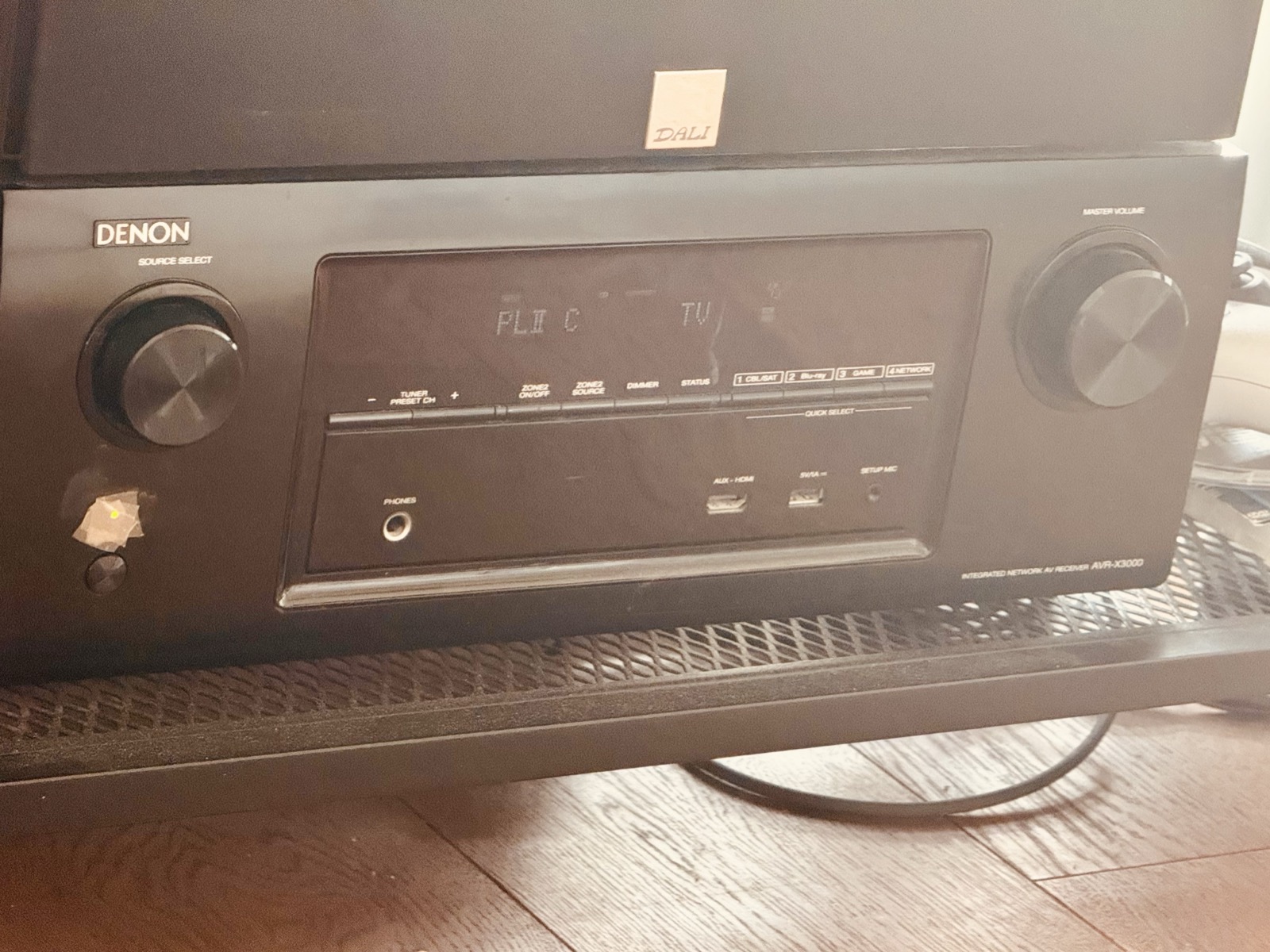 Still warm. Display: PLII C, source TV. Someone is watching cartoons. (We'll come back to that.)
The Quiet Shutdown
About a year ago I selected Internet Radio on the remote and got a polite empty screen suggesting I visit denon.vtuner.com to learn about a "full access" service for $3 a year.
Wait. What?
The service in question — vTuner — was the directory my AVR phoned home to every time it loaded the station list. Around 2020 it began contracting. By 2023 it was largely gone for older receivers. Denon stopped firmware updates for the AVR-X3000 in mid-2023, which means there will never be an official fix.
This is the failure mode you don't think about when you buy nice things.
The hardware is a beautiful, durable physical object. The hardware also depends on a server somewhere that the manufacturer has no incentive to maintain past the warranty.
The Venn diagram of "things that survive a decade" and "things that depend on a third-party API" is approximately disjoint.
A perfectly working £429 amplifier was now half a brick — not because anything broke, but because someone in a meeting decided to shut down a service.
I wanted my radio back.
The Subscription You Already Paid For
Before I get to the fix, here's the thing that makes this betrayal feel sharper than most. It took me a while to piece it together, but the structure of how vTuner worked is the actual story.
vTuner wasn't Denon. It was a separate company — vTuner GmbH, later Magnatime LLC depending on which corporate chapter you read — that licensed its internet-radio directory to every AV receiver maker between roughly 2008 and 2017. Denon, Marantz, Yamaha, Onkyo, Pioneer, Sherwood, NAD. The same backend behind every "Internet Radio" button on every receiver you've ever seen.
The licensing was per-device, paid once. When I bought my X3000 in 2014, a few of those £429 went to vTuner for what amounted to lifetime directory access. The bundle made financial sense for everyone in 2014: vTuner got reliable revenue, Denon got a feature it didn't have to staff for, I got a button on the remote that worked.
The model is also fundamentally insolvent over time.
Every year, fewer device licenses come in (older models stop selling) but more receivers keep calling home (every unit ever sold is still active). Servers cost money. Validating fifty thousand stream URLs daily costs money. License revenue from new device sales eventually can't cover the costs of the active fleet.
Around 2020, vTuner did what companies in this position always do: they introduced an end-user subscription. About $3/year initially, later quoted at $6/year. The free tier was deliberately downgraded to show only your Favorites and Recently Played list — useless for actual discovery. The full directory became paid-only.
That's the moment users felt betrayed.
You'd already paid for the service. It was bundled into the receiver's purchase price. Now vTuner was charging you a second time, and Denon's contract terms apparently gave vTuner that latitude.
By 2022–2023, even subscriptions couldn't save it. Subscriber numbers were too small relative to the install base. vTuner started shutting down support for older devices entirely. The manufacturers moved to in-house alternatives — HEOS for newer Denons, MusicCast for newer Yamahas — and older receivers got abandoned in the gap between "the old service is gone" and "the new service requires hardware you don't have."
This isn't unique. It's the exact same failure mode that bricked early Sonos speakers, killed Insteon overnight, turned Revolv hubs into hockey pucks after Google bought Nest, dimmed Pebble watches when Fitbit acquired them. Hardware companies are not in the business of running cloud services in perpetuity. The implicit promise of "this'll keep working" is almost never written down.
Manufacturer makes hardware lifespan ≫ service lifespan, then shrugs when the service operator becomes insolvent.
That's the actual mechanism. Not technical failure. Not malice. Just the math of who pays whom and when.
The good news, demonstrated by this weekend: when the service is just XML over HTTP and the hardware is just an HTTP MP3 decoder, anyone with a Saturday morning and an LLM can replace the dead service themselves. The hardware has years left in it. Only the contract was finite.
The Protocol Is Friendlier Than It Looks
Here's the first interesting thing I learned: "internet radio" isn't actually a proprietary protocol.
The receiver picks up a stream URL — plain HTTP MP3 or AAC, sometimes a playlist file — and decodes it the same way it decodes a CD. Once it has a URL, it just works.
What's missing is the list of stations.
The receiver has a hardcoded hostname, denon.vtuner.com, where it expects to fetch a tree — Genres, Countries, Languages, Most Popular — formatted as a specific flavor of XML. Each leaf is a station with a stream URL, name, codec, bitrate, logo. That's the entire interface. The shutdown is the disappearance of that XML directory.
So. The plan, sketched over a morning coffee:
- Intercept the DNS lookup for
denon.vtuner.comon my LAN. Answer with the IP of a small server I run. - Speak the vTuner XML dialect from that server — same shape, different content.
- Wire it to a free station database — radio-browser.info, a community project with about 50,000 streams.
How hard can it be? (Famous last words, right?)
Two Hours with Claude Code
I opened Claude Code and started.
The community has been here before. There are two existing OSS projects that do something similar — YCast (Python) and YTuner (Go). When I asked Claude to recommend an approach, the first answer was: "just install YTuner."
Reasonable. But not what I wanted.
So I told it: let's write our own. Cross-platform. Single Go binary. Both DNS and HTTP in one process. Use YCast and YTuner as protocol references; clean-room re-implementation.
I was vibe-coding hard. Claude drafted, I reviewed, I redirected, Claude drafted again. The thing I'd expected to take all day turned into a working prototype well before lunch.
A flavor of how it went:
- I'd describe the next layer (XML structs, HTTP routes, DNS interception, radio-browser client). Claude would scaffold it.
- I'd run it. Something would break. Logs would tell me what — or, more often, the failure was in something I hadn't thought to log yet.
- I'd point Claude at the problem. It'd produce a fix in three keystrokes.
The most satisfying bug: /play was returning 502s when I tried to actually start a stream. The radio-browser API documentation in my head said the response was "ok": "true" (string). The actual API returns "ok": true (boolean). Two characters of code change. We caught it because of one line of structured log output.
Roughly two hours later — idea to live radio on the receiver — I had:
- A DNS server intercepting
*.vtuner.com,radiodenon.com,radiomarantz.com, and a few others - An HTTP server speaking the vTuner XML protocol
- A radio-browser.info client with mirror discovery (the community project's mirrors rotate via DNS — you have to do a slightly weird forward-then-reverse lookup dance to get a TLS-valid hostname)
- Cross-compiled binaries for macOS and Linux on amd64 and arm64
- A
curl | shinstaller that auto-detects your LAN IP and installs as a LaunchDaemon (Mac) or systemd unit (Linux)
About 900 lines of Go. About 250 of shell installer.
On Vibe-Coding
I know "vibe coding" is a contested term. Some people hear it and assume the author cargo-cult-pasted the AI's output without reading. That isn't what happened here, and it isn't what happens in any serious AI-assisted project I've seen.
What it actually feels like is closer to working with a tireless mid-level engineer who has read the entire internet but has never seen this codebase.
They produce a correct draft of almost anything if you can describe what you want with enough specificity. Producing that specificity is most of the work — exactly like writing a good ticket for a human teammate.
I read every diff. I deleted maybe a third of what got written. The architecture decisions — Go vs Rust, one binary vs two, bundle a DNS server vs rely on Pi-hole, YAML config vs flags — were mine. The boilerplate was Claude's.
Reverse-engineering a quasi-documented protocol against a frozen-firmware appliance is a perfect job for an AI pair. The receiver isn't going to grow new bugs. The protocol isn't going to change. The vibe is just: keep iterating until the AVR is happy.
If You're Not a Developer, This Is Your Project Too
Total time on this, end to end, idea to internet radio playing on the receiver, including this blog post: about two hours. I wasn't even fully focused on it — I stepped away to eat, to shower, to context-switch into other projects I have running in parallel. The work happened in the gaps.
That's the part I most want non-developers to hear.
The cost of attempting something used to be weeks of feeling stupid before you even knew if it was going to work. The cost now is the time it takes to describe what you want clearly enough.
If you have an old gadget that's been "bricked" because some company shut something down — a smart bulb without an app, a speaker without a cloud, a thermostat that lost its server — there's a non-zero chance the fix looks a lot like this one. And there's a fully zero chance you need to be a programmer to start a conversation with an AI coding agent about it.
Try it. The worst that happens is you learn the shape of the problem.
What I Actually Typed
You might be wondering what kind of carefully crafted prompts produce a project like this.
Reader, here are the literal prompts I sent. Typos and all. I have edited nothing.
I'll be honest: publishing my unedited prompts is slightly humbling. They're not pretty. They're not "well-engineered." They're how I actually talk to a computer when I'm half-distracted between other things. I'm posting them anyway, because seeing what "good enough" really looks like is what makes it easier to try yourself.
The very first one:
"so I have a Denon audio amplifier in my network, it also has a radio option via internet that no longer works as they discontinued it. How can I fix it"
After Claude walked me through several options to consider:
"fix 1, the proper one, you could also host the list here on mac studio"
After it tried to talk me into using an existing OSS project:
"no lets create our own for mac, or even better cross platform"
That's the entire architectural decision tree. Three messages, total. No "act as a senior systems engineer." No 500-word spec document. No "let's think step by step." Just sentences I would type in a Slack channel asking a colleague.
The prompt for this blog post was longer, because it had goals embedded in it:
"need a really interesting story about it and how this weeken project is reviving my radio station on it, something worth the HN frontepage as I plan to submit it if its good enough, also blog post will touch the Claude code and Vibe coding at its fullest"
Yes. With the typos. I left them in. The agent didn't care.
That is the message I most want non-technical readers to leave with:
The bar is lower than you think it is.
The skill that matters now isn't knowing how to phrase a prompt. It's knowing what you want to exist, and being willing to type that out plainly.
One Command to Bring It Back
The repo is at github.com/victorantos/denon. MIT-licensed. If you have an old AVR with a dark Internet Radio menu, the install is one line:
curl -fsSL https://raw.githubusercontent.com/victorantos/denon/main/install.sh | sh
Run it on any always-on machine on your network — Mac, Linux box, Raspberry Pi, your home-lab Ubuntu instance. Auto-detects your LAN IP, downloads the right binary, installs a system service that survives reboots.
Then on the receiver:
- Settings → Network → DNS → Manual
- Primary DNS: the IP of the machine you just installed on
- Secondary DNS: same IP
- Reboot the receiver
- Open Internet Radio
The menu populates with Most Popular, Genres, Countries, Languages, and Search, all backed by radio-browser.info's community-curated database. Tap a station; it plays.
Confirmed working on most Denon, Marantz, Yamaha, Onkyo, and Pioneer AVRs from roughly 2011 to 2017. If your receiver hits an exotic hostname, file an issue with a tcpdump capture and I'll add it to the defaults.
On the Way Out
The ratio of hardware lifespan to service lifespan is going to keep getting worse.
Cars. Fridges. Doorbells. Treadmills. Baby monitors. Smart locks. All of these are now somebody's "platform," and the platform is somebody's quarter. There will be a great deal of expensive landfill in the next decade — entirely durable hardware, "bricked" by service decisions made in some headquarters far away.
The mitigation isn't refusing to buy connected things; that ship has sailed.
The mitigation is preferring open protocols when you have the choice, and being grateful to the people who reverse-engineer the closed ones when you don't.
radio-browser.info is mostly volunteers. YCast and YTuner are mostly volunteers. The vTuner shutdown took two hours of attention to undo, riding on years of work other people did first.
If you have an old AVR with a dark Internet Radio menu, the fix is real and it's there. If you don't — you might want to think about which other things in your house are an API call away from being half a brick.
A Confession
I have not, at the moment of typing this sentence, actually tested any of this on the receiver.
My four-year-old is watching cartoons in exactly the room the AVR lives in, and I am not going to interrupt his TV time to yank the DNS out from under the household. (See the photo at the top. Source: TV. Cartoons.)
By the time you read this, I will have tested it. Promise.
If the post is live, it worked. ✌️
A small coda. When I did go to test it — cartoons over, household consent acquired — the very first thing I did was open this blog post to find the install steps. I'd already written everything I needed to know, here, more clearly than anywhere else. The post became its own user manual. I had to stop and laugh at that for a second.
Postscript: What Actually Happened on My Receiver
This is the honest part.
I told you above that "the menu populates with Most Popular, Genres, Countries, Languages, Search." On a fresh receiver, a 2024-model AVR, or any unit that hadn't been sitting for years with vTuner reachable-but-empty, that's exactly what happens.
On my AVR-X3000 — the specific 2014 unit this post is about — the firmware had been silently caching a "vTuner is unavailable" state for so long that the on-screen Internet Radio menu refused to even try fetching a fresh directory. Press Internet Radio, see only the Favorites list from 2017. No browse, no search, no menu. The receiver wasn't broken; it was just stuck.
So I wrote a second small thing: a dynamOD.asp handler that catches the receiver's legacy "play this saved Favorite" requests and proxies a popular HTTP MP3 station from radio-browser instead. The receiver's display still shows the old cached station names ("Sky.fm — Compact Discoveries", "BBC Radio 2 live") because those labels are baked into its NVRAM from years ago. But behind each label, real audio plays now — different popular stations, different per Favorite, deterministically hashed by the saved ID.
There's also a hidden web UI built into the receiver at http://<receiver-ip>/NetAudio/index.html (Denon shipped this on every model of that era and almost nobody knows about it). The web UI's "Search by Keyword" field still works — type "jazz", get live results from radio-browser via our server, click play. That's the way around the stuck on-screen menu.
The whole thing took another half-hour of debugging on top of the original two. Both extras are in the repo.
For the AVR-X3000 specifically, full real-world install:
- Plug receiver into the same LAN as the host (cable, not Wi-Fi, this model)
- Set static IP + DNS on the receiver (DHCP-off is required to set DNS on this firmware)
- Power up; pick any cached Favorite or use the hidden web UI
You hear music. The display shows the wrong station name. That's fine.
The receiver is playing internet radio for the first time in years.
The display reads "Sky.fm — Compact Discoveries" — a label from twelve years ago. The track playing is "Rachel Bobbitt — Don't Cry," from a station that didn't exist when I bought this amplifier.
The amplifier is twelve years old and sounds exactly as good as it did the day it arrived in Gerrards Cross.
Sound is good.