A desktop environment for LinuxWayland · Vulkan · Qt Quick
Vela is an independent desktop for Linux, with its own Wayland compositor and Vulkan renderer, a Qt Quick shell, and a file manager and settings app built to match.
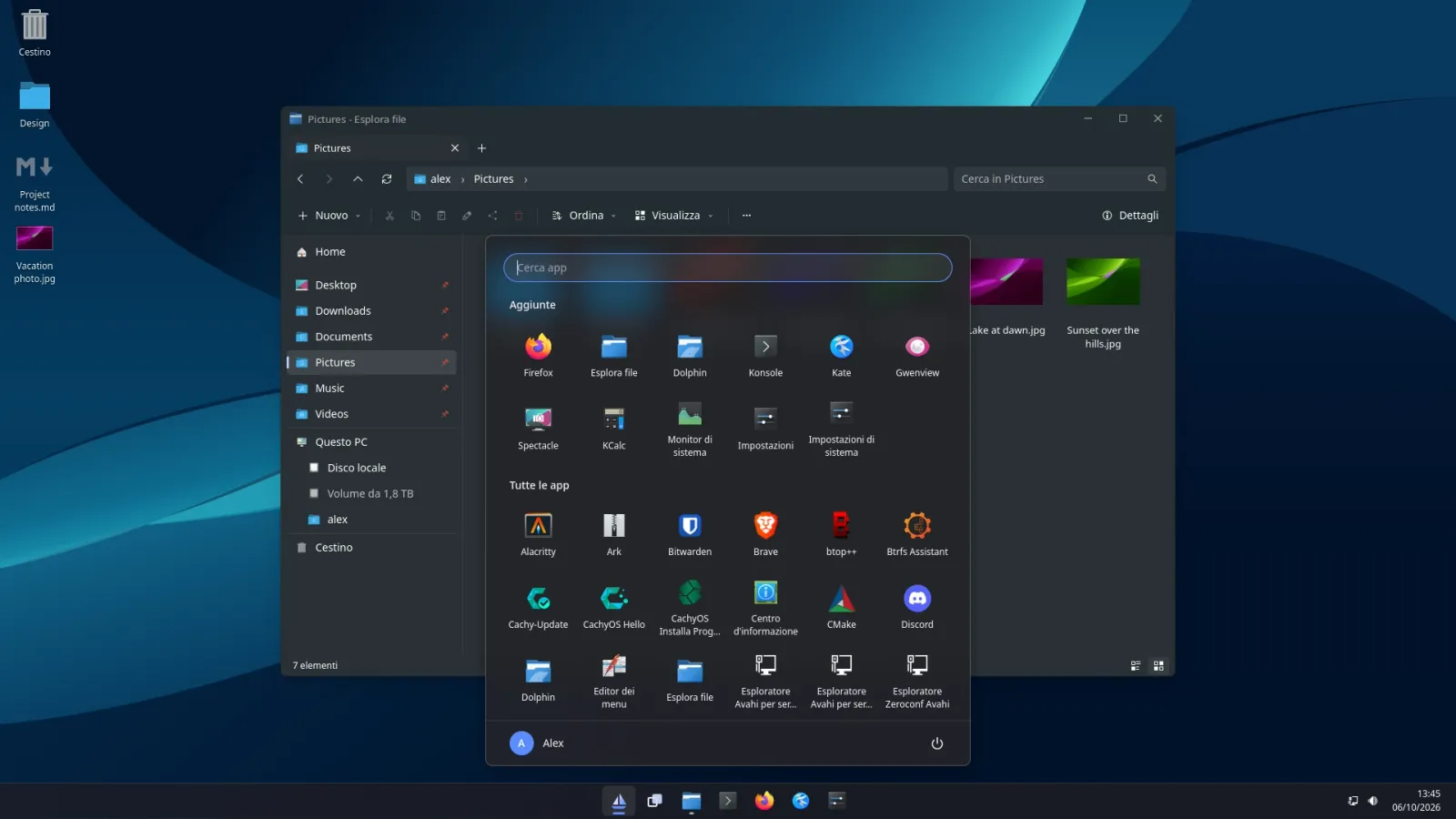
Fig. 01Unretouched screenshot: the Start menu over Files. The interface is shown in Italian, one of the two languages Vela ships with.
Compositor
Wayland, own scene graph on wlroots
Renderer
Vulkan 1.4, no GL fallback
Shell
Qt 6 and Qt Quick
License
GPL-3.0-or-later
Status
Alpha, usable every day
02The desktop
One desktop, designed as a whole.
A coherent shell, polished motion, snap layouts, virtual desktops, quick settings, notifications and a file manager — built together, rather than gathered from unrelated utilities.
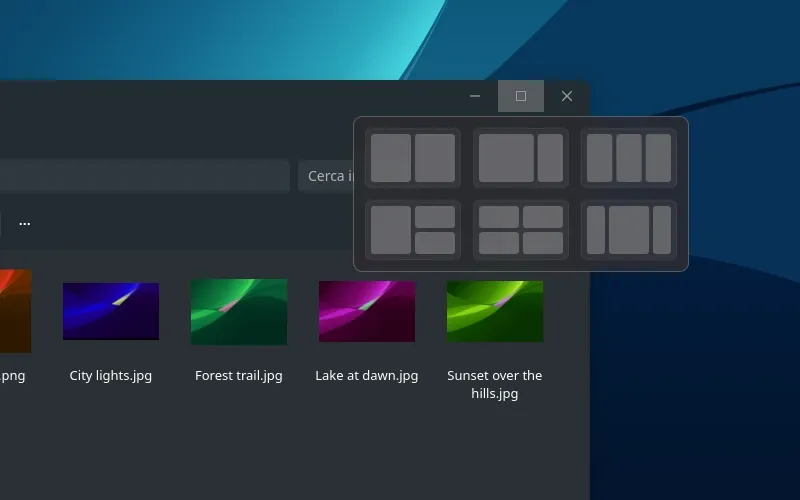
Detail The flyout appears over the maximize button.
Snap
Halves, quarters, and six layouts.
Drag a window to an edge or a corner, use Super + arrows, or hover the maximize button — SuperZ from the keyboard. Snap Assist offers your other windows for the empty space, and windows arranged together form a snap group that the taskbar shows and restores as one.
Task View
Every window, every desktop, at a glance.
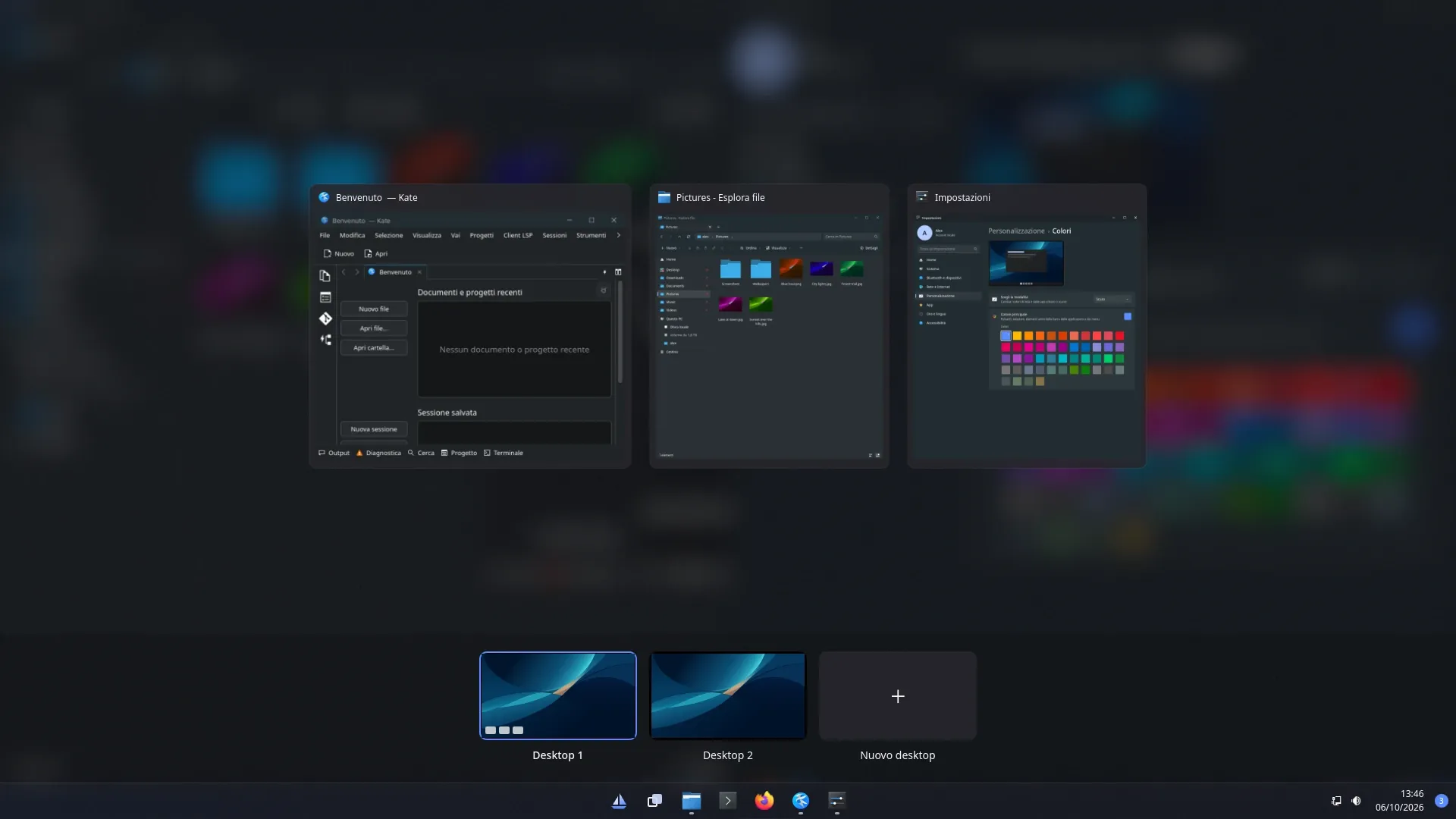
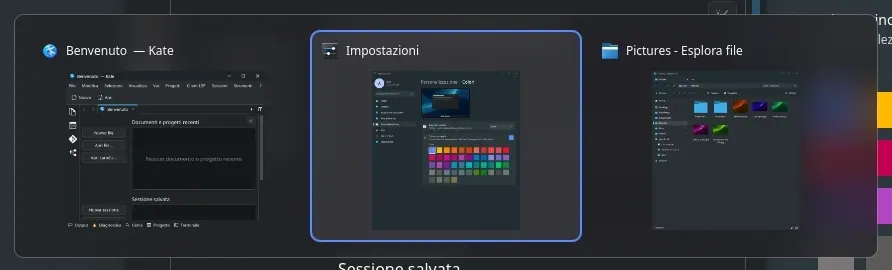
SuperTab shows live previews of your windows and your virtual desktops. Drag windows between desktops, rename and reorder them, and move between them with SuperCtrl←→ and a sliding animation. Your desktops are remembered across sessions.
Alt+Tab with live previews, minimized windows included. A quick press simply switches, without showing the panel.
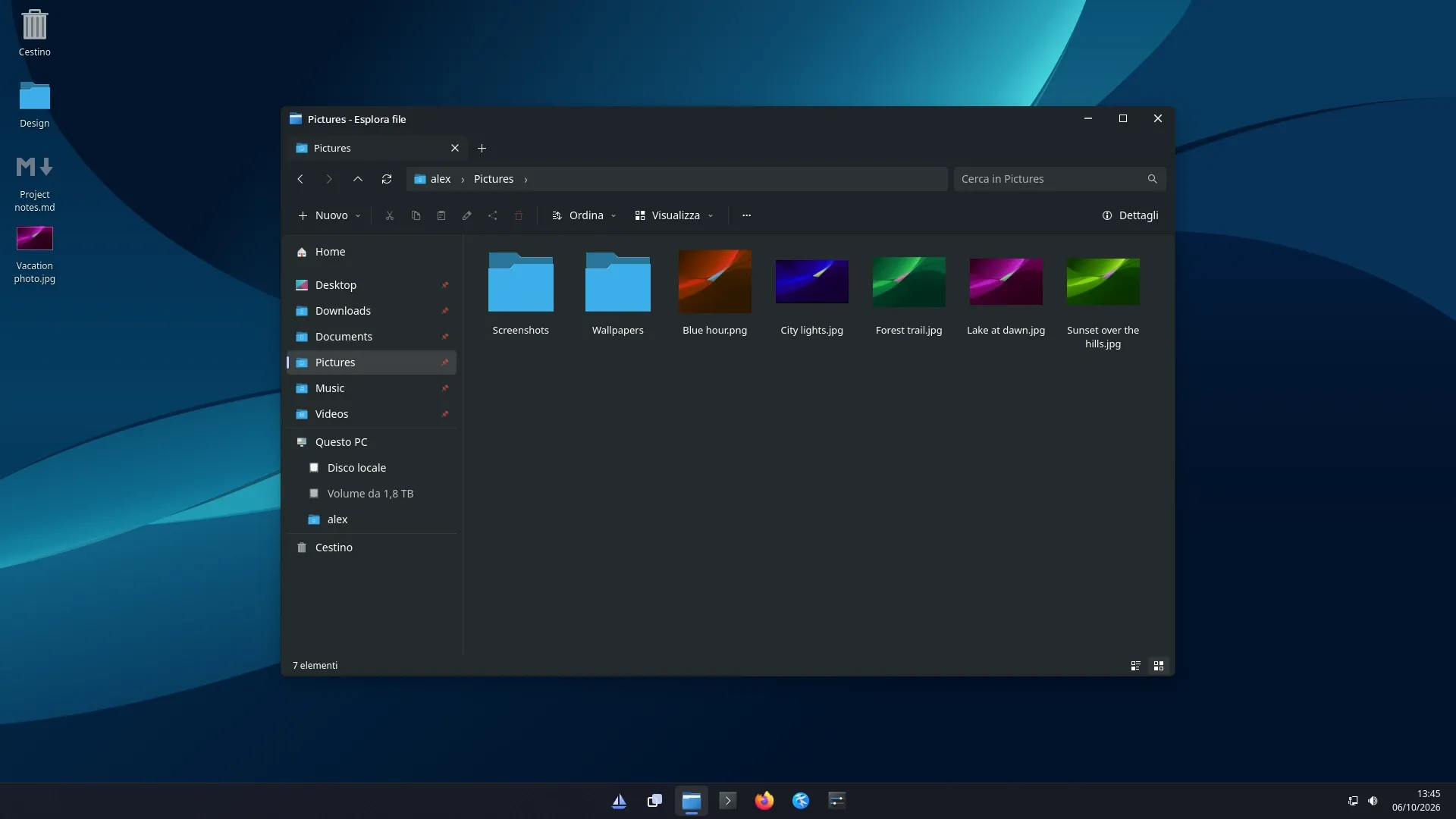
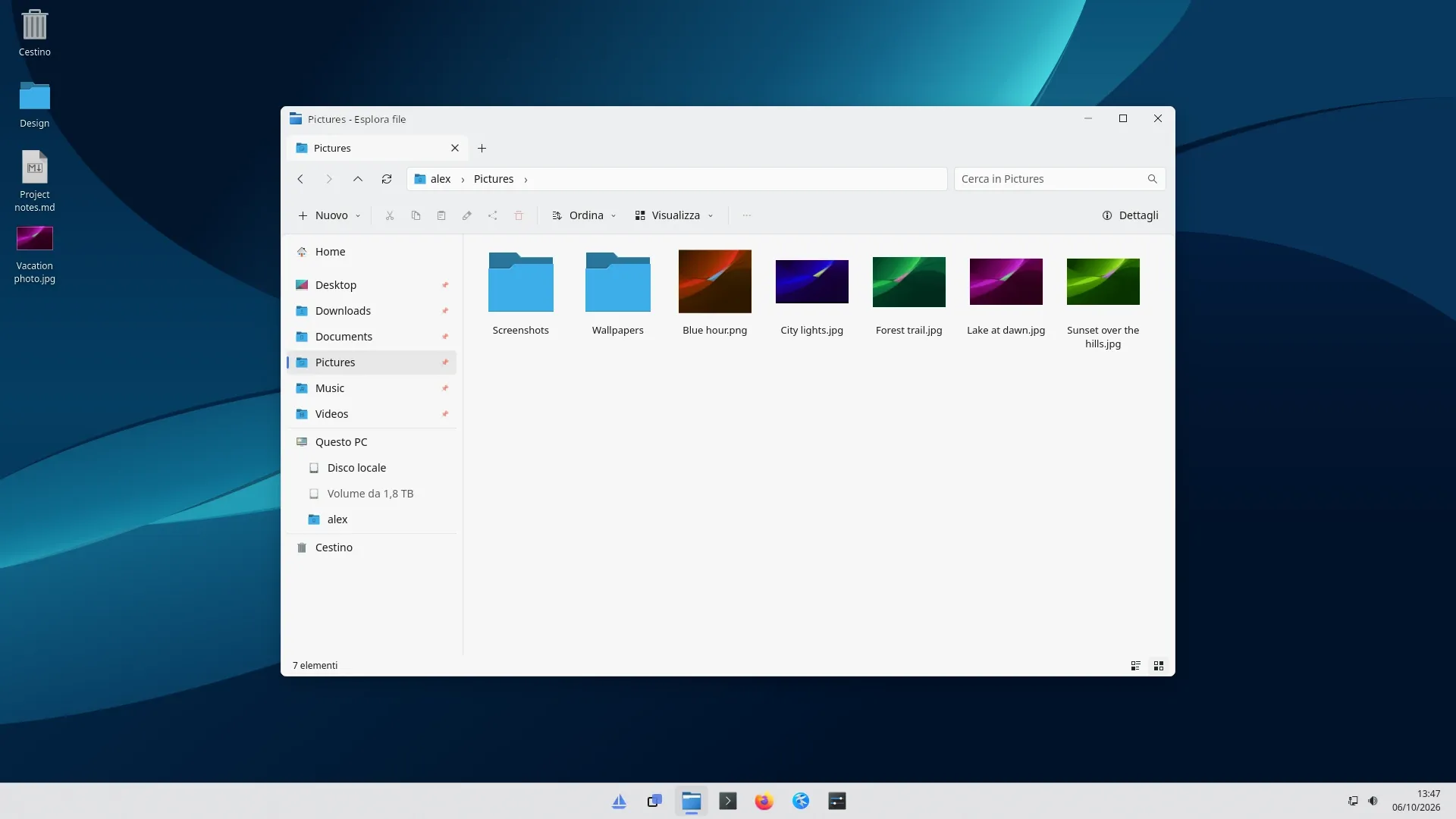
Light and dark
Switched instantly, for the shell and for apps.
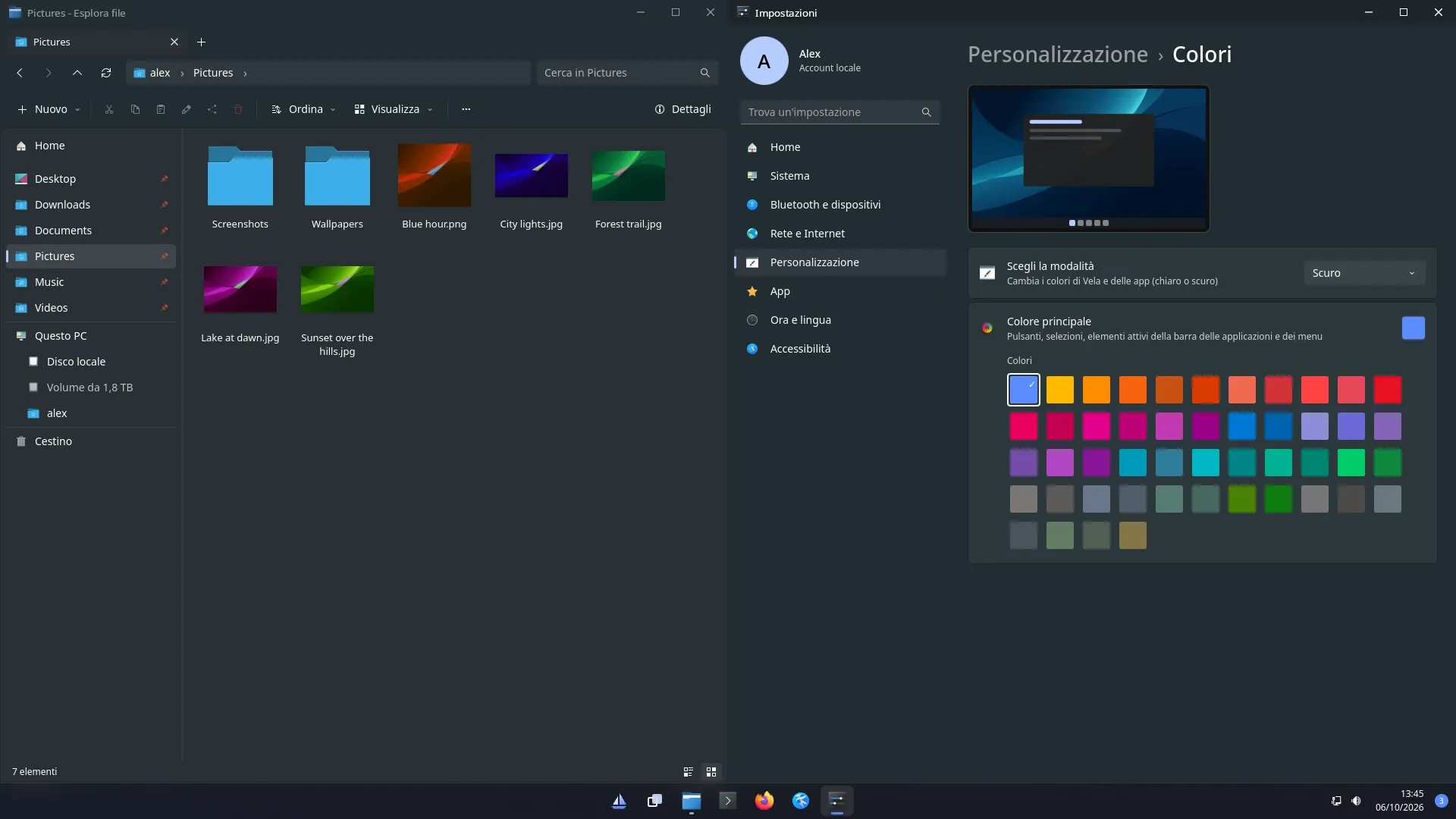
One coordinated accent palette, applied to KDE and GTK apps too. Shown here: Files, Vela’s own file manager — tabs, breadcrumbs, a preview pane, and a first frame in about 100 ms.Drag across the image to compare.
The shell
Quick to reach, and out of the way.
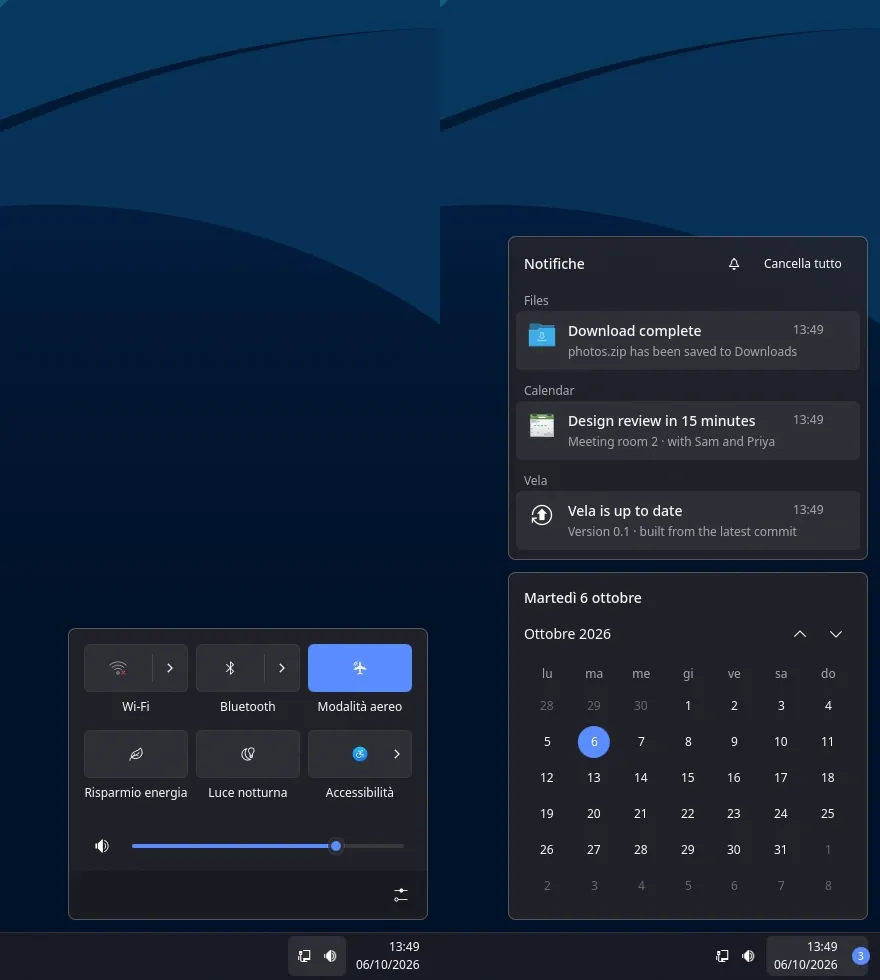
Panels and menus sit on a live acrylic blur drawn by the compositor. The Start menu appears on the next frame after the key, context menus on the next frame after the click.
Quick settingsSuperA
Wi-Fi, Bluetooth, power mode, Night light, brightness, and a sound page for each app’s volume and output.
Notification centerSuperN
Notifications with actions, a calendar, and Do Not Disturb.
Clipboard historySuperV
Text and images, with pinned items that survive a reboot.
Snipping toolSuperShiftS
A rectangle, a window or the full screen, to the clipboard and to Pictures.
A session you can rely on
A crash is not the end of the session.
A tiny supervisor holds the Wayland socket. If the compositor crashes, a new one starts on the same socket, and Qt and KDE apps reconnect and reappear. If the screen was locked, Vela comes back locked: the lock screen is built on ext-session-lock, so a crash never reveals the desktop.
03Philosophy
Efficiency through architecture, not austerity.
Use hardware when it improves the experience. Avoid overhead when it doesn’t. Vela does not remove motion or effects to win a memory chart — its savings come from doing less unnecessary work.
Damage tracking skips what did not change. Direct scanout bypasses compositing when it can. With nothing changing on screen, nothing is redrawn and the GPU sleeps.
A shell, a file manager and a settings app designed as one desktop, on a compositor and renderer written for them. Vela targets current hardware and modern displays on purpose.
It asks for a GPU with Vulkan 1.4, and in return the compositor draws live acrylic blur behind the shell, and rounded corners and soft shadows around windows — sharp at every scale.
AppsFiles · Settings
ShellQt Quick, blurred panels
CompositorScene graph · damage · frame clock
RendererVulkan 1.4
DisplayDirect scanout · VRR · tearing control
One stack, designed together
Animations advance on the monitor’s real vblanks, never on arbitrary timers: at 180 Hz they take 180 steps per second. Each output keeps its own clock, predicts when the next frame will reach the screen, and starts drawing as late as it safely can.
A slow app can’t hold the screen back: until its GPU finishes, the screen keeps its previous frame, and the cursor and every other window stay on the vblank.
60 Hz
180 Hz
drawing, as late as safely possible vblank animation step
The same 100 ms at two refresh rates: one animation step per vblank
1.1–1.9 ms
from drawing to light at every refresh rate from 60 to 360 Hz, against a whole frame period without late latching
0 missed vblanks
with an app whose GPU finishes 150 ms late — down from 47
Fractional scaling is pixel-exact when an app renders at the screen’s scale: its buffer is copied 1:1 with no filtering, even at 125% or 175%. Window edges are rounded in physical pixels, so two windows snapped side by side never gain a gap or an overlap.
An automated test checks it bit for bit after opening, snapping, maximizing and restoring a window. A single differing pixel fails the test.
It owns the whole pipeline
From the moment an app commits a surface to the moment the pixel lights up: its own scene graph and Vulkan renderer on top of wlroots, with no wlr_scene and no wlroots renderer.Read the renderer design
input
state
predicted frame
render as late as possible
presentation feedback
correct the model
Measured, not claimed
17MiB
Compositor memory at idle (PSS)
0.1%
Compositor CPU at idle, 3–7 wakeups per second
104ms
Files, cold start to first frame (median of 5)
0.05–0.13ms
GPU time per frame for live blur as the Start menu opens
All figures from Vela’s primary development system — Ryzen 9 9950X, Radeon RX 9070 XT, CachyOS, Mesa/RADV. Idle figures are sampled over 30 seconds by scripts/measure.sh; late-latching figures come from the headless backend running vkcube. Other hardware will differ.
05Open source
Built in the open.
Vela is free software under the GPL, version 3 or later. It is young, it moves fast, and all of it — compositor, renderer, shell and apps — is developed in public.
Alpha
You can already pick Vela at the login screen and use it every day: compositor, shell, file manager, settings and lock screen. The GPU test suites pass in full on the primary development machine, but some hardware-specific paths still rely on manual verification. Expect rough edges, and expect things to change.
RequiresA GPU with Vulkan 1.4 — AMD or Intel with Mesa 25.0 or newer, or NVIDIA with the proprietary driver 570 or newer, or NVK.
01
Try it
On Arch Linux, CachyOS, EndeavourOS and Fedora 44, Vela installs as a proper vela-git package, updated with vela-update. Other distributions can build from source.
$ git clone https://github.com/vela-desktop/vela.git
$ sh vela/packaging/vela-update
Issues and ideas are welcome. Before larger changes, open an issue to talk about it, and sign off your commits under the Developer Certificate of Origin. If something breaks, vela-report builds a diagnostic ZIP with only the evidence you choose — and uploads nothing.