ITS-G5 / V2X receiver for Android
See the cars talk
V2X2MAP is an Android app that receives and maps ITS-G5 / V2X traffic: the 5.9 GHz IEEE 802.11p messages cars and roadside infrastructure send to coordinate.
$20 ESP32-C5 boardUSB-OTG or Bluetooth LENo cloud: runs on the phone
How it works
Three steps. Then drive.
Plug a $20 ESP32-C5 dev board into your phone, drive somewhere with modern infrastructure, watch the CAMs, DENMs and SPATEMs roll in.
1
Install V2X2MAP
Grab it from Google Play on any Android phone with USB-OTG or Bluetooth LE.
2
Connect the ESP32-C5
Plug it in over USB-OTG or pair via Bluetooth LE. The app detects the board and flashes the firmware automatically, in under a minute. Which board?
3
Watch the traffic roll in
Reception starts immediately. Every CAM, DENM and SPATEM lands on the live map.
What the cars say
Cars are already talking.
Modern cars and roadside units (RSUs) broadcast standardised safety messages on the dedicated 5.9 GHz V2X band.
V2X2MAP captures these in promiscuous mode, decodes the GeoNetworking headers locally and plots each message as a colour-coded marker on an OSM map. No cloud round-trip required. Everything runs on the phone.
CAM
Cooperative Awareness
Position, speed and heading of a vehicle.
I'm here, going X km/h
DENM
Decentralised Environmental Notification
Warnings about events on the road.
Hazard ahead!
SPATEM
Signal Phase + Timing
What a traffic light shows and for how long.
Traffic-light countdown
MAPEM
Map data
Lanes and connections of an intersection.
Intersection geometry
Traffic-light assistant
Know the light before you see it.
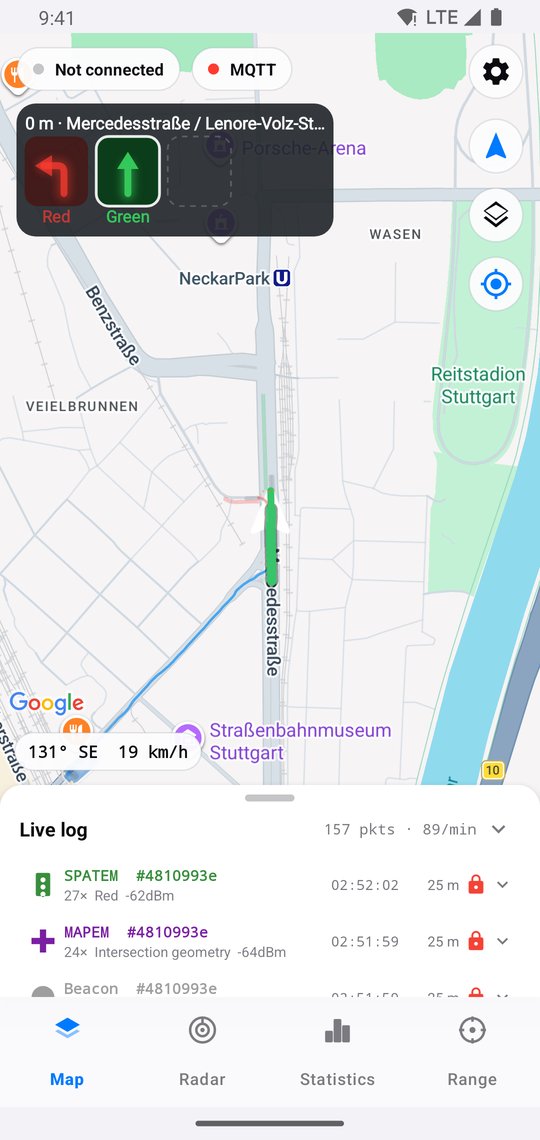
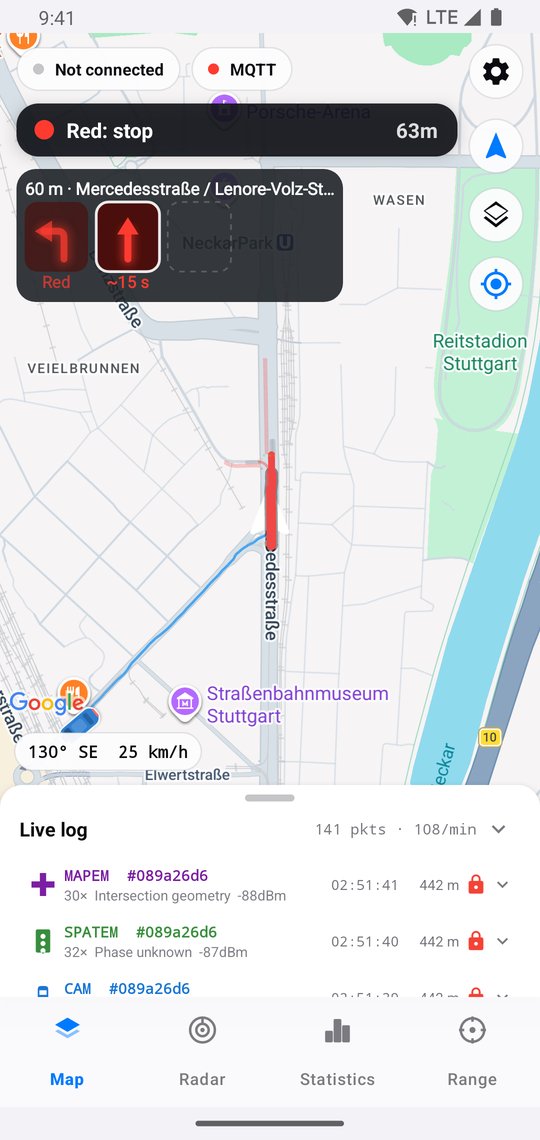
Signalised intersections broadcast their phases (SPATEM) and lane layout (MAPEM). V2X2MAP picks out the signal heads for your approach and shows them at the top of the map, one per direction.
- Left, straight and right, each with its own arrow
- Countdown when the intersection sends its timing
- Lanes on the map coloured by their current signal
The app
Everything on one screen.
Live map, traffic-light phases, intersection lanes, radar, statistics and range measurement: all decoded on your phone.
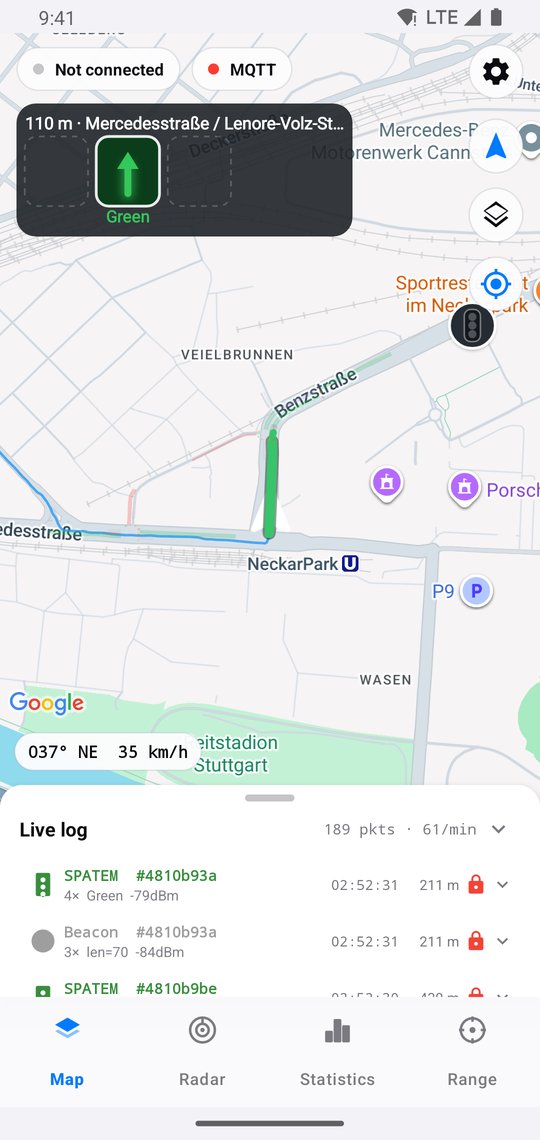
Live mapVehicles, traffic-light phases & hazards as colour-coded markers.
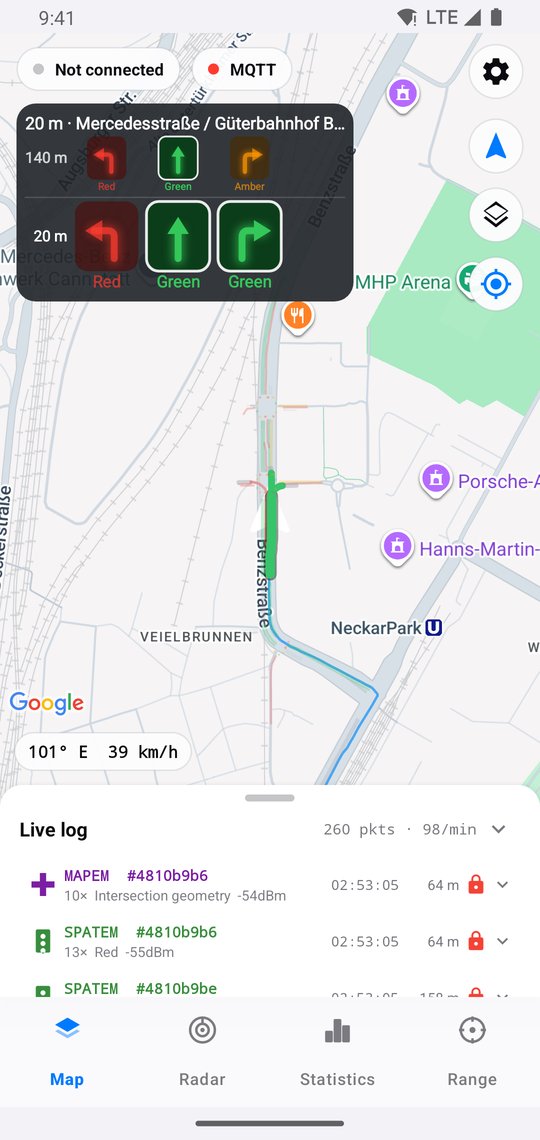
Signal headsOne arrow per direction, straight from SPATEM.
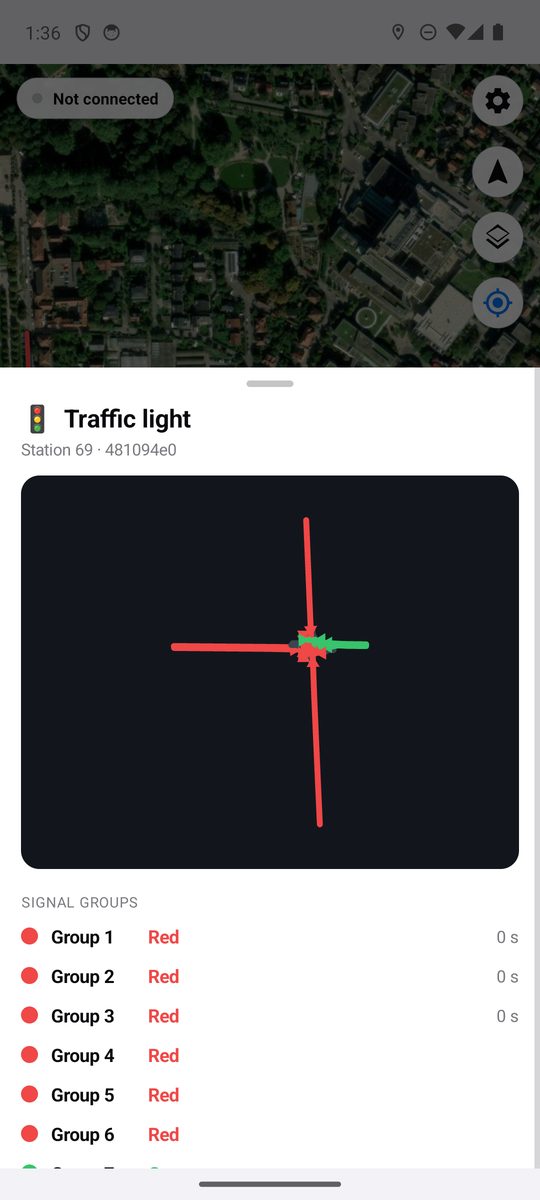
Traffic light detailEvery signal group and its current phase.
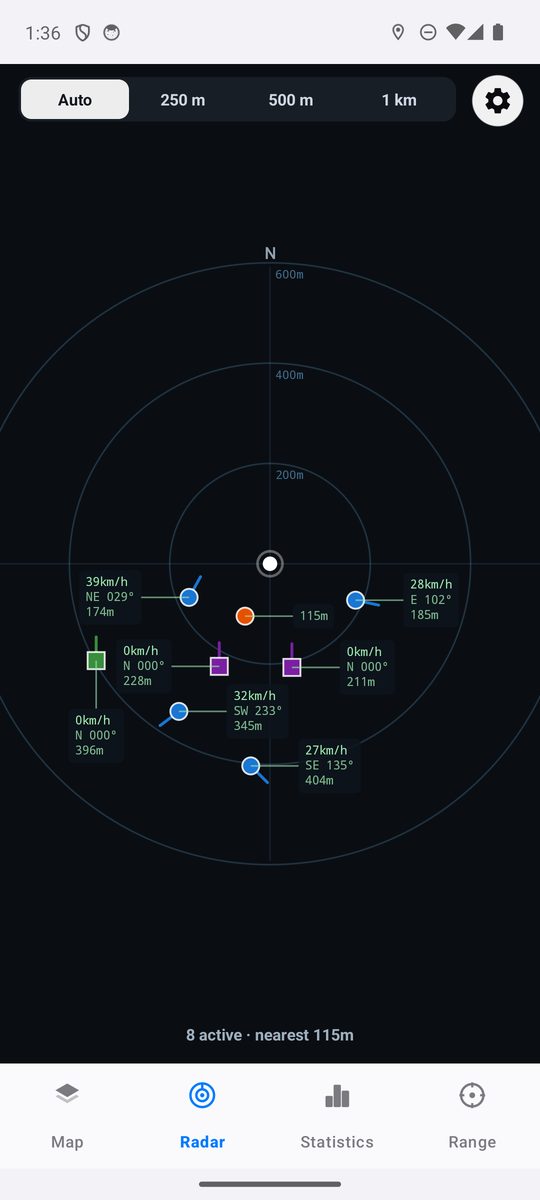
RadarNearby stations by distance and direction.
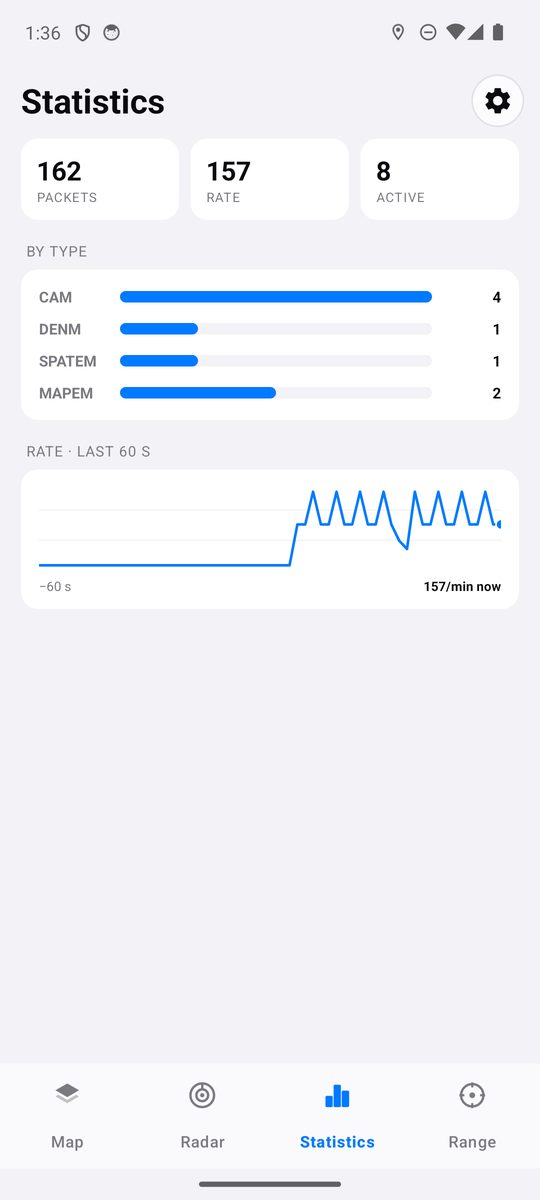
StatisticsPackets by type and receive rate.
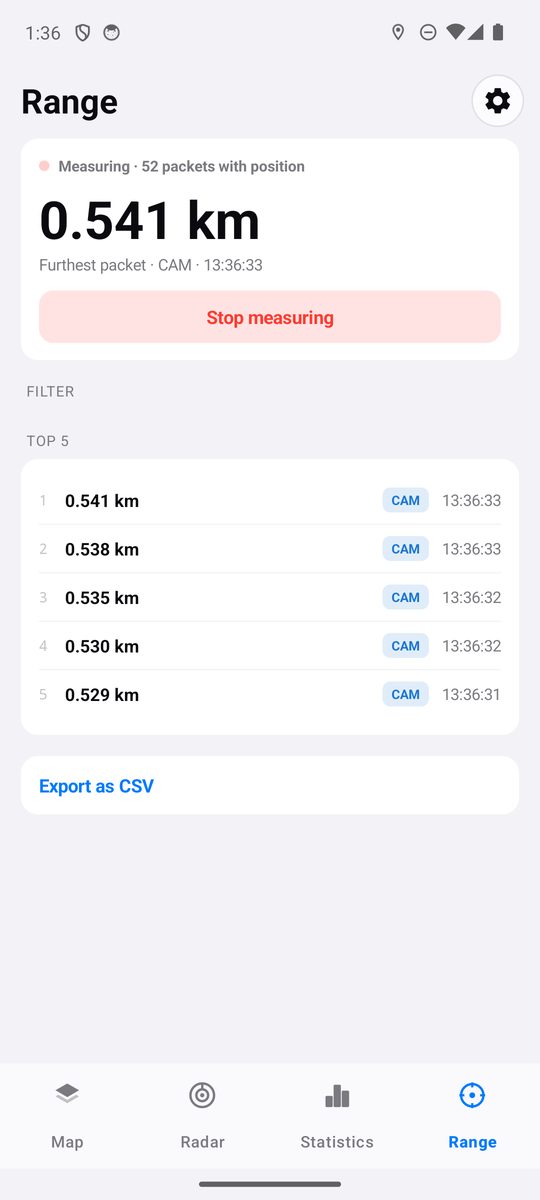
Max-range modeTracks the furthest packet received, exportable as CSV.
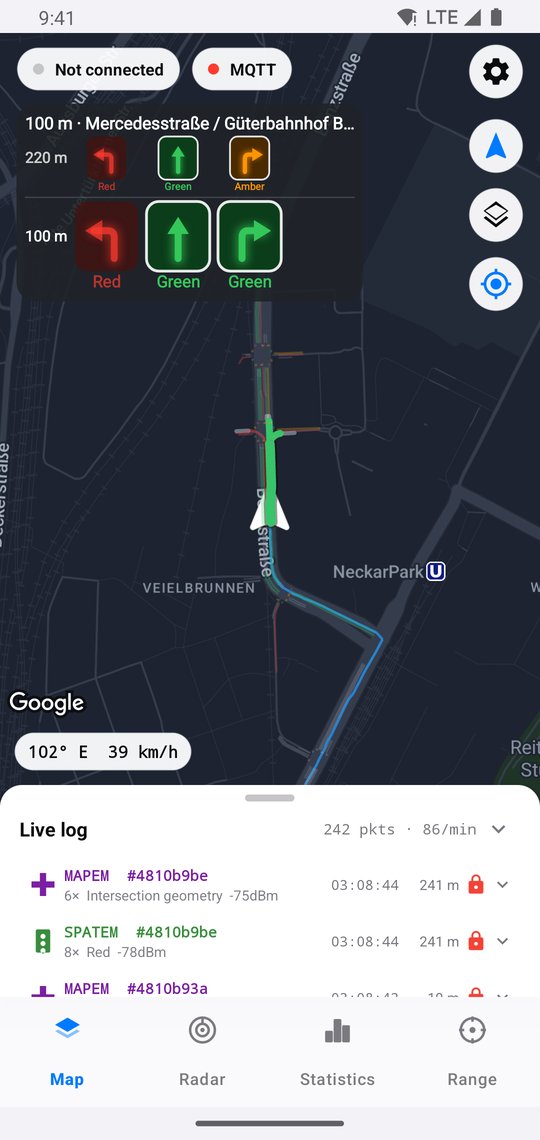
Dark modeEasy on the eyes at night, on map or satellite view.
← swipe for more →
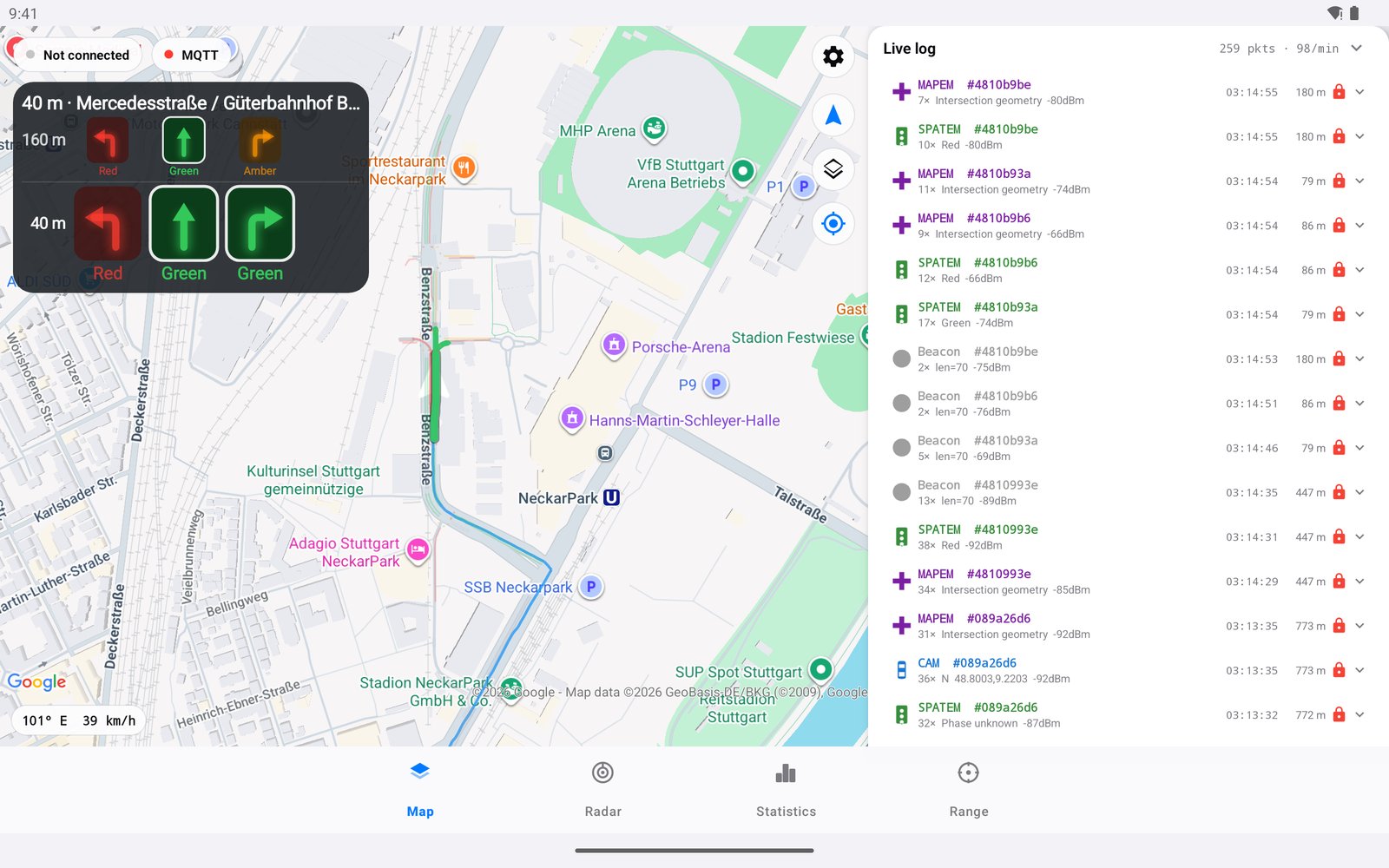
Room for more on a tablet: map and live log side by side.
Features
Built for the road.
Live map
OSM map, colour-coded markers per message type, heading-aware arrows for vehicle CAMs, auto-fade so the screen doesn't drown.
Auto-follow
Speed-adaptive zoom: 18 standing still, 14 above 80 km/h. The map keeps your dot centred.
Geiger-counter mode
A short tick on every frame, a higher beep + buzz on a DENM hazard. Drive with eyes forward.
BLE + USB
The C5 streams raw 802.11 frames over USB-Serial-JTAG and Bluetooth LE, time-shared with the sniffer.
Offline maps
OSMdroid tile cache up to 600 MB. Pan around online once, then go offline.
Recording & replay
One tap writes every frame to an .itsg5 file for later replay and analysis.
MQTT bridge
Optionally re-publish frames over MQTT. Default broker is the public OpenTrafficMap one; custom brokers configurable.
Localised UI
English by default, German for German devices. Both translations ship in the APK.
Coming soon
V2X2MAP for iPhone.
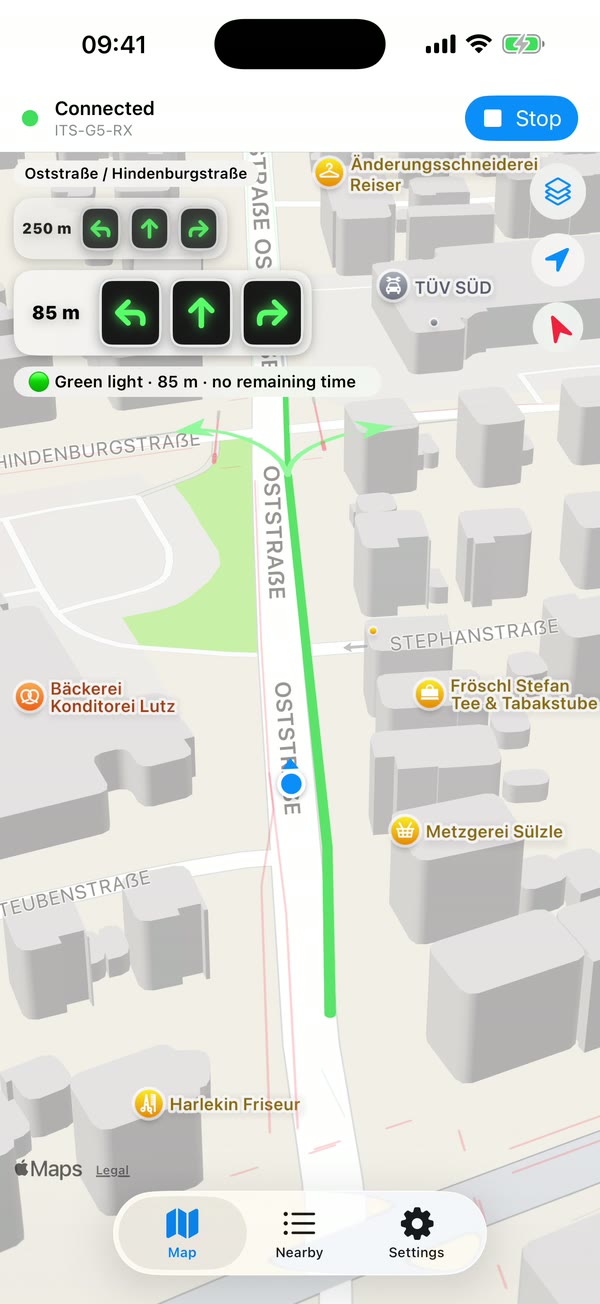
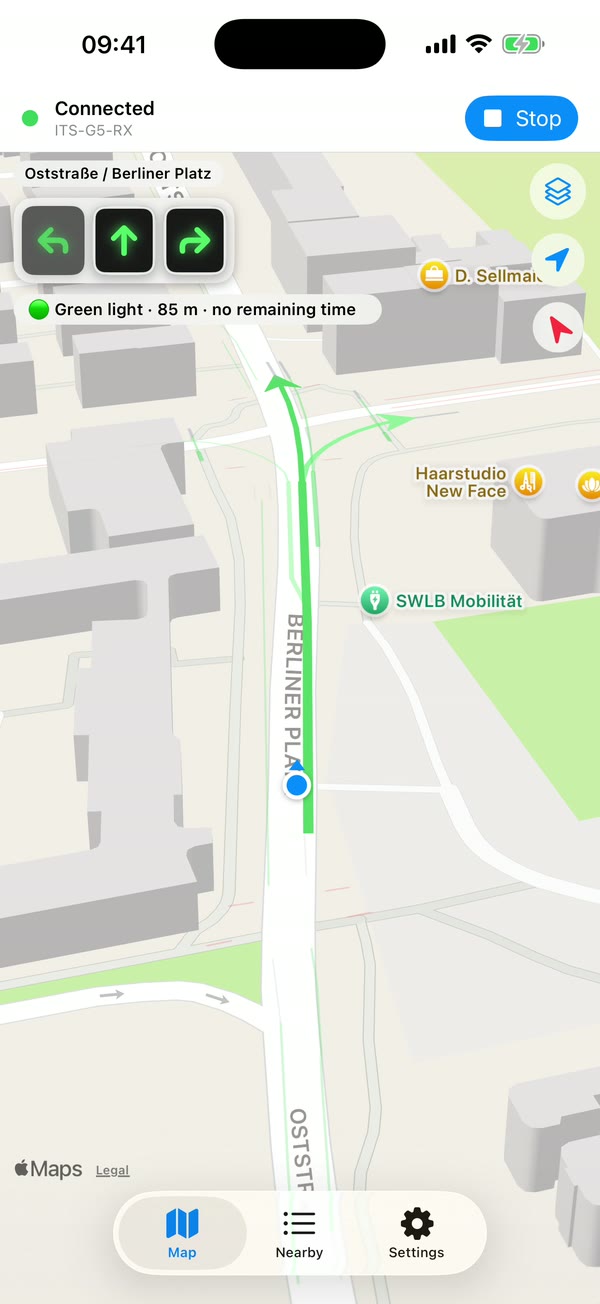
A fully native iOS app is on its way to the App Store. Same receiver, same decoding on the phone, plus lane-by-lane traffic lights drawn right into the map.
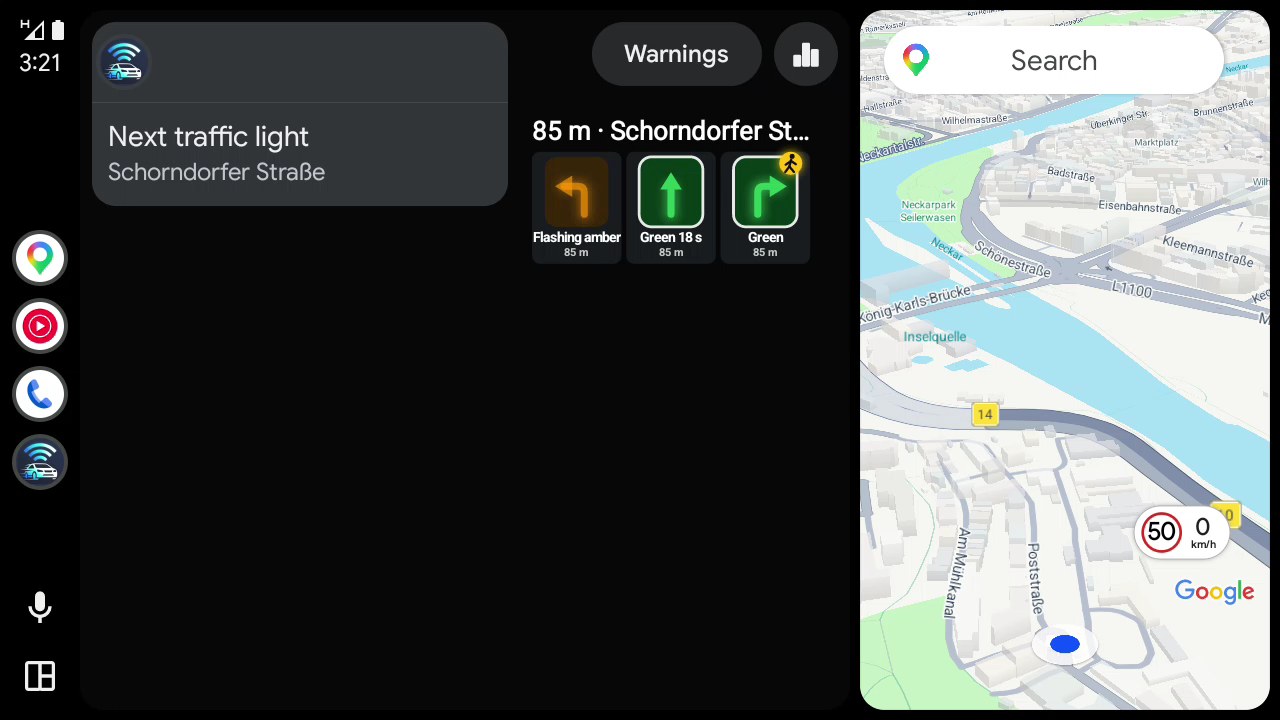
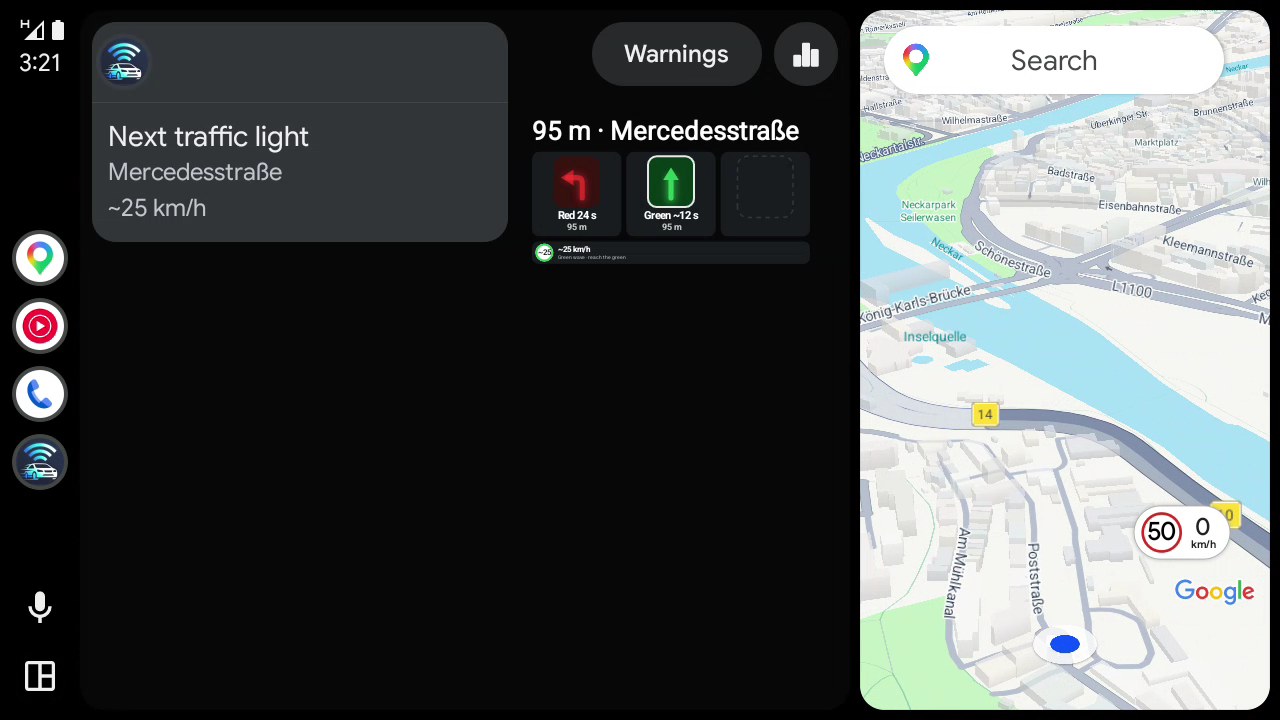
These clips are replays of a real drive through Stuttgart.
Coming soon
On your car's screen.
Traffic lights and hazard warnings, big and glanceable on the dashboard: Android Auto and Apple CarPlay are in the works.
GB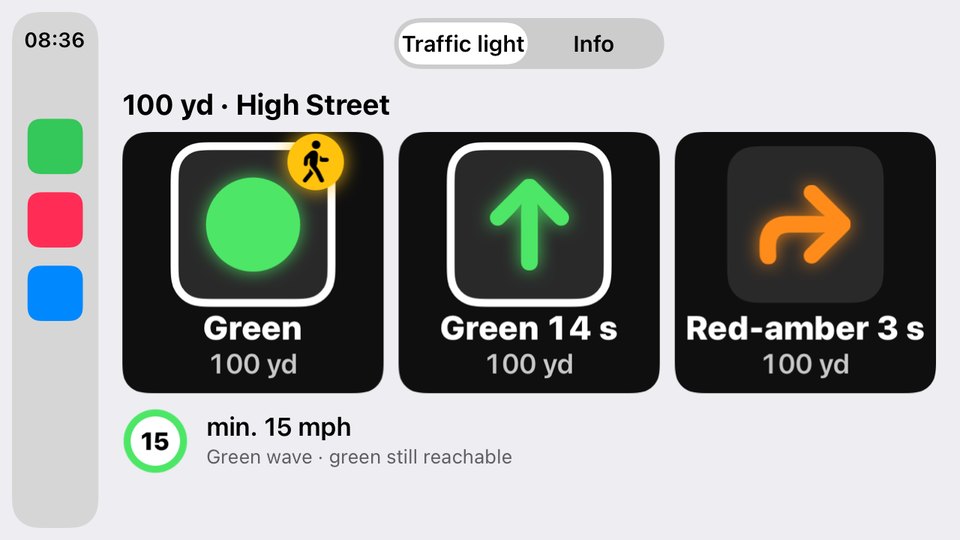
FR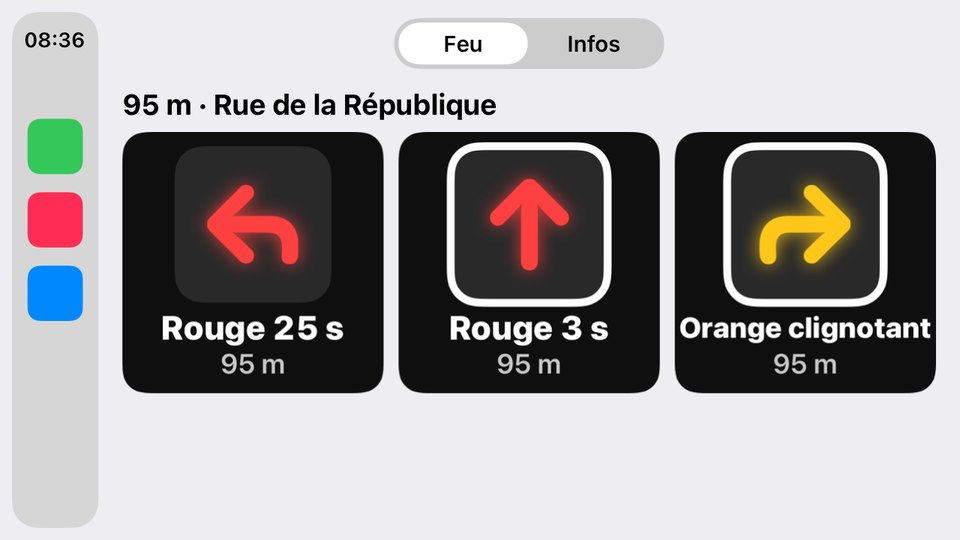
DEATCHCZSKPLDKSENOFIISGBIEFRBELUPTNLITESMTCY
Knows the local signal rules — red-amber or not, flashing arrows, km/h or mph, left- or right-hand traffic. Picked automatically by country.
What you need
One board. That's it.
The board supports 5.9 GHz IEEE 802.11p out of the box; the firmware drives it as a sniffer and forwards captured frames to your phone.
● Required
Waveshare ESP32-C5-WROOM-1 dev board
ESP32-C5 (Wi-Fi 6 + BLE 5) breakout with external 2.4/5 GHz antenna and pin headers. The exact board V2X2MAP is built for. Multi-protocol RF capable of 5.9 GHz IEEE 802.11p sniffing.
- Wi-Fi 6 + BLE 5
- 5.9 GHz 802.11p sniffing
- Firmware flashed by the app
+Any Android phone with USB-OTG or Bluetooth LE
Optional accessories
Antenna upgrades for more range, plus what you need to run the receiver in the car.
All shop links are affiliate links. We may earn a commission on qualifying purchases at no extra cost to you.
How it fits together
From the street to your screen.
Vehicles & RSUsbroadcast on 5.9 GHz
802.11p
ESP32-C5 snifferWaveshare C5
USB / BLE
Android applive OSM map (or Python bridge)
Understand V2X
A band of its own.
V2X safety messages live in a dedicated slice of spectrum at 5.9 GHz. In Europe the ITS-G5 band (5855–5925 MHz) is split into channels by purpose. The control channel carries the most safety-critical traffic.
non-safety
safety
CCH
future
58555875589559055925
Green light. Get the app.
Everything runs in the V2X2MAP Android app: no desktop tool, no manual setup. It even flashes the ESP32-C5 firmware for you on the first connection.
- 1
Install from Google PlayAny Android phone with USB-OTG or Bluetooth LE.
- 2
Connect the ESP32-C5Firmware is flashed automatically, in under a minute.
- 3
Watch the traffic roll inReception starts immediately. Every CAM, DENM and SPATEM lands on the live map.
!
Legal
Receiving and forwarding ITS-G5 radio data may be subject to national telecommunications law and data-protection law. The Android app shows a disclaimer on first launch. Use at your own risk.