Install the
Windows way.
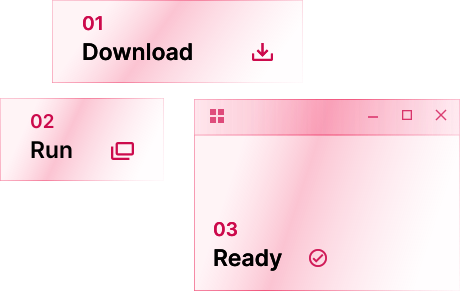
Download the installer of your favorite app or game and run it, just like on Windows. Use a separate prefix for each app. Raven attempts a snapshot for recognised installers; create and verify a manual checkpoint before changes you need to undo.
How does it work?
A virtual machine boots a guest operating system. Compatibility runtimes such as Wine instead implement the Windows interfaces an application needs.
Raven runs the .exe directly on the CPU in a supervised guest process. Some Windows functions execute inside that process, in Raven's guest components or libraries. Requests for supervisor-managed services cross into the runtime outside it, which manages processes, handles, files and registry state and mediates access to the Linux host.
Raven implements Windows Installer custom actions, side-by-side assemblies through WinSxS and a service manager. These are among the interfaces real installers depend on; application compatibility still needs testing.
The official redistributables can be installed with their classic installers, like you would on Windows (Visual C++ 2005 to 2022, DirectX, .NET Framework 3.5 and 4.8, XNA and OpenAL). Raven protects its own system libraries during installation. Snapshot creation can fail, so check that a checkpoint exists before relying on rollback. Tested applications can use the vendor's installer; other applications may still fail to install or start.
Graphics go straight to Wayland and Vulkan, with DXVK and vkd3d-proton for Direct3D.
Read the docsFast where it counts.
Preliminary results on the same machine, using software Vulkan. ClassiCube uses four alternating rounds with a fixed world seed.
- Raven
- 0.04 s
- Wine 11.0
- 3.70 s
- Soda 11.0-32
- 0.71 s
- Raven
- 1.61 s
- Wine 11.0
- 5.32 s
- Soda 11.0-32
- 2.27 s
- Raven
- 2,392 fps
- Wine 11.0
- 1,819 fps
- Soda 11.0-32
- 1,683 fps
- Raven
- 71.5 fps
- Wine 11.0
- 63.0 fps
- Soda 11.0-32
- 63.0 fps
- Raven
- 0.73 s
- Wine 11.0
- 0.94 s
- Soda 11.0-32
- 0.95 s