Free online video editor
Generate, edit, and finish
in one timeline.
Miomoto brings AI generation into a real video timeline - create shots, motion, and audio, then refine everything in one place.
Free online video editor
A real video timeline.
Right in your browser.
Create a free account and start editing online with clips, layers, effects, audio, presets, and exports. No installation required. AI tools create the pieces; Miomoto gives you the timeline to turn them into a finished video.
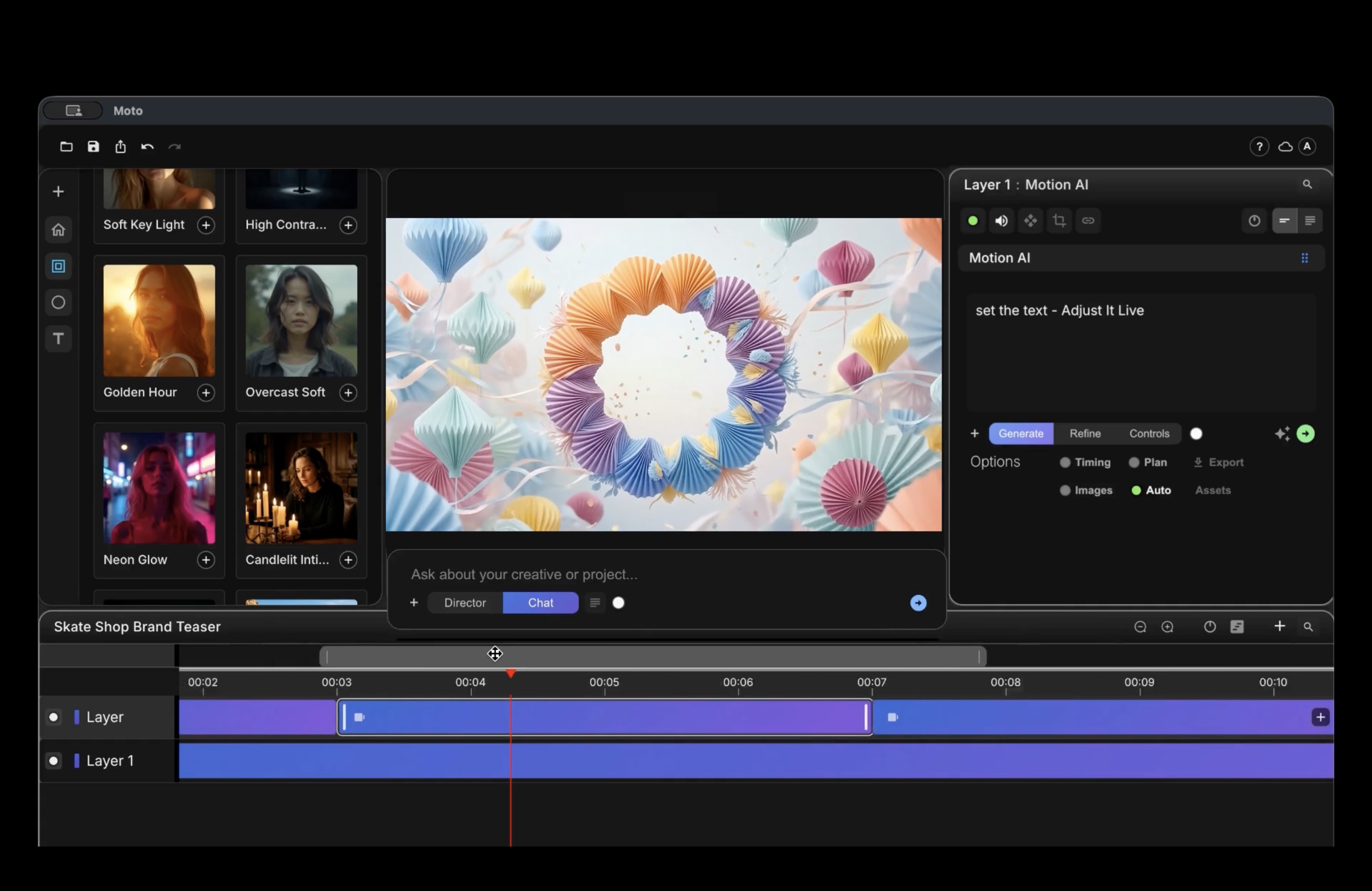
30-second workflow
Watch Miomoto turn this reference into editable motion in 30 seconds.
For this example, Miomoto recreated the reference as editable motion graphics in under 30 seconds. The result remains fully editable in the Miomoto timeline—a task that would typically take a professional more than half an hour.
How it works
Generate in the project.
Refine in the timeline.
Miomoto's AI tools are not a separate destination. They create, transform, and refine assets inside the same project where you edit.
01
Generation in the timeline
Generate onto the timeline. Stacked, layered, editable.
Images, video, and graphics generate as clips and layers in your edit, not in a separate tool. Effects stack on each clip: every effect remains visible, ordered, and independently editable. Change a layer, swap a shot, or regenerate a beat. The rest of your timeline stays in place.
Generation as layers
02
Motion AI
Prompt to motion. Generate, then edit it live.
Create motion graphics as timeline clips: titles, lower thirds, transitions, kinetic type. The output stays in the project, where you can trim, layer, and refine it like the rest of the edit.
Motion AI
03
Assistant
Edit by talking to your project.
Ask it to translate a title, rewrite text, or prepare a motion prompt. The Assistant works with the project context: timelines, sources, media, and tools, instead of acting like a disconnected chat box.
Plain-language edits
04
Sources and references
Build a character once. Keep her shot after shot.
Reusable visual sources help keep generation consistent across scenes and projects. Use existing images, products, locations, or generated outputs as references when consistency matters.
Source-based prompting
05
Producer
Give it a brief. Get an assisted first cut.
Start from a brief, script, or references and get structure to refine: scenes, shots, timing, and a first direction. Producer is a starting point, not a locked result.
Assisted first cut
Generate with Seedance 2.0, Veo 3.1, Kling, Nano Banana, and more inside Miomoto.
A real editor underneath
Not a generator with a preview window.
A timeline editor with AI built in.
Trim.
Move.
Cut.
If you’ve used a video editor, you already know your way around. Miomoto is a timeline editor with layers, clips, keyframes, effects, audio, and a render queue, plus AI generation built into the same project. The editor stands on its own.
Inside the editor
Generation, references, assistant workflows, and export stay connected to the project timeline.
Generate directly in the timeline
Who we built this for
Built for motion designers, video editors,
and creative teams working with AI-generated media.
Miomoto is for you if
You are part of a brand team, agency, or independent creative practice producing brand films, launches, social clips, product demos, or internal video. You need AI generation, editing, and project control in one timeline instead of rebuilding work across disconnected tools.
Free editor
Start creating.
The editor stays free.
Open the core editor free in your browser, or download the desktop version from your account. Free exports include subtle Miomoto attribution. Paid plans add watermark-free exports, included AI credits, and professional features.
Plans and pricing will be announced later.
AI access
Generate. Edit. Finish.
All in Miomoto.
The editor is free. The AI generation trial is currently available by request while capacity is limited.
Email is required. The rest helps us prioritize AI access.
Access
AI access, approved in waves.
AI access opens gradually so support and cloud usage stay manageable.
Free editor
The core editor stays free.
Free exports include subtle Miomoto attribution. Paid plans add watermark-free delivery, AI credits, and professional features.
Account
Anyone can create an account.
Sign in by email to open the free online editor, download the desktop version, and manage your account.
Support
Feedback shapes the release.
AI trial users should expect product changes, limited availability, and direct follow-up on important issues.