Welcome to Time with Dmytro. I am a senior frontend engineer, passionate about the web and photography. This publication is my tiny corner for sharing passion projects, experiments with web tech, and deep dives into modern digital experiences. If you find yourself curious about how websites and web apps get built, you’re in the right place. Please subscribe. Thanks!
I shipped a small open-source project that I've been wanting to build for a while. It's called languagedetector-polyfill, and I think it fills a real gap that web developers working on language detection have already been, or will be, bumping into.
The browser vendors have been slowly rolling out a suite of AI-powered Web APIs, including Summarization, Translator and Language Detector APIs. Among them, LanguageDetector: a new interface to detect what language a piece of text is written in, directly in the browser, using the built-in AI model, without any cost or server round-trips. It supports 104 languages, is promise-based and cancellable with AbortController. The catch? It currently only works in Chrome and Opera:
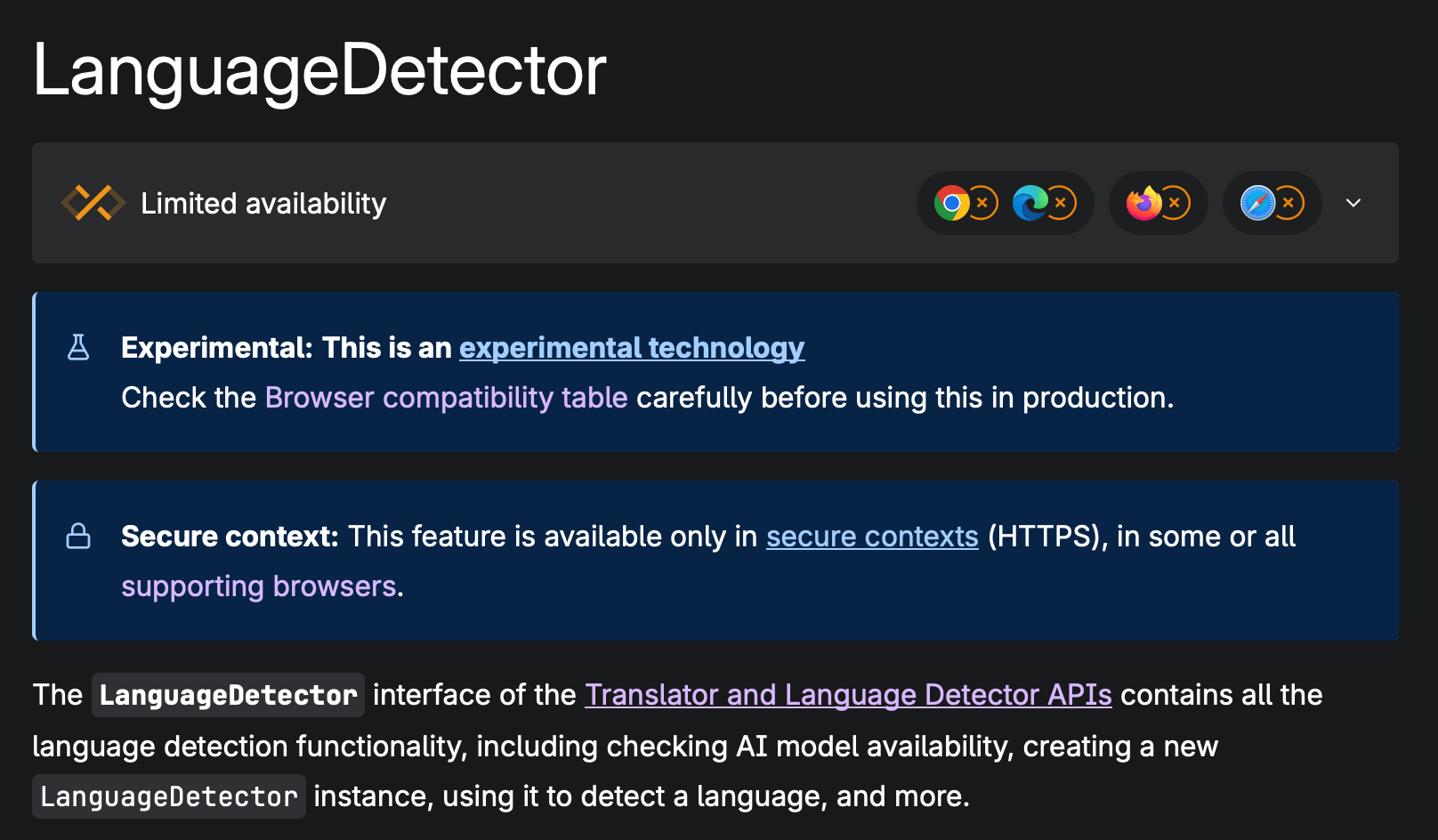
If you want to use such a Web API and target all major browsers, you either have to build and maintain your own messy polyfill or reject the idea altogether. But no stress, I’ve done all the heavy lifting and got you covered!
languagedetector-polyfill is a drop-in implementation of the experimental LanguageDetector Web API that works across all major browsers.
The interface is identical to the native spec (with minimal limitations), so if and when the API lands everywhere, you can remove the polyfill with zero refactoring. In browsers that already support it natively, the polyfill steps aside and lets the browser handle it.
Importing via ESM, ESM “module” script tag, and UMD script tag is available. You will find all the details in the repo, but more on that a bit later. Let’s briefly go over how it works first.
The interesting part is what powers the detection: Google’s CLD3 (Compact Language Detector 3), the same neural network model that powers Chrome’s language detection features. Under the hood, the polyfill uses cld3-asm – a WebAssembly build of CLD3 – so everything runs locally, entirely in the browser with no server calls, and no extra latency after the initial load. The 1MB WASM chunk is lazy-loaded and never touches your main bundle, improving the startup performance.
In my opinion, this approach results in the following advantages:
Consistent results – you get the same model behaviour across all browsers, not divergent outputs depending on the engine.
Privacy-preserving – the text never leaves the user’s device.
Fast – once the WASM module is loaded, inference is quick. The module is cached for the rest of the session.
I am using it for content moderation in one of my projects, and if you’re working on any of the following, this new API (and polyfill) might be useful:
i18n / localization – detect the user’s content language and serve the right locale automatically
Content moderation – filter or route text based on language before it hits a backend
Text editors or writing tools – surface language-aware features without a round-trip
Offline-first apps – language detection that works even without a network connection
The repo is on GitHub: UnforbiddenYet/languagedetector-polyfill
Installation, usage examples, limitations and the full API are there. Issues and PRs are very welcome – this is a young project, and there’s room to improve it.
If you are curious to learn more about the new APIs, the best way is to head to the MDN article. But if you want to get even deeper, these resources should quench your thirst:
Official Translator and Language Detector APIs Specification from the Chrome team
W3C Community Group Draft. The thing I found fascinating is Chapter 4.4.1. “The algorithm”
I write about the projects I’m building, the hard and easy parts in modern frontend, what it takes to craft a great-looking UI, and share my thoughts on the process — technical content, speckled with fun and creative things.
If that sounds interesting to you, stick around!