Jeongho Nam
#ai#vr#vibecoding#productivity
- AI coding creates dead time. While one agent is thinking, building, or testing, it is tempting to start another one.
- That turns into multi-agent coding fast. Four or five tickets can move at once, but their diffs still need human eyes.
- The terminal is not enough. I need to see the code and diff the agent is changing, not just the CLI transcript.
- Physical monitors hit a wall. A normal desk can hold a few useful displays, but five starts to break both space and viewing angle.
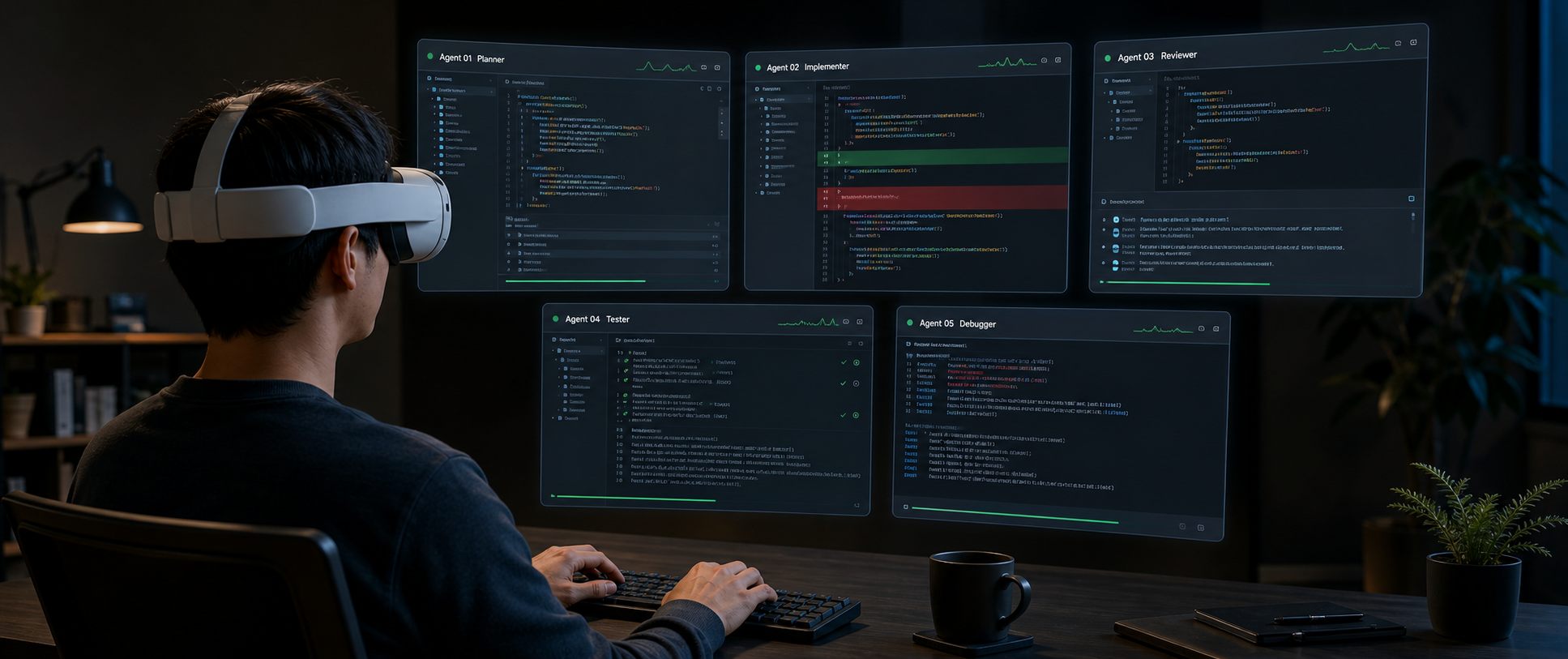
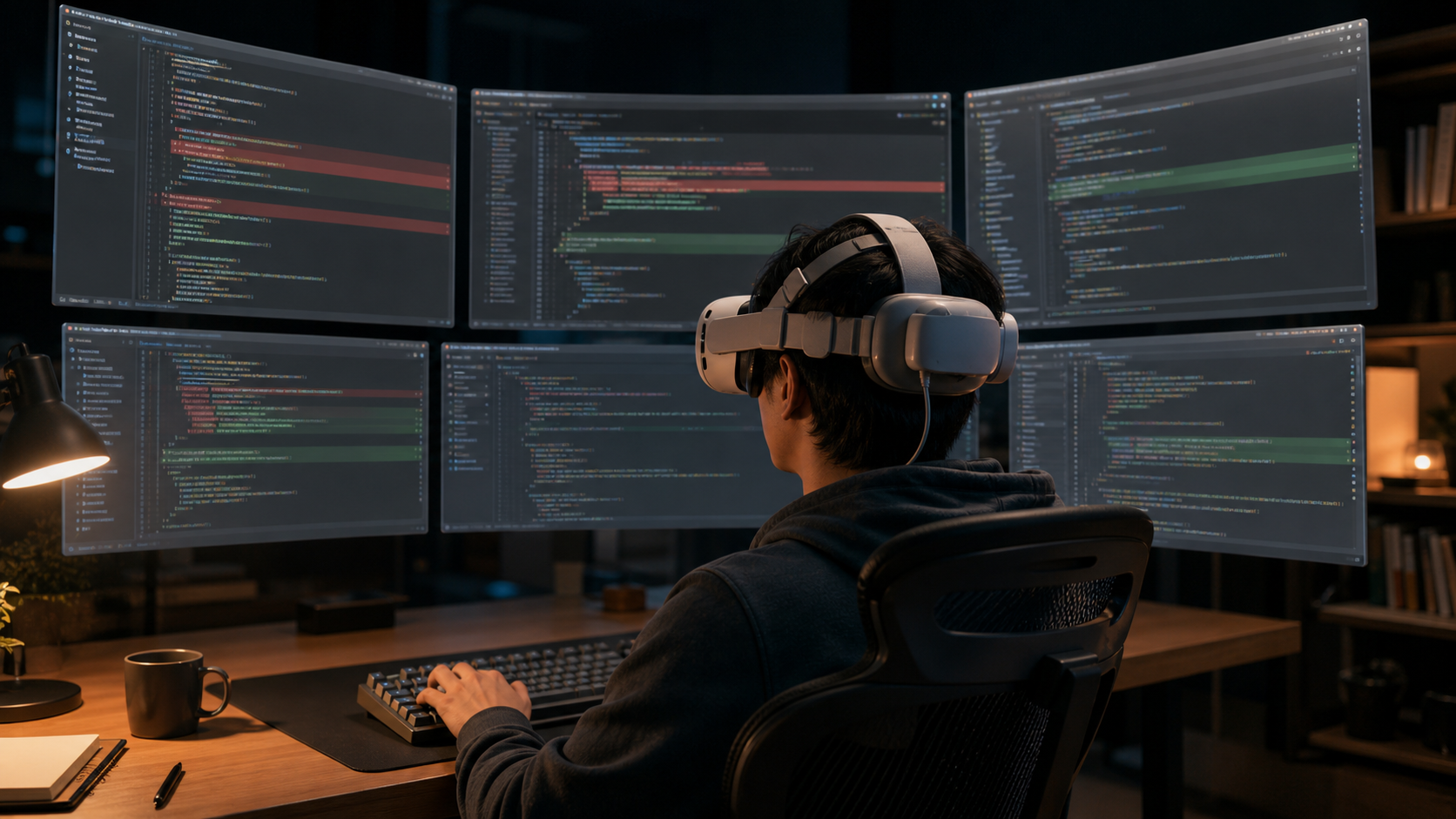
- So I do VR coding. I am not selling VR as the answer. I use it because it lets me keep 4-5 agents visible in one field of view.
- Immersed and Overay are how I build that workspace. One is fast and fixed; the other is manual and flexible.
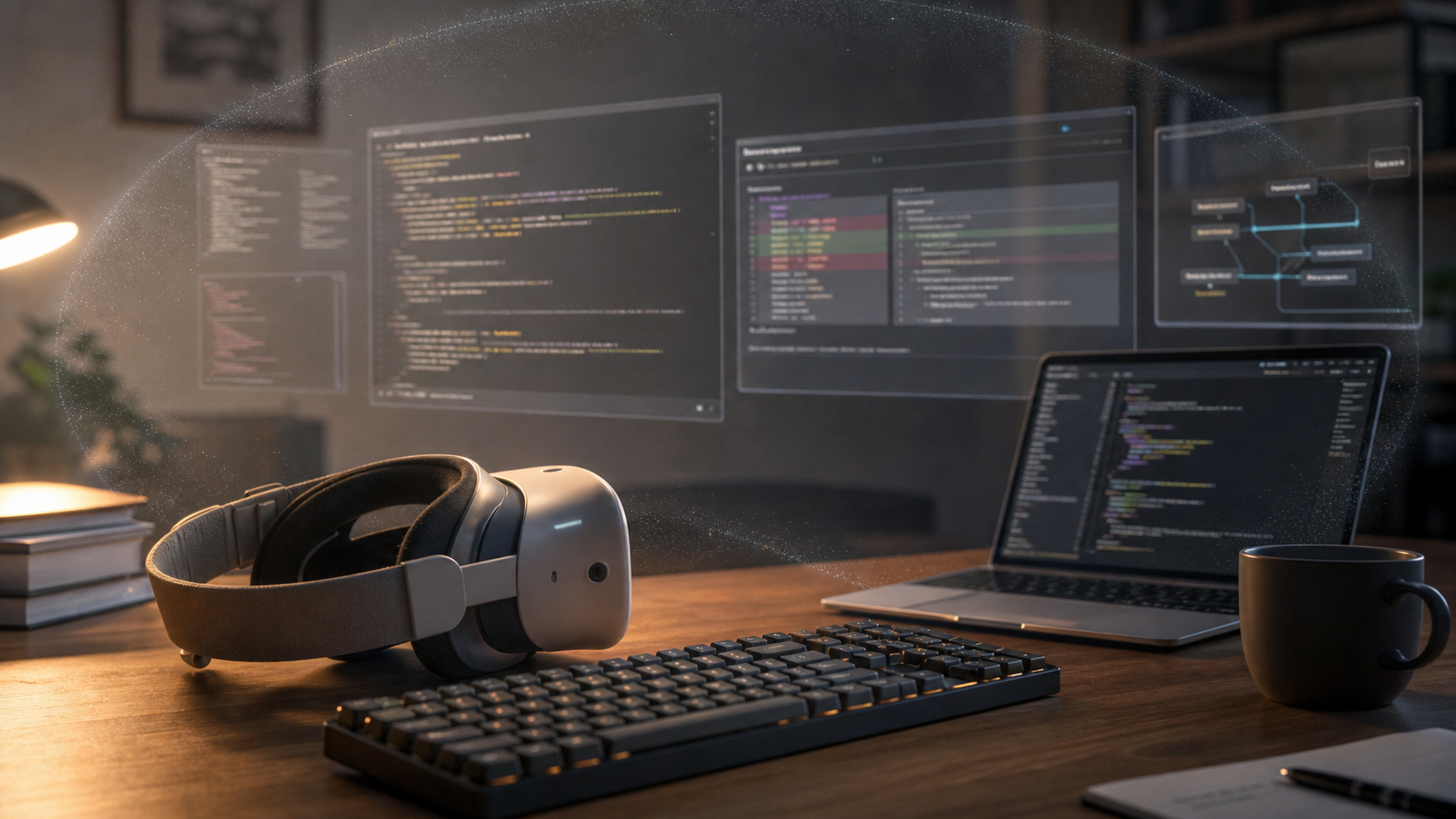
AI coding has a strange new kind of idle time. An agent starts editing, pauses to think, runs a test, waits on a build, or gets stuck halfway through a plan. Sitting there watching one task crawl is boring, so I found myself filling that time by launching another agent on another ticket. In my own workflow, this became normal quickly: one developer, several agents, several tasks moving at once.
Launching them is easy. Watching them is the annoying part.
And by “watching,” I do not mean staring at five agent terminals. The terminal is the agent’s story; the editor and diff are the evidence. For this workflow to be safe, I need the code, the diff, and the agent log visible together.
These days my routine is simple. Spin up four or five AI agents at once, hand each one a different task in a different repository, and keep their VSCode windows visible. , , , — the repositories currently in the rotation — are not toy codebases. They sit around compiler, framework, agent, and toolchain boundaries, which means a bad shortcut can travel farther than the agent summary admits.
So the monitor setup matters more than I expected. AI coding did not just change how much code I can produce. It changed what my workspace has to show me. One developer can launch several agents; the limiting factor becomes whether the dangerous parts of their work stay visible.
But for any of this to actually work, one physical condition has to hold:
All 5 VSCode windows have to fit inside one field of view.
I’m not really reading 5 at the same time. I’m a human; I look at one place at a time. But while 5 agents are rewriting code, those 5 diffs need to be in my field of view somewhere.
My typia Go migration disaster is just one example. Agents can delete tests, pull in random libraries, rewrite around the hard part, or make a green summary hide a rotten diff. This does not only happen to me; it is the normal risk of running multiple coding agents without checking them often enough.
What I took from that mess was simple: do not trust the summary, read the diff, and do not throw a giant overnight run at a repo and wake up expecting it to be mergeable.
The catch: I have not found a desk — at home or at the office — where 5 monitors still make ergonomic sense. Two external displays plus a laptop is usually where it caps out. Desk width, viewing angle, both run out around there. And nothing about that setup travels.
So I went to VR.
No VR evangelism here. For my own multi-agent workflow, this just happened to be the setup that kept the agents visible.
I still type on a physical keyboard. The laptop is still the machine. VR is the monitor layer: the place where I arrange the VSCode windows, terminals, diffs, logs, and agent transcripts I need to watch.
In practice, I usually split each VSCode window into two parts: one side has a terminal running the Codex or Claude Code CLI, and the other side has the source code it is editing or the diff it is producing. The exact agent does not matter much. What matters is that the agent’s words and the agent’s code changes sit next to each other.
My workspace is closer to this than to a wall of terminals:
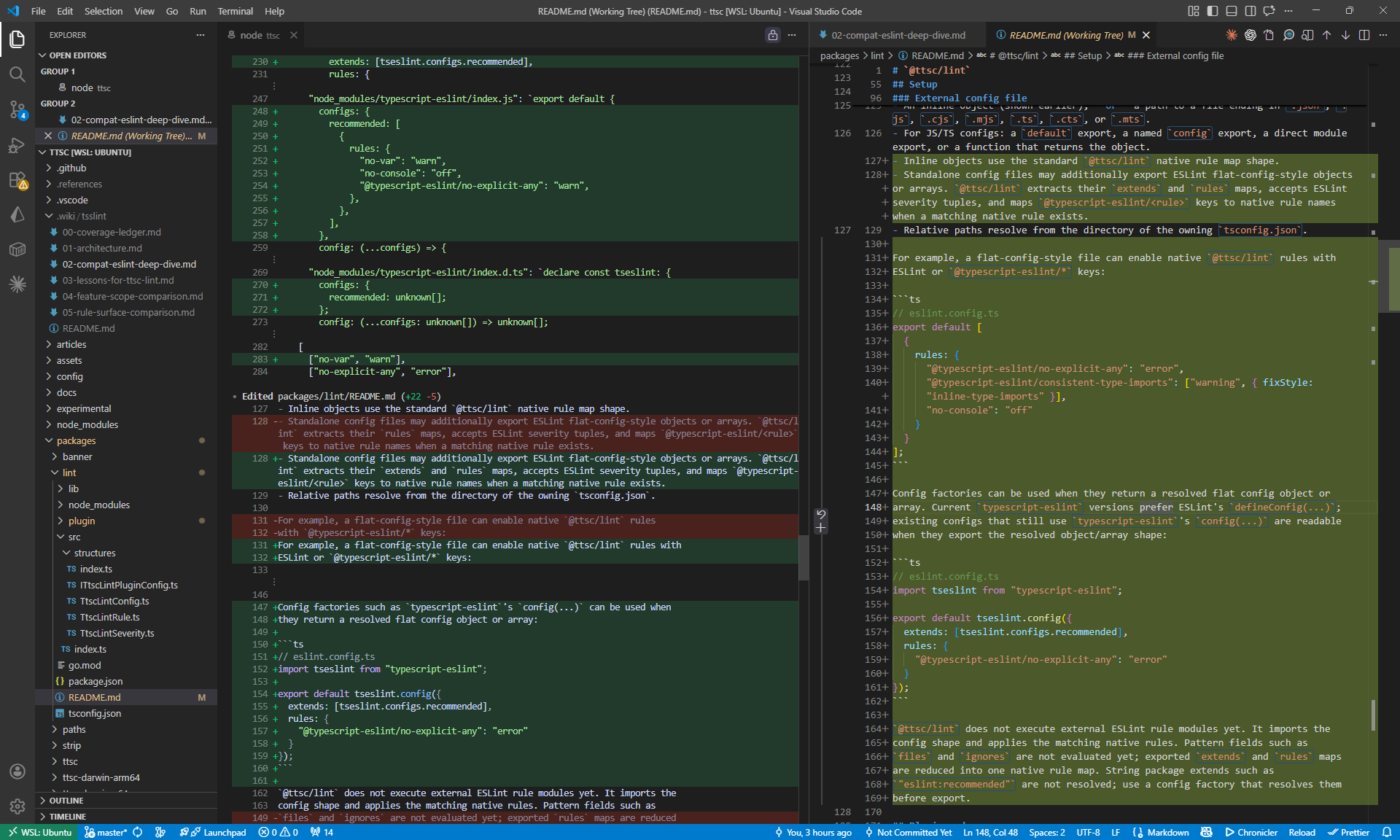
Once each VSCode window is split this way, VR takes over. Immersed or Overay turns those windows into separate virtual monitors, so I can keep several code-and-agent pairs open around me instead of stacking them on one cramped desktop.
I think of these less as VR apps and more as two ways to build a supervision layout.
- Immersed — The fast, fixed monitoring board. It gives me a repeatable five-screen workspace with very little setup.
- Overay desk — It really is called Overay. In my setup, it is the manual monitoring board: more work to arrange, but more freedom to shape the layout.
The principle is the same on both. Install a streamer app on the laptop, a client app on the headset, pair them, and the laptop’s display output flows into virtual monitors. I do not care much about the VR technology for its own sake. I care that monitor count, distance, curvature, and placement become adjustable parts of how I watch the agents.
2.1. Immersed
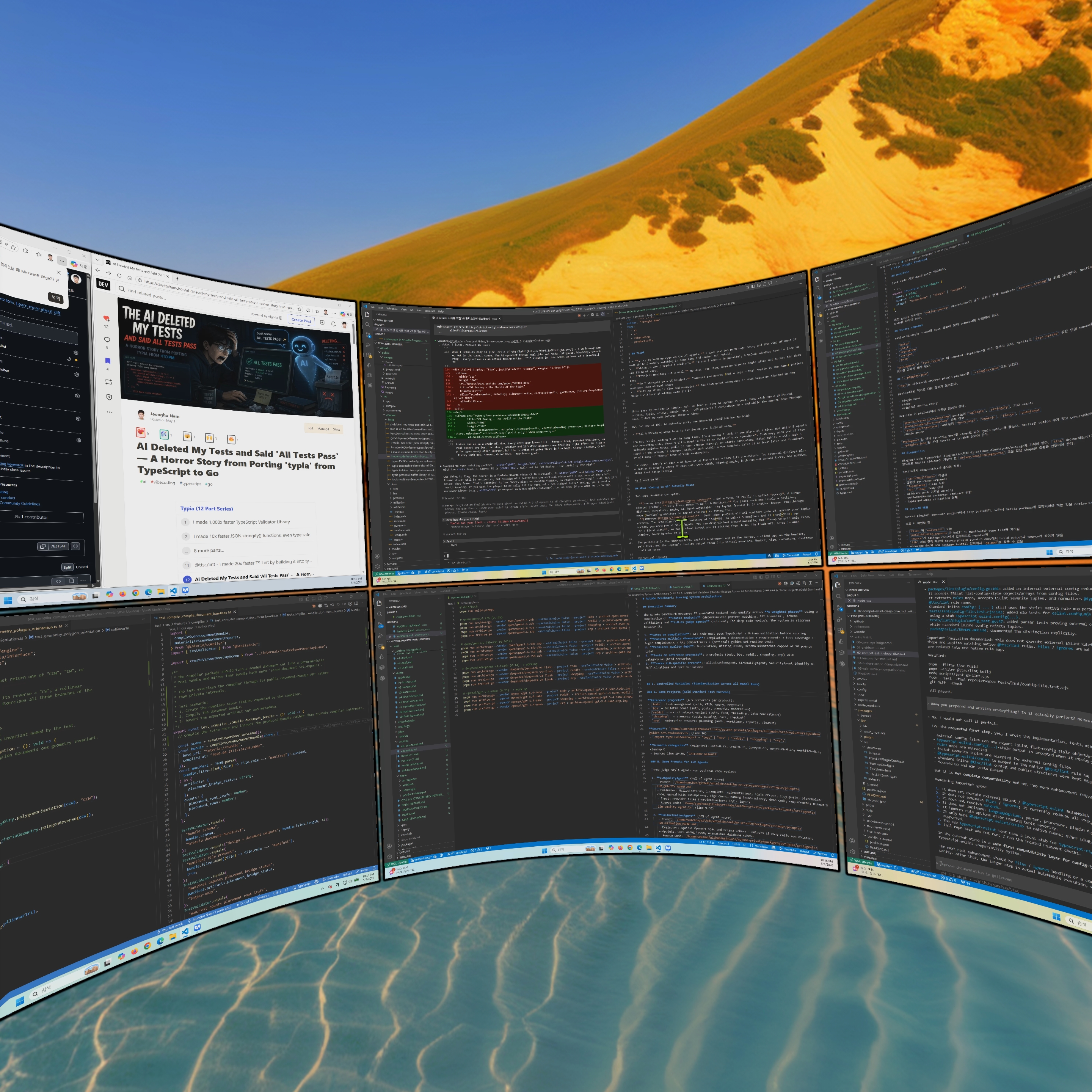
Immersed is what I use when I want the workspace ready with the least fiddling. The five-screen snap layout is the big advantage. I put the screens in place, they snap into a clean arrangement, and I can start watching agents without spending five minutes nudging floating rectangles by hand. For monitoring, the fixed slots matter because the agents stay in predictable places. The screenshot below is exactly that version of the setup.
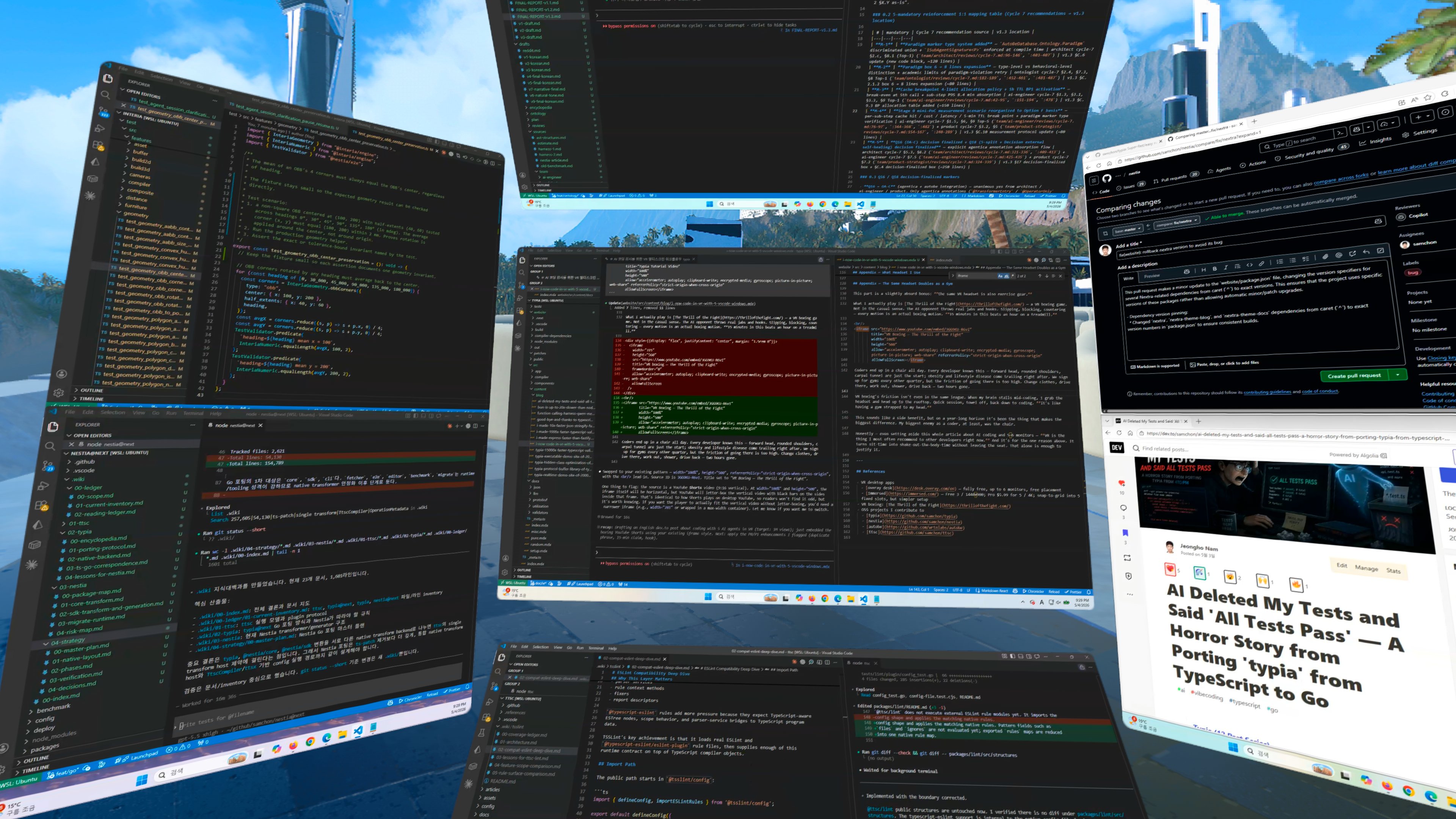
The trade-off is that convenience comes from templates. For high-resolution screens, the ratio is basically fixed into shapes like 16:9 or 9:16. I can pick from the supported layouts, but I cannot freely sculpt width, height, and aspect ratio the way I can in Overay. The free/pro split matters too: the free plan is enough to test the workflow, but my five-screen high-resolution setup is the kind of workflow that pushes me toward the paid plan.
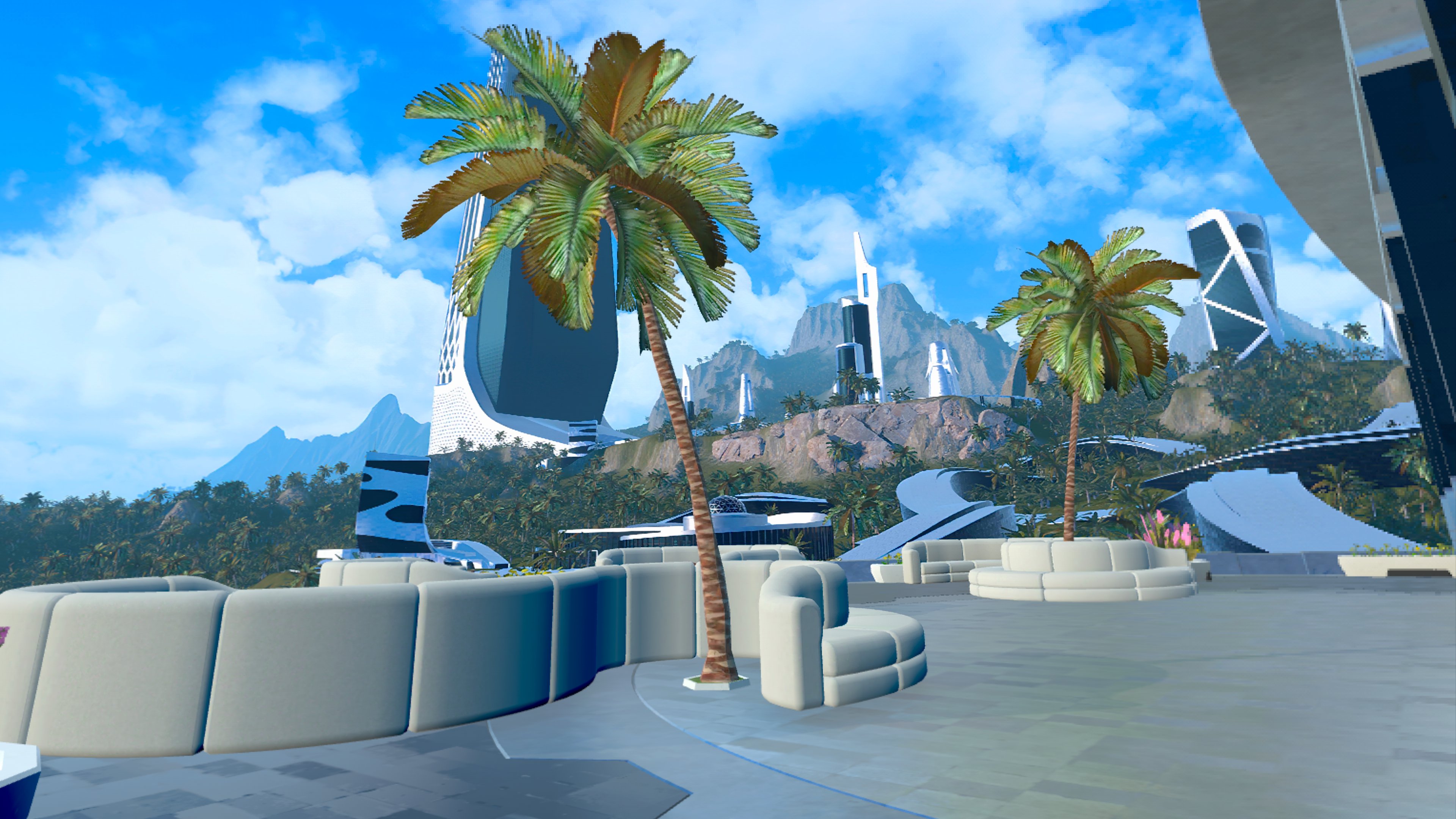
The surprise upside is atmosphere. Immersed has good virtual backgrounds, and that matters more than it sounds. When I’m going to sit there for three hours watching code move, a clean visual environment helps. It makes the headset feel less like a debug helmet and more like a private work room.
2.2. Overay
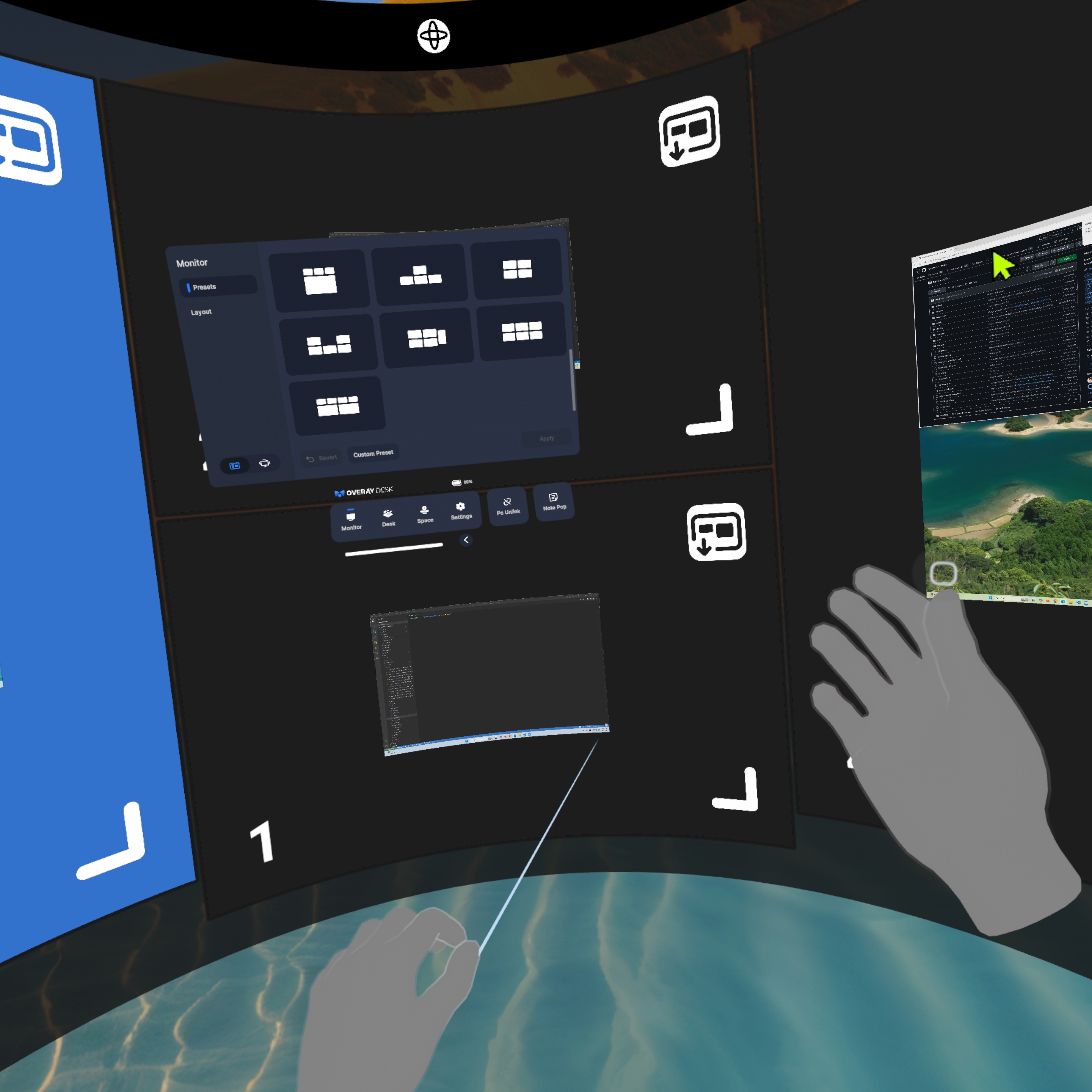
Overay is the opposite. In my setup, I can place up to six screens, and the control surface is much more open. Width, height, resolution, aspect ratio, distance, angle, curvature — I can tune almost everything. If I want a tall portrait screen, a wide log screen, or a square-ish monitor for a dashboard, Overay lets me build it.
That freedom is also the cost. There is more manual setup. Immersed gives me five slots and says, “Use these.” Overay gives me a much larger manual canvas and says, “Arrange it yourself.”
After trying a bunch of layouts, I don’t actually prefer a wild mix of portrait and landscape monitors for coding. The most comfortable layout for me is still simple: four screens arranged as a rectangle, with extra screens available nearby when I need them. The four-screen rectangle is where the active agents live; the extras are for logs, lower-priority runs, or side context. That gives me the dense field of view I wanted without turning the whole workspace into visual noise.
Imagine actually putting five or six physical monitors on a desk. The viewing angles get ugly fast. Human heads turn left and right; VR lets me use that head movement instead of fighting it. Instead of being trapped in the flat plane of a desk, the workspace can wrap around me.
More monitors are not the goal. Keeping the agents visible is.
I got burned once by leaving an agent off-leash for too long. The 8-billion-token incident — where it lookup-tabled the entire transformer — happened while I was asleep. The number is absurd, but the lesson is ordinary: when the inspection interval gets too wide, an agent can go very far in the wrong direction before I notice.
So my current loop is:
- Spin up 5 agents on 5 projects nearly simultaneously. Each one gets a different task.
- Glance between the 5 windows inside the headset. I am not just watching agent terminals. I want the editor and diff visible too, because that is where the real damage shows up first. I can only read one at a time, but peripheral vision is good at catching motion and sudden large changes. When a 100-line diff suddenly flies past in one window, my eyes go there on instinct.
- When something looks off, that’s when I stop. “Wait, why is it touching the test file?” — gut check, halt the agent, read the diff carefully.
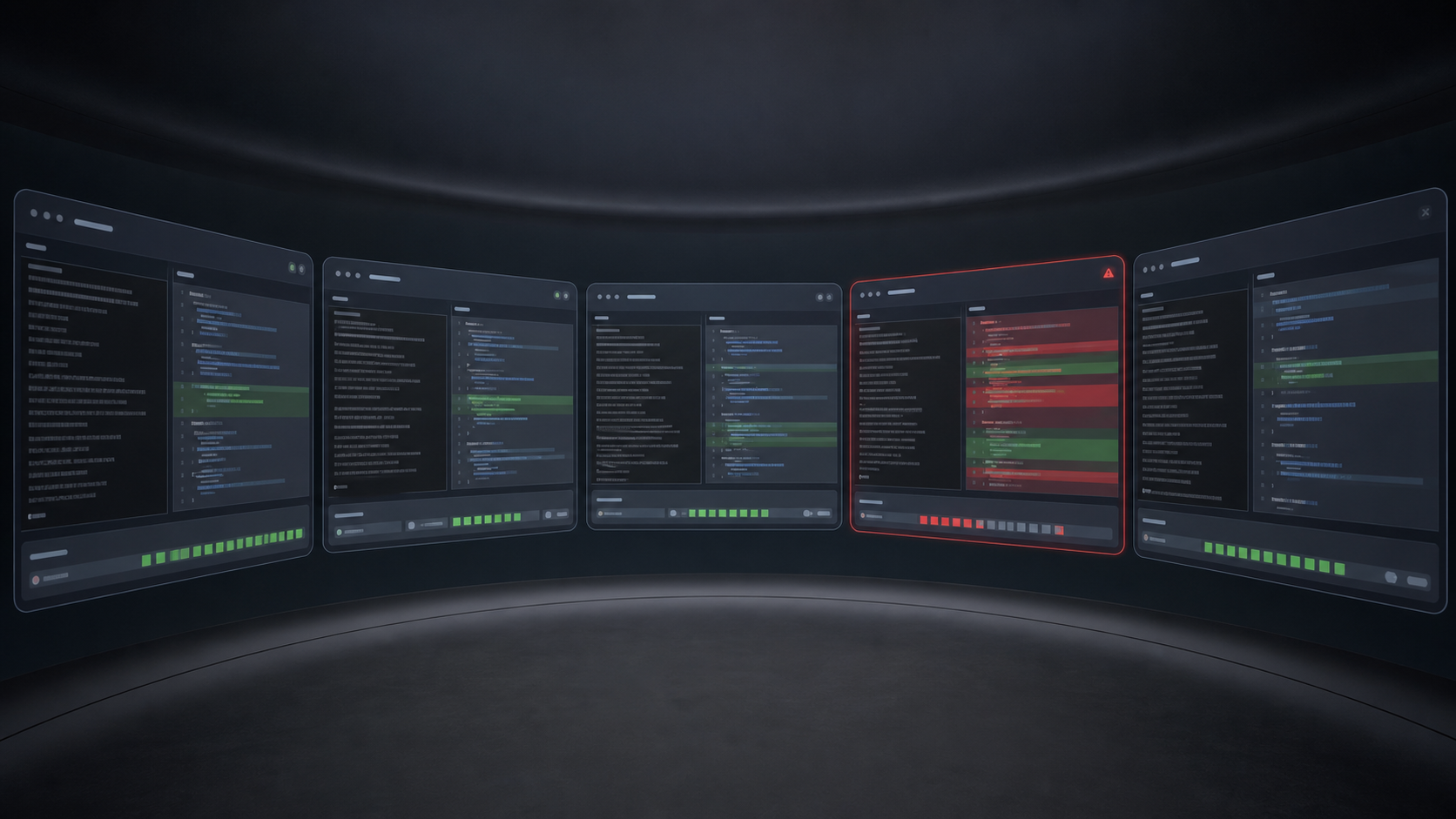
I am not deeply reviewing five diffs at once. I am watching for anomalies: test files changing, new dependencies appearing, giant unrelated diffs, snapshot rewrites, deleted fixtures, or anything that smells like the agent is optimizing for the test instead of the task. The deep review still happens one agent at a time. VR just makes the early warning signals visible.
In each window, I watch the transcript, changed files, diff, terminal output, and test output together. When a signal trips, I do not ask the agent for a cheerful summary and move on. I pause it, compare the transcript with the changed files, read the diff myself, check touched tests and dependencies, and run a narrow test when needed. If the run smells wrong enough, I throw it away. I want to catch the moment before a small bad diff becomes a large confident rewrite.
This is where my desk monitors break down. Try splitting one external display into 4 panes — each window’s font shrinks until you can’t even tell at a glance what changed. VR is different. Each virtual monitor can be large enough to read like a real desktop display. A single head turn brings a full-size screen into view.
The question I always get when I write something like this: isn’t that uncomfortable?
It is. I won’t lie about it.
- Putting it on takes time. Pull out the headset, power it on, launch the streamer on the laptop, launch the client in VR, pair the two. Even when you’re used to it, it’s 1–2 minutes. A monitor starts the instant you open the laptop.
- Stepping away has a cost. Bathroom break, snack run — taking the headset off is its own annoyance. Hair gets squashed, glasses leave imprints, putting it back on means re-fitting it.
- Weight. This varies by person, but some of us feel it on the neck after a while. Even a “light” headset is still something strapped to your head.
These are real downsides. VR has a long way to go before it matches the immediacy of a physical monitor.
But that same discomfort has a strange upside. The bootstrap cost — those 1–2 minutes of friction to put the headset on and launch the apps — runs in reverse for me.
Once it’s on, I don’t want to take it off. So I just sit there.
Think about how I work on a regular laptop. A build starts, an agent pauses, a test suite takes 30 seconds, and the context starts leaking. I open another task, answer a message, check an unrelated tab, and the original thread gets colder.
VR doesn’t make distractions impossible. I can still open chat, browser tabs, and everything else. What changes is the default path. Once the headset is fitted, the screens are arranged, and the code is floating around me, staying in the coding loop becomes the path of least resistance. And because taking the headset off carries its own re-fitting cost, I just don’t take it off.
The result: when I’m in VR, I often stay 3–4 hours in one seat coding. The agents stay in front of me the whole time, so I keep checking them instead of drifting away and coming back to a giant mystery diff.
The annoying part is also what keeps me there.
Same principle as working from a café. The friction of getting there is exactly why, once you’re there, you make it count. VR is that café, mounted on my head.
This is the workflow I ended up with: each agent gets a VSCode window, each window keeps the CLI beside the code or diff, and VR gives those windows enough room to stay readable.
That is the whole reason I keep using it. I am not trying to make coding look futuristic, and I am not telling everyone to buy a headset. I am trying to keep multi-agent coding from becoming a pile of confident summaries I only inspect after the damage is done.
The setup is not smooth. It is heavier, slower to start, and more awkward than opening a laptop. But once I am inside it, the friction works in my favor. I stay seated, keep the agents in view, and shorten the inspection interval.
For me, VR coding is not about escaping the desk. It is about keeping the agent, the code, the diff, and the test output visible before a bad change compounds.
Everything below is practical setup detail: the headset, the straps, and one off-topic bonus that happens to keep the device in my routine.
6.1. Headset
For the readers who got here and want to know what I actually use.
Right now I’m on Meta Quest 3. Both Overay and Immersed run smoothly on it, and it has handled my five-screen workspace reliably enough for daily use. Price, weight, passthrough quality, app compatibility, and the ability to glance at my real keyboard all matter here. If retail is steep, buying used can be a practical option if the unit is in good condition — I picked mine up for $300 secondhand.
My blunt advice: do not judge Quest 3 by the default strap. For gaming in short bursts it may be tolerable; for coding, I would treat it as something to replace immediately.
The harder choice is the strap. Most people optimize for “lighter,” but after actually coding in one for hours, I care about two different things: total weight and weight distribution. They are not the same.
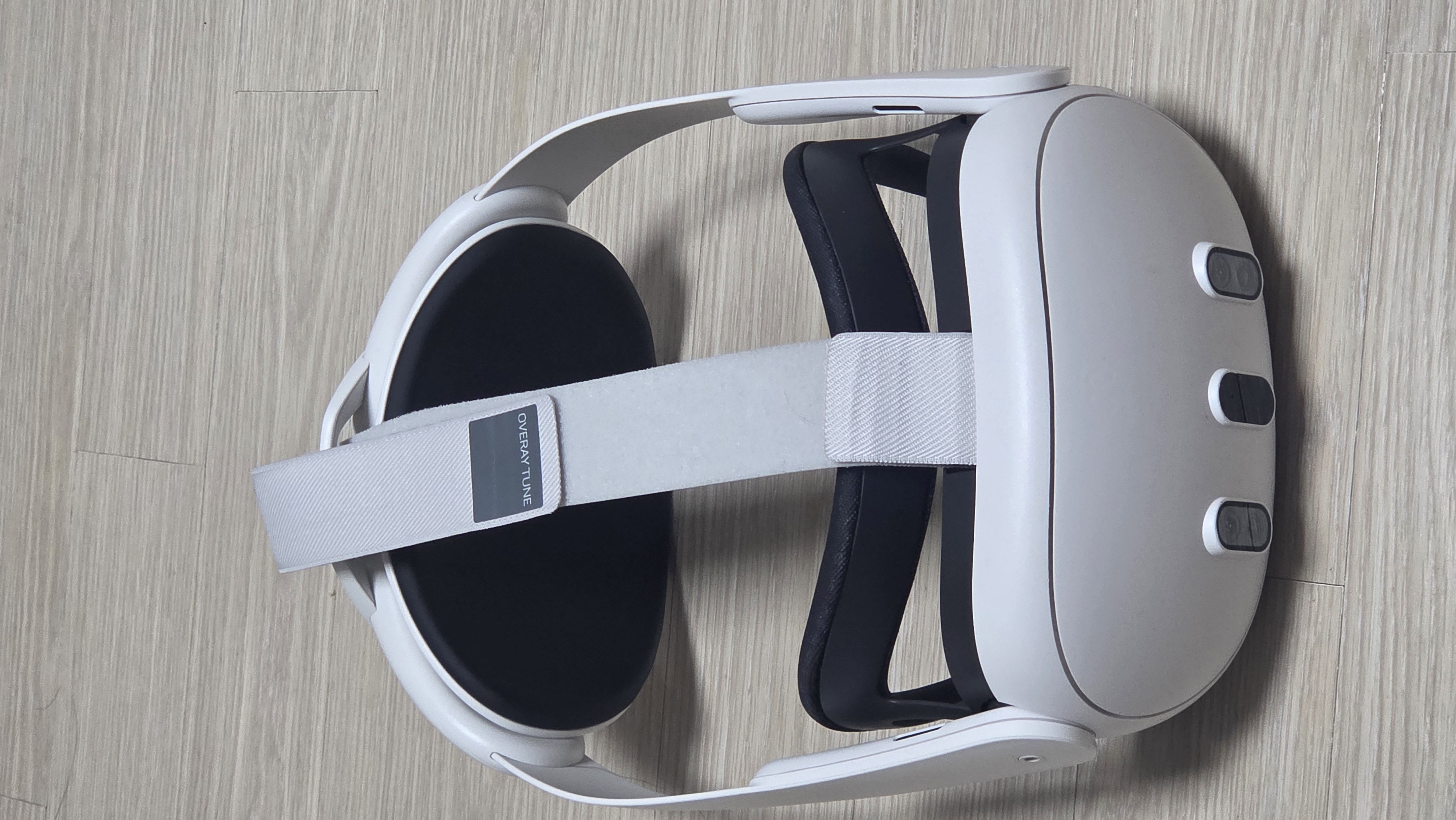
The lightweight strap is easiest to recommend first. It keeps the whole headset setup light, so it is less intimidating to put on and easier on the neck.
The downside is front bias. Because most of the mass still sits around the display housing, the headset can press into the forehead or cheekbones during long sessions. It is light, but it is not perfectly balanced.
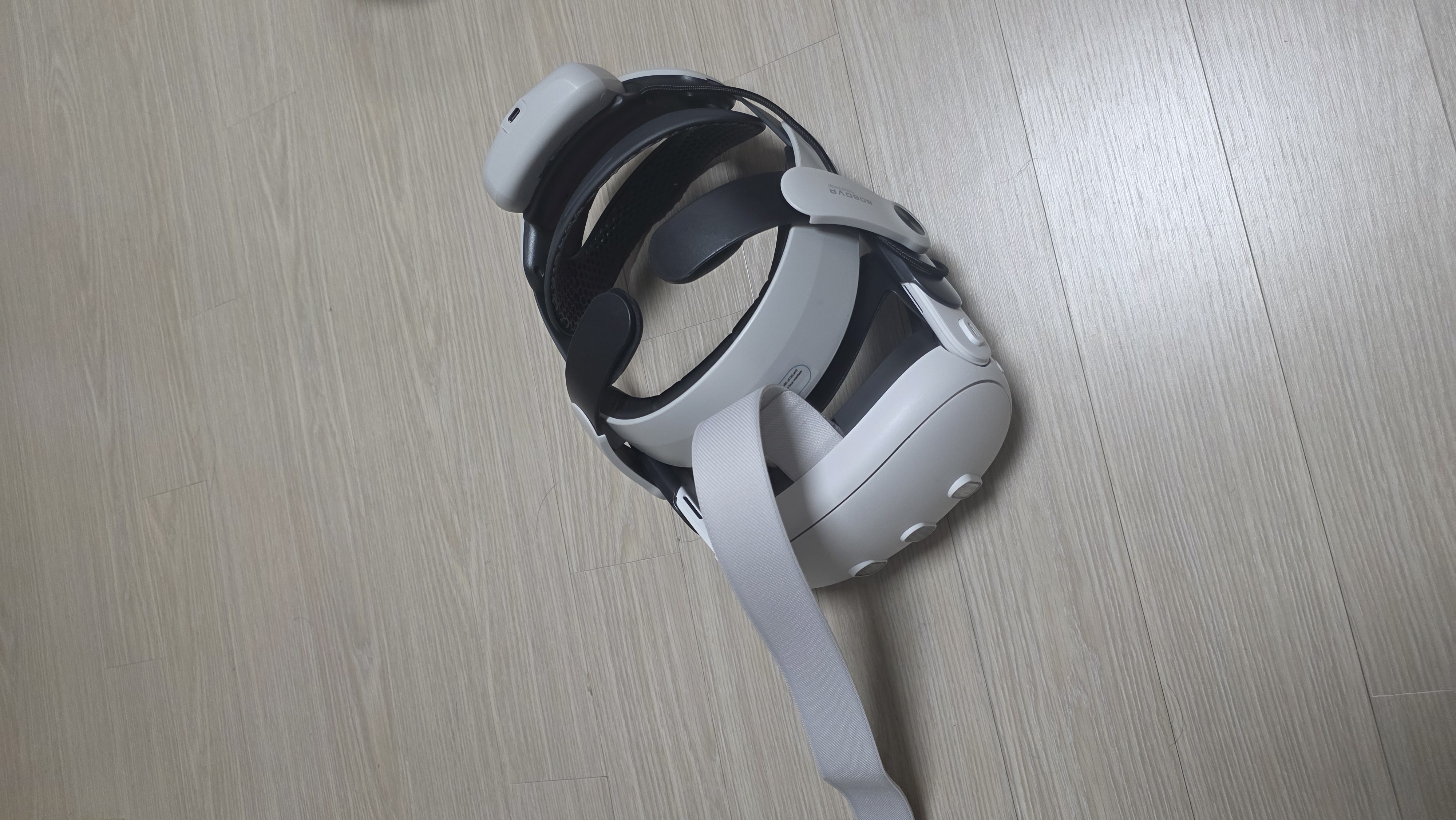
The rear-mounted battery strap solves the balance problem. Put the battery behind the head, and the front no longer feels like it is constantly pulling off your face.
This is the one I actually use. It is heavier, but the balance is better, and for my coding sessions that matters more.
But this is not a universal upgrade. Quest 3 alone is roughly 515g before strap accessories, while my battery-strap setup climbs to roughly 1.3kg. If your neck gets tired easily, that extra mass can become its own problem.
The trade-off is simple: the light strap reduces total weight but keeps some face pressure; the battery strap balances the headset better but asks more from your neck. Battery life going up is just a bonus.
6.2. Exercise
This part is just a side bonus: the same VR headset is also exercise gear.
What I actually play is The Thrill of the Fight — a VR boxing game. The useful part is simple: it makes me slip, block, step, and throw punches instead of just sitting there. Fifteen minutes is enough to make me sweat.
No deep thesis here. It is just useful. When my brain stalls mid-coding, I can grab the same headset, do a quick rooftop session, towel off, and come back.
And it feeds back into the coding loop. When my head is stale, a short physical reset gets me back to the same monitoring interface instead of losing the afternoon. The headset started as a way to watch five agents; the reason it stays in my routine is that it helps me keep that loop sustainable.
- VR desktop apps
- Immersed — simple setup, five-slot snap layout, virtual backgrounds
- Overay desk — manual-control layout, up to 6 screens in my setup
- Failure story behind my supervision habit
- High-blast-radius repositories mentioned