What's Coming in Thunderbird 102 (2022) 🧵: The Big Stuff: - Spaces Toolbar - New Address Book - Link Preview Cards - Account Setup Hub - Matrix Support (Preliminary) - Import/Export - Message Header Redesign Let's look at each of these in depth.
X (formerly Twitter) ·
What's Coming in Thunderbird 102 (2022) 🧵: The Big Stuff: - Spaces Toolbar - New Address Book - Link Preview Cards - Account Setup Hub - Matrix Support (Preliminary) - Import/Export - Message Header Redesign Let's look at each of these in depth.
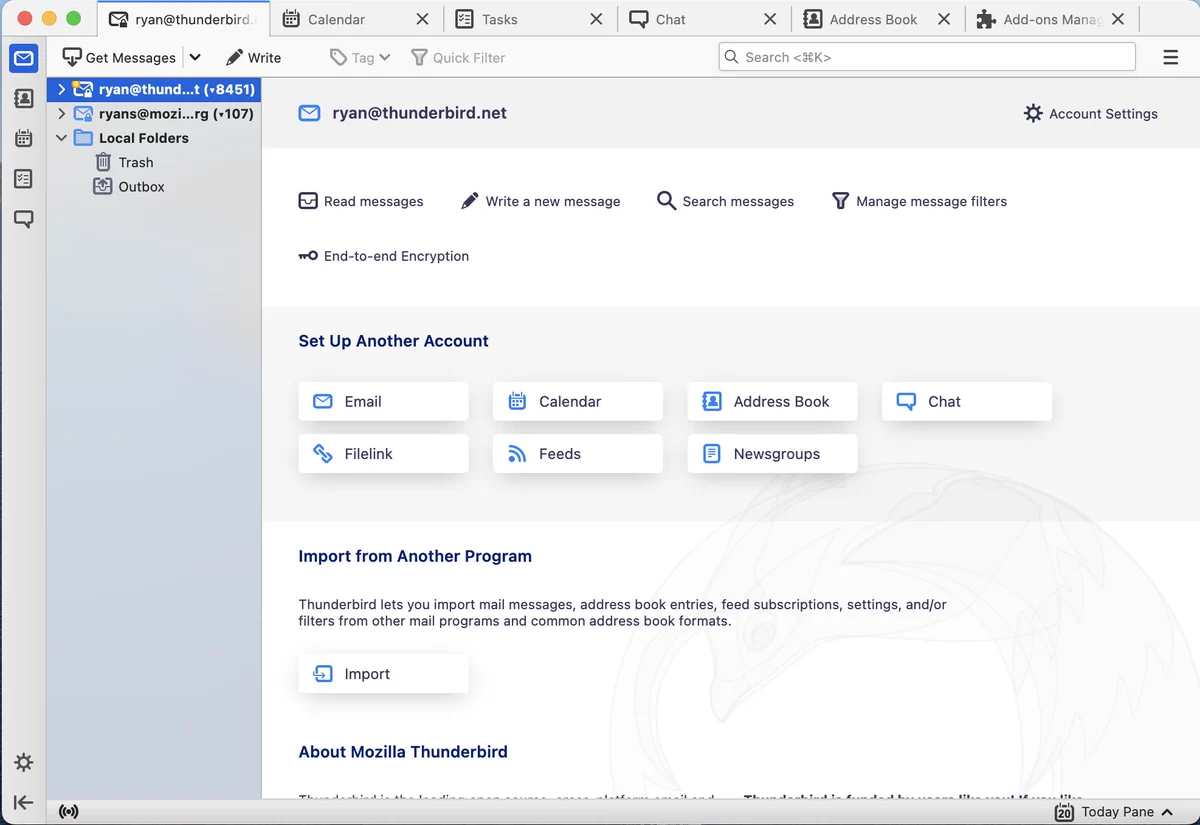
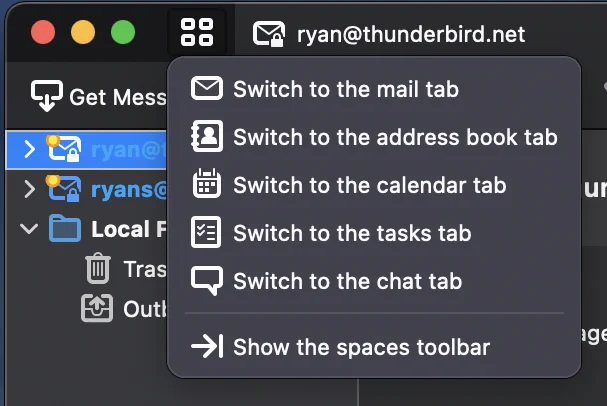
Spaces Toolbar The new Spaces Toolbar is an easy, convenient way to move between different activities in the application. Such as managing your Email, your contacts via address book, using the calendar and tasks functionality, chat, and other full-tab activities (add-ons too!)
If you want to save screen real estate, the Spaces toolbar can be dismissed and you can move between the different activities Thunderbird offers via the new pinned Spaces tab. (Pictured to the left of the tabs at the top)
(New) Address Book After a couple of release teasing a new address book - it's coming in this release. Not only is there a design that makes it easier to navigate and interact with your contacts. but new features enable you to better understand who you communicate with.
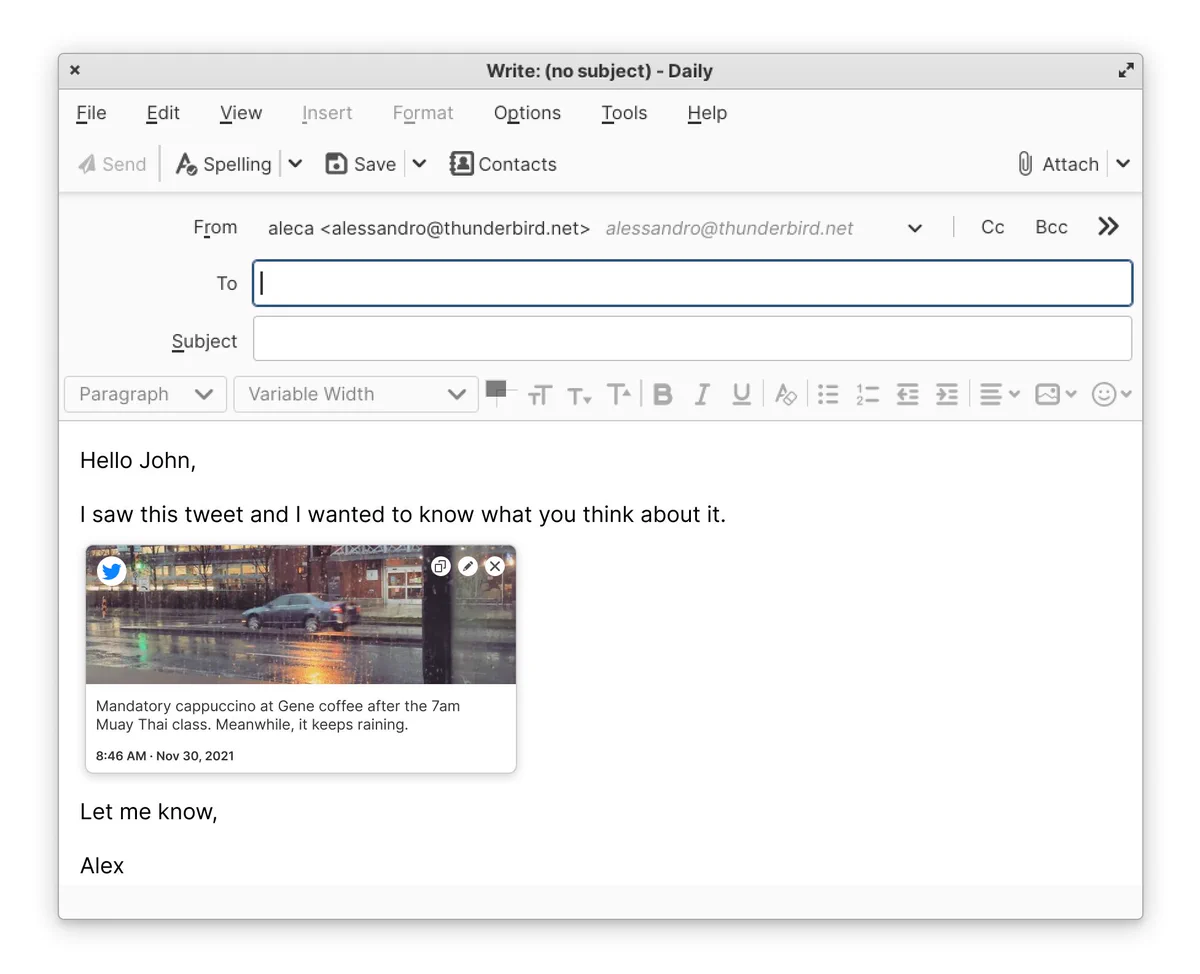
Link Preview Cards The new Thunderbird will have a feature that Twitter users are familiar with. When a link is added in the composer, you will have the option to convert it into a rich link preview with content displayed from the website (Twitter link pictured below, WIP).
Account Setup Hub In past releases, we have improved first time account setup. When setting up an email, autodiscovery of calendars and address books works really well! But managing accounts and setting up after the first time has lagged. We are updating that experience in 102.
Import/Export Moving accounts and data in and out of Thunderbird should be a breeze! Until now, add-ons have had to be used for this. In this release we are making a great Import/Export experience a core part of the Thunderbird experience.
Matrix Support Support for the popular chat protocol: Matrix, is coming to 102. While this has existed behind a pref in a beta state in 91, it will finally be usable out-of-the-box in this release. Updates to chat for a better user experience will be in this release as well.
Message Header Redesign Another UX/Visual update can be seen in the redesign of the message header. The new design better highlights important info, makes it responsive and easier to navigate.
Honorable mentions: - The UX/UI for OpenPGP is getting improvements to make it easier to use. - Maildir, a new storage format, will be available - improving data safety, allowing incremental backups of messages & allowing antivirus to better interact with messages.
That's 102! If you want to follow along and play with this work - try out our beta or nightly release! You can find these by scrolling down near the bottom of our website: thunderbird.net
Finally, if you want to support Thunderbird's development - we are funded primarily by user donations! Over 99% of our funding comes from our users! You can donate to support our team's work here: give.thunderbird.net
This was first posted on the timeline of
@ryanleesipes- Thunderbird's Product Manager, with a shoutout to our fantastic team that has to be included here:

Replying to @ryanleesipes
I want to thank our team & contributors who have worked exceptionally hard to pack this release with so many great improvements! The last couple of years have had big challenges, but despite that, we did a lot. I'm excited to get all this great stuff into the hands of our users!
You can read the unrolled version of this thread here:
Also, if you are a Thunderbird user and you'd like to help us out. Please take the time to fill out our quick (two minute) survey: mzla.link/3NwFCDu