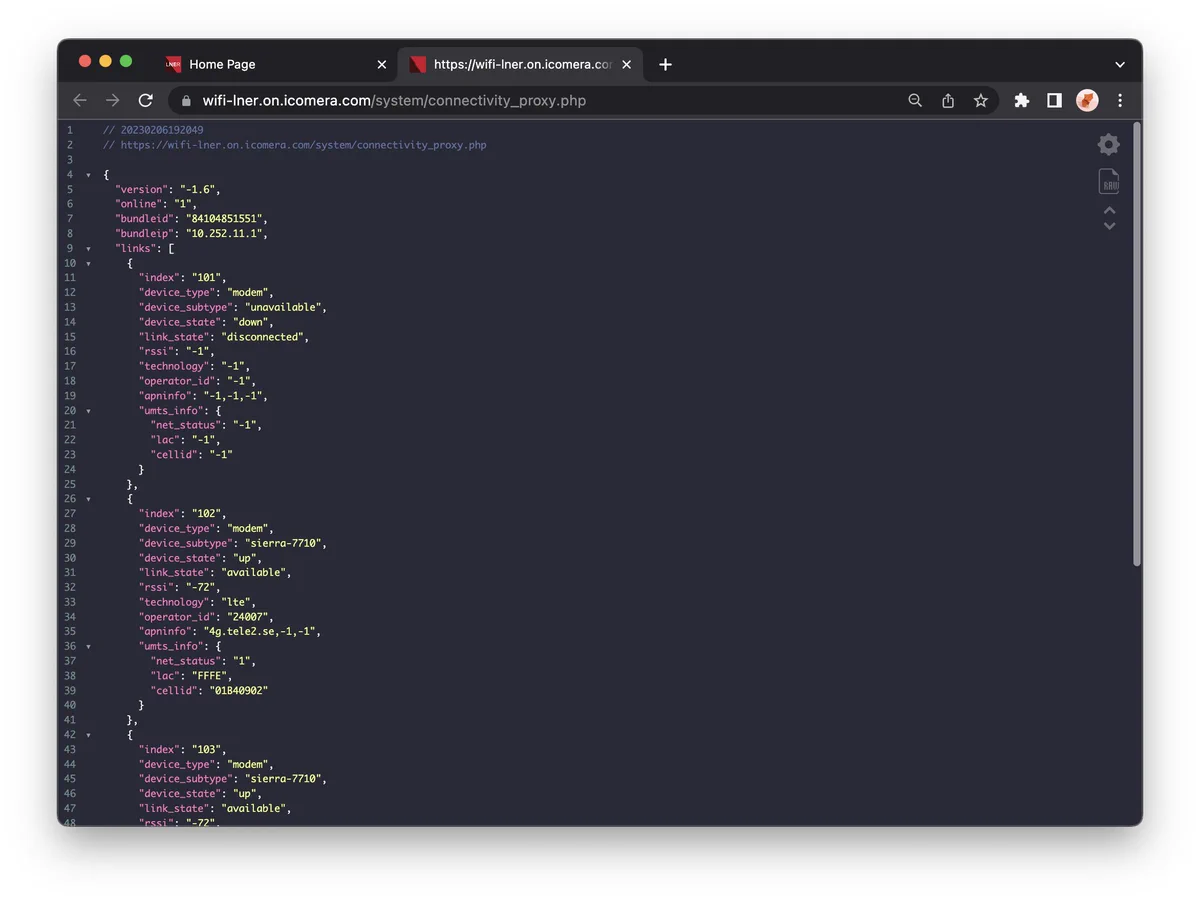
I'm wondering how they calculate signal 75%, so opened the captive portal url in dev tools and see what requests they're making. /system/connectivity_proxy.php seems likely
I'm wondering how they calculate signal 75%, so opened the captive portal url in dev tools and see what requests they're making. /system/connectivity_proxy.php seems likely
…it returns details of which modems are connected 🤯 I'm guessing it could handle up to 4 interfaces, but only two are plugged in (sierra-7710). I don't know much about this, but I'm guessing that with `"cellid": "01B40902"` you might be able to get an approximate location?
The sources aren't minified (genuine 💕) so you can find how they calculate the signal: 100%: there's 3+ LTE links (impossible on this train with it's two modems plugged in😭) 75%: there's a couple of LTE links 50%: there's only one LTE 25%: at least it's not gprs or edge 🤷♀️
The rendering of the element is nice and straightforward 😎
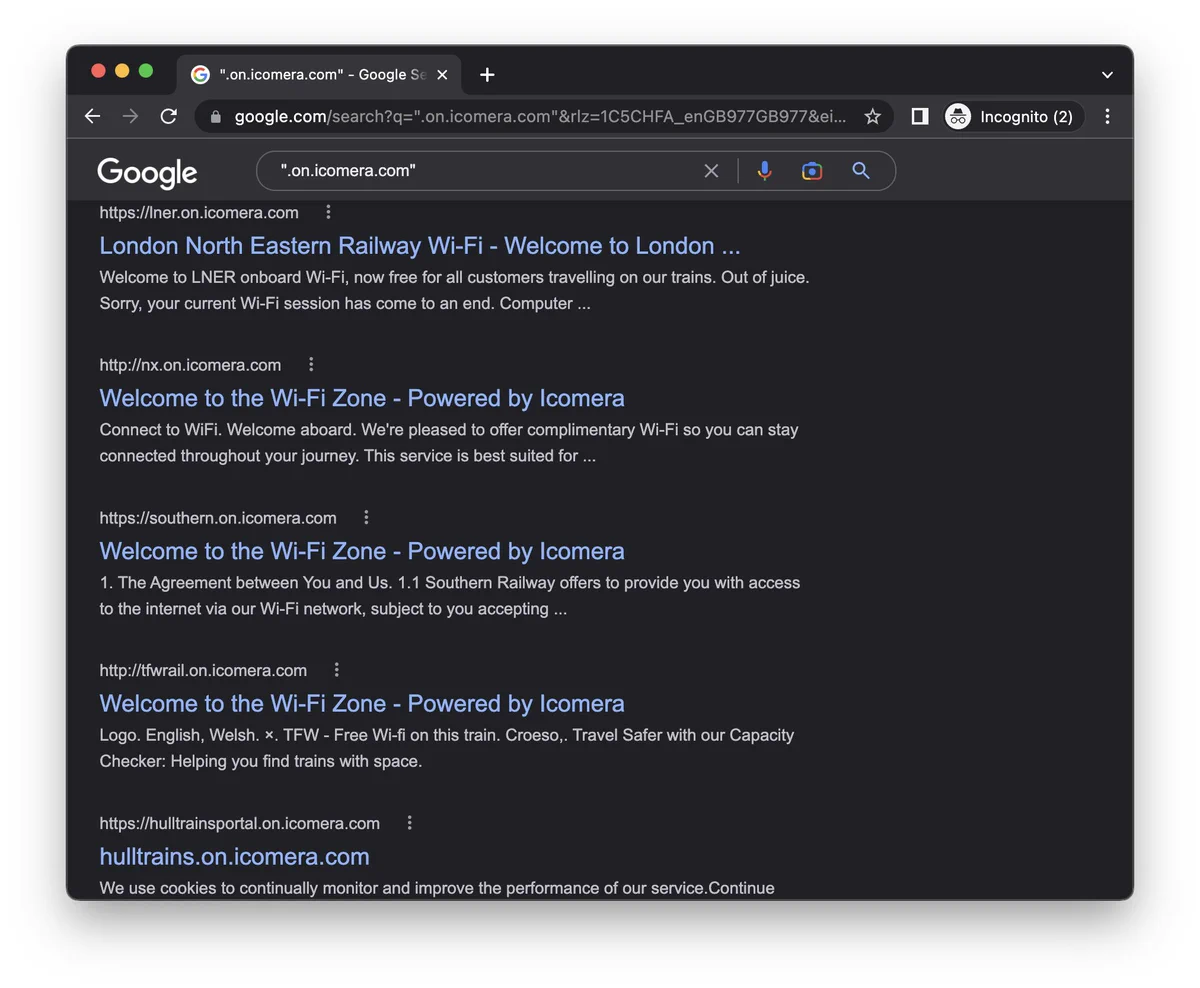
And you can search for ".on.icomera.com" and see other Trains!
Good news: not everything is public 😅 Bad news: the private stuff feels scary 😭 The portal makes a few requests ombord.info/api/* …Which resolves to 192.168.10.1, an on-board server I guess?
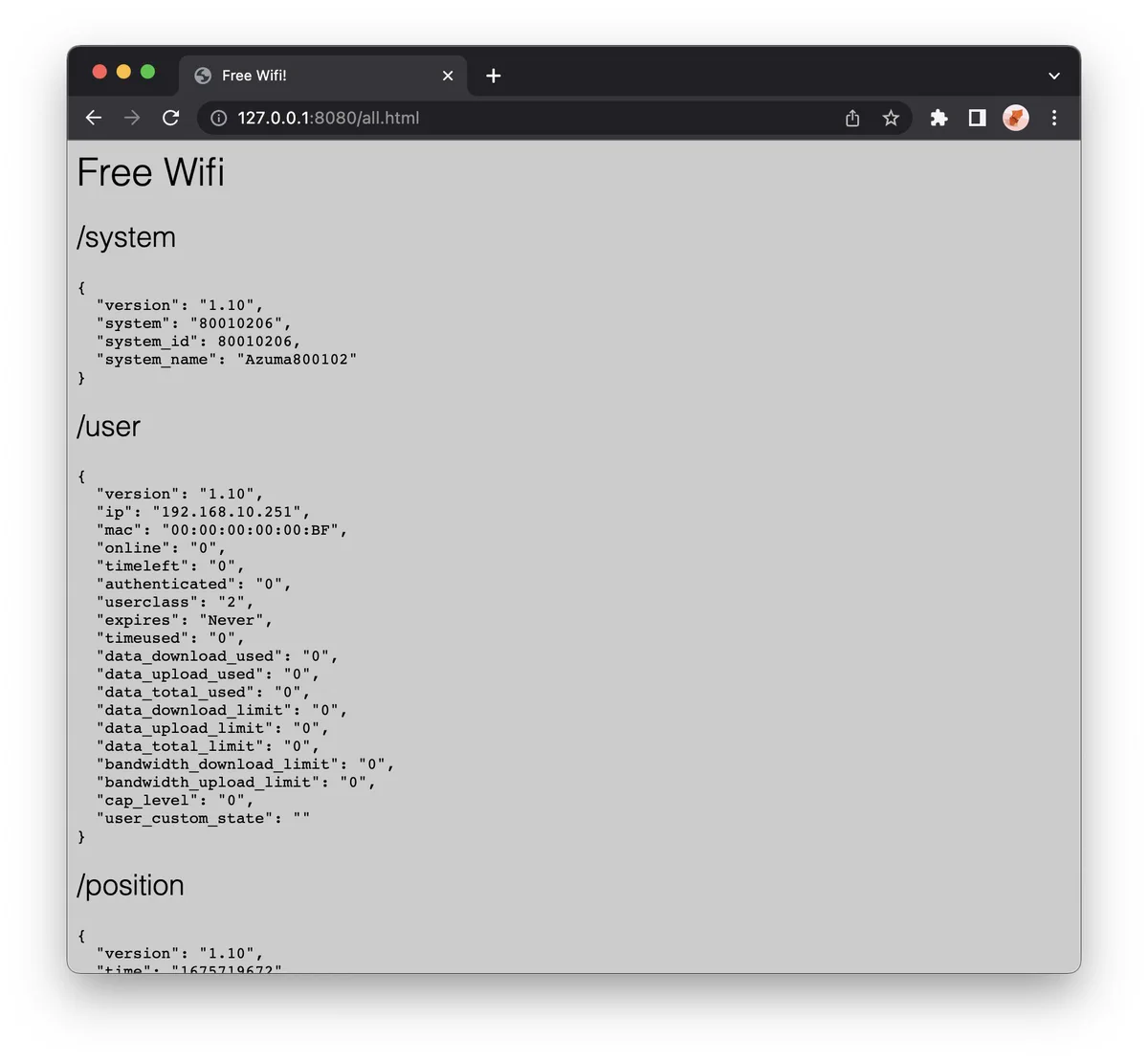
The endpoints called are /system /user /position. (Shoutout to jsonp, I've missed you 😍) /system - Gives the version & name of the … train? /user – My connection details /position – the current location & speed of the train 🤩
I was guessing some other endpoints and turns out `/users` is a thing! …you can see how many people are connected to the train, and how many are successfully registered I guess?
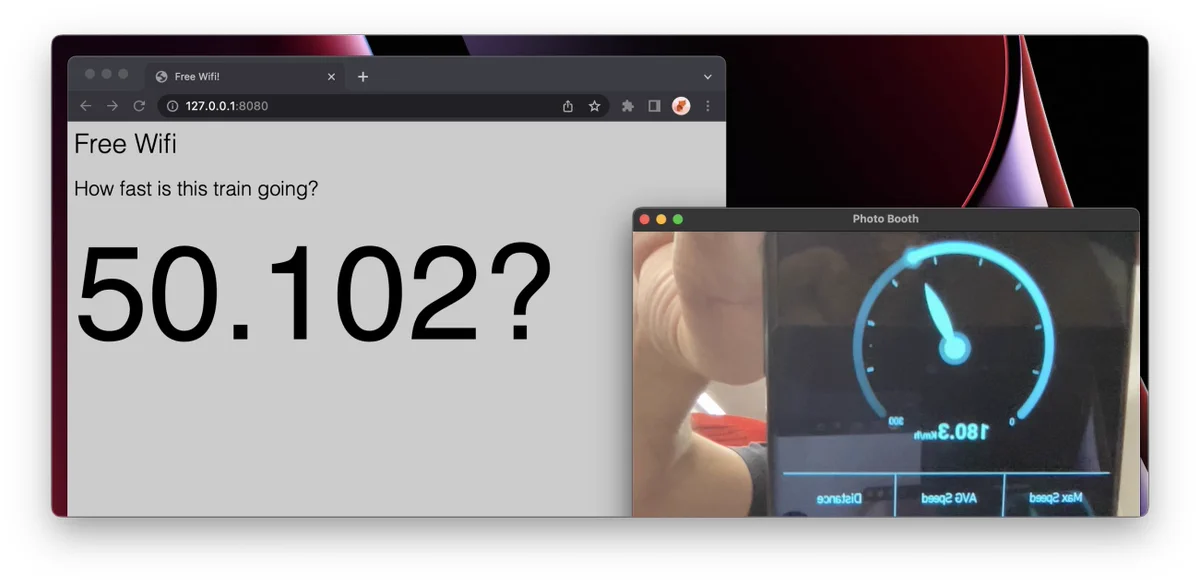
I'm not sure of the `speed` value, so I worked it out with a speedometer app, Photo Booth, and Quicktime

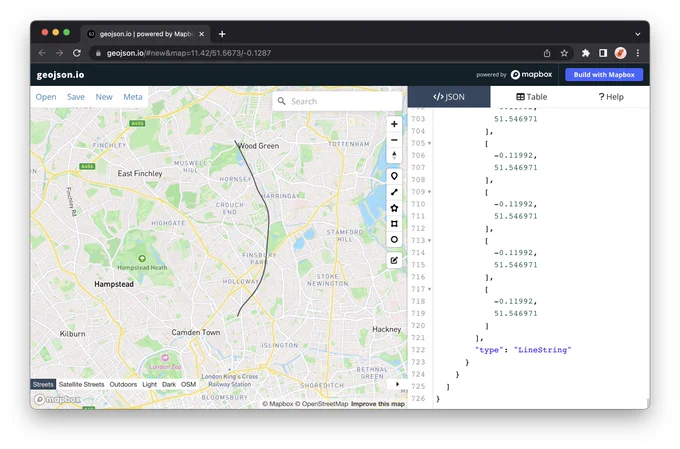
Added a "download geojson" button just in time to see my route into London Kings Cross 🎉


![Inspecting the source code for the portal:
var techList = {
'lte':'4G',
'dc-hspa+':'3.5G',
'hsdpa':'3G',
'cdma':'3G',
'hspa+':'3G',
'umts':'3G',
'gprs':'2G',
'edge':'2G',
'unknown':'Unknown'
};
var totalQuality = function(techs) {
var greatLinks = 0;
var okayLinks = 0;
for (var i = 0; i < techs.length; i++) {
if (techs[i] == '4G') {
greatLinks++;
} else if (techs[i] == '3.5G' || techs[i] == '3G') {
okayLinks++;
}
}
if (greatLinks >= 3) {
return 4;
} else if (greatLinks >= 2) {
return 3;
} else if (greatLinks >= 1) {
return 2;
} else if (okayLinks >= 1) {
return 1;
} else {
return 0;
}
};](https://pbs.twimg.com/media/FoTrhzeWYAEId-G?format=webp&name=medium)