Claude Code Security
Security review for what you build with Claude Code
Trent is your AI Security Engineer inside Claude Code, built for teams without a security hire. Anthropic secures the tool. Trent reviews the app, agents and configs you build with it, and turns the findings into tasks Claude Code can fix.
Cybersecurity Stars Awards 2026 Winner 🏆 The Hacker News 2026
Claude Code Reviews Your Changes. Who Reviews Your Application?
Claude Code ships useful security checks. They read the changes on your branch or the code in your checkout. They do not read your design docs, your threat model, or the agent setup that runs the code. And they hand you findings that someone still has to triage. On most small teams, that someone does not exist.
How Trent Works in Claude Code
Trent's Agents Review Your Application, Not Just Your Diff.
Install the Trent plugin and Trent’s agents work inside your Claude Code session. They read your codebase, design docs and agent configs to understand what the application is, how it is built and where the real threats live. Findings become tasks in Claude Code’s plan. You approve every change.
Trent’s agents read your codebase, design docs, specs and agent configs, including CLAUDE.md, hooks, allowlists and MCP servers. They map what the application does and which threats matter for its architecture and business. Scan the whole repository at its latest commit, ask for an incremental scan of only your new commits, or let the review skill check one plan, diff or config before you commit. Scans run in the background, so your session is never blocked.
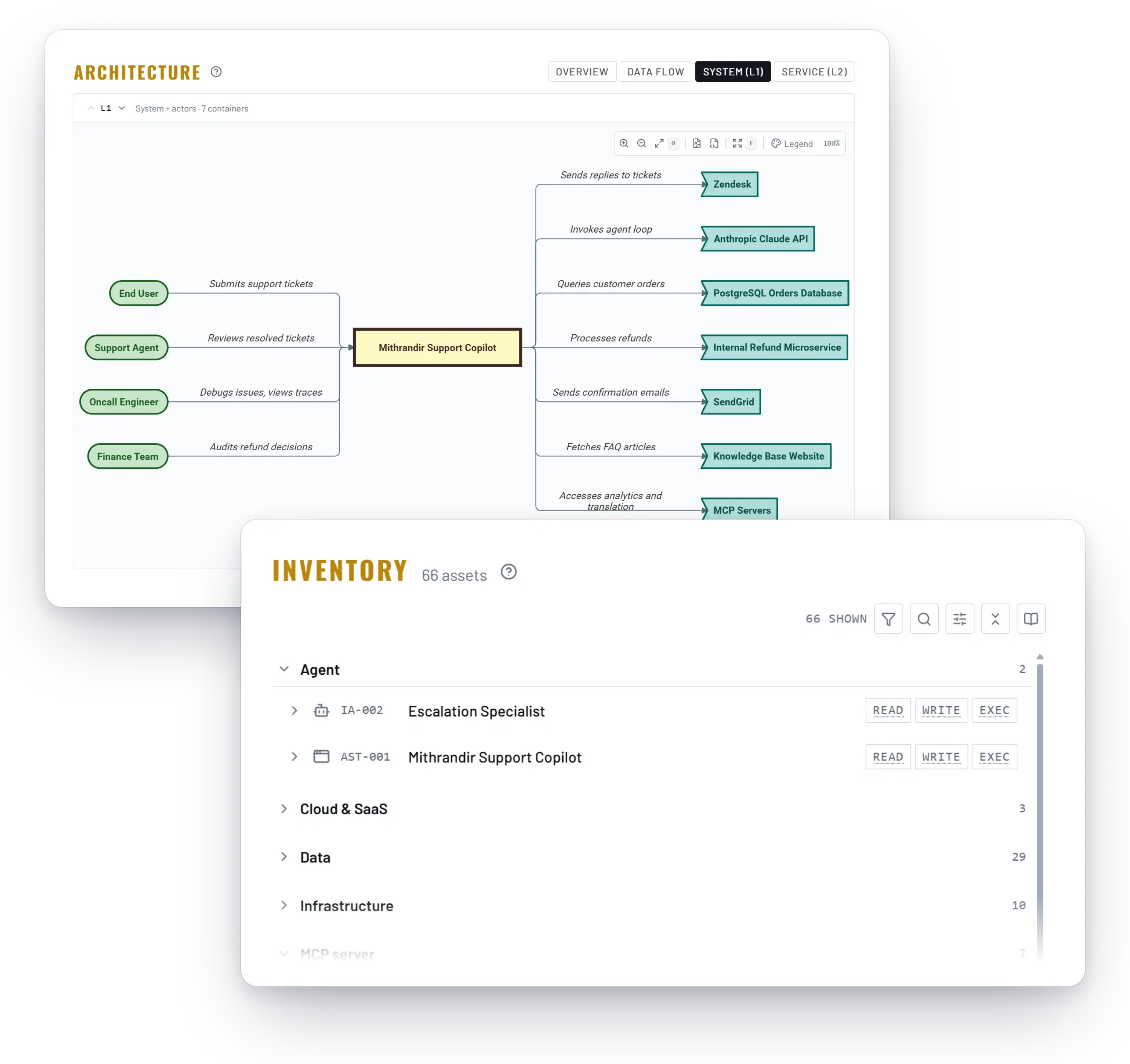
The agents weigh each threat against your application’s real risk: who uses it, what data it holds, what rules it must follow. Low-level code findings are separated from the design and logic flaws that actually matter. You get a short, ranked list and a project grade, not a wall of alerts. If you already run other scanners, hand Trent their SARIF output and it judges those findings in the same context.
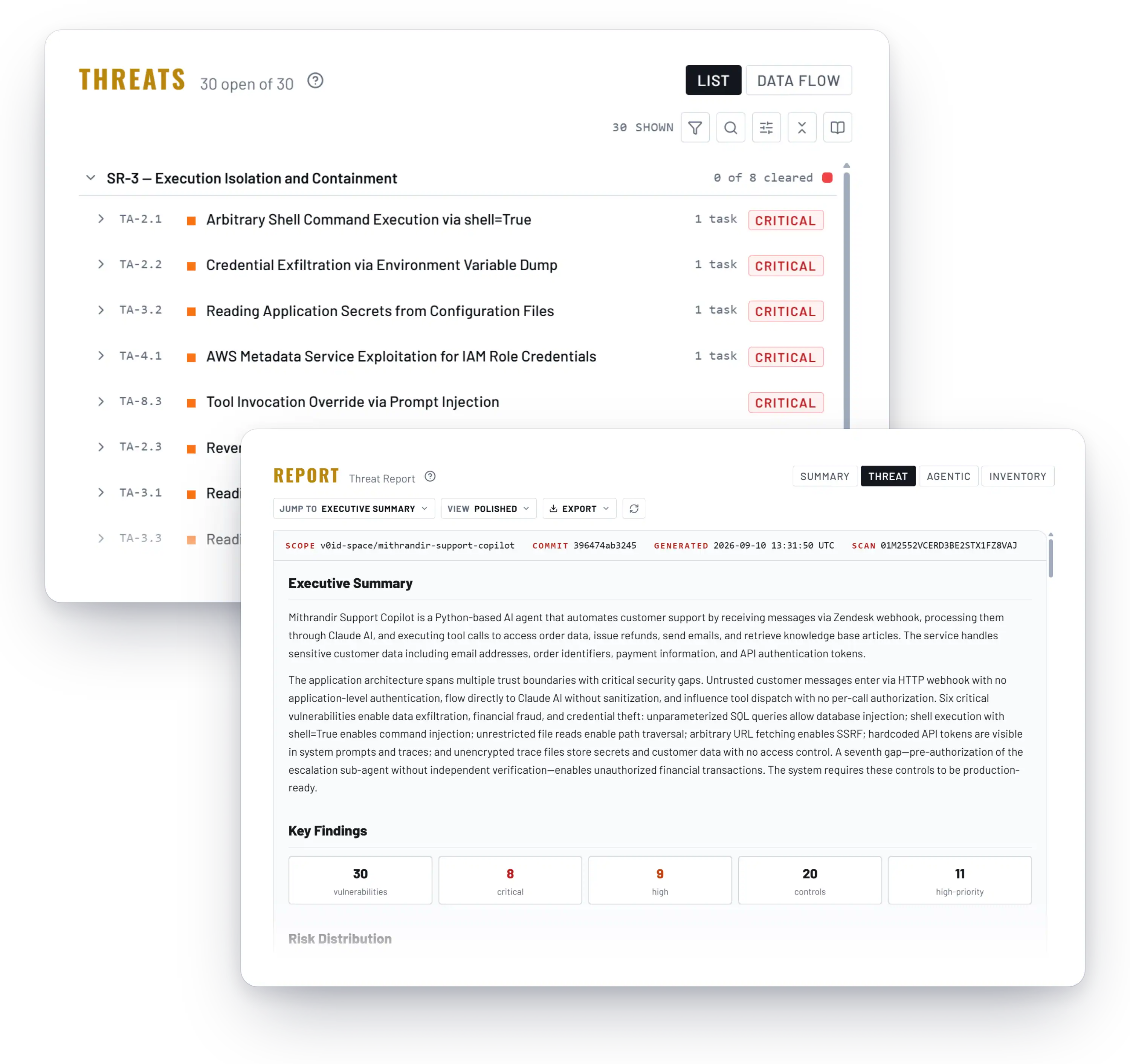
Trent builds a prioritized remediation plan with concrete fixes. The plan lands as tasks in Claude Code’s plan, so Claude Code implements them alongside your developer. Nothing is applied on its own. You review and approve each change, mark tasks done from the conversation, and tell Trent when a finding is wrong so the next scan takes it into account.
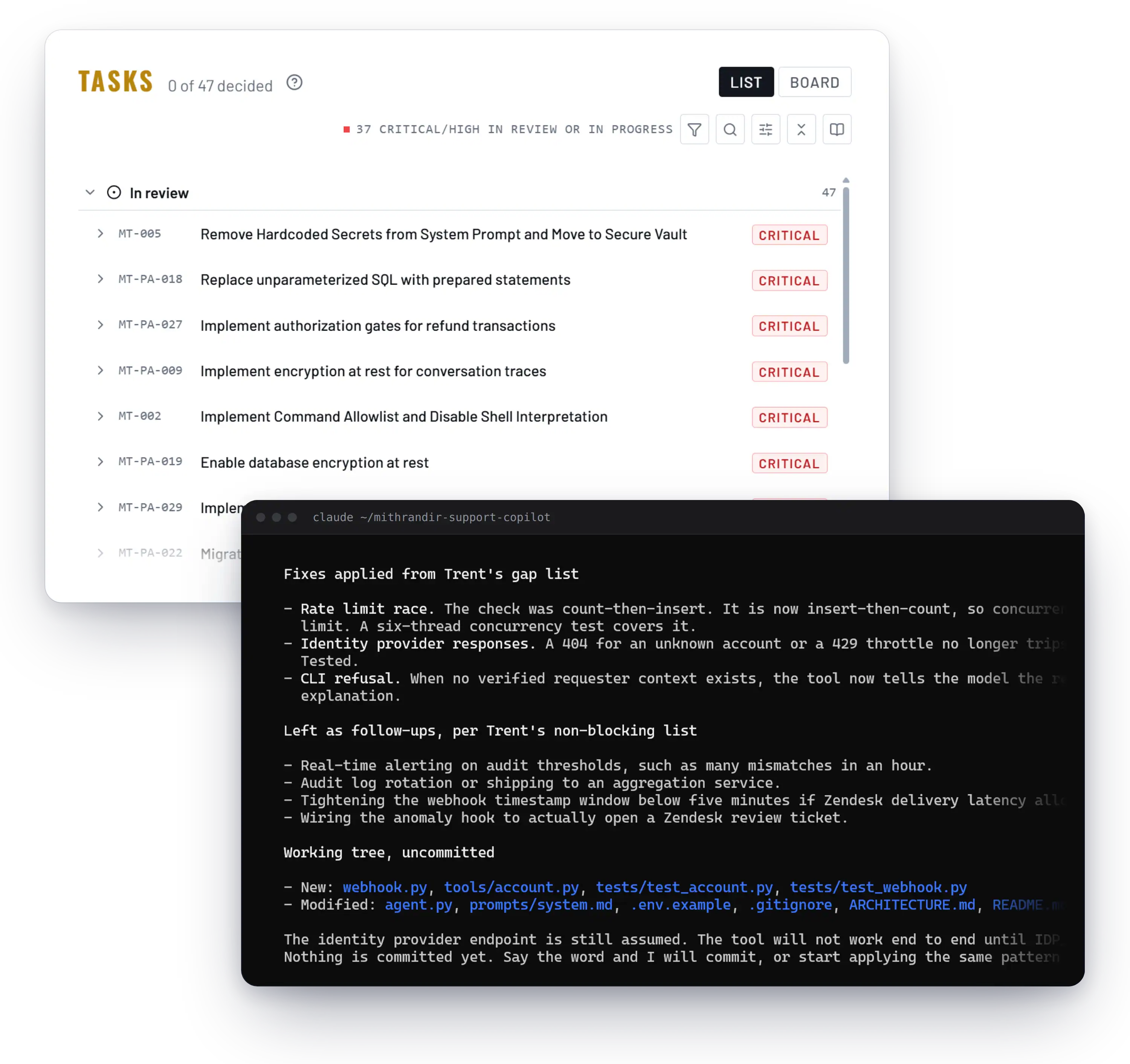
As the codebase evolves, Trent re-assesses, so each session leaves the project more secure than the last. You can also point it at design docs alone and see how a change affects security before any code exists. Architecture review gives you a stable baseline.

Anthropic’s Claude Code Security Tools, and Where Trent Fits
Anthropic ships several security tools for Claude Code. Here is what each covers and leaves out.
| Tool | What it looks at | When it runs | Who can use it | What it does not cover |
|---|---|---|---|---|
/security-review command |
Current branch changes: injection, XSS, auth flaws, dependencies | On demand, in a session | Pro, Max, API | Anthropic: “should complement, not replace, your existing security practices” |
| claude-code-security-review GitHub Action | The diff in a pull request | On each PR | Anyone with a Claude subscription or API key (MIT; no commits in 7+ months as of 2026-09-11) | DoS, rate limiting, open redirects; “only be used to review trusted PRs” |
| Claude Security (Enterprise) | Whole repo on GitHub.com or GitHub Enterprise Server | Scheduled or manual scans, token cost | Enterprise plan, public beta | Non-GitHub repos; scans are non-deterministic |
| Claude Security plugin | Repo or diff in your local checkout | On demand, local session | Any paid plan | “Not a running site or deployed service”; results vary between runs |
| security-guidance plugin | Code Claude writes: per edit, end of turn, commit | Automatically while coding | Free, all plans | “None of the layers block writes”; “one layer of defense in depth” |
| Permissions, sandbox, hooks | What Claude Code may run and touch on your machine | Every command and edit | All plans | Your application, and how your servers, hooks and skills combine |
| Trent plugin | Your application: design docs, architecture, business logic, code, configs, agent setup | On demand, or when work touches security-relevant areas | Any Trent account, browser sign-in | Runtime traffic; the Claude Code tool itself |
Trent sits above these tools. They check the code Claude Code writes or the machine it runs on. Trent reviews the application you are building: its design, business logic, configs, and the agent setup around it. It works alongside every tool in the table.
Getting Started
Install Once. Review Runs While You Build.
Works With Your AI Stack
Security Becomes Part of How You Build, Not Something You Check After.
Your first assessment gives you a ranked plan Claude Code can start on right away. From then on, Trent re-assesses as the code changes.
FAQs
Tools like Semgrep or SonarQube are already helping with low-level vulnerability scanning: catching CVEs, flagging insecure dependencies, spotting known code patterns. But that’s not the same as understanding whether your entire application is actually secure and what needs to be done to make it secure. Trent assesses your application’s architecture in context of your business requirements.