Before you decide to start your own business, it’s easy to glamorize your expectations of the day to day work. You’ll be developing products or working with customers or deciding on a marketing strategy! You’ll make the important decisions for your business with no bureaucracy to hold you up! Every day will be relentless execution towards your success!
But then you start and it turns out it’s a lot of paperwork. I’d love to spend time figuring out how I can make real, meaningful improvements to my business, but first I need to go through this incomprehensible California state tax web form where I have to attribute taxes to several dozen counties and cities. Stanislaus county must get their 19 cents because one guy bought something from me there!
This post is a story about how I finally found a use case for web-browsing agents in resolving one of my highly tedious form-filling problems. I want to be straight with you here that even though this is wildly exciting to me on several levels, it is objectively pretty boring. It’s a whole post about getting AI to fill out a web form for me.
But you come here for real examples of how I use AI in my business (at least I think you do… if you come for other things please do comment and let me know), and I often use it for boring tasks, so that’s what you get! Don’t say you weren’t warned.
First, a bit of background. One of the e-commerce brands I own has a manufacturer in Georgia (the country). In order to ship the finished goods to Amazon warehouses in the US, I use a company called Boxette.
The process is:
My manufacturer drops the boxes at Boxette’s office.
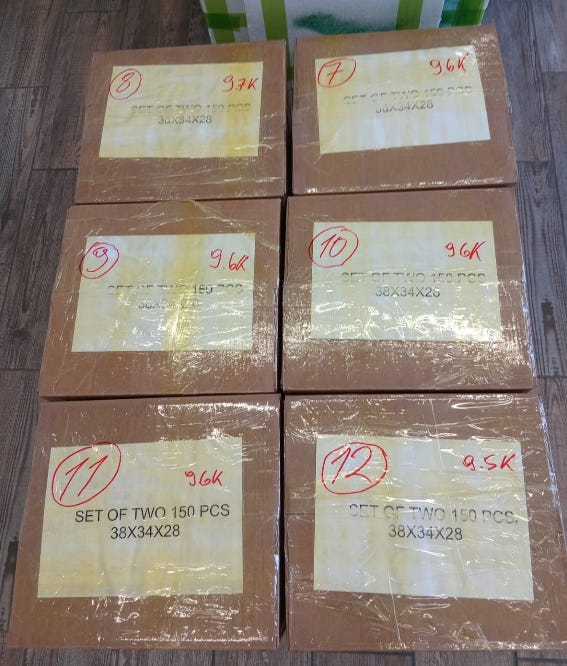
Boxette measures and weighs each one, then sends me pictures on WhatsApp of all of them with the measurements written on each box.

Some boxes ready to start their new life in America!
I create a shipment in Amazon Seller Central via a web form, and that generates Amazon labels and UPS labels (the latter are necessary because Boxette ships everything to their warehouse in the US, where UPS picks it up to do the last mile).
I go to Boxette’s website, where I fill out a form once for each box being shipped.
I message Boxette on WhatsApp, let them know that the form’s been filled out for all boxes and send them the labels for the boxes.
They confirm everything looks good and enable me to pay for shipping.
I pay.
Off the boxes go to Amazon!
This post is about step 4. That step takes a disproportionate amount of time for several reasons. First, the website is just generally slow. Second, the form contains several dropdown fields that require you to type the first few letters of the value you want to select, wait a few seconds for the dropdown options to populate, then pick one.
Third, there are a few form fields that don’t appear until you’ve filled out the prior field. This is primarily for country/state/city of your shipping destination. So if I’m shipping to Sacramento, CA, I have to go to the country field, type “uni,” wait for it to populate, pick United States, wait a second for the state field to appear, click on that, type “Cal,” wait for it to populate, click California, wait for the city field to appear, type “Sac,” wait for it to populate, and click Sacramento.
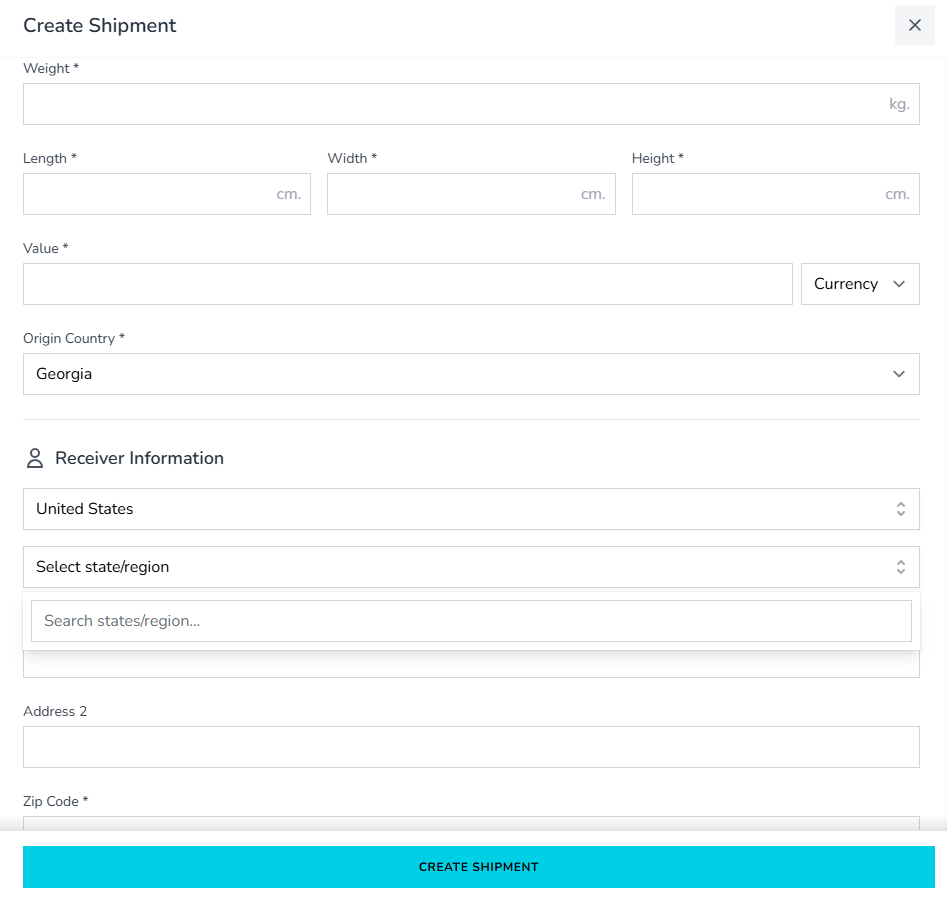
Last, because I have UPS labels for the boxes already, I have to enter the tracking label number, which means going to the label PDF, copying it off and pasting it in for each one. This shouldn’t be necessary since my boxes are all the same and any label can go on any box, but so demandeth the form and so your humble servant is forced to comply.
These things make it maddeningly slow and mean that you can’t even develop the muscle memory to quickly tab through it. Overall, it takes something like two to three minutes to fill it out. This wouldn’t be so bad, except my shipments are frequently 20-30 boxes. An hour and a half of tedious form filling isn’t what I signed up for!
The other issue with the particular quirks of this form is that they make it tough for agents. I tried it a while back with ChatGPT Agent Mode, and that went poorly. I also tried it with another agent from a startup, the name of which I do not remember, and no luck there either.
These days I’m in my “throw Claude at all my business problems” era (which I will note is going on almost three months now, which is quite the duration for an era in this AI arms race time in which we live), so I gave it a go here.
First, I gave it a run through with one label - here’s the prompt:
Ok so youre gonna do this:
1. go to the top level dashboard tab
2. click create shipment
3. enter these values
description: pot holders
category: kitchen utensils and dishes
weight: 9.6kg
Length: 38
Width: 34
Height: 28
Value: 95
Currency: USD
Origin country: Georgia (defaults to this, just dont change)
Receiver information
Country: United States
State: Maryland
City: North East
(Note that for country/city/state, you have to type in the name, wait for a dropdown to appear and then select the value from the dropdown. State will only appear after country has been filled out and city will only appear after state has been filled out).
Address: 600 PRINCIPIO PKWY W
Address 2: IUSL
Zip Code: 21901
Full Name: AWD Alex Willen
HTS Code: 4202316000 (this also requires you to type the value, wait for the dropdown to appear then click the value there)
Skip receiver address verification: Check this box
Shipping: Own label
Own label code: <redacted, you don’t need to track my package>
Then click create shipment
It worked! To deal with the annoying delays in waiting for dropdowns to populate and fields to appear, it just added a five second pause before screenshotting the page and continuing. It was very, very slow (I didn’t keep the exact time but something between 5-10 minutes), but it got the job done.
Next up, I had it run through a bunch of them. I continued the same chat and gave it this prompt:
Now youre going to fill out this form a bunch of times with slightly different info each time. Do the same thing you just did but after you click create shipment, record the six digit number that comes up in the success popover, click the close button and start again.
Each time you fill it out youre going to use a different weight and label code. Here’s the list
9.5 kg / <code>
9.6 kg / <code>
…
When youre done, give me the list of all the six digit numbers here
The list I gave it had seven entries. I left it to work on one of my monitors while I did other things. Every time I glanced over things looked correct, so eventually I left to go do something else.
I came back after an hour, and on my screen was an error.
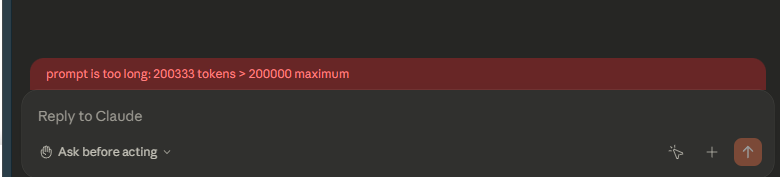
It had stopped mid-form on the fourth entry in the list, so I checked the first three, which were all done correctly. Then I told it that it errored out and asked it if it could just resume. It said yes and asked me if I wanted it to start over on the one where it stopped or to try to continue. I told it to continue, reminded it that it was on the fourth one in the list and told it which form field it had stopped at.
It resumed correctly, I left again, and when I came back it had successfully completed the list!
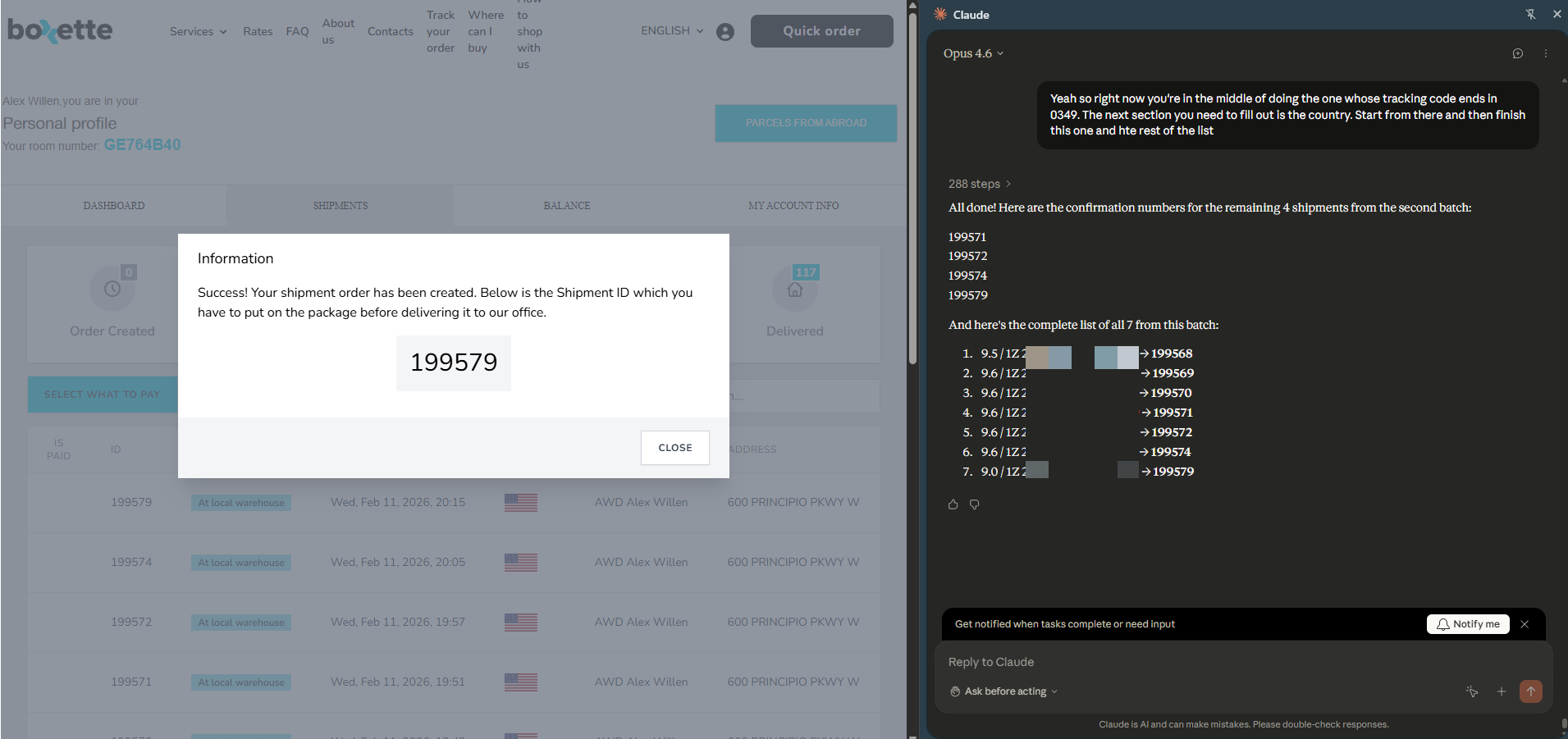
The only real hard limitation I encountered was the token issue. Since I was able to continue in the current conversation, it seems like it was treating all of the context created as it went through the process of filling out the form as a single message. Given the error message, I assume you can’t send a single message of over 200,000 tokens, and once it got past that it died. So a definite limitation of long-running tasks there.
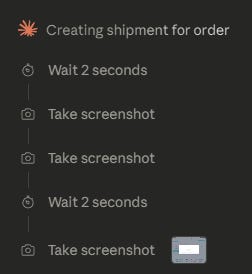
Beyond that, it was very slow. It took screenshots very frequently before proceeding, and given the number of individual steps in filling out the form, that was a lot of screenshots. I wouldn’t use it for anything I need done quickly, but on the other hand it does seem that always taking stock of what’s on screen before proceeding made it reliable enough to complete the form successfully every time. If you have to pick reliability or speed for your web agent, reliability certainly seems like the right choice.
I suspect that this burned an enormous amount of tokens. Not enough to run me up against my plan limit (I’m on the $100/month subscription at the moment), but I also didn’t have Claude Code building anything for me at the same time. On the plus side, in the time between running this test and posting this article, Anthropic dropped Sonnet 4.6, which scores almost identically to Opus 4.6 (which is what I used here) on computer use but at a much lower cost.
I honestly expected Claude to fail at this task, so I didn’t really think through the optimal way to have it handle the complete workflow for me. There are definitely some improvements to be made on the next run in order to more fully automate the process.
First, have Claude Code use the Amazon Seller APIs to create the shipment then download the label PDFs created with it. Also have it give me the address of the fulfillment center that Amazon assigned for the shipment and all of the UPS tracking codes for the boxes.
Next, have Claude for Chrome pull Boxette’s images of my boxes from WhatsApp for web and read off the weights and dimensions of the boxes.
With all of that, I’d generate the prompt with all of the info needed to fill it out for all the boxes. My hope is that I can get around the 200k prompt token issue by asking it to output the six digit number into the chat after completing the form each time (the theory there being that sending a message would reset the prompt token count).
Failing that, I’d just have it run through three boxes at a time. That would still be deeply helpful, since I’d still only be pasting in three lines from my list of boxes every 30 minutes or so (or alternatively I could spin up a bunch of tabs and have it do them in parallel).
Once the form’s filled out for all the boxes, I could have Claude for Chrome send the labels to Boxette via WhatsApp and ultimately go back to the site and make payment. At this point, neither of those would be worth doing since I can handle those tasks in the same amount of time it’d take me to instruct Claude to do them, but at some point in the future I imagine I’ll have an agent that can do the whole process end to end, including monitoring WhatsApp for Boxette’s confirmation that I can make payment, checking the payment amount and entering my credit card info if it’s correct.
For now, another tedious task being handled by the most powerful technology ever created by mankind.