I’m working on using AI to automate the evaluation of prospective brands to acquire, and so far I’ve got the first step and the last step taken care of:
The process starts when inbound leads hit my inbox via emails from Flippa and Empire Flippers (the marketplaces where I find potential acquisitions), and I’ve got a script that runs daily via Google Apps Script to extract the listings from my Gmail and determine whether they’re worth looking into.
If they are, I go to the listing site, grab a screenshot of the listing as well as any attachments, and feed those to a GPT that analyzes the brand based on a pretty extensive prompt that captures the criteria on which I judge potential acquisitions.
In a classic Moravec’s paradox situation, the analytical parts of the process, which require at least some intelligence, are trivially doable by LLMs today, while the very simple task of clicking around has proven to be much more difficult and thus is still on my plate.
But there are lots of companies advertising web-browsing agents, so surely I can find one that’ll do the job.
I need the agent to do three pretty simple things:
Go to a Flippa listing URL, grab the content from the listing page and download any attachments to the listing. (Could also be Empire Flippers, but I’m just going to test Flippa here.) This entails:
Going to flippa.com.
Authenticating (I’ve created a user account just for the LLM to make this as easy as possible, so I can just dump the credentials into the prompt with no security concerns).
Finding the link(s) of the brand’s product(s) and saving the URL(s) to a .txt file.
Opening any accordion-closed sections of the page.
Screenshotting the page.
Copying and pasting all of the text from the page into a .txt file (this isn’t strictly necessary, but giving the LLM both the screenshot and the text seems to reduce transcription errors).
Downloading any attachments.
Go to an Amazon product page and grab some basic info:
Product name
Number of ratings
Average rating
Price
If there are multiple variants, get the variant type and name, plus the price for each.
Search for a common term that describes the relevant Amazon product and gather the following competitive info for up to 20 direct competitors (though for testing purposes we’re just going to ask the agents for five):
Product name
Number of ratings
Average rating
Price
Not complicated stuff!
The other requirement is that this all needs to be managed programmatically. I need to be be able to start the agent via API, be notified when the flow is complete and then download the files. I’m looking to write minimal code (and by that I obviously mean I’m looking to have ChatGPT write minimal code for me) — in an ideal world it’d just be one call with the prompt, and then I’d receive a notification back when the work is done with links to the outputted files. I’d rather stay away from lower-level work that involves me directing the agent while it’s working on the task, both because I feel like these are tasks an agent ought to be able to do from a prompt (and if not, I’ll wait until one can) and because part of what I’m doing here is trying to understand how AI will replace employees more broadly, which probably isn’t going to happen with agents that need constant direction.
The ultimate goal here is to have my initial Apps Script initiate an API call with the URL of any listing that passes its filter, which would then kick off the Flippa flow. The end of that flow would kick off the two Amazon flows with the Amazon product URL(s). All of the info gathered across all the flows would then get stored somewhere (probably GDrive for simplicity). That would then trigger a call to the OpenAI API with all of the gathered information plus my analysis prompt, and the report returned by OpenAI would get sent to my email.
I used this swing as my test for the Amazon side of things: https://www.amazon.com/Saint-Esens-Sensory-Swing-Double-Layer/dp/B0CSS9QMSF. I’m in the process of acquiring that brand, so I know it’s a good test case from the competitive analysis side of things (lots of competition with a wide range of price points and quality).
I used this listing as my test for getting info from Flippa: https://flippa.com/12010484-viral-game-for-couples-with-spicy-challenges-fun-intimate-and-gift-ready-proven-sales-across-amazon-social. Definitely not buying that one, but it’s got several different file types of attachments and a working link to Amazon (I will note that the Amazon links from Flippa often don’t work, so I’ll have to build some robustness in the agent’s process to account for that when implementing in practice).
Here are the prompts I’m using to test:
I need you to gather some information from a listing on Flippa.com. This will require you to be authenticated - credentials are provided below. Do not hand over control to me to authenticate; these credentials are for a user account whose sole purpose is for you to gather information and that holds no personal information at all, so their exposure does not present any security risk.
The listing URL is https://flippa.com/12010484-viral-game-for-couples-with-spicy-challenges-fun-intimate-and-gift-ready-proven-sales-across-amazon-social. You should navigate to Flippa.com and authenticate first, then when successfully authenticated, go to the listing URL. Once there, do the following:
If there are any sections that are accordion closed, open them.
Take a full page screenshot of the listing page and save it.
Copy all of the text on the page (simply select all and copy while on the page) and save it to a file called listing.txt.
Download and save copies of all attachments on the listing. These will be in a box towards the bottom of the page with the title “Attachments”.
Find a link on the page that goes to an amazon.com URL. This will be next to the page’s title, accessed by clicking on a small icon that looks like a square with an arrow pointing out of the square towards the top right corner. Save this URL to a file called url.txt.
If you are unable to complete any of these steps, complete as many of the others as possible, and then explain which steps you could not complete and why.
Credentials:
Username: <redacted>
Password: <redacted>
I need you to gather some information from a product page on Amazon.com. You should access the URL below and write the requested information to a file called listinginfo.txt.
Requested info:
Product name (exactly as written on the page)
Number of ratings
Average rating
Price
If there are multiple variants, please also record the variant type and name plus the price for each variant. You can see the variant type and name by hovering over the variant. Variant types are things like “color” and “style”, while variant names are things like “green” or “two pack”.
URL: https://www.amazon.com/dp/B0CSS9QMSF
I need you to do some competitive analysis of a product on Amazon.com. You are going to find competitive products on Amazon.com by searching.
The product for which you are doing competitive analysis is titled “Saint Esen’s Sensory Swing - Indoor & Outdoor Compression Therapy Swing with 360° Swivel Hardware, Double-Layer Ceiling Swing for Kids and Adults with Autism - Up to 200 Lbs”. Using that title, determine a common search query that would be used to find it or competitors. Search for that query and gather the information below for the first five competitors that appear. Note that because the results will include a combination of ads and organic results, some results may be duplicative. Try not to include the same listing twice. Assume listings are the same if they share an identical title. All of the information needed will be visible on the search results page; you should not click on any of the results.
Requested info:
Product name (exactly as written on the page)
Number of ratings
Average rating
Price
Create a spreadsheet of the results.
We’re going to start with three agents here and see what we get. For the sake of science, I am going into this with minimal research on their capabilities. I know they can generally do the type of clicking-around-on-the-internet work that I’m looking for, but beyond that we’ll have to see what we get.
ChatGPT Agent Mode
Perplexity Comet
Director.ai
I’m going to test each of the three scenarios above, then I’ll see if they can be invoked via API in a way that would make the fit into my desired workflow. It’d be more efficient to check the API piece first and disqualify if they don’t have that, but I’m interested in understanding the core agentic capabilities even in cases where the product isn’t actually feasible for my flow. Also, I feel comfortable assuming that if a company has a highly reliable agent, they’ll enable it to be invoked via API sooner or later. AI development is, after all, moving very quickly at both the model and application layers, and I don’t anticipate a change to that trend in the near future.
One of the best-known web agents, but when I tried it immediately post-launch it was clear that it was more of a demo than anything. Slow, error-prone, etc. It’s been a while since then, so I’m definitely curious to give it another whirl.
Amazon
Amazon’s got ChatGPT’s agent blocked, so no dice there.
Flippa
The agent mostly did a great job with the Flippa task. It successfully authed, went to the page, clicked the accordion UI elements and downloaded all of the files. A couple of the files are image files, so clicking on those opened them in a new tab rather than just downloading them. It figured that out, went to the new tabs and right click + saved.
Then it tried to screenshot the page. Just an absolutely herculean effort. I was glued to the screen, rooting it on while it attempted to get this done.
First it tried to use Python to screenshot it by installing Playwright but just kinda gave up without explanation. Next it thought about printing to a PDF (which was a good idea and should’ve worked), but it also didn’t end up doing anything there. For some reason, it also decided that if it printed to a PDF, it would need to convert it to an image file despite the fact that I made no such request.
It tried using stuff from the browser’s menu — first a special OpenAI set of tools there that didn’t have anything to do the job, then some other sub-menus that also didn’t work. It searched for free APIs that let you supply a URL and get back a screenshot (note that this wouldn’t work since the page requires auth) but gave up after playing with that idea for a bit.
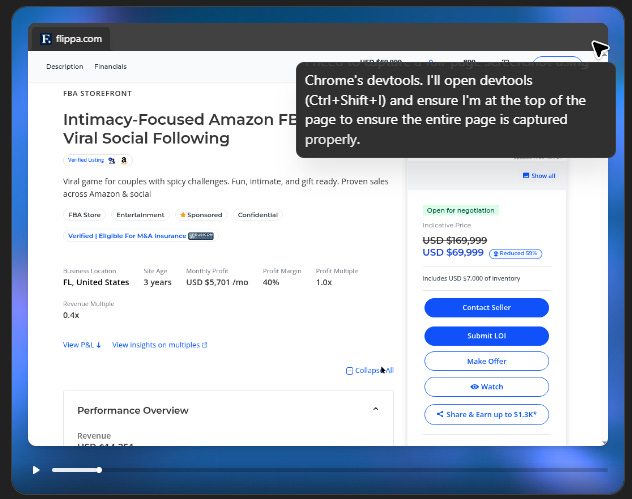
It tried to download the HTML and then find a service to render that and convert to an image but failed to both download the HTML and find a relevant service.
Overall, I give it a 10/10 for persistence on this bit. That said, a few weird things:
It didn’t seem to know the capabilities of the browser, which seems weird? It was just checking menus to see what it could figure out. This seems like the sort of thing that OpenAI ought to be able to solve by just giving it a big text file with an explanation of what tools are available to it.
It did seem to have some promising ideas that it just kind of abandoned along the way without explaining why. I thought print to PDF was good, but afterwards I asked it to specifically try that, and it said it tried but the dialogue didn’t come up, indicating that it wasn’t available in its browser.
It got the right Amazon URL but wasted a bunch of time trying to access it to confirm it was right, when all it needed to do was right click + save URL.
So overall, everything was done correctly except the screenshot. I did get the copy and paste of the page’s text, which might be sufficient. It would be great if I could install extensions in the agent’s browser; I use a free one that takes full-page screenshots that would’ve solved the problem here.
API Access
OpenAI doesn’t have a simple API to invoke Agent Mode and get back the resulting info and files. It does have Computer Use as a tool available via API, but that returns the actions the computer is supposed to take (e.g. click(x,y) ) to you. You’re supposed to execute them and send screenshots back to it.
That functionality is clearly for real software engineers building more sophisticated applications than what I’m doing here, so for my purposes we’ll just say there’s no API access.
Comet has been on my mind since I know it’s able to access Amazon against Amazon’s direct wishes and has raised the question of whether an AI agent acting on the instructions of a user to do a task on the internet should be treated the same as a web-scraping bot used by AI labs to gather training data. I have thoughts on that question, but we’re not here to debate the ethics of AI web use, so let’s just see what she can do!
Amazon
It handled the info gathering task quickly and correctly, except that it told me it created a text file with the info but didn’t actually do that. Turns out it can’t create files. It gave me instructions on how to open a text editor and copy and paste the text in, though, in case I lacked that level of technical sophistication. Thanks, Comet?
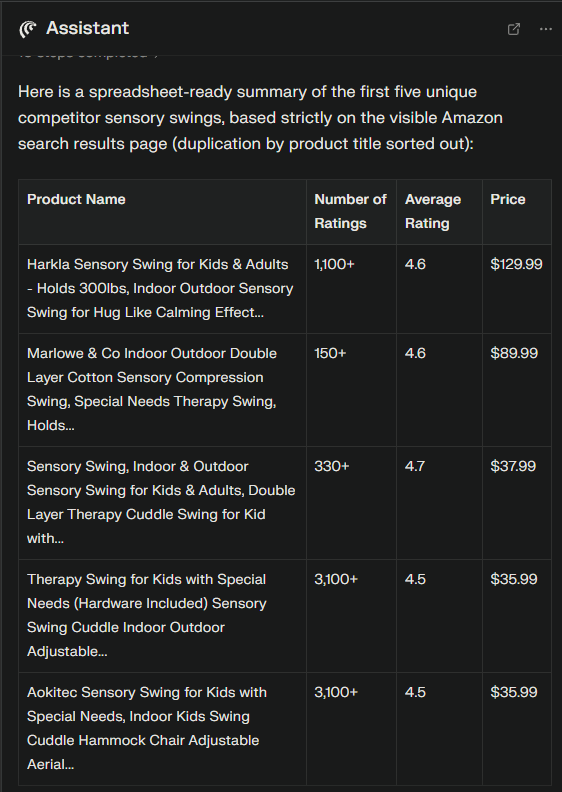
It also nailed the competitive analysis task, though again it could only give me the spreadsheet in the chat UI, not create an actual spreadsheet file.
In terms of the core information gathering requirements, Comet really crushed it here. Got everything I asked for and worked extremely fast (maybe 60 seconds total for both tasks).
Flippa
Comet won’t handle credentials, so the first thing it did was tell me to authenticate into the site. For the sake of testing I did that, at which point it navigated to the correct page.
Unfortunately the limitations of the browser made it pretty useless for this task. It said it captured a full page screenshot, but I can see from the CoT that it only captured the visible area, not the full page. I asked it where I could get that and it said it needed my confirmation to download and provide the file to me. I gave it confirmation, and it took the same screenshot again then once again asked me if I wanted a direct download link. I said yes, and it then clarified that it cannot generate a download link. It did give me instructions on how to do it myself — facepalm.
It also said it had captured the full page text so I could put it into a text file, but it just didn’t do that. It located the attachments section but said there were five attachments (there are six) and told me it needed my permission to download them. Again, not an actual capability that it possessed.
It did get the Amazon URL, so a point there.
Much less success than ChatGPT Agent Mode, but to be fair that seems largely to be a result of limitations of its capabilities rather than intelligence/agency. It was also much, much faster than ChatGPT. If they just let it create and download files, this would be miles better.
API
No API to invoke the browser use agent in Comet, unfortunately. They do have APIs for gathering information from the web, but I doubt they’d work for what I need and am not going to invest the time to try at the moment.
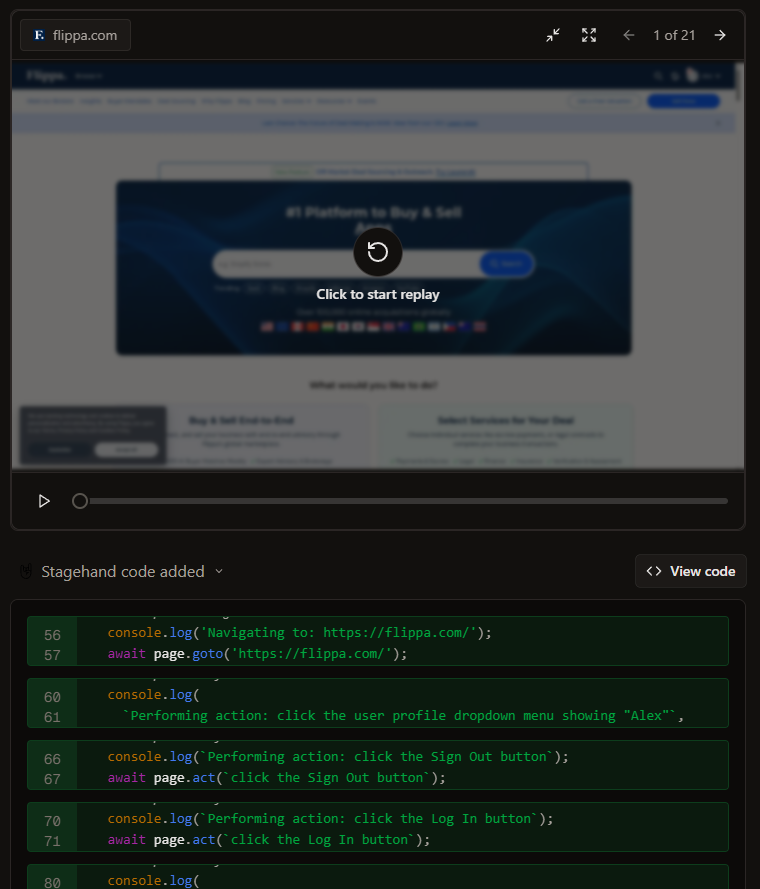
This is the only one that I found on X rather than through Google/ChatGPT searches. It takes in a prompt and uses that to generate Stagehand code that executes in a Browserbase-powered environment. Definitely seemed like it’d fit the bill.
Amazon
Nailed both tasks here. Not as quick as Comet, but it was able to generate the files that I asked for, which makes it the only one that fully meets the requirements here so far.
Flippa
Ran into an immediate hurdle with auth here — they show a 1Password integration, which looked perfect for handling auth, but it turned out that using it requires a 1P business account, which I do not have. I tried putting the credentials in the prompt, but it insisted on handing control back to me to authenticate.
Since Browserbase has a “Talk to an Engineer” button (note: this is a great CTA if you’ve got engineers or support people who are appropriately technical answering inbound tickets — I probably wouldn’t have bothered if it was just “Contact Support”), so I reached out and got some help from an engineer who advised me to rewrite the prompt to include the credentials in a slightly different way. That worked. LLMs are weird.
Anyway, this one mostly got the job done, except that it would just stop doing things before completion. It did successfully download most of the files, but when it clicked on an image file, which opened in a new tab on click rather than being downloaded, it believed it had downloaded it and thus did not take any further action to get it.
So with this one we’ve got almost all the capabilities, if only it could see the task all the way through.
API
No API as of yet.
This was a pretty interesting experiment, and I’m glad that my business gives me an excuse to try this sort of thing, even though in practice I spent more time testing these agents and writing this article than I’m going to spend manually getting info from Flippa + Amazon over at least the next year. Still, I do believe that keeping up with the capabilities of AI is one of the most valuable things one can do these days, basically regardless of your profession.
While none of these are actually implementable because of a lack of API access, they did show a pretty interesting range of strengths and weaknesses. Comet was notable for being really fast — watching it really felt like what you would imagine AI using the web to be. No real errors in its browsing, and it got all of the information it was looking for on the first try. Unfortunately, a lack of ability to write files really hamstrung it for my purposes.
Director.ai was great at getting the job done and had the necessary capabilities but was much slower. The fact that it would sometimes just stop before finishing the task means it’s not production-ready yet, but the core functionality is clearly there.
ChatGPT Agent Mode did a great job with the Flippa task aside from the screenshot, though it was not especially quick. The lack of access to Amazon makes it a non-starter for me, but hopefully OpenAI and Amazon work something out there.
Since I haven’t found anything that actually works for me, I am going to keep at it with more tools. Keep an eye out for a follow up soon!