When I started my first e-commerce business, one thing I learned is that good photography is expensive. I guess expensive is relative and a few thousand dollars is not so bad for a big brand, but I was bootstrapping my company with no idea of whether I’d make any money.
On top of the price, I also had the problem of not really knowing what I wanted in terms of particular shots. The product was a mix that you use to make dog treats at home, so I knew I wanted people making it and dogs eating it. Beyond that, though, I didn’t really have a great idea of how many photos I wanted or what the specific compositions should be. Thankfully I picked a great photographer, and she delivered excellent photos.
Still, I’m someone who learns by doing, and after I got the photos and started putting them into my website/email content/etc., I definitely wished I could’ve gone back and asked for some different shots. At the price she charged, though, that was not an option for a business that hadn’t made any money yet.
So ever since GPT-4o gave you the ability to use an image as input and ask for changes, I have been trying each new model and waiting for the day that I could upload a photo of a product and get back high-quality whitebox and lifestyle photos. GPT-4o wasn’t even close; it wouldn’t maintain fidelity of the original image at all.
The original Nano Banana was closer in that when you asked it for edits it actually changed the existing image instead of recreating something very similar. Still, it wasn’t close in terms of taking a reference product image and creating an entire new composition that contained it.
I held out hope that someone would develop a product using the existing models to do this, since it’s something that you could definitely build a business on. Unfortunately, the closest thing I ever saw was Pieter Levels’ Photo AI, which let you upload an image of yourself and some clothes to try them on virtually.
So I moved onto other things, figuring that at the current pace of improvement, I’d get something that could do what I wanted in a year or two.
The original GPT-4o functionality that got me thinking about this came out in late March. Just under eight months later, we have Nano Banana Pro, and it has absolutely demolished my expectations. Here is the very first thing I tried.
Input Image
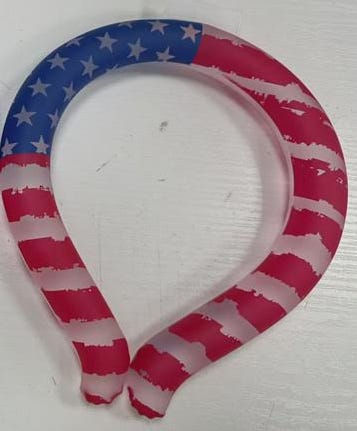
Prompt
This is a cooling neck ring - you put it around your neck when it’s hot to keep you cold. Can you generate an image of a woman wearing it? It’s for an Amazon product image, so it should be white background, woman looking forward and smiling wearing it around her neck. White woman, brown hair, wearing a casual top. Shot should just be a headshot.
Output Image
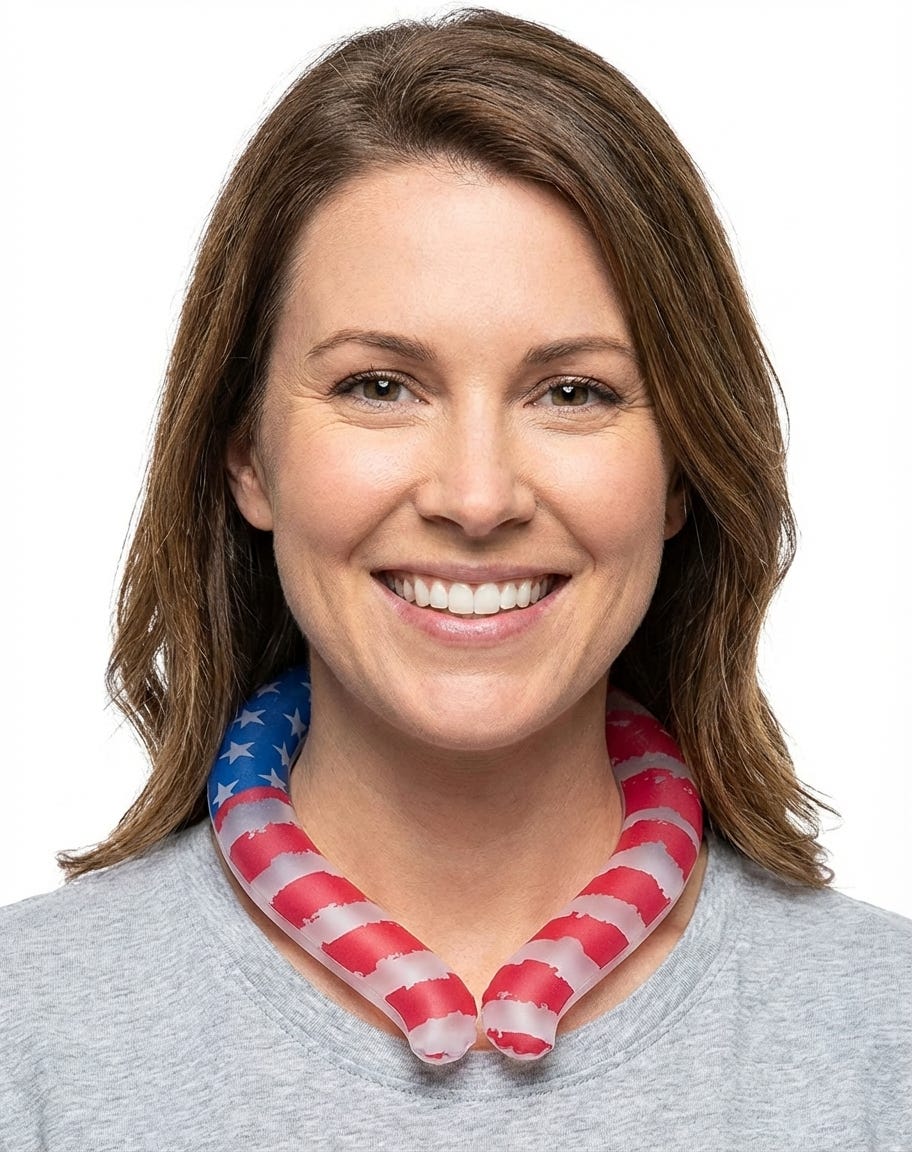
My jaw actually dropped. The fidelity is basically flawless. Each of the little jagged edges of the red stripes matches the original image perfectly. This was the first try from a bad iPhone photo. That is bananas! (I’m sorry, but I was going to say it eventually. Might as well get it out of the way early.)
If it can do that, what else can it do for me? A lot of the Nano Banana Pro launch content gave examples of how it can be used for infographics. Most Amazon images are in that style, with some lifestyle images overlaid with text. Here’s an example of one of those images that this brand was using before I acquired it:
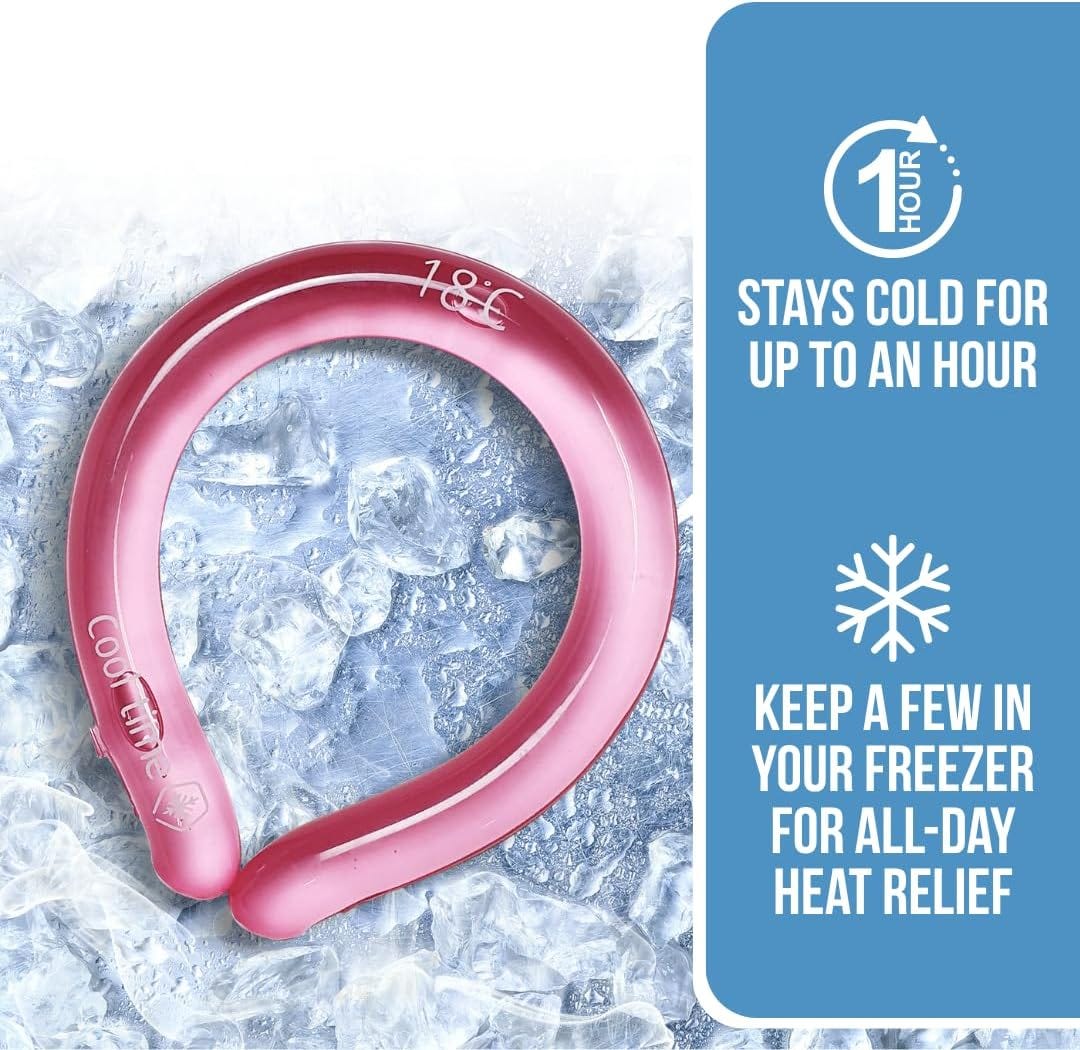
This is generally an area where I can make improvements after acquiring brands. I have a graphic designer I found on Upwork who makes these for me at $35/image. I give him a spec that includes the text I want on there, any particular requirements for imagery and overall image style, and links to product photos he can use.
In this case, I’m switching manufacturers of the product and have been waiting for my samples to come in and get photographed before having the graphics redone. Since I’m now skipping the photography, I figured I’d give ol’ Nano Banana a shot at the graphics too.
First thing I did was give it the above image along with the American flag ring and ask it to swap that into the image (Prompt: “Can you take this image and recreate it exactly but with the American Flag ring on it”). I got this:
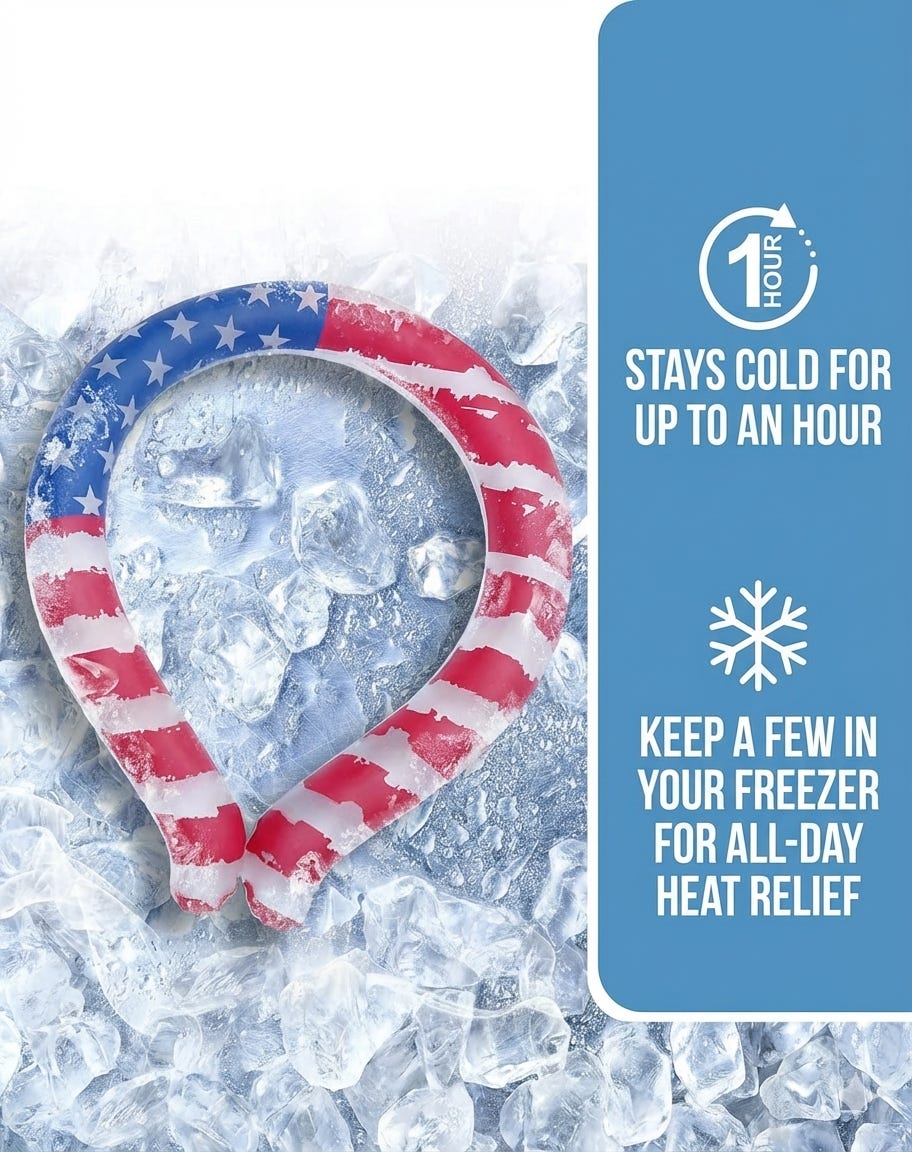
Wrong aspect ratio (the original was a square), but turns out that’s easily fixable. Otherwise… amazing. Text and icons preserved perfectly, and it even added the little bit of frost around the ring itself that wasn’t present in the original image. I’m honestly blown away by its judgement in terms of instruction following there — just a very slight deviation from what was asked that definitely makes the image better.
Next I wanted to see what it could do about actually improving the image. Prompt: “Now please do one that has the same text: “Stays cold for up to an hour” and “Keep a few in your freezer for all-day heat relief” but change up the design. Needs to have the american flag ring on it (frozen like you have it in the one you just made) and that text, but beyond that come up with a new layout (and feel free to add iconography, change font, etc). This is for an amazon listing so should be something that works well there”. Result:
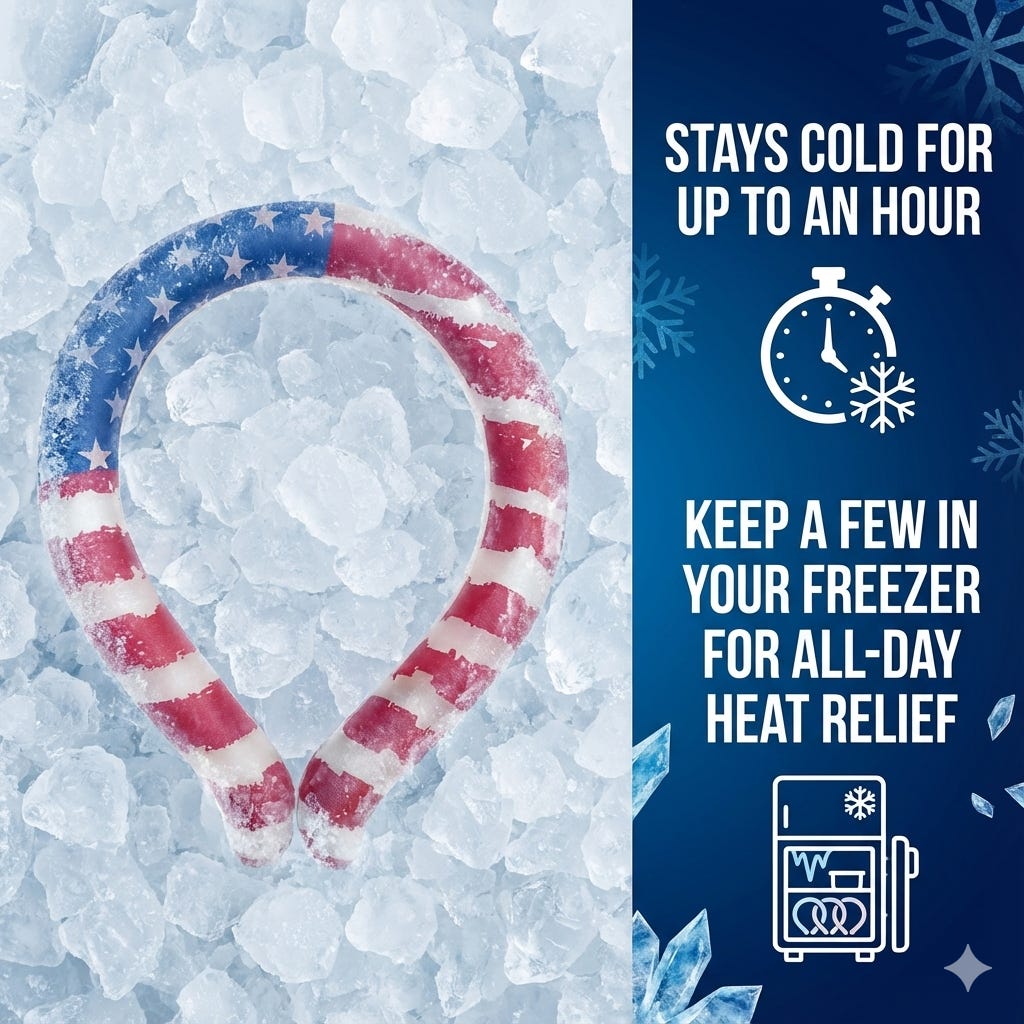
Again, just an absolutely fantastic result on the first try. I’m running out of superlatives here, but the detail on the icons is something to behold. For $35, my designer would’ve done a good job here but definitely used some stock icons for the timer and the freezer.
Instead, for something like 10 cents I get a stopwatch with a snowflake to tie it to my product, plus a freezer with multiple icons representing my cooling ring to match the text saying that you should buy more than one. That’s really a level of attention to detail that’s up there with some of the better human designers I’ve worked with.
I had it do a few more to similar effect (though not quite as smoothly as the first one — more on that below). After it redid all of the existing images, I started a new chat and gave it all of the images it had created plus this prompt, to see what it would come back with: “These are photos of my neck cooling ring, which you freeze and put on your neck to keep you cold. They’re going to be used on Amazon. Based on these photos, generate a sixth Amazon listing image. It should keep the same style with the dark blue, same font, icon style, etc. and it should show the cooling ring. But beyond that the content is up to you. Just generate something that’ll work well as the sixth image on the amazon listing for this.”
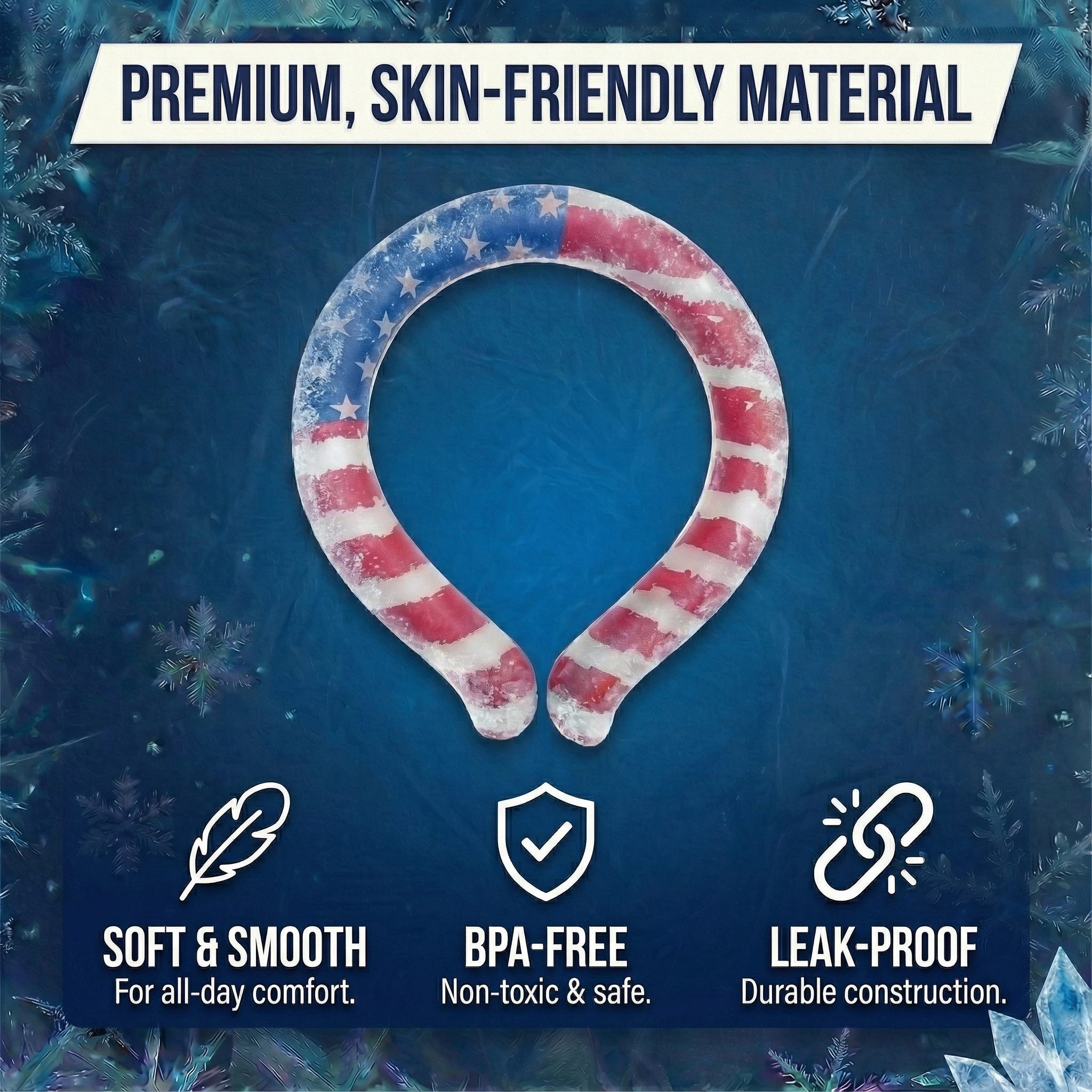
Pretty good! It’s not soft and smooth (it’s a kind of rubbery-feeling material) and can’t be worn all day (it probably shouldn’t have gotten that wrong given that it had an image saying it stays cold for an hour). Still, it’s a good design and got 2/3 of the benefits right.
You have probably picked up that my overall impression of Nano Banana Pro is extremely positive (“MAGGIE IT IS AN ACTUAL MIRACLE THAT YOU CAN JUST TYPE INTO A COMPUTER AND IT CAN DO THIS,” I have yelled at my wife several times now as she nods along and tells me that’s nice). Things weren’t entirely smooth, though — a few challenges:
Getting Stuck
Sometimes the model just becomes unable to make changes to an existing image and continues to regenerate the same one (while insisting in its chain of thought that is has carefully adhered to my requirements and checked the result to ensure it complies). It made one image for me that was perfect, except that it contained this lifestyle shot, in which the ring is too big and hovering above the woman’s neck:
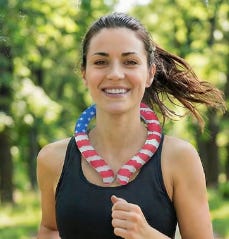
I asked it to make the ring smaller and ensure there was no gap between the ring and her neck. No change. I tried annotating the image and sending that. No change. I even tried starting a new chat and asking it to fix it. Changed the rest of the image but for whatever reason did not fix the ring on the woman.
Timeouts
I suspect this is temporary and the TPUs were melting as everyone in the world was attempting to use this at the same time, but there were a lot of timeouts on my requests. The only thing I can compare this to is waiting through extremely long install times for computer games that I received for Christmas as a child. Painful!
Instruction Following
Overall, it was really impressive at following instructions, but sometimes it’d really fail on the details. I’ve been trying to figure out exactly what it’s good at and where it struggles, but the odd thing is there’s not really any consistency.
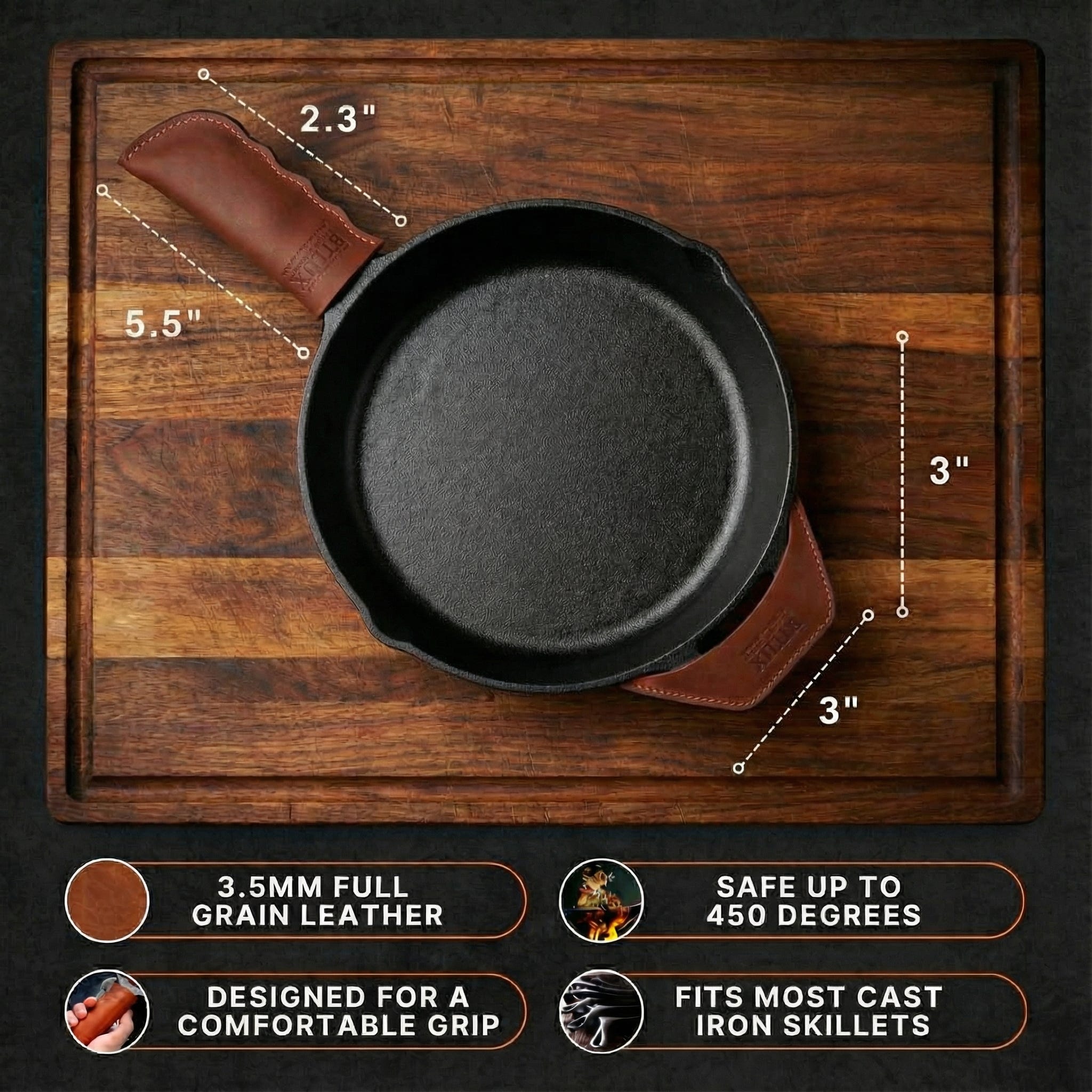
As an example, I gave it the product dimensions and asked for an image.
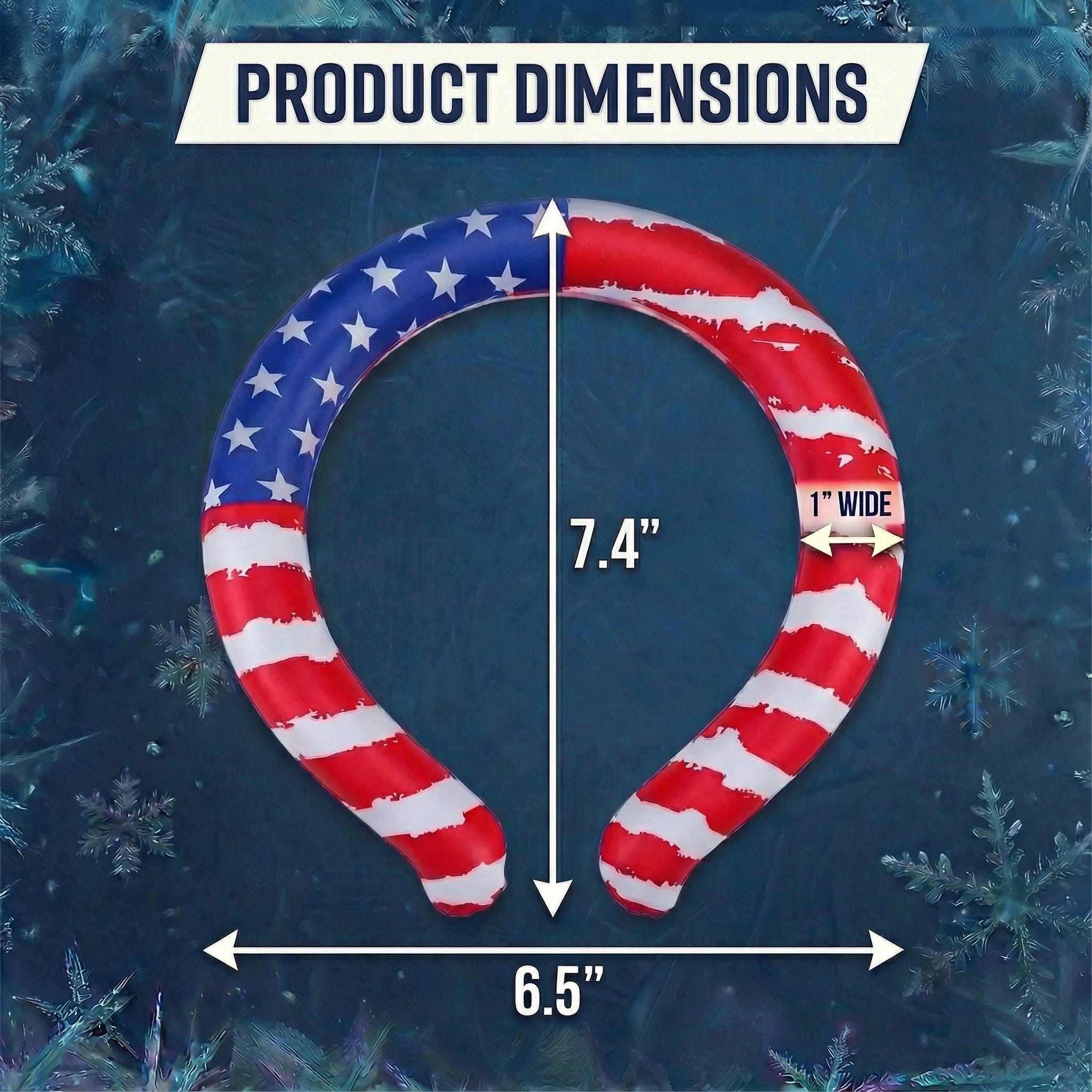
Perfect!
I tried this with another product I own and got this:
Not great.
Watermarks
If you look at the bottom right corner of all of the Nano Banana-generated images I included here, you’ll see that some have watermarks and others don’t. I don’t know why. I’m doing this with a paid API key, so I would say it should really not be adding those.
I am just starting to use this (expect another post as I go through all of my existing brands’ images and have Nano Banana create new versions to test) but have at least a few simple lessons to share with folks using it for similar things.
Lots of Chats
For context, I’m doing this in AI Studio. I have found that starting new chats frequently is really helpful for both getting a variety of results and breaking the model out of its existing context.
When I’m starting out asking it for infographic-type images, I open up three chats and give it the same prompt in each one. I very scientifically selected three as the optimal number because that’s how many monitors I have. I want multiple styles, and once it’s generated the first image it really struggles to change to overall style meaningfully no matter how you ask. Better to get a few options up front and then continue with the chat that has the style you prefer.
New chats are also useful when the model just can’t seem to make a change you want — sometimes it helps to just give it the image and ask for the particular change without any other context. I will note that this doesn’t always work, but it’s worth a shot.
Use the System Instructions and Image Controls
If you’re like me, you might be so giddy about using this that you miss some stuff that’s right in front of you. Namely, the right panel in AI Studio has selectors for aspect ratio and resolution. I kept having to ask it to only make square images before realizing these were there. Just remember that you do have to set these with each new chat.
There’s also a text field for system instructions, which you can save. I haven’t spent as much time with these as I should, but right now I’m using them to make sure the model knows that it’s creating Amazon listing images and should try to optimize for things that will result in conversions there.
This is the first time I can very concretely say that AI has replaced someone’s job (though obviously in this case I mean short-term, contract job as opposed to a full-time position). It’s tough for me to imagine that AI won’t continue to improve and take more contract jobs, and eventually replace full-time employees as well.
Looking at my particular example here, can we draw any useful lessons about AI’s impact on work beyond that it will just take jobs? I think so.
First, when it comes to the infographic-style images, Jevon’s Paradox definitely applies. Amazon has an A/B testing framework for images, and now that I can so easily create new versions of my listing images, the next thing I’m going to do for all the brands I own is feed the existing ones to Nano Banana with an instruction along the lines of, “make a new version of this with the same text and core product imagery but a different look/style.” I’ll take those, A/B test them until I have sufficient data to declare a winner, then do it again.
I’m going to do that work myself for now because I’m really enjoying watching Nano Banana work, but eventually the novelty will wear off. At that point, I would pay something like $3-5/image to have someone create a new set of images for me every time I conclude an A/B test. A smart graphic designer could set up a workflow to generate these quickly, check the work and then send them over to me. Now instead of charging $35/image once for each brand I own, they’ve got a lower-ticket but recurring revenue source. If implemented correctly, their hourly rate probably doesn’t change much.
The actual photography work feels like it’s more negatively impacted. For my whitebox images, there’s not really any creativity or taste required (Amazon has very strict rules about how these have to look), so it’s just technical skill of setting up and taking the photo. Nano Banana’s already good enough there, so it’s tough for me to imagine that there will be much of this work left for photographers in the near future.
So is the profession doomed? Not completely; at least not yet. Speaking of product photographers specifically, I suspect there’s going to be a pretty rapid decline in work at the low end, but your really high-end, experienced photographers bring a level of taste that I think will retain value for the foreseeable future. Even if AI can perfectly create any image I describe, I still have to describe the image. I would bet a lot of money that if you gave a product to Nano Banana and an experienced photographer and instructed both to give you a dozen lifestyle shots, the photographer gives better results a hundred times out of a hundred.
If I’m just starting my photography career, though, I would absolutely stay away from this kind of work. The obvious direction from my perspective is to focus on areas that involve capturing live events. Nano Banana’s never going to replace sports photographers or wedding photographers. I had some family photos taken recently, and it could plausibly replace those, but I suspect most people won’t go that route (personally, I’d just give it shots of my family and tell it to make me a nice Christmas card photo, but that’s not going to pass muster with my wife).