Side A · for macOS 14.4 and later
Tapelark records music apps, browser tabs, internet radio and podcasts into a library of your own. Every song is split, named and tagged while it records.
Free for 14 days, every feature.Apple silicon and Intel · notarized DMG
Tapelark is a Mac app. Send yourself the link, then download it on your Mac. Free for 14 days.
tapelarkSIDE A
LATE NIGHT RADIO · MIXC90
- Music apps
- Browser tabs
- Internet radio
- Podcasts
- Window video · Pro
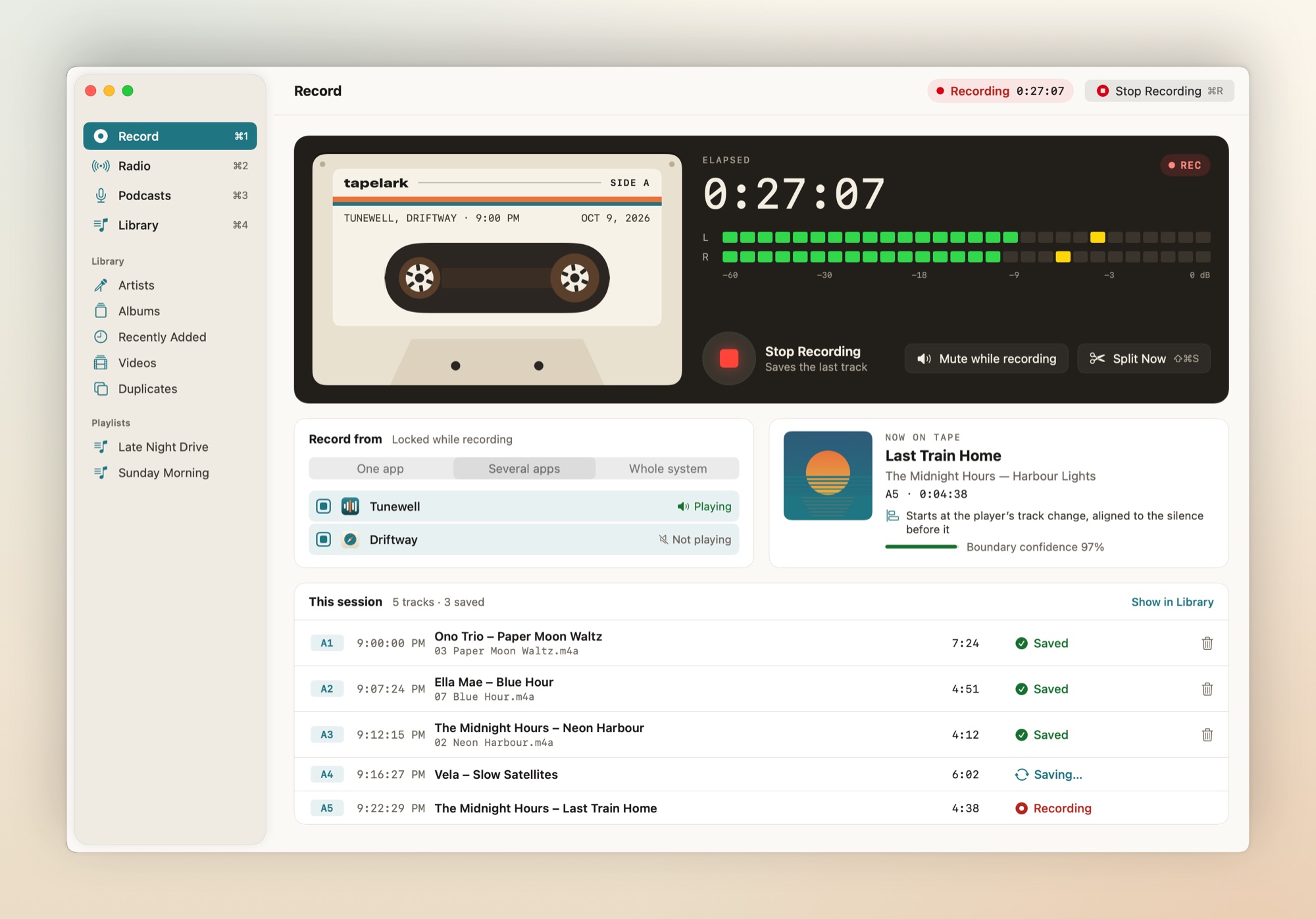
01 · Tracks
It splits the tape for you.
When the player announces a new song, Tapelark cuts there and lines the cut up with the silence before it. With no announcement it cuts at a silence, and Split Now is always one shortcut away. Each track is saved the moment it ends.
- A1Harbour SongStarts at the player's track change, aligned to the silence before itSAVED
- A2Low TideStarts at the player's track change (no silence to align to)SAVED
- A3Track 3Starts after a silenceSAVING…
- A4Northern LightsStarts where you pressed Split Now● REC
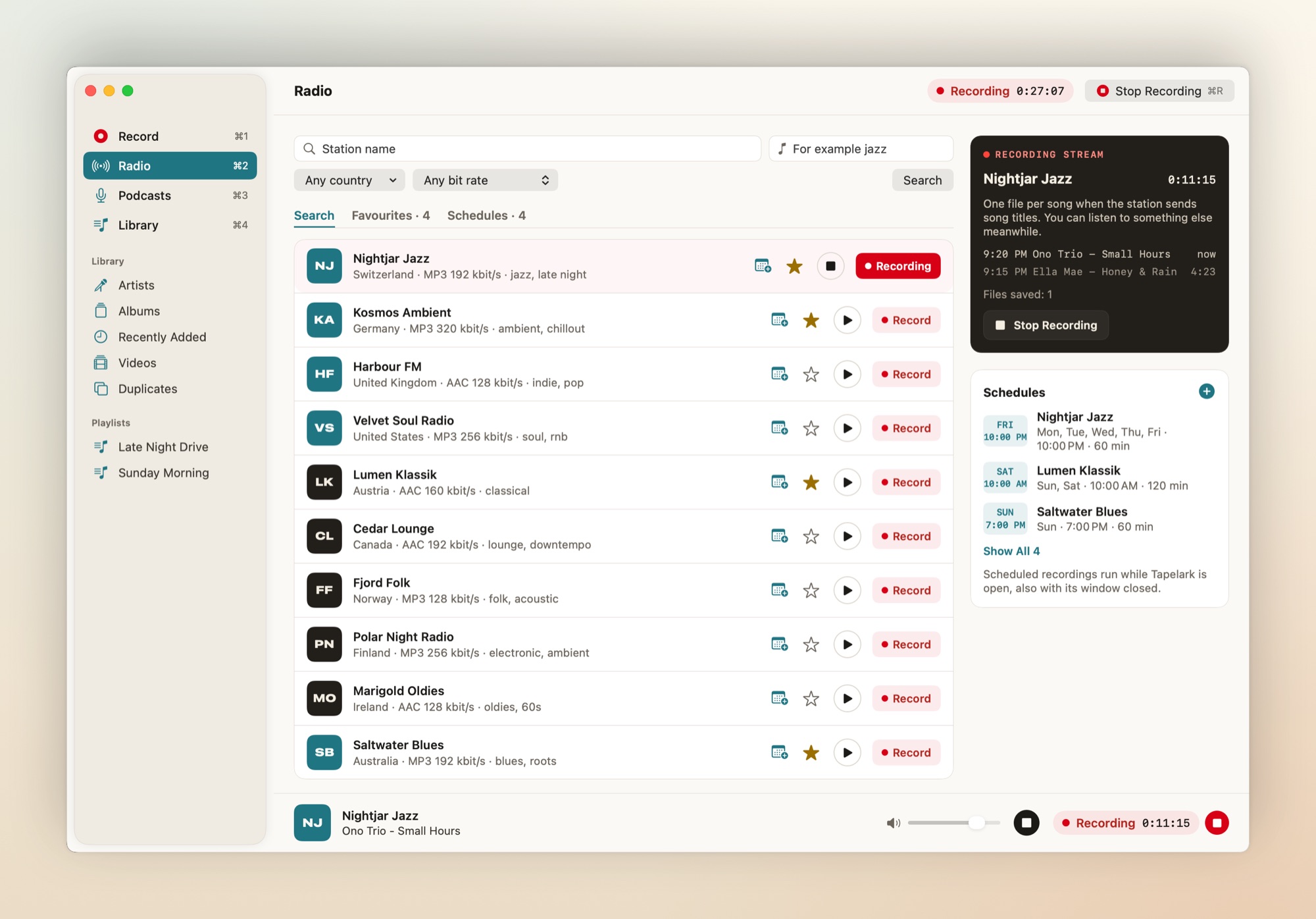
02 · Radio
Radio, straight off the stream.
Search a public directory by name, genre, country and bit rate. Tapelark records the station's own stream, so you can listen to something else or mute the Mac, and saves one file per song. Schedule a show once or every week.
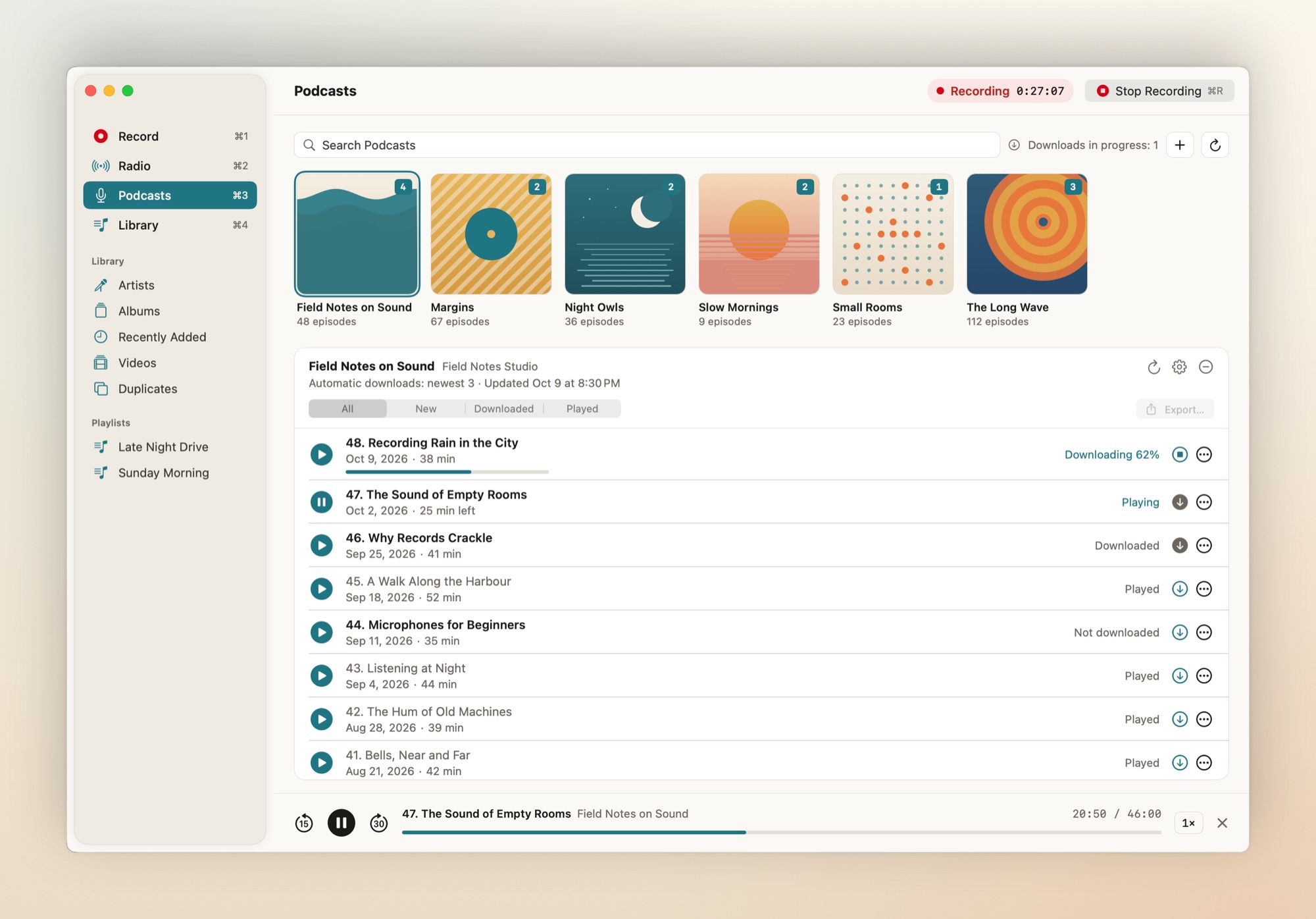
03 · Podcasts
Podcasts, kept for you.
Search a directory or add a feed by its address, and Tapelark downloads the newest episodes on its own. Play them at the speed you like, pick up where you left off, and export an episode as a file of your own.
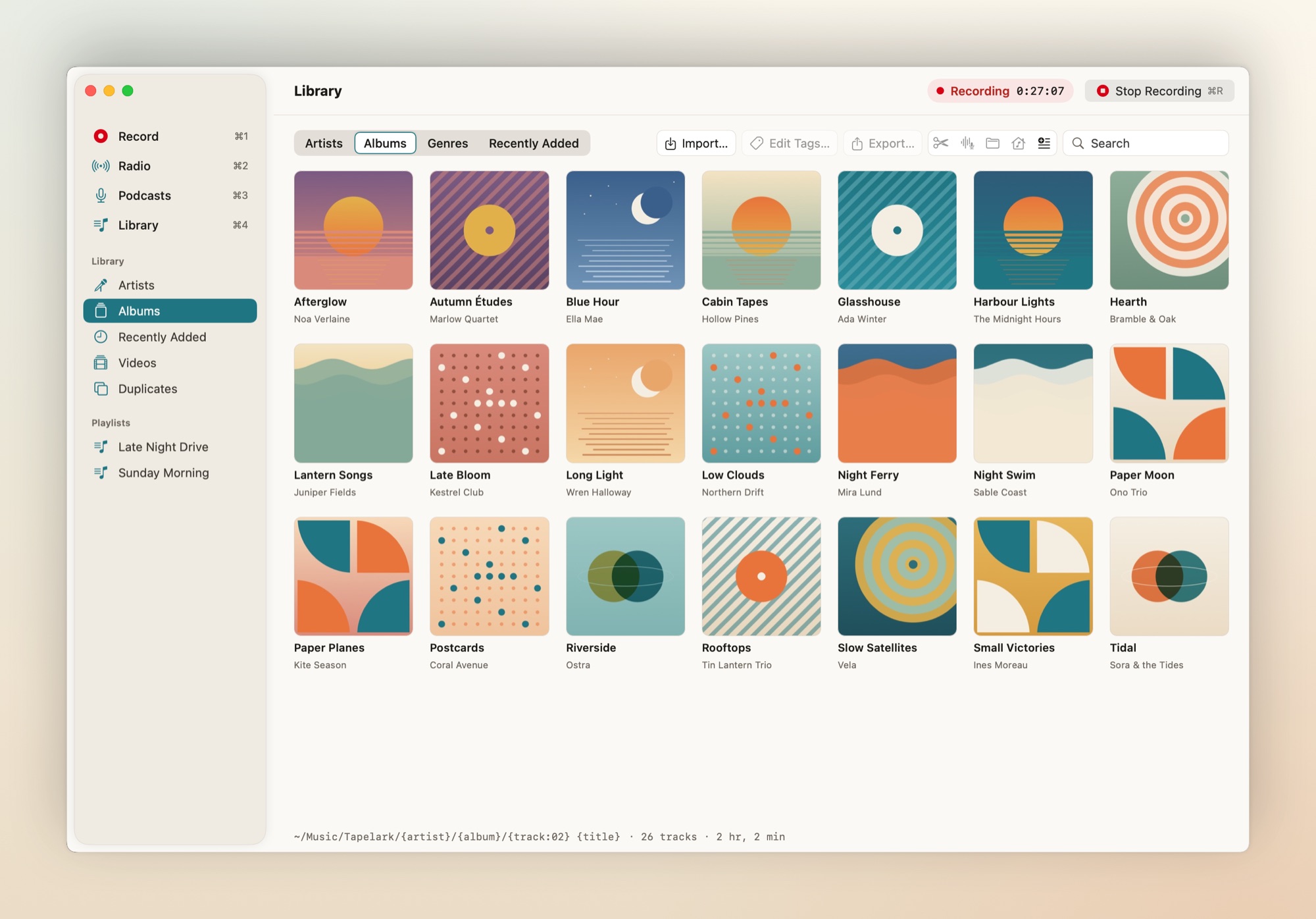
04 · Library
Ordinary files, named your way.
AAC, Apple Lossless, FLAC or WAV, with tags and covers. Browse by artist, album or genre, edit tags, trim without touching the original, and export to a folder or a USB stick.
05 · Menu bar
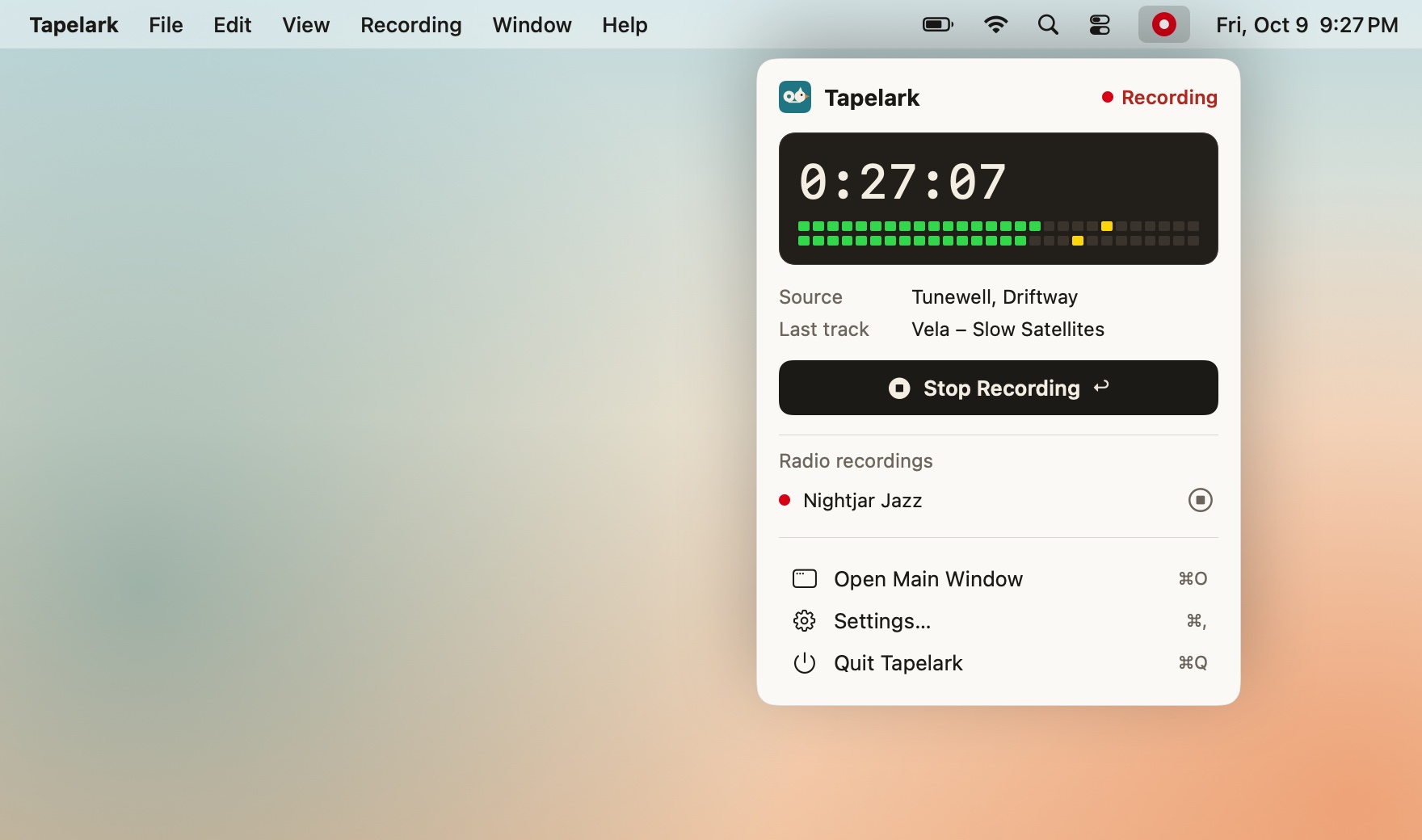
While Tapelark records, its menu bar icon turns red and the panel shows the clock, the levels and the last track saved. Start or stop from there, stop a radio recording, or right-click the Dock icon. The keyboard's play key controls Tapelark's podcasts and radio.
06 · Tapelark Pro
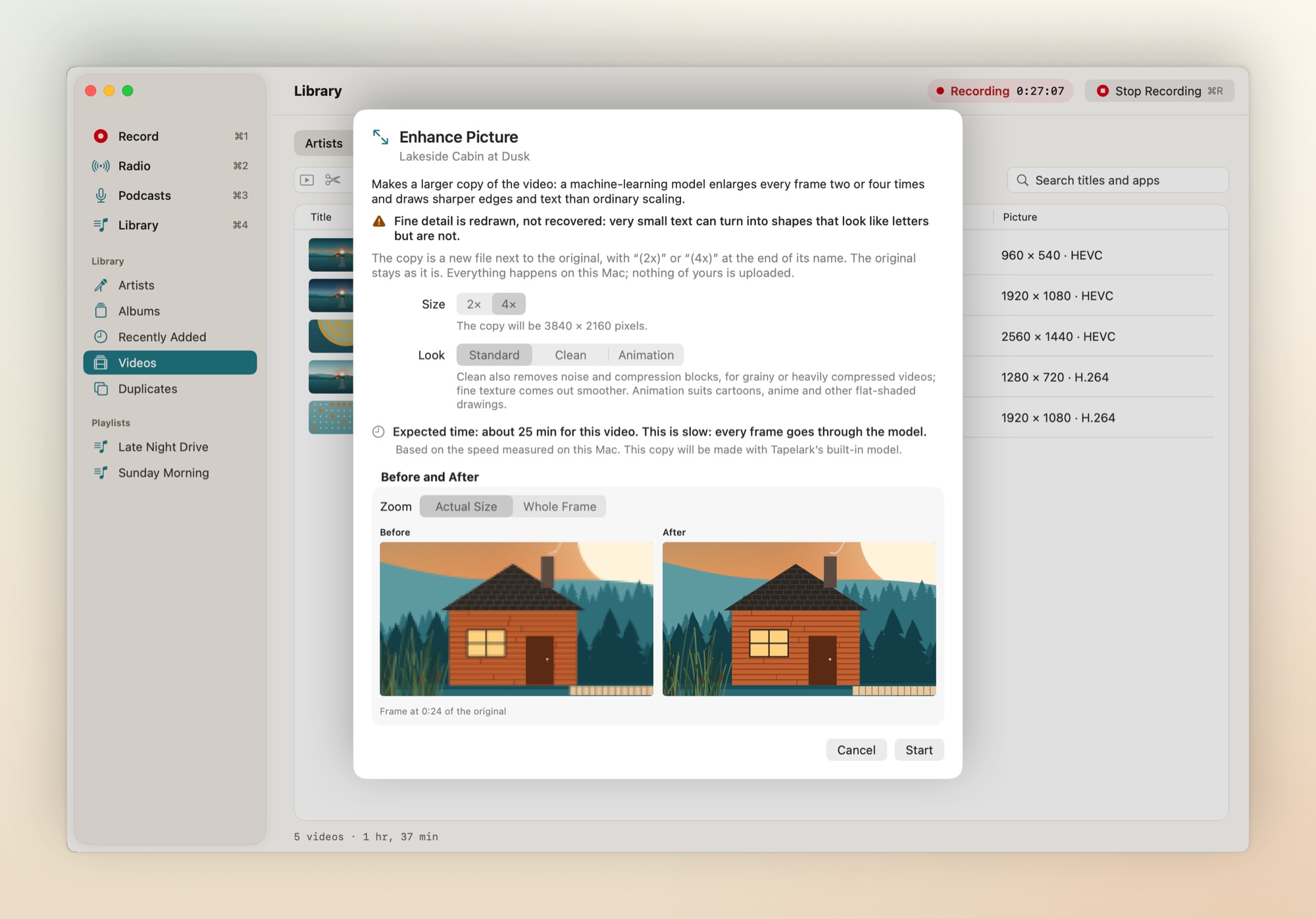
Side B: video and clean-up.
Window video
Record one window's picture with its app's sound, in HEVC or H.264, with pause and resume.
Isolate Voice
Keeps the speaking voice and removes music and noise. Made for podcasts and talk radio.
Smooth Motion
Makes a 60 fps copy of a video, computed on your Mac. The original is never changed.
- 01
Private use only
Recordings are for your own listening. Tapelark can't upload, share or stream them.
- 02
Nothing uploaded
Your recordings, library and settings stay on this Mac.
- 03
No telemetry
No usage data. Diagnostics are off unless you turn them on, and stay local.
- 04
No passwords
Tapelark never asks for other services' passwords or reads browser data.
- 05
No circumvention
Protected sources are detected, stopped and explained. Nothing more.
Pricing
Try it all. Buy it once.
Until you buy, each recording stops after 10 minutes, during the trial too, and everything recorded is saved. After the trial Tapelark keeps working as the free version.
-
Free no key, no account
- Every feature, Pro included
- Starts the first time you open Tapelark
- Each recording stops after 10 minutes, in the trial and after it, until you buy
-
€39* one person, all their Macs
- Recordings of any length
- Radio, schedules and podcasts
- Library, tags, trims and export
- Free updates for all 1.x versions
-
€79* one person, all their Macs
- Everything in Tapelark
- Window video recording
- Isolate Voice
- Smooth Motion to 60 fps
One-time purchase per major version. Prices include any VAT or sales tax. Keys are checked offline on your Mac.
* On the payment page the currency may be adjusted to CHF, EUR, GBP or USD based on your location.
Questions
Which apps can Tapelark record?
Any app that plays sound: music apps, browsers, video players. Pick one app, several apps together, or the whole system. Internet radio is recorded from the station's own stream, also on a schedule.
Can I record from streaming video services?
No. Protected video shows up black, and Tapelark never tries to get around copy protection. When it sees a protected picture it stops and tells you why. More about private use.
Does it upload anything?
No. Recordings, library and settings stay on your Mac. Tapelark sends no usage data, and asks for no passwords.
What happens when the trial ends?
Tapelark becomes the free version: each recording stops after 10 minutes and everything recorded so far is saved. A licence removes the limit.
Why is it not in the Mac App Store?
The App Store's rules don't allow apps in this category, so Tapelark ships as a signed, notarized download with built-in updates.
Which macOS do I need?
macOS 14.4 or later, on Apple silicon or Intel. The AI features need macOS 15 or later, some of them macOS 26; Tapelark tells you when a feature is not available on your Mac.
How does the licence work?
You pay once and get a licence key by email. Tapelark checks it on your Mac, without the internet. The key keeps working with the version you bought; major upgrades are paid, and free for keys bought in the six months before a major release.
What does Tapelark need from macOS?
Permission to record the audio of other apps, which macOS asks for the first time you test a recording. Reading track details from the Music app and Screen Recording for window video are optional. Tapelark explains each permission before macOS asks.
Ready when you are