Set it up with your agent
Copy this prompt into your coding agent (Claude Code, Codex, Cursor or another). It sets up GameFrame and starts a project for your game. It asks before it installs anything.
prompt
Set up GameFrame on this computer for me.

1. Clone https://github.com/tanepiper/game-frame into ~/code/game-frame
   (or update it with git pull if it is already there).
2. Read AGENTS.md and skills/re-setup/SKILL.md.
3. Run scripts/setup.sh and show me the table of what is present and what is missing.
4. Before you install anything, tell me what scripts/setup.sh --install will install and how
   large each part is. Wait for my answer, then run it.
5. Run tests/run.sh --ghidra and report how many checks passed. If any failed, show the
   failures and fix the setup before going on.
6. Run scripts/setup.sh --rea and help me register REA with this agent.
7. Run ./gameframe home init. It makes the GameFrame home, ~/gameframe, where the games, the
   projects, the virtual machines and the shared settings (config.env) live.
8. Ask me for the name of the game and where my own copy of it is: a disc image, an installer
   or a folder. Then run
   scripts/new-project.sh <short-name> "<Game Name>" "<path to the game>".
   It copies the game into ~/gameframe/games/<short-name>/ and makes the project in
   ~/gameframe/projects/<short-name>/.
9. Open the new project, read its AGENTS.md, and start with the re-start skill.

Never copy the game's files, extracted assets or decompiled code into a git repository.
The method
Each step has a skill. The steps run in order. When a check fails, you go back to the trace step.
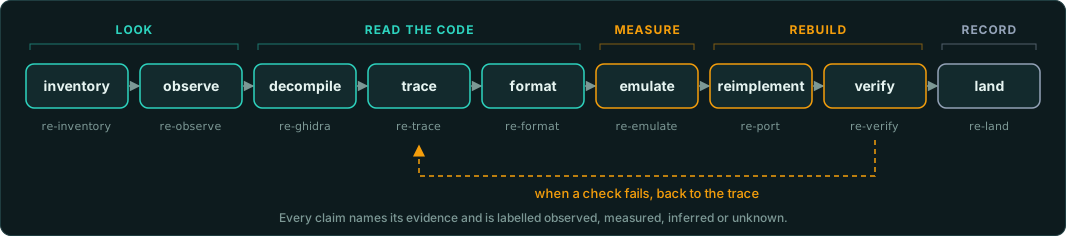
Checked against the original
Every result is checked against the original game. The test suite runs the original's own functions under emulation and compares the port with them, value by value and random draw by random draw. A port that is only close fails.

Agents can also read this site as plain text. llms.txt lists every page with a short description, and llms-full.txt holds all of them in one file. Each page has a Markdown copy at the same address with .md at the end, such as /games/interaction.md.
A core and a frame
A port has an exact core: the game's rules, formats and simulation, ported from the original and checked against it. GameFrame puts a frame around that core. The frame is the launcher, the player's library of game files and saves, the settings from the game's manifest, a choice of renderer, help pages and an event console. It opens on the first run, and --frame opens it again.
The core and the frame exchange events and nothing else. The game lists the capabilities it handles in a manifest, and the frame shows only those. A game can add event topics of its own. A Rust port implements one trait. A port in another language speaks JSON lines over standard input and output. A game the frame only starts needs a config file and no code.
A game with several 3D-card builds lists one renderer for each, such as Glide, PowerVR and software. Each renderer carries a grade the player sees: exact, good, partial, experimental or missing. The frame takes its look from design tokens, so each game sets its own colours, fonts and pictures, or starts from a ready-made theme: Windows 98, XP or Vista, System 7, Aqua, BeOS, NeXTSTEP, CDE, GNOME 2, Amiga Workbench or Atari ST GEM. Building the port describes the contract. A demo runs the frame with no game, in a browser or a desktop window. A launcher for games set up from frame.json alone and the resource viewer as a tab of the frame are planned.
The 3D-card builds, on today's machines
Many Windows games of the late 1990s shipped one build for each 3D card: 3dfx, PowerVR, ATI Rage, S3 ViRGE. No modern system has those cards or their driver libraries. Those builds no longer start. GameFrame has stand-in DLLs for Glide 2, PowerVR SGL, ATI3DCIF, the S3D Toolkit and DirectDraw. Copy them beside the game. Its EXE then runs unchanged. The Glide and PowerVR builds are drawn again with OpenGL at any size. The ATI and S3 builds show their frame scaled.
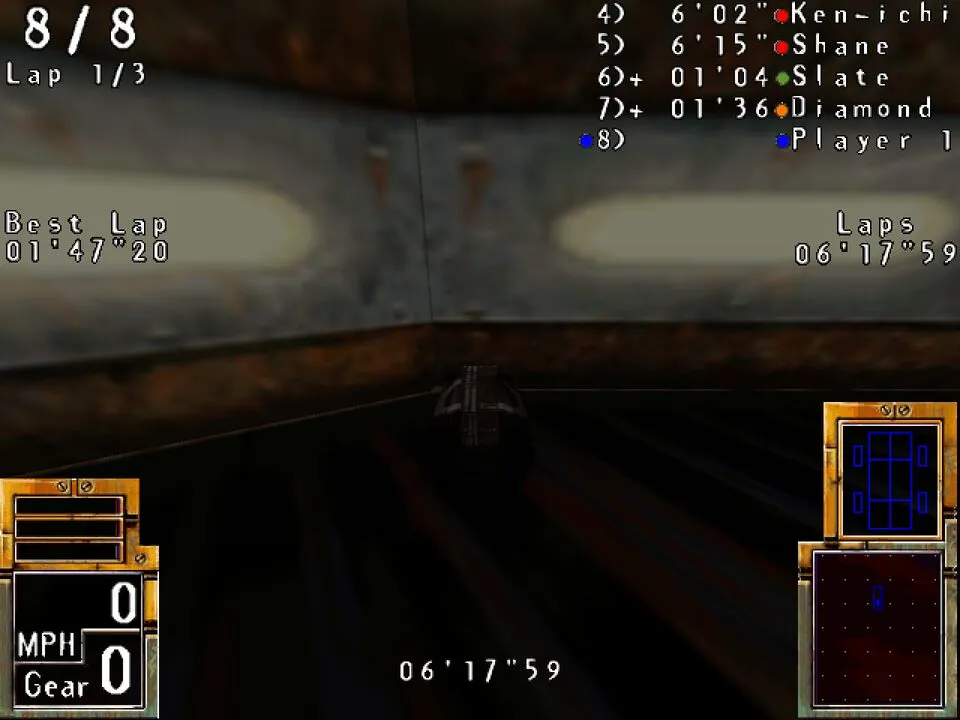
They are tested with one game so far, POD: Planet of Death, under Wine. Each library handles the calls POD makes. It logs the modes and states it does not draw. The first run of a new game shows much of what is missing. Replacement 3D-card libraries says what each one does, how to build it and how to use it.