Fast, small. A file manager for Windows.
Tabs, filter, themes, compact launcher. Packed with features.
Tabs Filter Themes Compact mode Screenshots Recycle Bin Command palette
Can't play YouTube? Watch the MP4
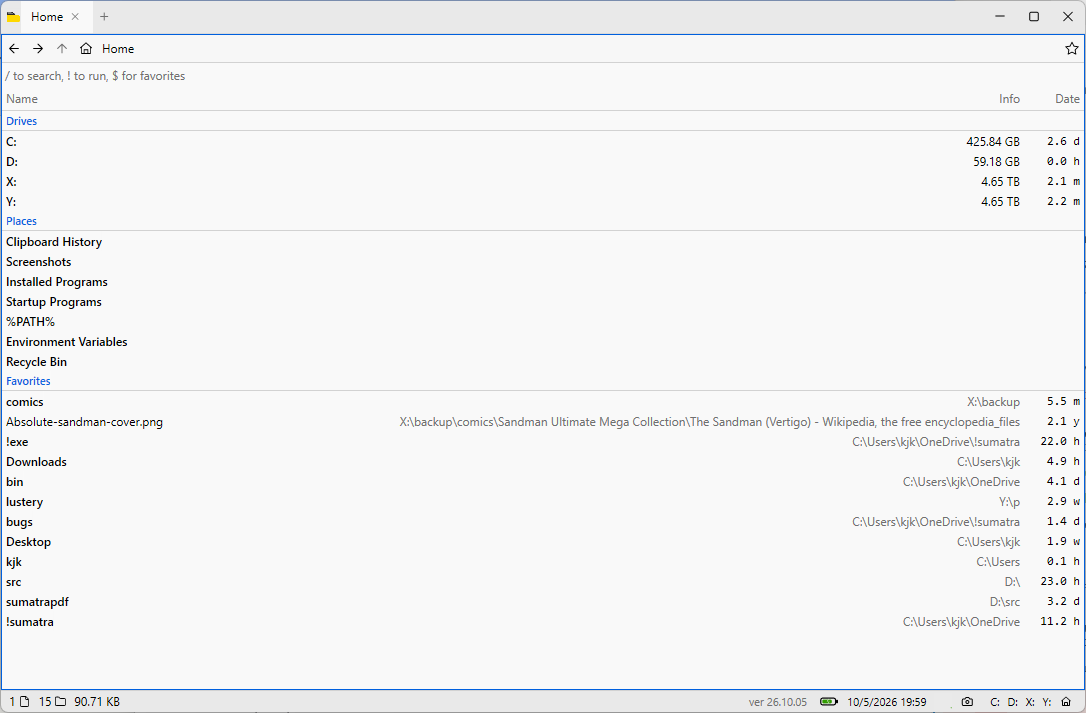
Home view — drives, places, and favorites
Why Sumatra File Manager?
- Lightweight and fast — a native Windows app that starts instantly
- Home view — drives and Explorer Quick access folders in one place
- Compact mode — double-click the caption to shrink to a launcher for Start Menu and PATH programs
- Tabs and split panes — work in several folders without extra windows
- Filter as you type — Ctrl+F to narrow the list
- Command palette — Ctrl+K to run any command
- Themes — light, dark, and a built-in theme picker
- Windows 10 and 11 — 64-bit portable .exe, no installer required
Frequently asked questions
- Do I need to install it?
- No. The download is a portable 64-bit .exe. Put it anywhere and run it.
- Is it available for Mac or Linux?
- The current release is Windows-only.
- How is this related to Sumatra PDF?
- Same author, same idea: a small, fast Windows tool without bloat.