If you are reading this, chances are you are tired of copying data from one spreadsheet to another, following up to emails manually and losing hours of work to tasks that should be automated. But how do you get started automating tasks?
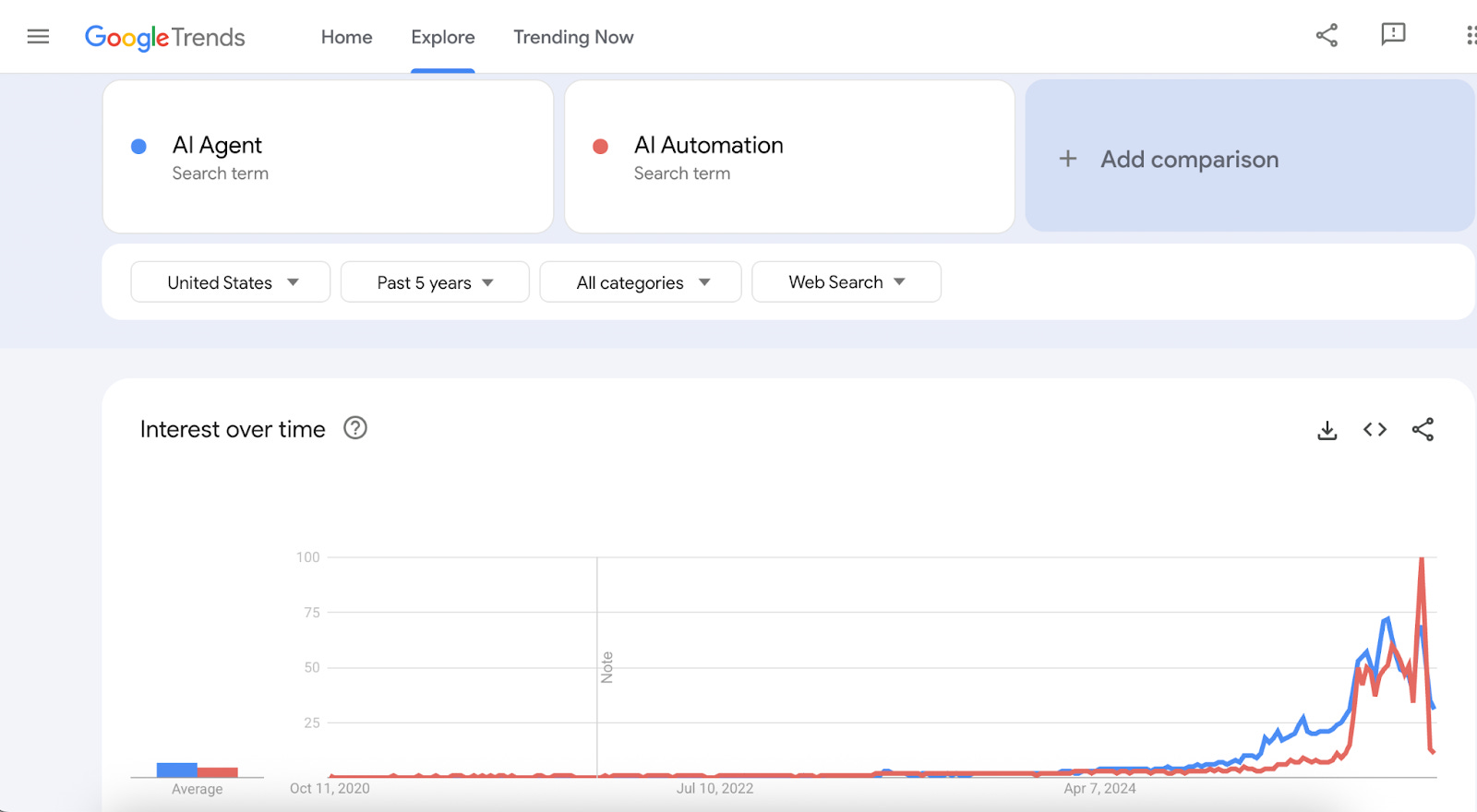
The AI automation space is exploding right now. Google Trends in October 2025 shows interest in AI Agent and AI Automation has reached an all time high:
The interest is certainly helped by the eye-watering amounts raised by companies helping users automate AI workflows. Companies in the space such as n8n.io, Relay.app, Relevance AI, StackAI and Gumloop have collectively raised $297 million in 2025. The standout in the group is n8n, which raised $60 million and $180 million in Series B and Series C rounds respectively, showing explosive 10x growth in less than 1 year.
But it’s not just startups adding to the hype. AI Lab behemoth OpenAI is also getting into the AI Automation space, launching AgentKit in early October. Quoting their launch page, AgentKit is “a complete set of tools for developers and enterprises to build, deploy, and optimize agents.” Part of AgentKit is AgentBuilder, a direct competitor to these AI workflow automation platforms.
Established automation platforms like Zapier are also responding, having launched revamped AI workflow features in August. They report on their homepage at the time of writing that 364 million AI tasks have already been completed on Zapier.
With so many options, choosing the right platform for you or your small business is difficult. The decision is also important since migrating to a new platform is not easy. The rest of this article will look into what you should consider when making your decision.
Traditional automation focuses on deterministic workflows. As Wade Foster, CEO of Zapier, explains in an interview with SaaStr AI:
If you get a lead from your site, you want that to get into your CRM correctly. You don’t want it to just guess.
In other words: when someone fills out a form on your website, you want that lead in your CRM exactly as entered and not an AI’s best guess.
Deterministic workflows are based on known steps and code that executes a certain task.
Agentic workflows give a large language model (LLM) like ChatGPT the tools, context, and instructions to complete a certain task. They will not execute in the same way every single time. They are better suited for tasks that are more subjective like summarizing a website page, drafting an email or making recommendations.
AI Workflow Automation combines both deterministic and agentic workflows. Some steps such as writing to a CRM or looking up some data in a database are deterministic, while other steps such as drafting a response email to a customer are agentic.
This hybrid approach is powerful because it combines reliability with intelligence. Your workflow can guarantee data lands in the right database fields while adapting its communication style based on customer context.
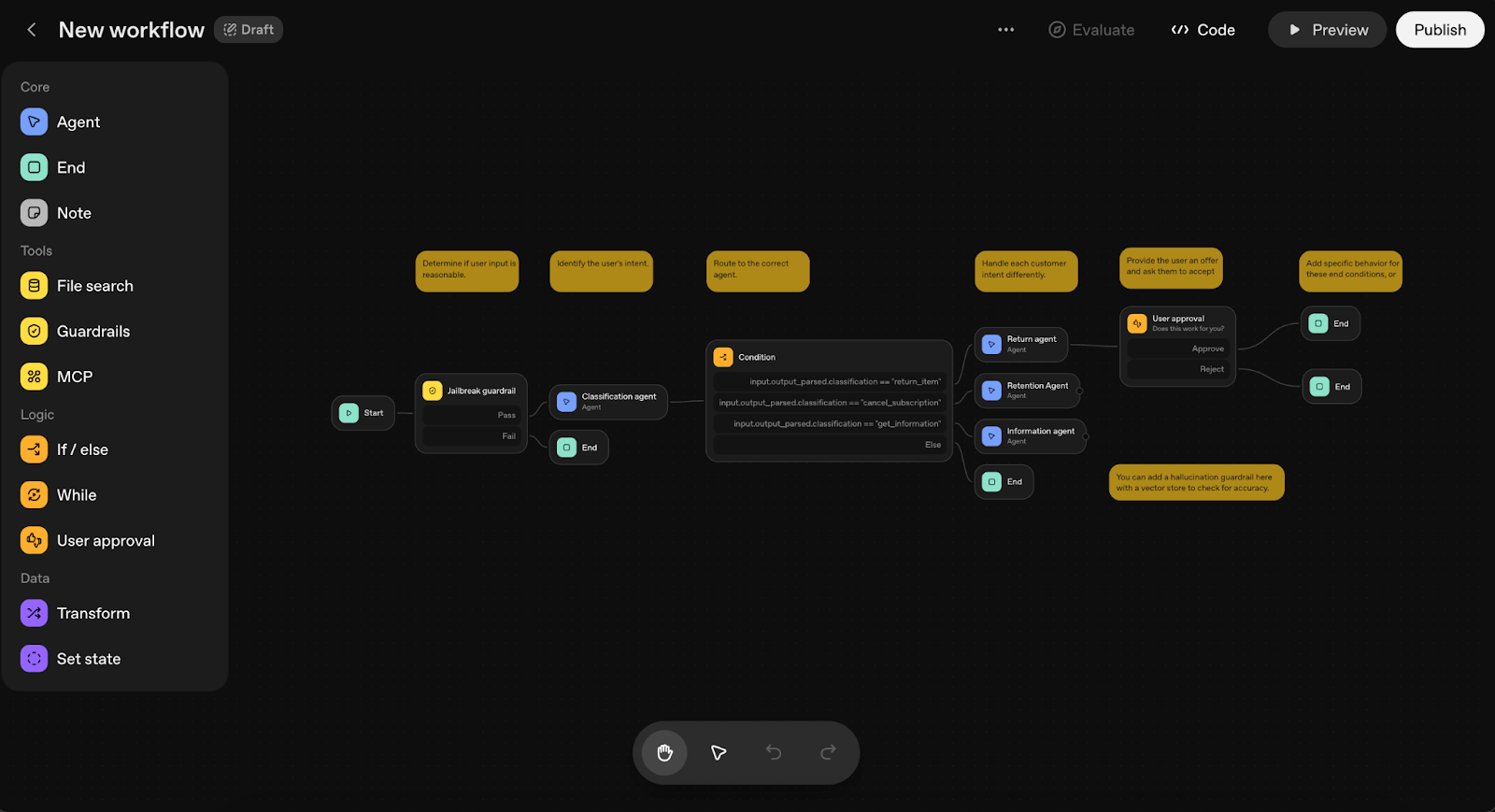
All platforms reviewed offer visual canvas builders, making this a must have rather than a differentiator. These canvases allow you to combine deterministic and agentic workflow steps.
You’ll spend most of your time on the canvas so the user experience really matters. Platforms vary widely in their approach. n8n offers flexibility with a steeper learning curve. Zapier prioritizes simplicity with more rigid, linear flows that sacrifice flexibility for ease of use. The best canvas depends on your team’s technical expertise and workflow complexity.
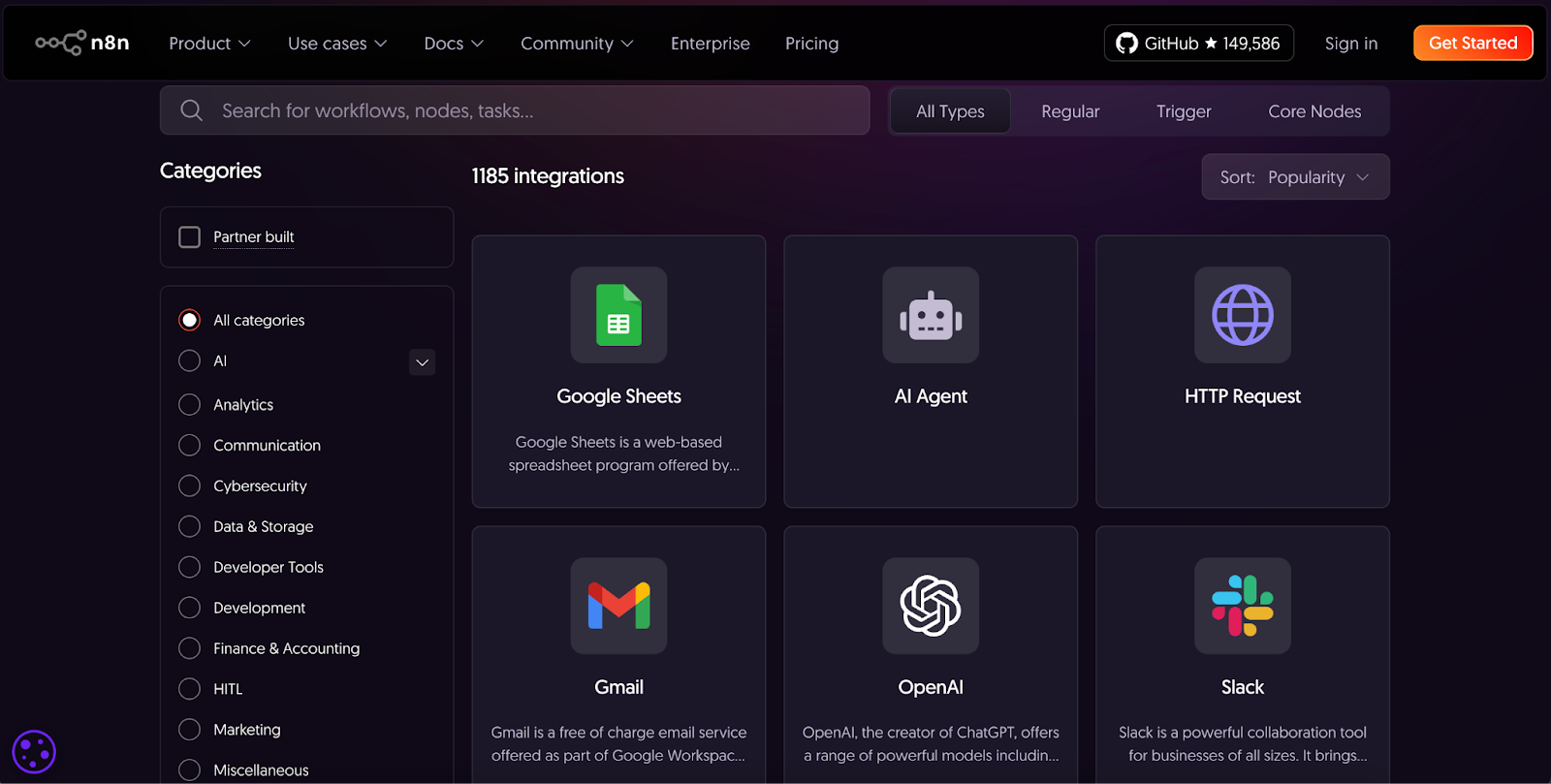
You want to maximize the chance that your workflow builder has the integration you’re looking for. The market leader here is Zapier, with 8000+ integrations supported. Number of integrations matter, but depth of integration can be just as important. For example, Zapier has an Airtable integration but the trigger step only supports polling every 2 minutes. For my team’s use case, a 2 minute delay was not acceptable. Most platforms have an integrations section where you can review both the number of integrations and what each integration supports.
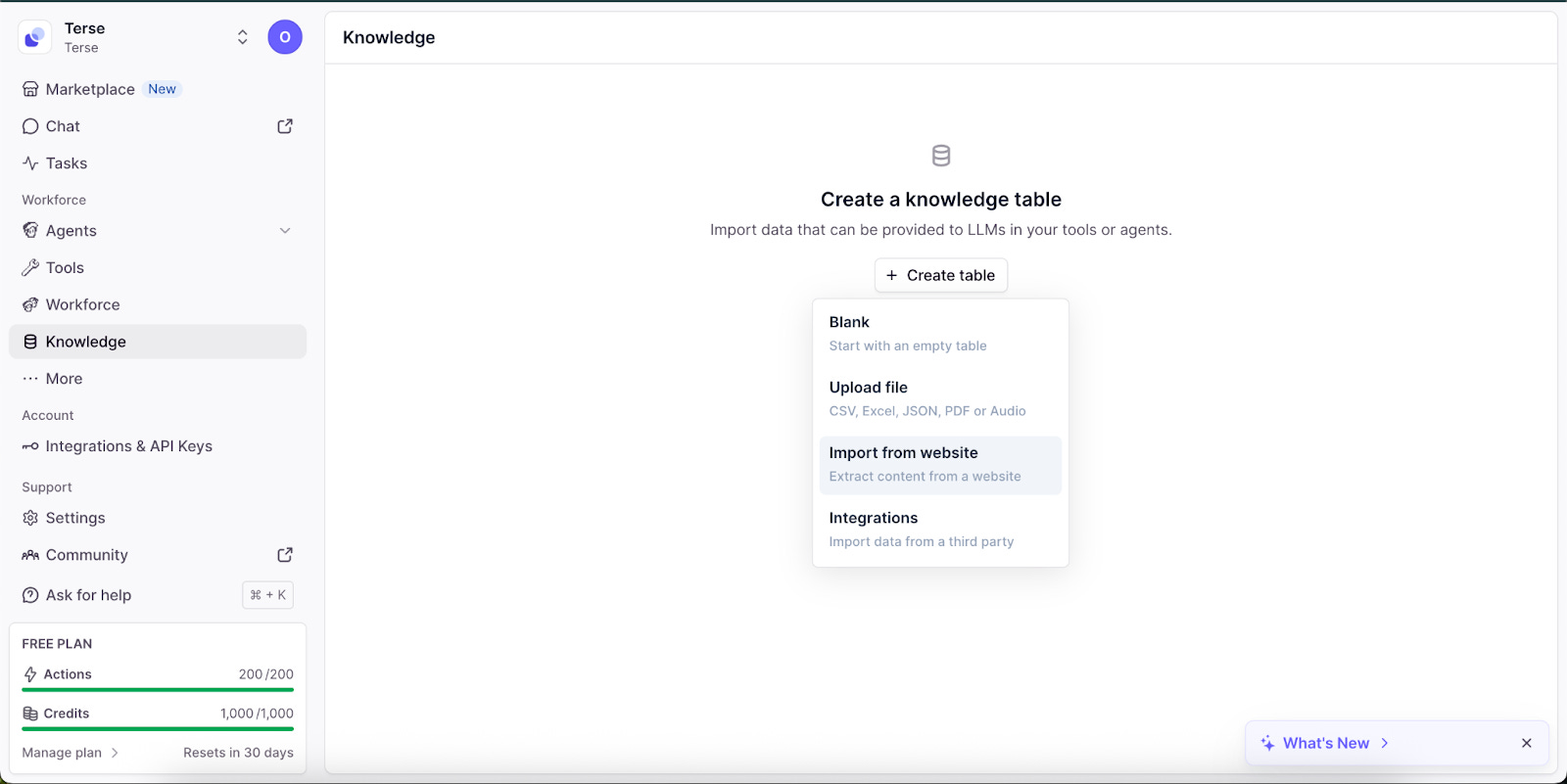
Knowledge Base Support determines how you can provide context to your AI agent effectively. Platforms like Zapier emphasized being able to connect and search across existing knowledge bases like Google Drive. Relevance AI excels here with both native knowledge base capabilities and external integrations. OpenAI AgentBuilder includes File Search, while n8n and StackAI offer built-in vector database nodes.
Self-hosting for some teams, especially with complex workflows is a huge plus due to the potential cost savings. n8n allows you to fully self-host, which eliminates the need to pay per task/workflow pricing. This is a strong differentiator for n8n, where all other platforms surveyed require running workflows on their infrastructure.
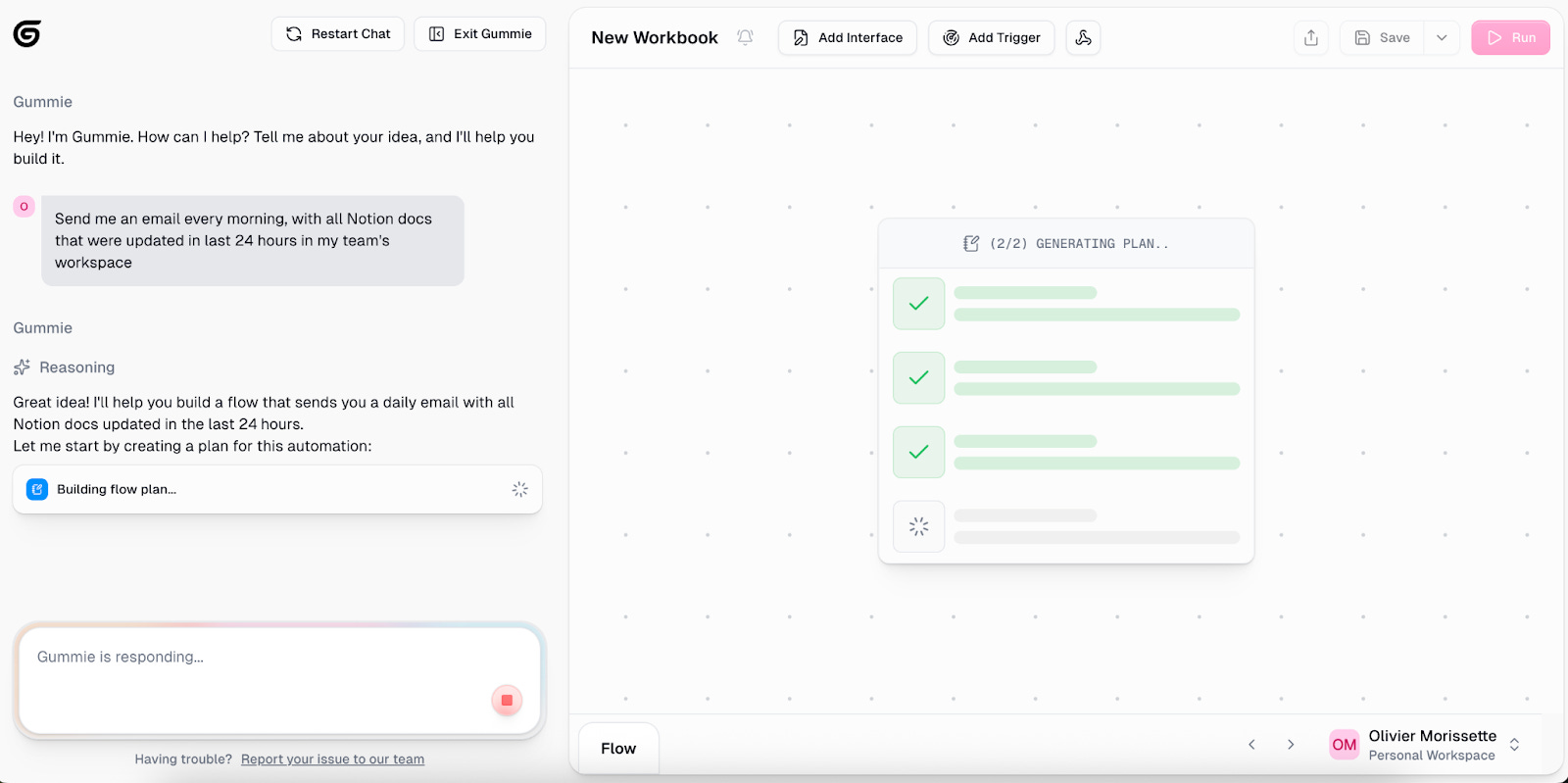
Building workflows from natural language descriptions is a powerful feature that helps users get up and running quickly. Notably, OpenAI’s AgentBuilder completely lacks this capability. To test this feature across platforms, I attempted a simple use case:
Send me an email every morning, with a list of all Notion docs that were updated in the last 24 hours in my team’s workspace.
Zapier’s workflow builder struggled with the task, becoming confused and eventually stalling without completion. Gumloop stood out: it clearly showed its reasoning as it worked through the problem and would stop to request human input when stuck, rather than generating a non-functional workflow and hoping for the best.
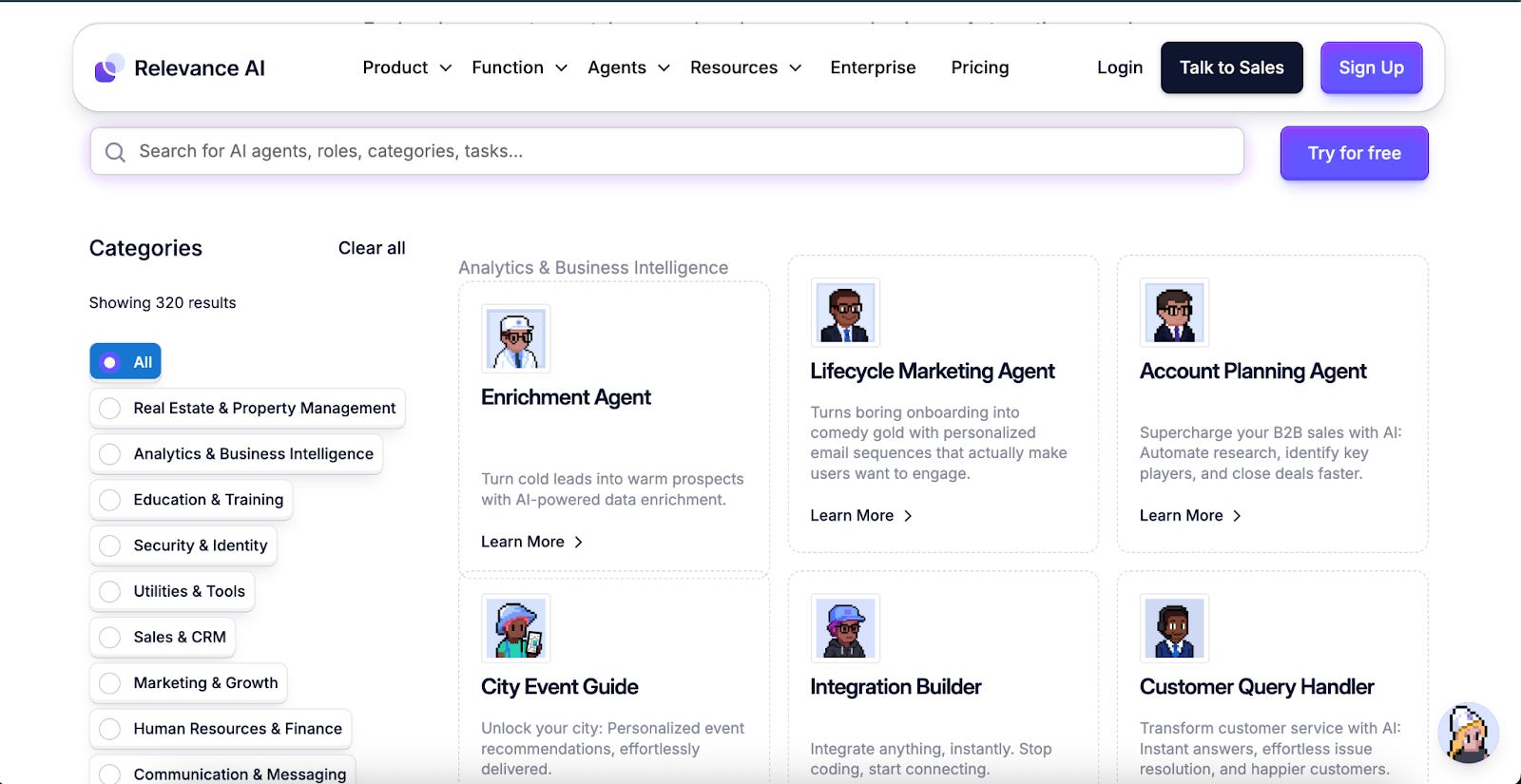
Every AI Agent workflow automation platform includes templates. Zapier with its reputation as the industry leader has a substantial amount of templates for both AI enabled and non AI enabled flows. n8n benefits from a library of templates maintained by the open source community. Most of the other workflow platforms have templates for common use cases like managing leads/sales. When evaluating a platform it’s critical to see if they have out of the box templates for your use case. For example, Lindy.AI is known for its strength in automating voice specific flows like sales calls and may have better templates for you if that is your primary use case.
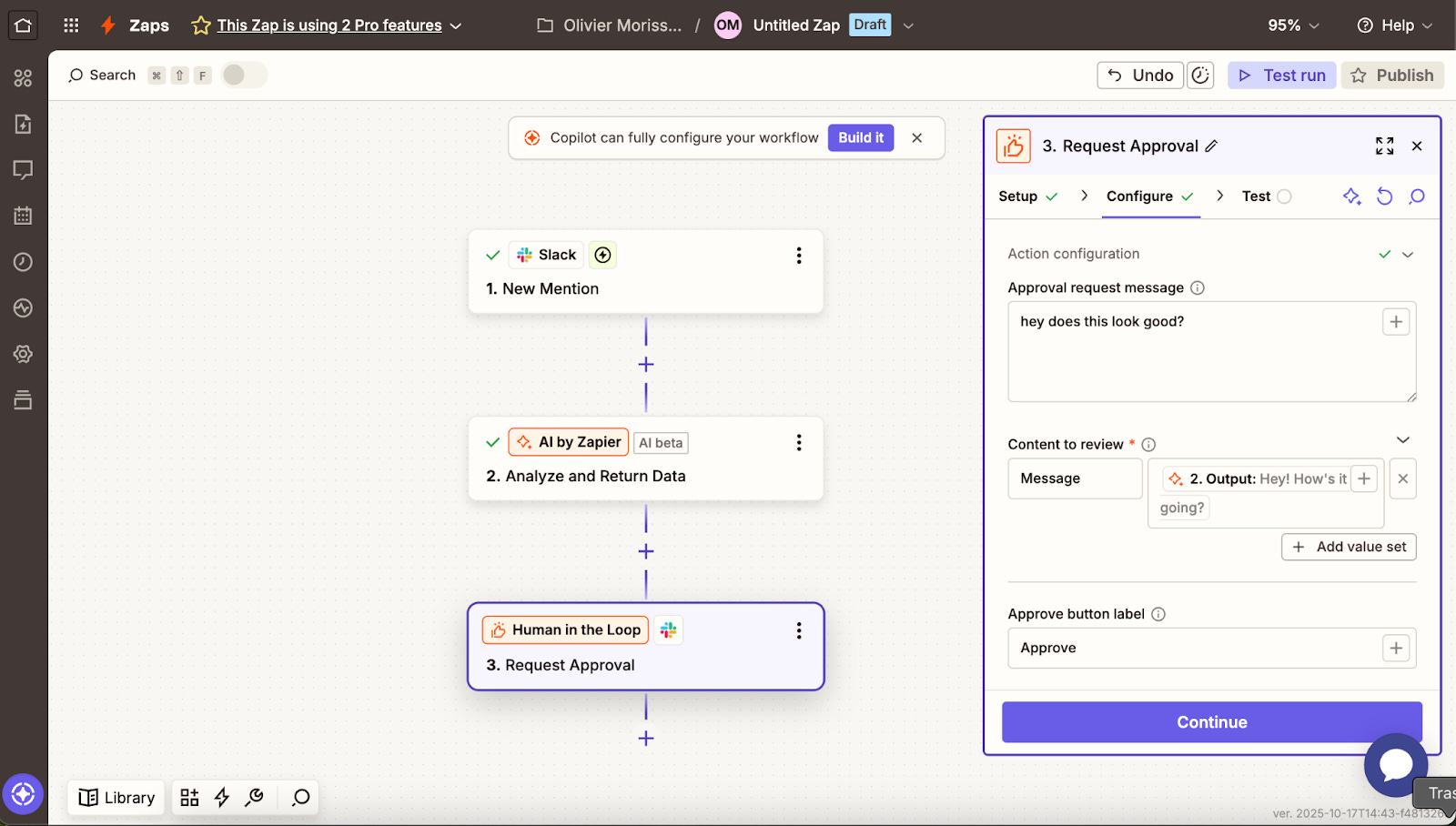
Human-in-the-loop lets workflows pause for approval, input, or decision-making before proceeding. This is critical for “last mile” scenarios like:
Getting approval before sending an email
Adding additional data before writing to a CRM
All platforms support this feature, but implementation quality varies widely. Basic versions just pause for yes/no approval. More advanced versions support the user inputting data or choosing from multiple workflow paths. Relay.app has made this their core differentiator, with clean interfaces for multi-person approvals and role-based routing.
Community can be a huge differentiator when deciding to adopt a platform. You can get inspiration seeing what other users are building, reply directly to the platform creators for feature requests and bug reports. Slack/Discord is excellent for that more personal collaborative approach and many of the smaller players in AI workflow automation have that available as an option.
Other platforms have community forums. Those can be effective for getting help as well but are more top down and structured.
Don’t expect to get very far with any of these platform’s free tier. A free tier is essential for evaluating the platform experience and determining whether it fits you before committing. Every platform reviewed offers some form of free access. Use it to build 2-3 sample workflows or check out and review their templates for your use case.
The generosity varies: n8n offers 2,500 workflow executions monthly, Relay.app provides 500 AI credits, and Lindy.AI gives 5,000 credits. Zapier’s 400 tasks per month sounds reasonable until you realize that multi-step workflows consume this rapidly.
Most platforms cluster around $19-20 per month for their entry-level tier, making this the standard price for AI workflow automation. Lindy.AI ($49.99/month) and Gumloop ($37/month) are notable outliers at the higher end, while the majority (Zapier, n8n, Relay.app, and Relevance AI) are at the $20 price point.
If you see higher price points than in the $19-20 range, expect some kind of differentiation. Lindy.AI charges more due to the integrated voice functionality. Gumloop’s premium reflects that they only meter your usage on actions that have an underlying cost for them like making an API call out to a third party API.
Platforms like StackAI target enterprise customers exclusively, requiring direct contact with custom pricing. For most consumers, this option won’t make sense and even for organizations without high compliance/regulatory environments, it’s just not necessary.
OpenAI AgentBuilder has pure usage-based billing, requiring you pay only for the underlying AI model calls. This may be a good option if you are a developer doing testing
For example, let’s consider Zapier’s pricing model at $19.99 which gets you 750 tasks a month. Suppose you have one workflow that runs 5 tasks and it runs 5 times a day. In a monthly usage cycle, that comes out to 30 days * 5 times * 5 tasks = 750 tasks used. For just this simple use case, you have already hit the limit, imagine if your workflow has more steps?
Fundamentally what you want to track here is how the platform meters usage. Some platforms like Zapier charge per “task” (each step in your workflow), which quickly adds up for any complex workflow. n8n charges per workflow execution regardless of task count, which can be easier to follow for many people. Gumloop uses a credit-system, so you’re only charged for calls to third-party services. When evaluating the platforms for your use case, try to estimate what your usage would be against how the platform charges you to get the best estimate for your overall cost.
The AI Automation Platform you choose should be the right one based on your needs. I’d recommend:
Choose Zapier if you’re a non-technical team that needs integration breadth and values a simple canvas. Watch your usage carefully as costs can spiral with complex workflows.
Choose n8n if you have technical resources and want maximum control. Self-hosting eliminates per-execution costs, and the open-source community provides extensive templates and support. The learning curve is steeper, but the long-term cost savings and flexibility pay for it.
Choose Relay.app if human approval workflows are central to your operation, you want an excellent and intuitive workflow builder and value building alongside a community with the Slack support.
Choose Gumloop if you are looking for an affordable option to run complex data driven workflows and value great community support via Slack.
Choose OpenAI AgentBuilder if you’re already deep in the OpenAI ecosystem. The lack of workflow automation features and model lock-in make it less versatile, but the token-based pricing can be economical for high-volume, simple agents.
Choose Lindy.AI if you need native voice integrations in your workflow.
Choose Stack.AI if you’re evaluating enterprise level support and have special compliance needs.
Before committing, use the free tiers aggressively. Build your most common workflow on 2-3 platforms to see which canvas feels natural, then calculate estimated monthly costs based on your actual usage patterns. The difference in how each platform bills can mean thousands of dollars at scale.
For future posts, let us know if you would be interested in me covering the following topics:
API Access or Programmatic workflows
Enterprise Level Features including security, compliance and collaboration
Platform Stability (TLDR newer platforms tend to be less stable, established players bring reliability)