

If you use PagerDuty and Slack you could probably benefit from automatically changing the topic for an #oncall Slack channel to display who’s currently on call. You can get this running in a manner of minutes using this repo.
All you need to do is clone the repository, deploy the application to Convex, then enter your API keys and configuration entries.
And that’s it!
Read on to see how it’s built.
get-convex/pagerduty-slack-sync
Sync PagerDuty to Slack in minutes with Convex

At Convex, we use PagerDuty to handle our alerting needs so engineers can keep Convex running smoothly. PagerDuty has a powerful interface for creating multiple schedules letting engineers add temporary overrides, but this means that in the heat of an incident, it can be hard to quickly figure out who is actually on-call.
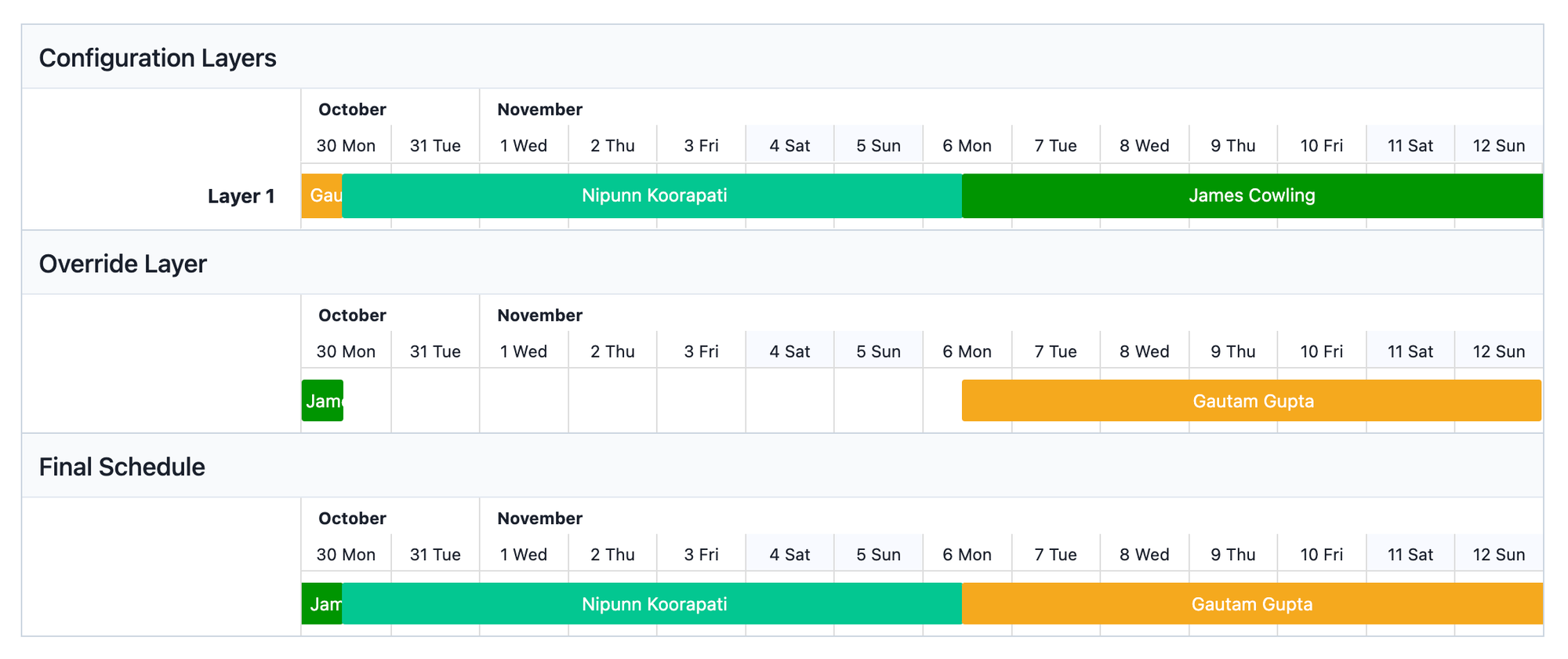 PagerDuty’s scheduling interface
Ideally, we wanted to see the current primary and secondary on-call engineer at a glance in Slack — where most incidents are discussed and resolved. While PagerDuty doesn’t have a built-in integration for this, we found this repository from the folks at PagerDuty which sets up a function in AWS Lambda to update your Slack channel topic with the current on-call status. It looked perfect for our needs — we followed the instructions to set up the CloudFormation deployment in AWS, set up the API Keys in AWS Systems Manager Parameter Store, stored the configuration in AWS DynamoDB, and a few hours later had PagerDuty updates streaming into our Slack channel.
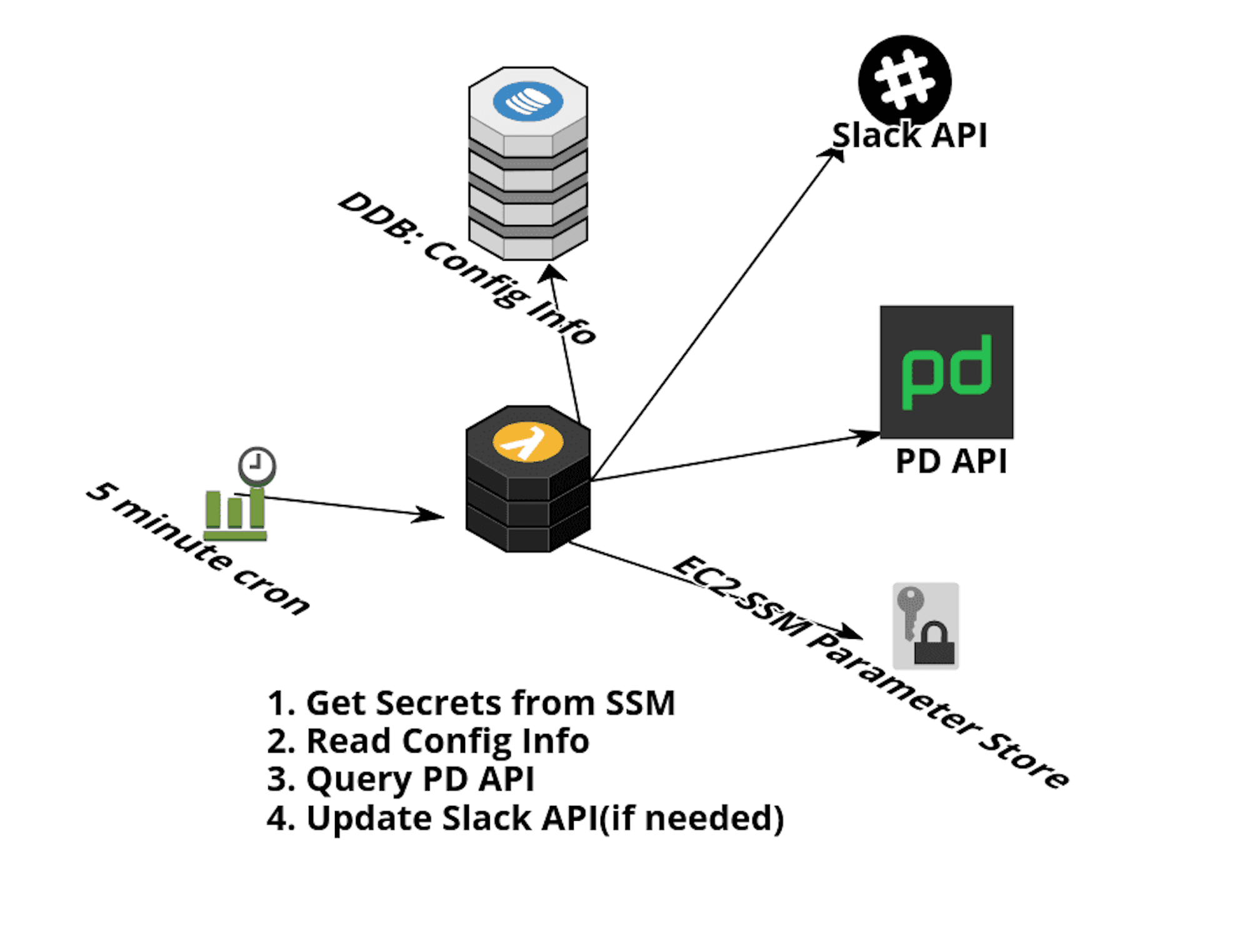 Architecture diagram from the PagerDuty repository
Wait. A few hours? Surely we can do better than that!
The task at hand sounds simple enough: on a schedule, check who is on-call via the PagerDuty API. Send a request via the Slack API to update the channel topic with the latest state. This is a perfect fit for Cron Job Scheduled Functions on Convex!
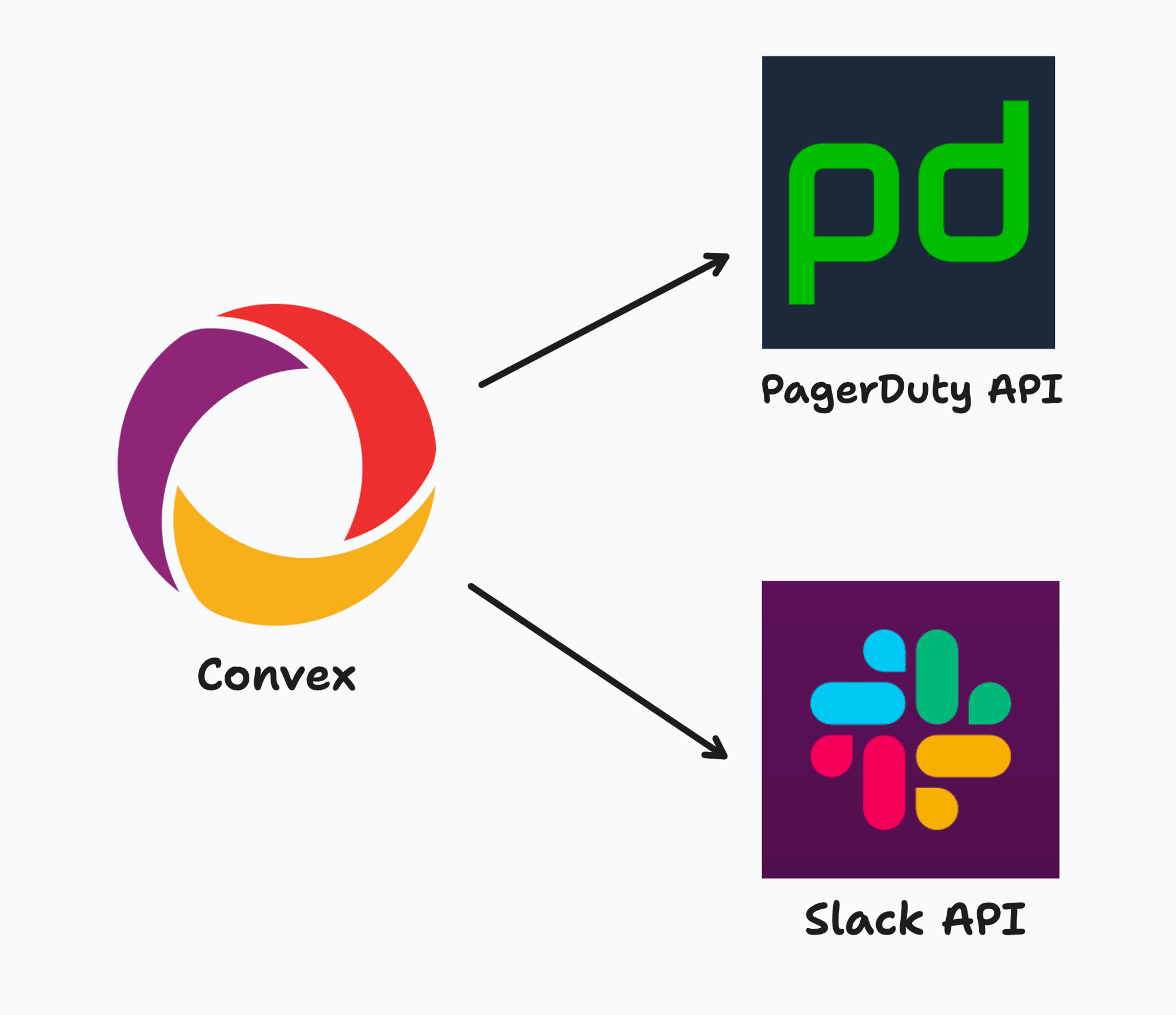
We can re-use the ideas from the original PagerDuty repository and write simple Convex functions to accomplish our task.
Let’s start with a function to fetch the current on-call user for a given PagerDuty schedule:
getOncallUser
We’ve chosen to store the PagerDuty API key in an environment variable so it doesn’t need to be committed to your repository.
Similarly, we’ll need to write a function that can set the topic of a given Slack channel. For extra style points, we’ll first get the current topic and preserve its contents when setting a new on-call user.
getSlackTopic and updateSlackTopic
Note that we also added a dry-run mode for testing without actually updating the topic.
Next, we need a way to store our configuration such that it’s easy to add and remove Slack channels and PagerDuty schedules. Turns out Convex is pretty good at storing documents!
Let’s write a simple schema for our configuration documents:
Lastly, we can wrap this all up in an Action that iterates over the configs and performs the updates, then set up a cron job to call our function every minute.
Action and Cron
You can find the completed code for this integration here.
get-convex/pagerduty-slack-sync
Sync PagerDuty to Slack in minutes with Convex
And that’s it — deploying it is as simple as cloning this repository, setting up your Convex project, and configuring your API keys. You can add or remove configurations from the Convex dashboard and you’ll see changes immediately reflect in the linked Slack channel. No advanced degrees in AWS services required!
All gas, no breakages
Convex is the reactive backend platform that keeps up with you and your agents. Database, functions, workflow, sync, search, file storage, and more. All TypeScript, zero glue.
Get started