Part 1: The failing task
One day, I decided to write a backup script that should run every morning. That was how my adventures began.
My task was simple. It was a copy operation from a local folder to NAS for my source code. Just a batch file. The trigger was also simple. Run in the morning, and wake the PC up if necessary, which is a great feature by the way.
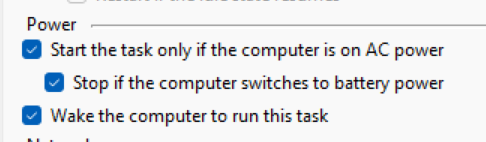
I'm sure there's a bash script for cron that lets Linux do that by stringing together three different tools, that might exist on a given distro or not, to perform that, but having this checkbox on every Windows machine is extremely convenient, I must say. That's what user-friendliness is all about.
I noticed one day that my backups weren't working at all by chance because the scheduled task had been returning success all that time. I bumped into my backup folder and noticed that files that were supposed to be there were missing. I found out that, I had a line in the script that I used to filter extraneous strings to make debugging easier similar to grep -v:
robocopy ... | findstr /v "*EXTRA"The problem was that robocopy's exit code was overriden by findstr's. So, I fixed that, and after the fix, I noticed that the task wasn't working at all because the network share was inaccessible. Why? Because I wanted task to run despite that I was logged in or not at the time.

Again, another great user-friendly feature. I don't even know how you'd go about doing that on Linux. Probably some systemctl calls, some mock services, who knows. Again, it's just one click on Windows, great.
But, why wasn't it working? Because, I had no password. Why did I have no password? Because, my account was forced to be linked to my Microsoft account, and my Microsoft account was strongly recommended to be made "passwordless" for great security, remember? Great, now I have no password that I could store in Task Scheduler.
So, different teams at Microsoft had different goals and priorities that basically ended up making my life miserable.
I disconnected my account from my Microsoft account, set a password. Now, I was able to schedule the task without me being logged on. Yay, I guess. The problem is, now Windows is bothering me from all fronts: "connect your Microsoft account! You're a terrible person for not doing that! Microsoft account is your salvation!". Actually, there are few benefits of having your Microsoft account linked too, like synchronizing settings across devices, so I don't mind it. And, I don't want to be bothered either, so I thought "hey I set this once, maybe it will stay up after I connect", I linked my Microsoft account again. My task started failing again immediately.
I simply just can't schedule tasks to run on my machine unattended if my account is linked to my Microsoft account.
There's only one thing to do: create another account. That's what I did. I created a local account just for this purpose. Tried to schedule the task using that account, but failed again.
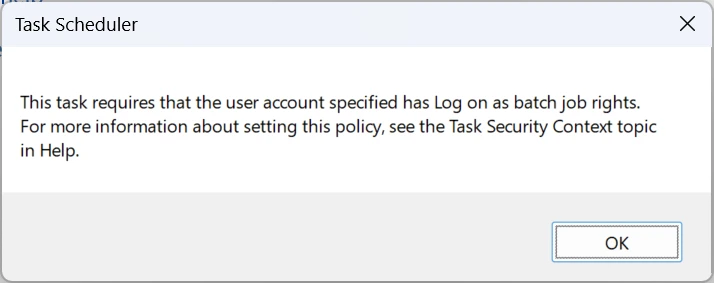
It turns out adding the account isn't enough. You must add it to some obscure policy in some obscure UI called Group Policy Editor.
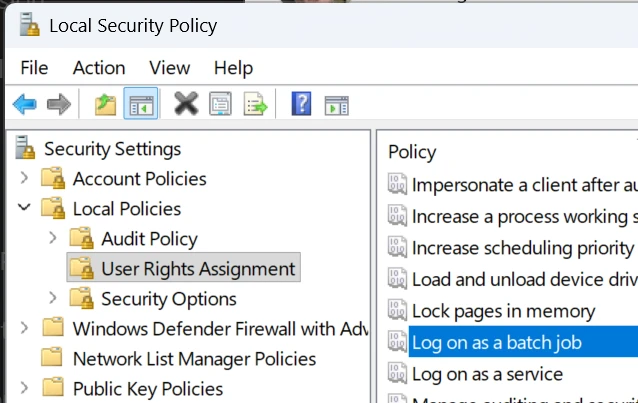
And that fixed it. I now have an obscure second account that has the same privileges as my Microsoft account, but with a password. So, I practically don't have any benefits of having a passwordless account now, because another account with a password can already access everything on my machine. Why were we doing this again?
Anyway. That finally worked out, but probably took more time than stringing together several Linux scripts.
But it wasn't enough. Remember, the first time I noticed there was a problem, it was by pure chance. Nothing was warning me about the failure. I was sure that Microsoft had thought of that mechanism, to inform me when a task fails. And they did:
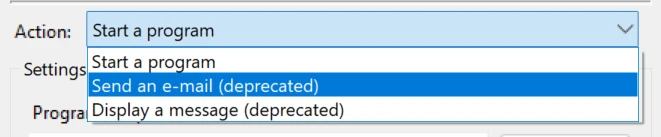
Ouch again! "Deprecated". It would have worked great, but I wasn't going to rely on something that Microsoft said "hey don't rely on this anymore" about.
I could have used a PowerShell script perhaps? I'm sure PowerShell people thought of simply sending an email? And yes, they had Send-MailMessage cmdlet built-in on Windows, which is great, but...
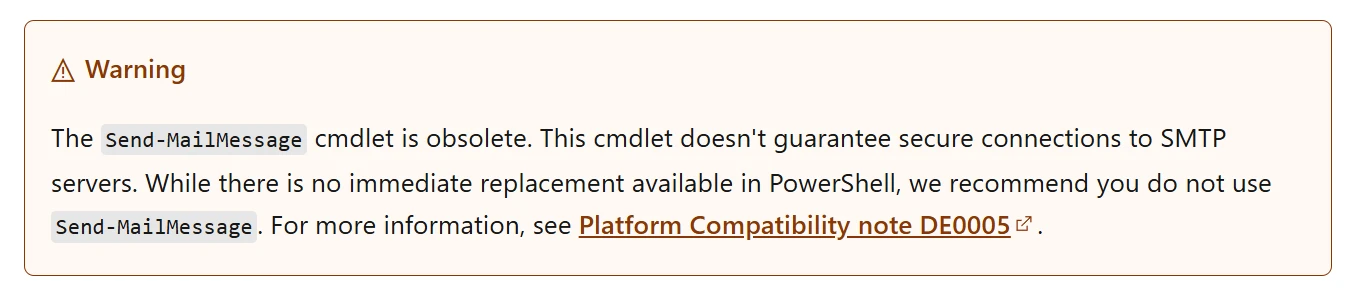
This time "obsolete", not even deprecated. Email is out of fashion I guess. There was no proper, built-in way to send an email. So, I thought of using my Home Assistant setup as a way to notify myself for potential failures.
I wrote a script to notify myself whenever a scheduled task fails. I scheduled it on Task Scheduler itself too, hoping that it won't fail and put itself in an infinite loop. The trigger part looked like this:
<Triggers>
<EventTrigger>
<Enabled>true</Enabled>
<Subscription><QueryList><Query Id="0" Path="Microsoft-Windows-TaskScheduler/Operational"><Select Path="Microsoft-Windows-TaskScheduler/Operational">*[System[(Level=2) and TimeCreated[timediff(@SystemTime) &lt;= 5000]] and EventData[starts-with(Data[@Name='TaskName'],'\me\')]]</Select></Query></QueryList></Subscription>
</EventTrigger>
</Triggers>
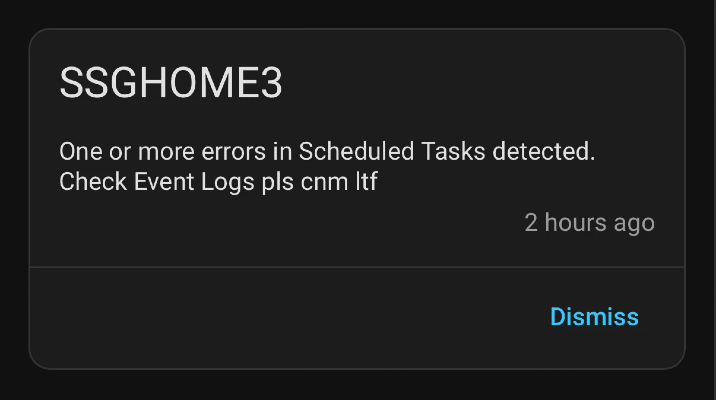
It basically triggers every time an error in the Task Scheduler event log is detected. Whenever it's triggered, it would send a notification to my Home Assistant instance.
The problem is, normally, Windows doesn't even log Task Scheduler failures. I don't know why. Are scheduled tasks unimportant? Are they expected to fail? Why do they exist if so? In order to enable Task Scheduler failure logging you need to enable the relevant event log using this command:
wevtutil set-log Microsoft-Windows-TaskScheduler/Operational /enabled:trueEvery scheduled task failure would now be logged under the path Applications and Services Logs > Microsoft > Windows > TaskScheduler > Operational. And guess what, it worked!
Part 2: The failing everything
Now, I had a way to know about scheduled task errors. But as a side-effect, I started learning about ALL scheduled task errors, not just mine. Scheduled tasks were constantly failing all the time.
When I checked Task Scheduler's event log I saw errors everywhere.
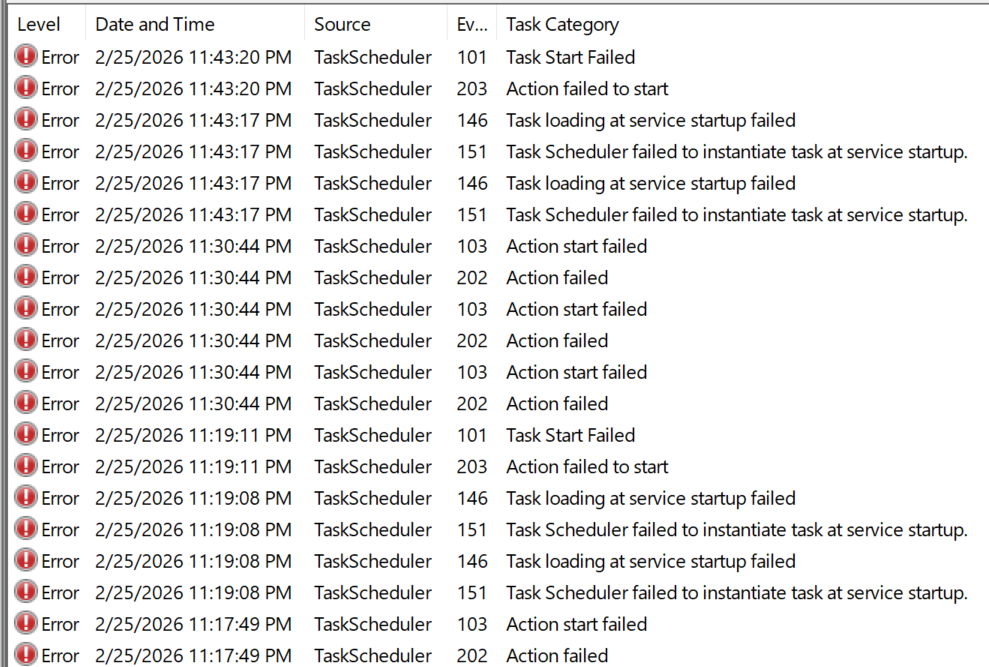
Those were completely irrelevant, arbitrary, random tasks. I could change my monitoring task to trigger only for my scheduled tasks, but I got curious and wanted to investigate them all.
One pattern I noticed was that many tasks used a COM component either for a trigger for its action, but its DLL wasn't registered on my Windows system. An example is like this:
  <Actions Context="LocalSystem">
    <ComHandler>
      <ClassId>{07369A67-07A6-4608-ABEA-379491CB7C46}</ClassId>
    </ComHandler>
  </Actions>
That's an example I got from a working task. But, the idea is the same for failing ones too. The ClassId points to a component in the registry and shows where the component can be instantiated from.

Interestingly, in all my investigation attempts, the DLL was there, but Windows had no way of knowing how to use it. I tried to register it myself using regsvr32, but that also failed. I have no idea why. Maybe, COM has changed since I last used it, or maybe that component hasn't been functional for a long time, and the file was left there for compatibility reasons?
Then, why was the task scheduled? I presume because nobody cared if it failed silently as all scheduled task failures are silent by default. But, that meant, Task Scheduler had to do a failing COM resolution, despite that it's a simple registry lookup, every time that task needed to be run unnecessarily.
That wasn't one task. There were at least a handful that was failing for the exact same reason: not-working COM component.
After a certain point, I got bored of those missing COM registration issues, I didn't want those tasks constantly triggering COM lookups, filling up event log, and notifying me, so I wanted to disable the scheduled task entries. I couldn't.
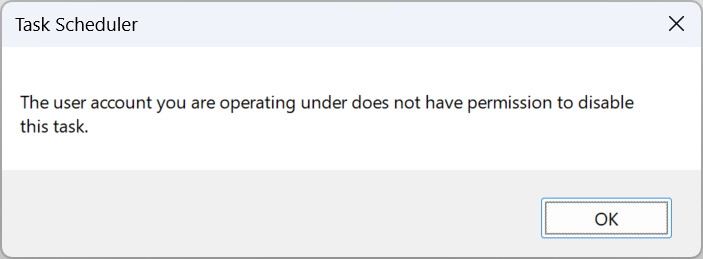
Well, the thing is, scheduled task entries are just files on disk. They are under C:\Windows\System32\Tasks in the same tree structure shown on the Task Scheduler UI. I went ahead and simply deleted the files. How about them apples, Task Scheduler?
Obviously, Windows wasn't going to let me go by without punishment. Now, I would receive errors for tasks not existing.

Since task itself didn't exist, what did trigger this task? It still showed up in the scheduled task list. How did that happen? I didn't know. Grepping its name has found nothing. Then I scanned the registry. And it turns out that Task Scheduler keeps a copy of tasks in two separate places in registry too, for good measure I guess, under these keys:
HKLM\SOFTWARE\Microsoft\Windows NT\CurrentVersion\Schedule\TaskCache\Tasks
HKLM\SOFTWARE\Microsoft\Windows NT\CurrentVersion\Schedule\TaskCache\Tree
You need to remove the tasks from those places too in order for Task Scheduler to completely ignore them. I was able to do that. No more "noo, we won't allow you to do that".
Luckily, there's a PowerShell cmdlet that can remove a task safely from all those places called Unregister-ScheduledTask. Its syntax is a bit backwards, but you can remove a task fully by just typing:
Unregister-ScheduledTask -TaskPath "\Microsoft\Windows\DeviceDirectoryClient\" -TaskName "RegisterUserDevice"and you don't get any "you can't do that" errors this way.
Obviously, unregistered COM components aren't the only sources of errors. There are many varying errors in Task Scheduler, like tasks failing for no reason with an obscure E_FAIL (0x80004005) which basically means "unknown error" which is a term I always found strange. If you don't know what kind of error it is, how do you know if it's an error? Maybe, it's an unknown success?
Task Scheduler feels more like an iceberg the more I dig deeper into investigating its issues. There are lots of orphaned, forgotten, not working tasks tirelessly trying to wake up, spin, and fail. It reminds me of abandoned robots in an extremely cute indie game I'd been playing recently called Mashina. It's pretty much obvious that Task Scheduler errors are considered negligible, probably because users aren't aware of them thanks to the rug that they were swept under. But, I think a good functioning system needs all of its parts working in harmony instead of simply being ignored. Task Scheduler is one of the most underrated parts of Windows, and deserves a better polish, responsiveness, UI, and attention.