SmileyOS is an operating system made for kids and simple enough for anyone. It is so small that a computer 10 or 20 years old, the kind that costs about €20, or a Raspberry Pi runs it from a small USB stick or microSD card. Nothing to install, nothing to break.
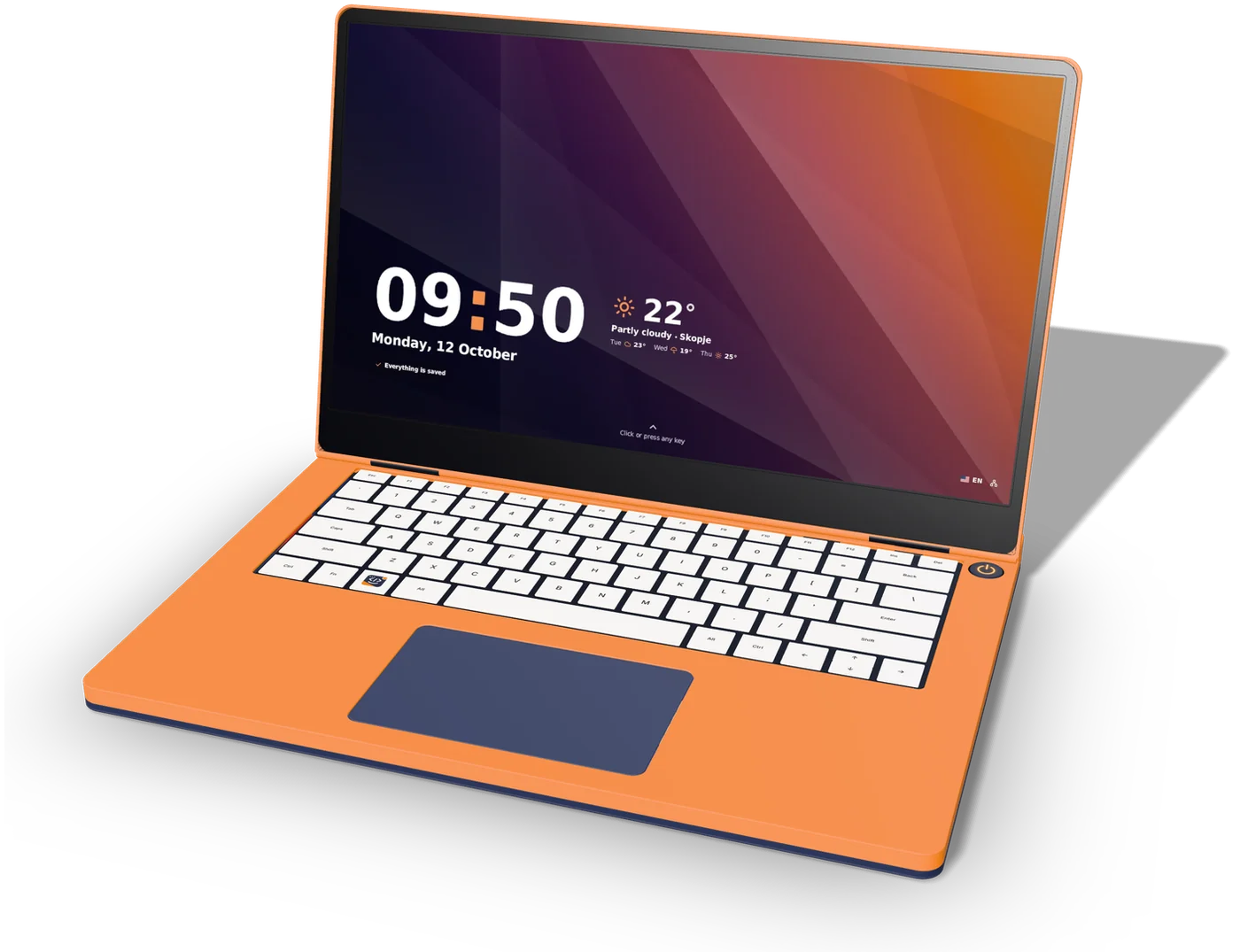
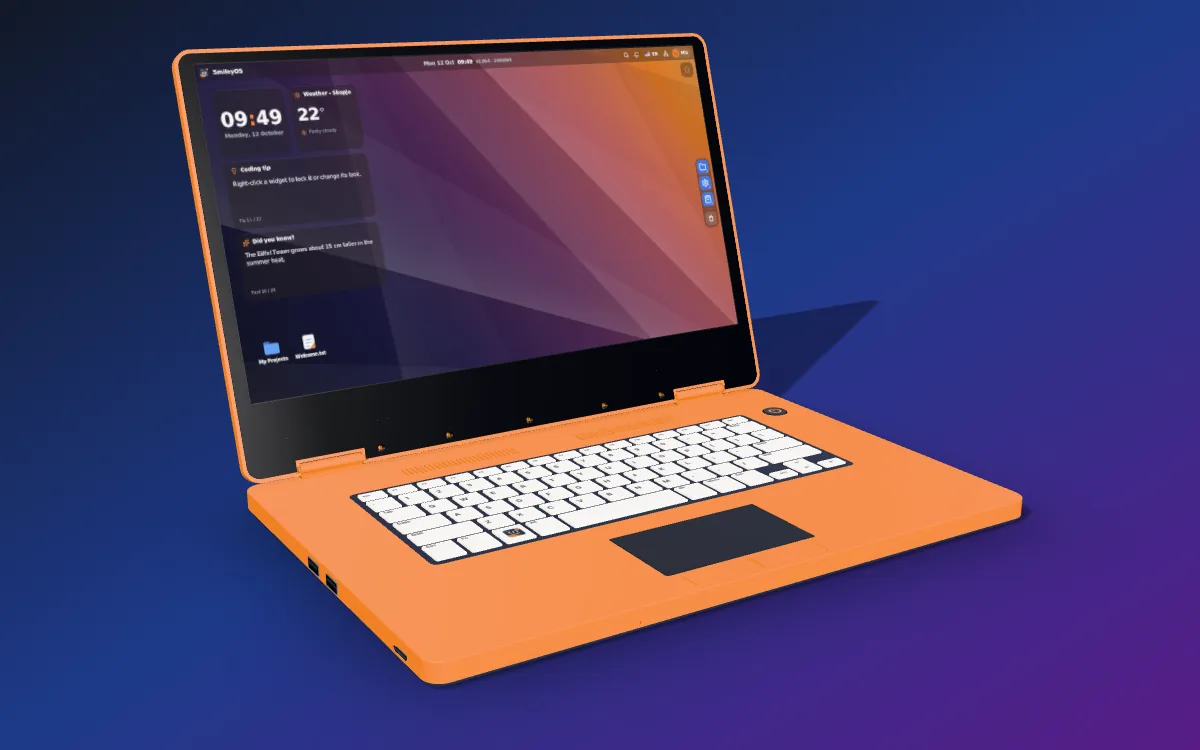
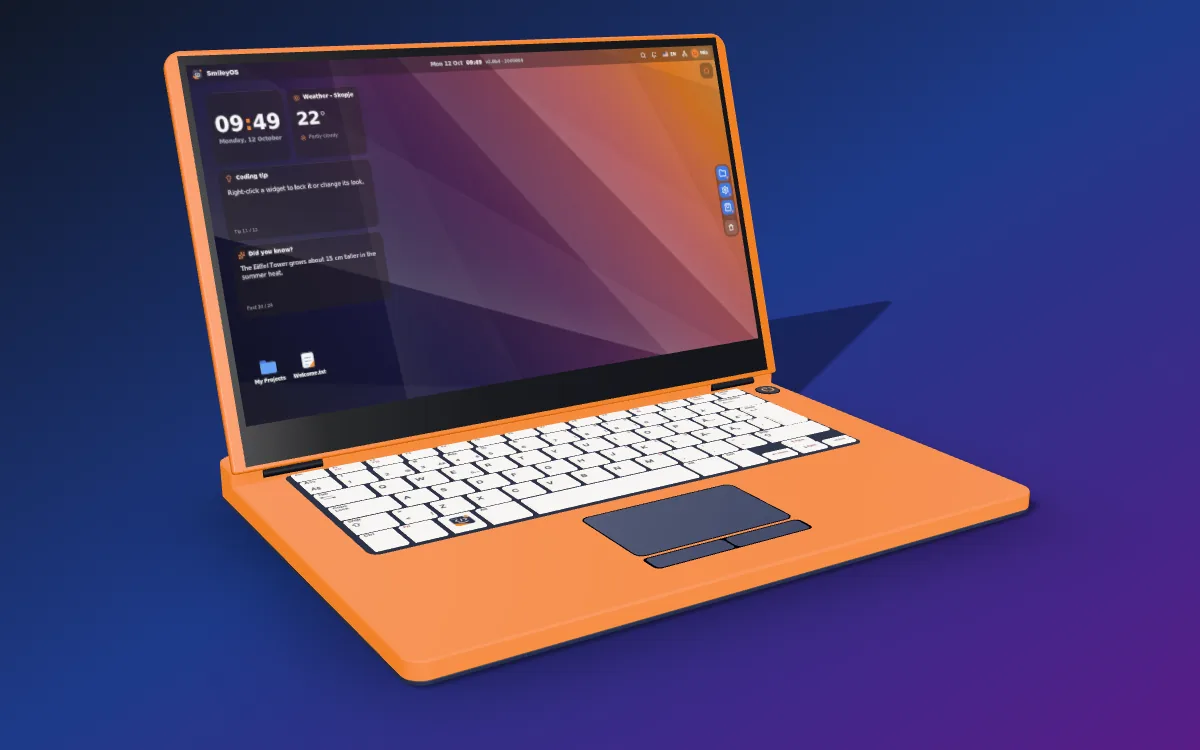
The laptop on this page is SBOOK Go, the computer we are designing for it. Every picture on its screen is a real screenshot of SmileyOS. We are looking for investors and partners for Phase 1.
A new computer now costs €500 to €1,000. Ours start at about €50.
Memory chips are in short supply, and the price of every new computer goes up with them. Many families cannot spend that on a first computer for their child.
Old computers cost almost nothing, but new systems no longer run on them.
So they sit unused, at home and in schools.
And the computers kids do get run big systems made for grown-ups, with ads, feeds and an open internet.
SmileyOS is built for speed and efficiency, so a computer for €50 to €250 can feel as quick as a €2,000 one. That is the computer we are building.
The idea
A €20 computer is enough.
SmileyOS is tiny, so it is fast. It runs on a computer that is 10 or 20 years old, the kind you can buy used for about €20, and on a Raspberry Pi.
What is on a 100 MB stick
System20 MBStorage72 MB
With SmileyOS, a computer that is 10 or 20 years old feels like it was bought yesterday.
How it starts
Plug in the stick. Turn on the computer.
SmileyOS starts straight from the USB stick or SD card. Nothing is installed on the computer.
Nothing to install, so there is nothing to break.
Your work is saved on the same stick.
Simple mode
Big tiles for the youngest and the oldest.
Not everyone needs a desktop. Simple mode turns the screen into big, colorful tiles that a five-year-old or a grandparent can use from the first day.
The same apps and the same files as the desktop.
Works with the keyboard alone, the mouse alone, or both.
What is inside
Everything a kid needs is already inside.
Those 100 MB hold a complete system with 20 built-in apps and games, all designed together, and our own App Store brings more. It takes a child from the first click to the first game, and it does the everyday work of anyone: documents, files, music and the web.
Learn
Learning that feels like play.
From counting on fingers at five, to flying between the planets.
Create
Tools to make real things.
Writing, drawing, slides and music are part of the system.
Classroom
A whole classroom, connected. No server needed.
It works on the computers a school already has. Computers in the same room find each other, with no internet and no accounts. And a class can also meet online, from home.
Class chat, raised hands and quick polls
Quizzes with live scores for the teacher
The teacher can pause the chat and pin a message for everyone
Students show their code or slides live to the class
Online rooms with a code and a PIN, when parents allow it
Play
Games that belong to it.
Every game is made for SmileyOS. Even the 3D racing game is drawn by the processor alone, so it runs on old computers. Snake, Strike and Turbo can also be played with friends in online rooms. No ads and no in-app purchases.
Internet and AI
The internet and AI, only as far as parents allow.
SmileyOS works fully offline. The internet and the AI helper are on only when a parent or a teacher decides so.
A kid-safe browser. Searches open encyclopedia articles, and parents choose the allowed websites.
An AI helper that answers for the age of the child. One switch turns it off everywhere.
Online rooms for classes and games only when a parent turns them on.
No ads, no feeds and no tracking anywhere in the system.
SBOOK Go
SBOOK Go, a laptop of our own.
Not every family has an old computer at home, so we are building one: SBOOK Go, the laptop on this page, built around SmileyOS from parts you can buy. Made for kids, simple for anyone. Its first prototype is in the making, and it goes into production with SBOX once the stick and the card have earned enough. The more powerful SBOOK comes after them.
Design preview. Sizes and details can still change before the first prototype. Tell us what you would pay
Our computers
Help us decide what we build first.
First we sell SmileyOS on a USB stick and a microSD card; what they earn puts SBOOK Go and SBOX into production, and then SBOOK. Tell us which ones you want and what you would pay. Every answer counts: it tells us which product to make first and which parts to choose, so the price lands where people can really pay it.
1Tap “I’m interested”On every product you would like to have.
2Pick what you would payWe build the hardware to fit that price.
3Get early accessLeave your email and hear first when it is ready.
Our first laptop, for kids and for anyone, with SmileyOS built in.
A 14-inch Full HD screen, a full-size keyboard with a touchpad and two speakers. A small screen next to the keys shows the time, the battery and Wi-Fi. The battery lasts a few hours.
14-inch Full HD screen
Battery for about 3.5 hours
Small status screen next to the keys
USB, network cable, USB-C charging, headphones and microSD
About 1.4 kg
Design (done)
First parts bought (done)
Desk test (in progress)· now
Case printed (next)
Working prototype (next)
people interested
2
average price pickedfrom 2 answers
€250
What would you pay for SBOOK Go?
Also in the making
A computer for the TV, and SmileyOS on a stick or a card for the old PCs and Raspberry Pis people already have.
First prototype in the making
Computer for the TV
SBOX
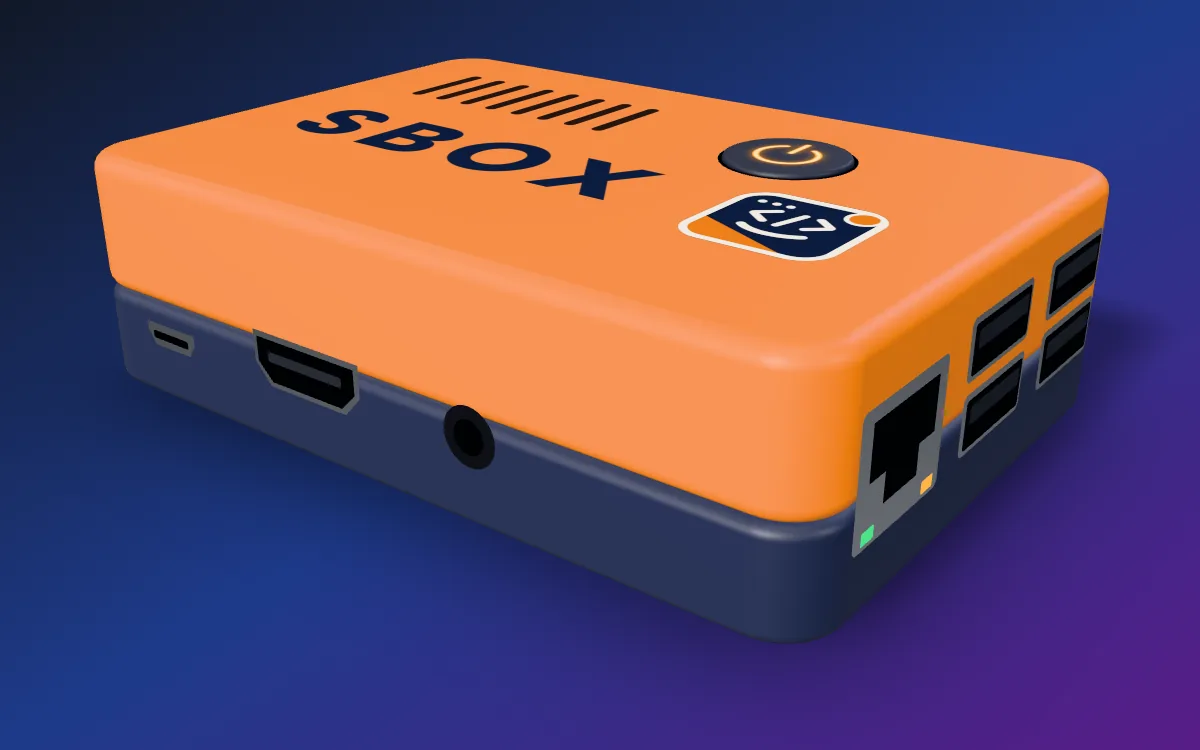
A small SmileyOS computer for the screen you already have.
Plug it into a TV or a monitor, add a keyboard and a mouse, and SmileyOS starts. A small screen on top shows the time and Wi-Fi.
Works with any TV or monitor with HDMI
Fits in one hand
Small status screen on top
SmileyOS already runs on it
What you need
A TV or monitor with HDMI
A USB keyboard and mouse (Bluetooth sets do not work yet)
Wi-Fi for the internet, if you want it
people interested
2
average price pickedfrom 2 answers
€100
What would you pay for SBOX?
First prototype in the making
USB stick
SmileyOS for PC
Turn an old PC or laptop into a learning computer.
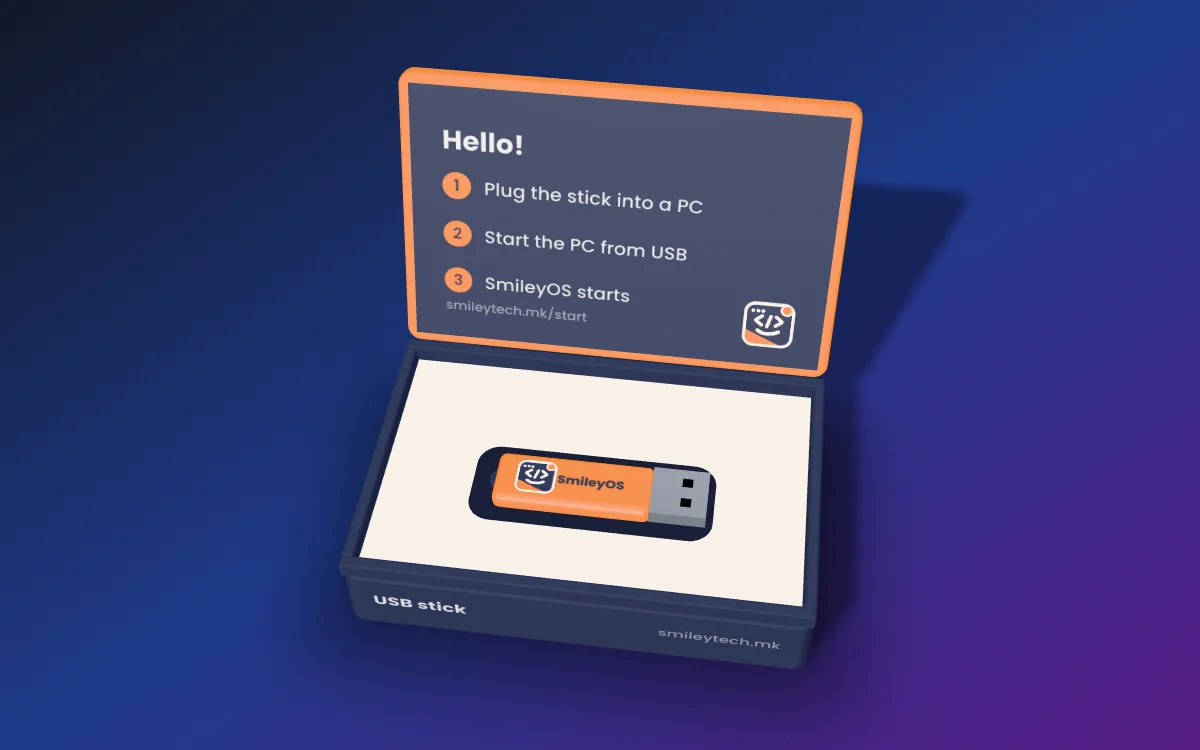
The whole system on a USB stick. Plug it in, switch the computer on, and SmileyOS starts. Nothing is installed.
For a computer 10 or 20 years old
Nothing to install
Work is saved on the stick
What you need
A PC or laptop that starts from USB in Legacy BIOS mode, called Legacy or CSM in its setup (UEFI-only PCs not yet)
An Intel or AMD processor, Pentium 4, Atom or newer (32 or 64-bit)
256 MB of memory or more
For the internet: a network cable, or our Wi-Fi Key, a small USB stick with Wi-Fi (in testing)
people interested
3
average price pickedfrom 2 answers
€15
What would you pay for SmileyOS for PC?
First prototype in the making
microSD card
SmileyOS for Raspberry Pi
A quick desktop for a Raspberry Pi you already have.
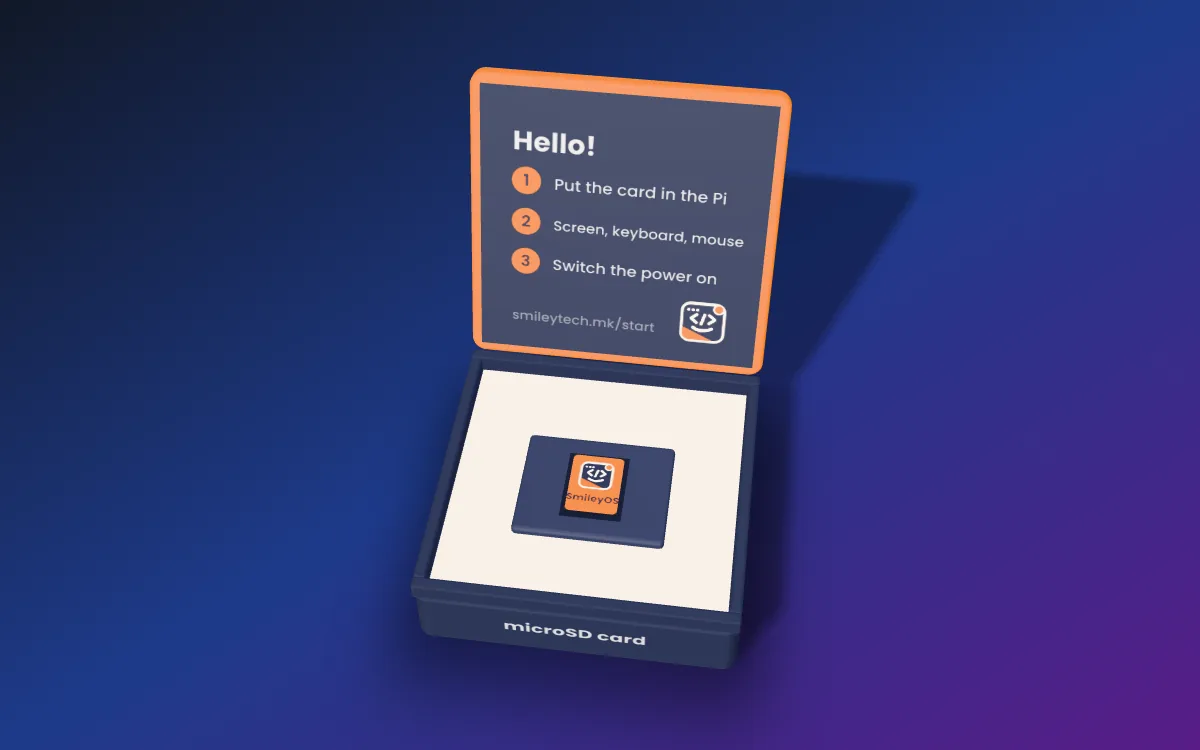
Put the card in, connect a screen, a keyboard and a mouse, and switch the power on.
Ready to start, nothing to set up
The same apps and games
Quick start in the box
What you need
A Raspberry Pi 3 Model B (other models come later)
A TV or monitor with HDMI
A USB keyboard and mouse (Bluetooth sets do not work yet)
A 5 V / 2.5 A micro-USB power supply
Wi-Fi for the internet (the network cable port comes later)
person interested
1
average price pickedfrom 1 answer
€15
What would you pay for SmileyOS for Raspberry Pi?
Planned next
Planned after SBOOK Go
Laptop
SBOOK
A more powerful laptop, with SmileyOS built in.
SBOOK comes after SBOOK Go and uses most of its parts. It has a 14-inch Full HD screen, a more powerful Raspberry Pi board inside, speakers, a full-size keyboard, the same small status screen and more ports.
14-inch Full HD screen
A more powerful Raspberry Pi board
The same small status screen
More ports
people interested
4
average price pickedfrom 4 answers
€375
What would you pay for SBOOK?
Your answers shape the hardware.
We are a small startup, so your feedback means a lot to us. If most people pick a lower price, we look for cheaper parts and keep what matters most. If many people want SBOX, it moves up the list.
We aim for €50 to €100 for SBOX, €150 to €200 for SBOOK Go and €200 to €250 for SBOOK. The final prices come after the prototypes, from your answers.
Your answers stay anonymous unless you join the list.
Early access
Be one of the first to get SmileyOS.
Join the waiting list for the first version. People on the list are the first to get SmileyOS on a USB stick, and the first to hear about SBOOK Go and our other computers. Early users may get it for free or for a small price, depending on how many people ask.
15people are on the list
The whole system on one USB stick
For a computer that is 10 or 20 years old
We write to you when the first version is ready
Where we are
This is not a slide deck. It runs today.
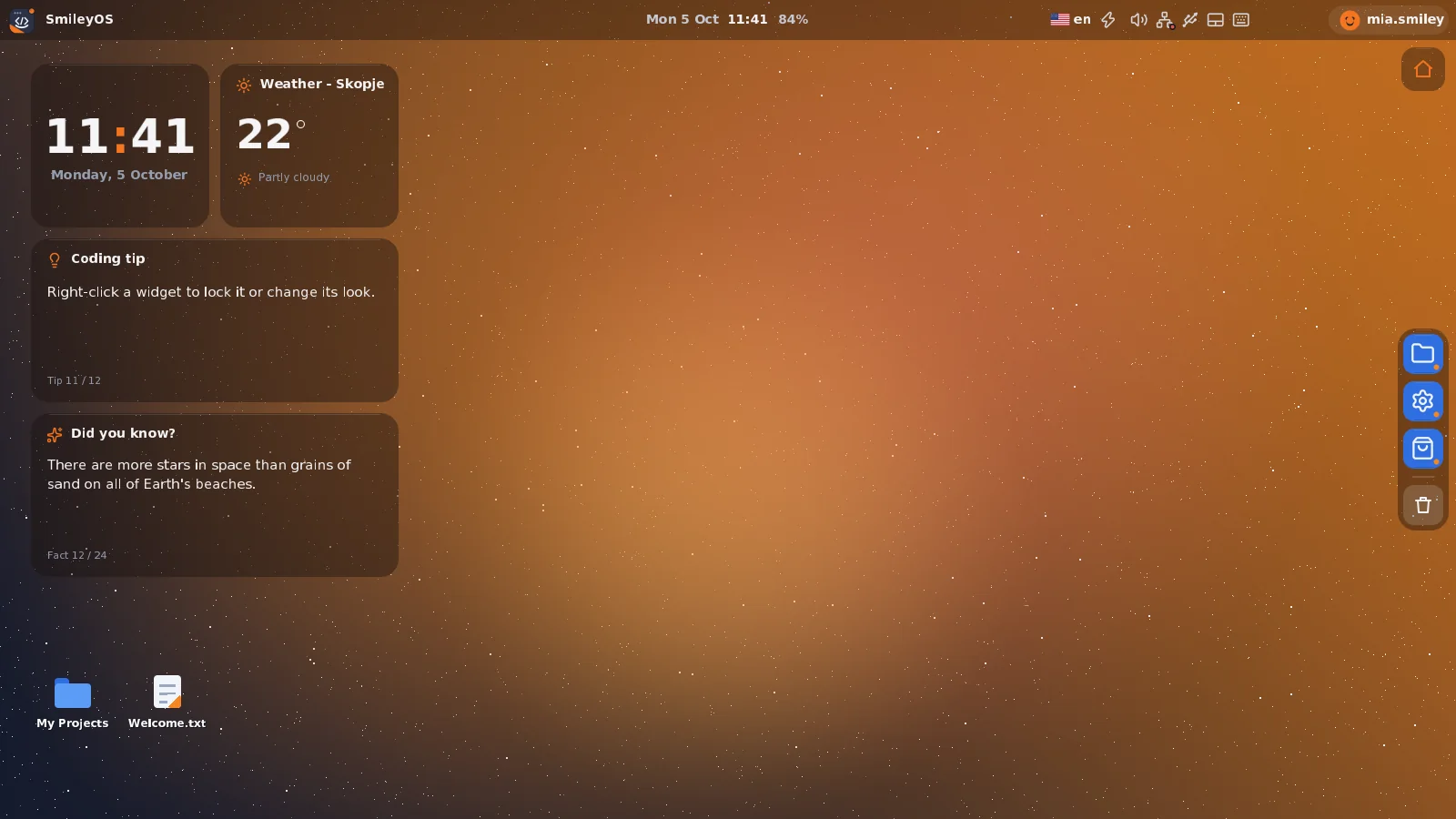
SmileyOS boots on real computers and is in development every day. Every picture on this page is a real screenshot.
Watch it grow, from v0.1 to today.
A video diary of the whole build. Every version was recorded as SmileyOS grew, from the first one to the system you see on this page.
The list button in the player shows all the videos.
A four-year-old plays Kidly, the learning game in SmileyOS. It runs on a real computer, not in an emulator.
Where we shine
Big companies go bigger. We go the other way.
Every new Windows and macOS needs more memory, more space and a newer, more expensive computer. Linux is free, but Ubuntu 26.04 now asks for more memory than Windows 11. SmileyOS goes the other way: small, simple and quick, with cheap computers built around it.
How big the system is →
Bigger and pricier with every version →
We go the other way
SmileyOSabout 20 MB, on a €20 used PC
Our computersbuilt around SmileyOS, from about €50 to €250
Linux (Ubuntu 26.04)6 GB of memory, 25 GB
Windows 114 GB of memory, 64 GB
macOSon Macs from €799
Price of the computer it needs →
A map, not to scale. Requirements: Microsoft (Windows 11), Canonical (Ubuntu 26.04); Mac price: Apple Germany, August 2026.
Newest
Updates with a way back
A new version is written next to the one that runs, never over it. The computer tries it once; if it does not start, the previous version starts by itself. The factory version is always kept.
Others: Windows, macOS and most Linux systems change the system in place, so a bad update is hard to undo.
20 MB, not 64 GB
The whole system, with its 20 built-in apps and games, is about 20 MB. More come from our own App Store.
Others: Windows 11 asks for 64 GB of space, Ubuntu Linux for 25 GB.
256 MB of memory, not 4 to 8 GB
SmileyOS runs with 256 MB of memory, so old computers are enough.
Others: Windows 11 needs 4 GB, Ubuntu 26.04 needs 6 GB, and the cheapest Mac has 8 GB. Memory is what makes computers expensive now.
Quick on old processors
A computer that is 10 or 20 years old feels like it was bought yesterday. Every part is written for weak hardware: even the 3D racing game is drawn by the processor alone, and Fast mode turns the effects down on the slowest computers. Now SmileyOS also starts every core of the processor and shares the work between them.
Others: Big systems slow old computers down until they are put away.
One look, made with care
The desktop and the 20 built-in apps are designed together, in one modern look, and apps from our own App Store are made with the same parts through our App SDK. Dark or light, accent colors and 22 wallpapers make it yours.
Others: Linux mixes many desktops and looks. Windows and macOS are made for grown-ups.
€20, not €800
A used PC or a Raspberry Pi runs SmileyOS, and our own computers are built around it, from about €50 to €250.
Others: The cheapest Mac costs €799. Windows 11 needs a TPM 2.0 chip and a newer processor, so most older PCs cannot run it.
Where things are, side by side.
Every big system has a bar, a place for the apps and a search. SmileyOS has the same, so the habits a kid learns here carry over to them. And it adds Simple mode for the youngest.
SmileyOS
Apps
a dock at the bottom and a full-screen launcher, or Simple mode with big tiles
Search
Spotlight, for apps and files
Needs
256 MB of memory, about 20 MB of space
A real screenshot. The bar on top has the clock in the middle; the dock hides while an app is open.
Windows 11
Apps
the Start menu, a taskbar at the bottom
Search
in Start and in the taskbar
Needs
4 GB of memory, 64 GB of space
macOS
Apps
the Dock, a menu bar on top
Search
Spotlight
Needs
a Mac, from €799
ChromeOS Flex
Apps
the launcher, a shelf at the bottom
Search
in the launcher
Needs
4 GB of memory, 16 GB of space
Ubuntu 26.04
Apps
a dock on the left and an app grid
Search
in Activities
Needs
6 GB of memory, 25 GB of space
The others are sketches of where things are, not their real look. Windows, macOS, ChromeOS and Ubuntu are trademarks of their owners. Requirements: Microsoft (Windows 11), Google (ChromeOS Flex), Canonical (Ubuntu 26.04); Mac price: Apple Germany, August 2026.
All the apps you need are already inside. For free.
Other systems give you the bare system and leave the rest to you: an office suite for documents and slides, design tools, music software, often as monthly subscriptions and big downloads. SmileyOS comes with all of it.
Every app is free, nothing extra to buy
No subscriptions
No big downloads
Plug and play from a USB stick or SD card
Take it with you: your desktop and your work stay on the stick
Word, PowerPoint, Illustrator, Figma and FL Studio are trademarks of their owners and are named only for comparison.
Everything a full system has. All of it is ours.
No Linux underneath: every part below is our own code, written for SmileyOS.
Our own App StoreApps and their updates, each one checked by us first.
Our own App SDKBuild apps on a Mac or Linux and try them at once in SmileySim.
Updates with a way backThe previous version starts if a new one fails.
Our own web browserWebly, with our own engines for HTML, CSS and JavaScript. It opens big sites like Facebook, and reads their scripts twice as fast since October.
Our own programming languageSmilium, from a first line of code to real apps.
A game studioGamely2D: characters, scenes and rules.
3D games of its ownTurbo racing and more, drawn by the processor alone.
Classroom without a serverChat, polls and quizzes on the school network.
Online roomsA class or a game meets over the internet, with a code and a PIN.
Parental controlsA parent PIN, screen time, allowed apps and websites.
An AI helper with limitsAnswers for the age of the child; one switch turns it off.
Simple modeBig tiles for kids and grandparents.
Make it yoursDark or light, accent colors, 22 wallpapers and more.
Three languagesEnglish, Macedonian and Albanian, with more to come.
PCs and Raspberry Pi32 and 64-bit PCs and ARM boards, one system.
Every core at workSmileyOS starts all the cores of the processor and shares the work between them.
Wi-Fi on any PCOur Wi-Fi Key, a small USB stick, brings Wi-Fi to old PCs. In testing.
No ads, no trackingNothing in the system shows ads or collects data.
Maybe I aim too high when I put SmileyOS next to Apple, Microsoft and Linux. But the numbers and the facts stand their ground. Behind Windows and macOS stand some of the biggest companies in the world. Behind SmileyOS stands one dreamer. And when you dream, only the sky is the limit.
Nikola GjorgievFounder of SmileyTech
It is this small because every part is ours.
We did not shrink a system made for grown-ups. We wrote a new one for kids, with only what a kid needs.
01
Our own system
SmileyOS is written from the first line, with nothing in it that a kid does not need. That is why it is about 20 MB, runs with 256 MB of memory and stays quick on old computers.
02
Our own apps and lessons
Tools, games and learning content are designed together, in the language the child speaks. All of them come with the system, and more come from our own App Store.
03
Our own language
Smilium is made for a first line of code, and it grows into real programming.
04
Our own computers
SBOOK Go, SBOX and SBOOK are cheap computers built around SmileyOS, for families, schools and anyone who wants a simple computer. SBOOK Go and SBOX come first, SBOOK after them.
Inside SmileyOS
How does a computer work? Watch it.
Pick a question. A short animation shows what SmileyOS does inside the computer, step by step, in plain words.
Swipe sideways to see the whole picture.
Step 1 of 4
Your screen is made of tiny dots called pixels. A laptop screen with 1440 × 900 dots has almost 1.3 million of them.
The business
How it becomes a business.
Four ways SmileyOS earns. We start at home, in Macedonia and the Balkans, and then go wider in Europe.
Families
SmileyOS for home
On a USB stick for an old PC or a microSD card for a Raspberry Pi, with its learning books.
Schools
SmileyOS for schools
Classroom packs and licenses for schools, coding clubs and learning programs.
Hardware
SBOOK Go, SBOX, SBOOK
Our own computers with SmileyOS built in: SBOOK Go and SBOX once the stick and the card pay for their production, then the more powerful SBOOK.
Subscription
AI helper plan
An optional, kid-safe AI helper, paid by parents or schools.
The plan
One step pays for the next.
To be open about it: first we sell SmileyOS on a USB stick for old computers and on a microSD card for the Raspberry Pi. What that earns puts SBOOK Go and SBOX into production, and after them SBOOK. So we need all the support we can get.
2025 to 2026Done
A working system
From the first line of code in 2025, one founder on nights and weekends, to a desktop, 20 built-in apps and games, a classroom and three languages on real computers.
Now to 2027We are here
Phase 1: SmileyOS on a stick and a card
SmileyOS in stores in 2027, on a USB stick for old PCs and a microSD card for the Raspberry Pi
Prototypes of SBOOK Go and SBOX
SmileyTech registered as a company
Learning books and first pilots with families and schools
After Phase 1Next
Phase 2: SBOOK Go and SBOX in production
What the stick and the card earn, together with grants, investors and supporters, puts our laptop and our TV computer into production.
After Phase 2Next
Phase 3: SBOOK
A more powerful laptop that uses most of the parts of SBOOK Go.
The dreamThe dream
Into schools, and into prisons
SmileyOS in every primary school in Macedonia, and then further. And in prisons: a safe, controlled computer where people can learn skills for a new start.
Nikola Gjorgiev has built software since 2014: mobile games first, then apps for mobile, web and desktop. He designed and wrote SmileyOS from the first line: the system, the language, the apps and the games.
This is my plan and my wish. I am a big dreamer, and I believe in this story.
SmileyOS started as one developer's nights and weekends. We are now registering SmileyTech as a company, and we are looking for the people who want to build it with us.
Investors and grant-makers
Back the first version.
We are raising for Phase 1: the first version of SmileyOS in stores, the learning books, and the first SBOOK Go prototype. Ask for the plan and the numbers.
A complete operating system made for children, and simple enough for anyone. It has its own desktop, 20 built-in apps and games, its own App Store with more, a classroom mode, and Smilium, a programming language for beginners. For a child it is one safe place to learn, to create and to write code; for everyone else it is a simple computer for documents, files, music and the web. It is about 20 MB and runs with 256 MB of memory, so a computer that is 10 or 20 years old or a Raspberry Pi is enough.
For developers
Want the details?
Try the Smilium language in your browser, read how apps for SmileyOS are built, or see the apps in its App Store.