
Sling is a Powerful Data Integration tool enabling seamless ELT operations as well as quality checks across files, databases, and storage systems.
Features
Streamline Your Data ETLQ
Sling gives you powers to effortlessly integrate, transform, and ensure data quality.
Swift performance
Core engine is written in Go and adopts a streaming design, making it super efficient by holding minimal data in memory.
Replicate data quickly
Easily replicate data from a source database, file or SaaS connection to a destination database or file. Define the configuration in a YAML file.
Free Command Line Tool
Sling CLI is compiled to a binary for Linux, MacOS & Windows, and can be downloaded and run in your preferred environment.
Various Load Modes
Allows modes to meet your needs, such as full-refresh, truncate, incremental (merge/append data), snapshot (append with timestamp for historical data), and backfill
Transformations
Sling provides a wide array of operations, including text encoding/decoding, data hashing, and sophisticated parsing, enabling comprehensive data manipulation post-extraction, pre-load.
Quality Checks & Monitoring
Stay ahead with automatic alerts for any schema or data deviations. Set up custom checks to ensure your data quality remains consistent.
Parallel Streams & Retries
Process data faster with parallel streams and automatic retries for failed operations, maximizing throughput and reliability.
Pipelines & Hooks
Create complex workflows with HTTP requests, SQL queries, file operations, and custom logic using hooks that trigger before or after replications.
Stream Chunking
Break down large datasets into manageable chunks with time-based, numeric, or count-based partitioning for efficient processing.
Use Cases
Built for Real-World Data Challenges
Sling handles the most common data integration scenarios with minimal configuration and maximum reliability.
Database Replication
Sync data from production databases like PostgreSQL, MySQL, or Oracle to analytics warehouses such as Snowflake, BigQuery, or Redshift. Sling handles schema detection, incremental updates, and large table transfers efficiently with its streaming architecture.
File-to-Database Loading
Load CSV, Parquet, JSON, and Excel files directly into your data warehouse. Whether from local storage or cloud buckets, Sling auto-detects schemas, handles type conversions, and supports various load modes including full-refresh and incremental append.
Cloud Storage Sync
Move data seamlessly between AWS S3, Google Cloud Storage, Azure Blob Storage, and your databases. Sling supports glob patterns for batch processing and handles authentication across cloud providers with simple YAML configuration.
API Data Extraction
Extract data from REST APIs using YAML-based specifications. Sling supports pagination, authentication, and incremental sync out of the box. Build custom API connectors or use pre-built specs for popular services like Stripe, HubSpot, and GitHub.
Connectors
Sling integrates with your favorite Databases, File Systems, and APIs
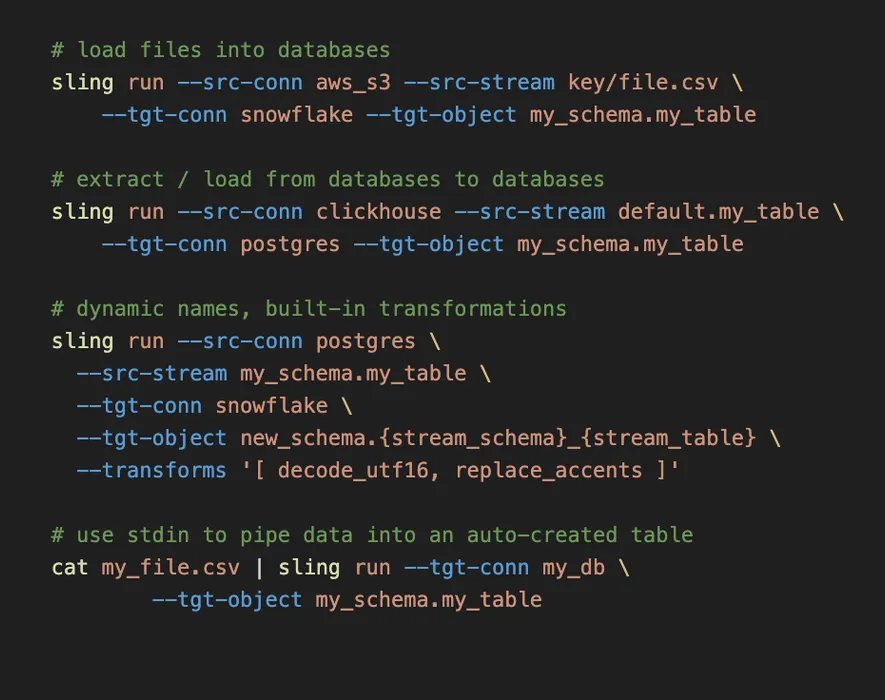
sling run --src-streamRun with CLI Flags
You can run with CLI flags. This is useful if you want to run a one-off or specific stream replication, or if you want to specify a different connection from the one defined in your Sling Env File.
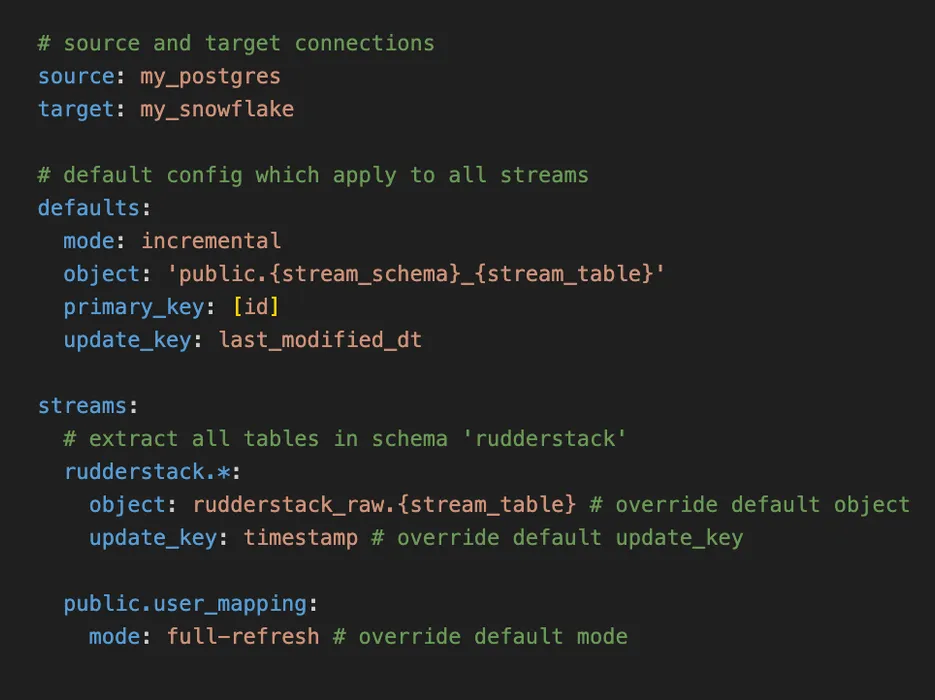
sling run -r replication.yamlUse YAML Configs
You can also easily define your replications in YAML files. You're able to specify default values as well as naming patterns! Check the docs here for more details.
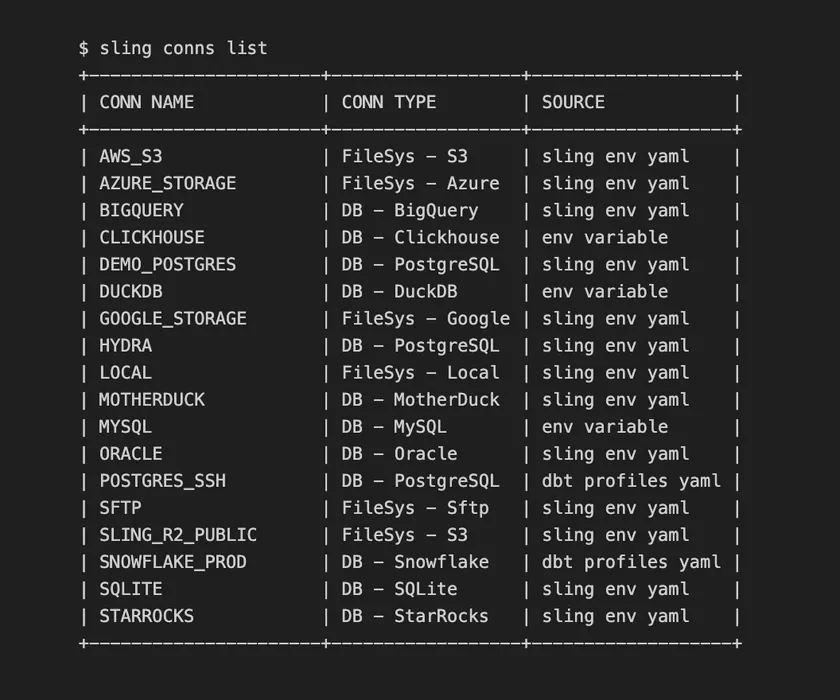
sling conns listList all Configured Connections
With the list sub-command, we can display all connections available in our environment. This includes connections from our Sling Env File as well as Environment Variables. Oh, are your using dbt profiles? Sling picks those up too!
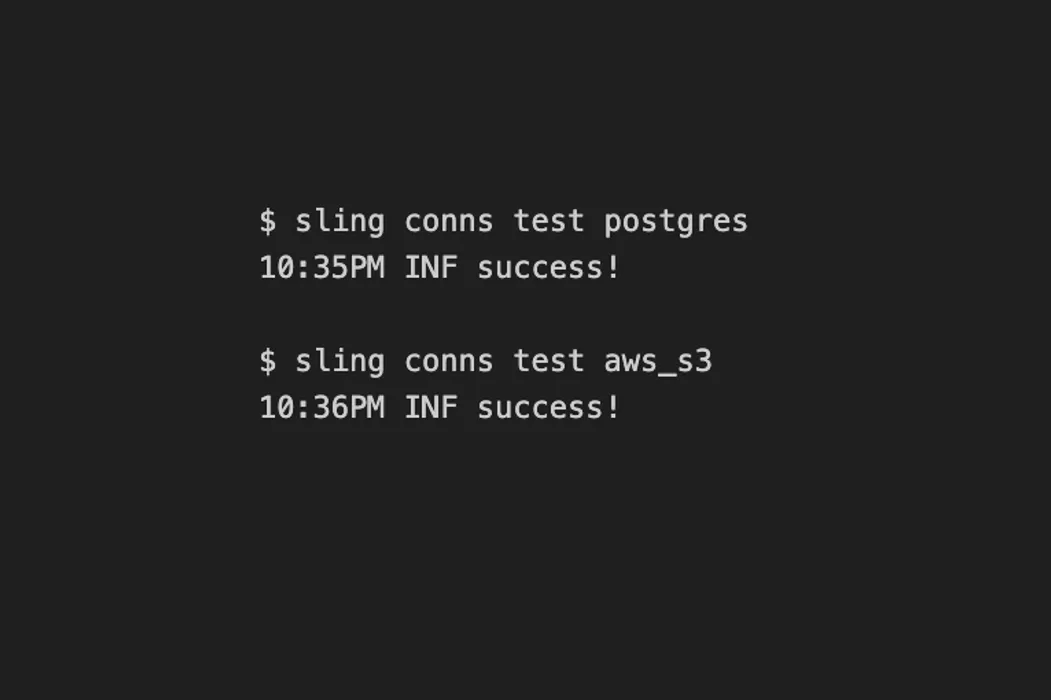
sling conns testTest Connectivity
The Sling CLI tool also allows testing connections. Once we know the connection name, we can use the sling conns test command.
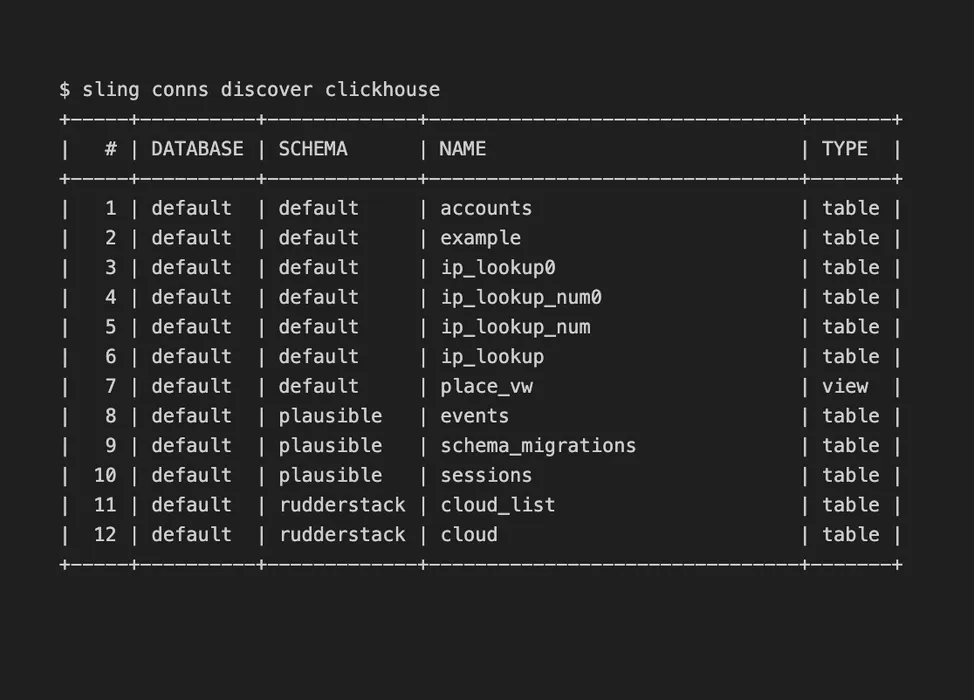
sling conns discoverDiscover Available Streams
The discover sub-command displays which streams are available for sling is read from for a particular connection. You can even filter by schema for database connections, or by folder for storage connections.
Testimonials
Hear from Sling Users
Sling for Everyone
Install with Ease
It is trivial to install Sling CLI. We support all the major operating systems.
FAQ
Frequently Asked Questions
Sling is a modern data integration tool that enables seamless ELT (Extract, Load, Transform) operations between databases, files, and storage systems. Its core engine is written in Go with a streaming design, meaning it processes data efficiently without loading entire datasets into memory. You can run Sling as a CLI tool or through the web-based Platform.
Yes, check out the Platform page for more information.
Yes it is! Just install it on your machine and use it as you wish. No strings attached. Check out the Github Repository if you'd like to see the source code.
Yes! The Sling CLI is fully open source under the Apache 2.0 license. You can view the source code, contribute, and use it freely in your projects. The Sling Platform (web UI) offers additional features for teams who need scheduling, monitoring, and collaboration capabilities.
Unlike SaaS-only solutions, Sling gives you full control with a free, open-source CLI that runs anywhere. There's no per-connector pricing - you get access to 40+ database and file connectors out of the box. Sling is ideal for teams who want simplicity, speed, and self-hosted options without vendor lock-in.
Sling excels at database-to-database replication, loading files (CSV, Parquet, JSON) into data warehouses, syncing data from cloud storage (S3, GCS, Azure), and building lightweight ETL pipelines. It's popular for data migrations, warehouse loading, and keeping analytical databases in sync with production systems.
Sling supports 40+ connectors including PostgreSQL, MySQL, SQL Server, Oracle, Snowflake, BigQuery, Redshift, DuckDB, ClickHouse, and more. For file storage, it supports AWS S3, Google Cloud Storage, Azure Blob Storage, SFTP, and local filesystems. Check out the Connectors page for a complete list.
Install Sling with a single command: brew install slingdata-io/sling/sling (Mac) or download the binary for your OS. Then define your connections in an env.yaml file and run sling run to start moving data. Check the documentation for detailed guides.