Who am I?

Partner at DockYard
GitHub: danmcclain
Twitter: @_danmcclain
PostgreSQL
-
Advanced Data Types
- Arrays
- Hstore (Hash Store, aka Key-Value store)
- JSON
- Ranges
- Powerful Features
- windowing functions
- table inheritance
- Schemas - Separate silos within a single database
What We'll Explore:
Arrays
- PostgreSQL has built in support for arrays of any datatype
- That includes user-defined types as well
- Can be multi-dimensional
- Child arrays must have the same number of elements as their siblings
What We'll Expore:
HStore
- Hash Store
- Key-Value store
- Values are stored as strings, so plan on converting values if you want to store something else
What We'll Explore
Rank and CTEs
- PostgreSQL has window functions
- perform a calculation over a set of records
- rank - determines a record's rank over a specific order
- takes ties into account
- CTEs or Common Table Expressions allow you to declare a specific query as a temporary table to be used in a complex query
Patterns we'll examine: Tagging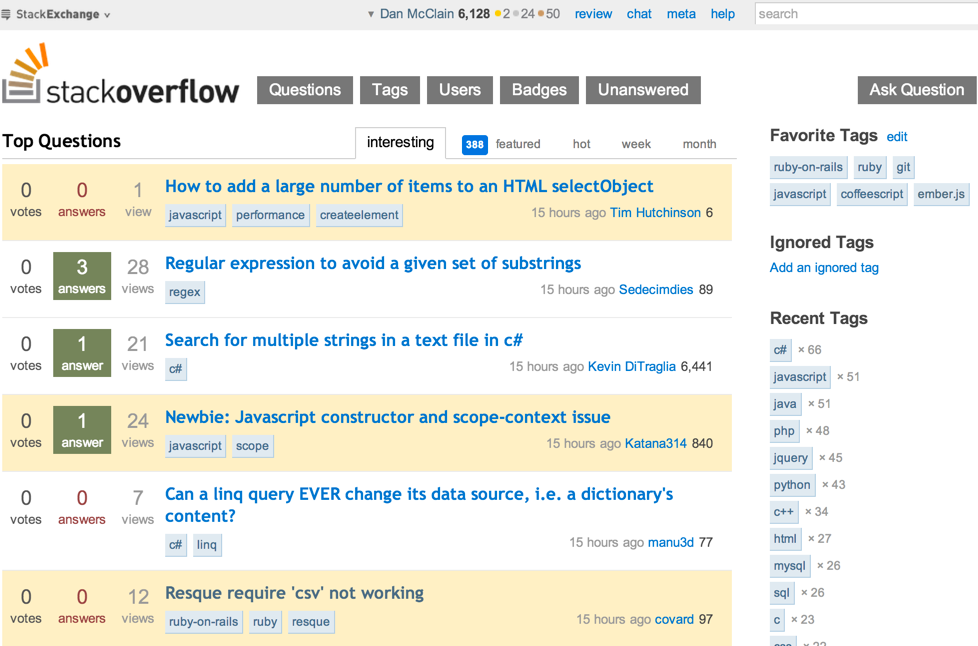
Patterns we'll examine: Similar Records 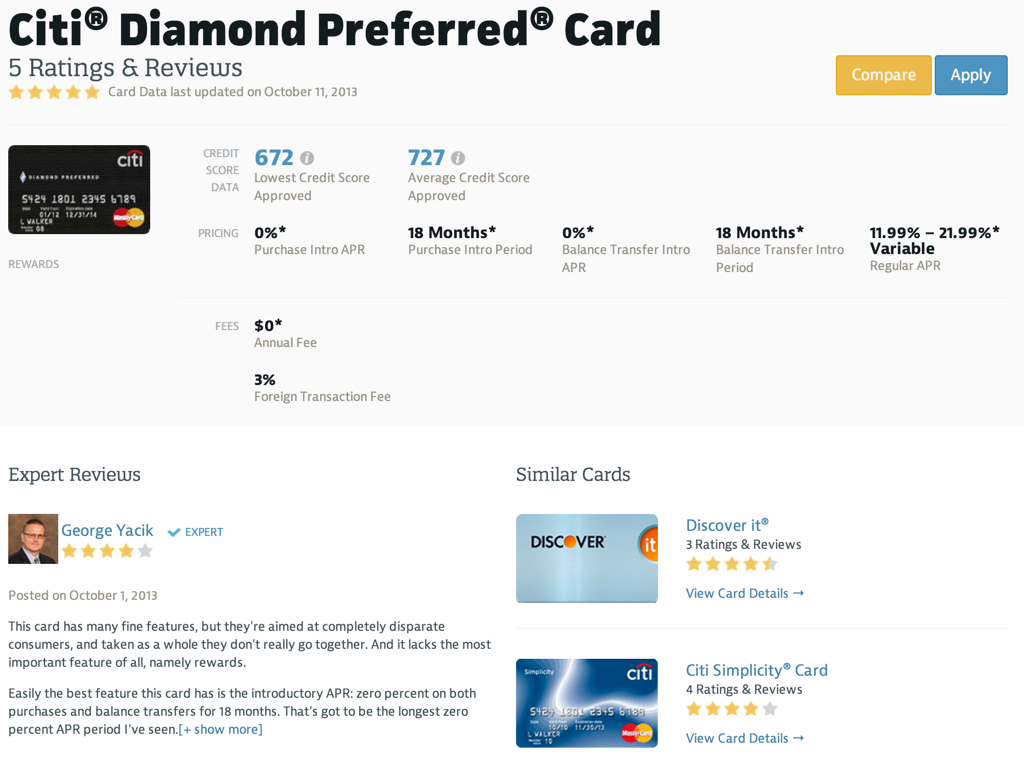
Patterns we'll examine: Single Table Inheritance

Patterns we'll examine: Leaderboards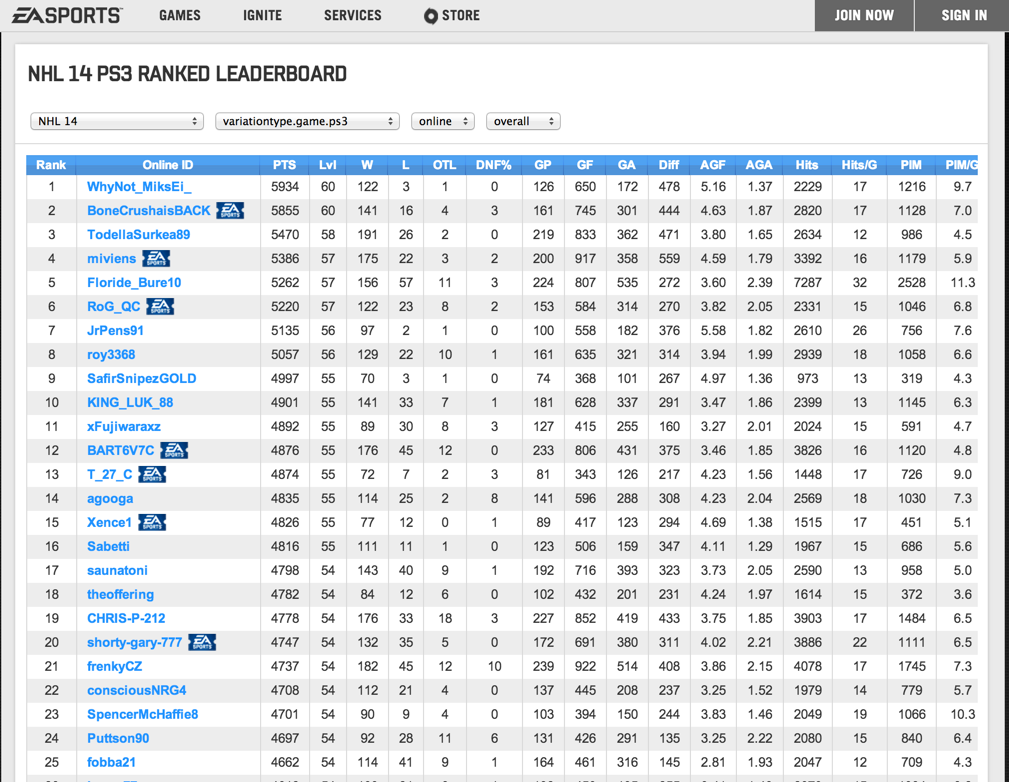
Tagging
-
We want to apply tags to notes entered into our system
- We don't care about generating a tag cloud
- We want to be able to find all notes with a given tag
Many to Many relation
- Usually, we'll generate a many-to-many relation between notes and tags
- We'll have a tag record for each tag applied to a note
- We'll have to generate a new tag when a user wants to use one we have not previously encountered
Using Arrays for tags
- PostgreSQL has native support for array columns
- We can store the tags as an array column on our notes
- We no longer have to worry about creating tag records when we encounter a new one
Adding our tags array to the model
class AddTagsToNotes < ActiveRecord::Migration
  def change
    add_column :notes, :tags, :string, array: true
  end
end
Finding Tagged Notes
- Now that we are tagging our notes, we need a way of finding them
- PostgreSQL has multiple ways of checking if an array contains a value
- ANY(...)
- @> - contains operator
ANY
- We can use the ANY() function to see if a value is stored in any element of the array
SELECT notes.*
FROM notes
WHERE 'useful' = ANY(notes.tags)- This won't use any indexes
@> - Contains
- We can use the @> operator to see if an array on the left contains the array on the right of the operator (order matters)
SELECT notes.*
FROM notes
WHERE notes.tags @> '{useful}'- Without an index, this has the same performance as ANY()
- When we index the array with GIN (Generalized Inverted Index), we can see up to ~50 X speed improvement
GIN indexing our Array
class AddTagsToNotes < ActiveRecord::Migration
  def change
    add_index :notes, :tags, using: :gin
  end
end
Some Benchmarking
- 100,000 notes, each with 100 tags
- 10,000 possible tags
- Table was cached by scanning it once
- Run on a MacBook Pro Retina with 16GB of RAM and SSD
- Noticeably slower reads on a Mac Mini with spinning metal
Finding Via Has_Many
First Run - 370 ms
Nested Loop
   ->  Bitmap Heap Scan on post_tags
         Recheck Cond: (tag_id = 1)
         ->  Bitmap Index Scan on index_post_tags_on_tag_id
               Index Cond: (tag_id = 1)
   ->  Index Scan using posts_pkey on posts
         Index Cond: (id = post_tags.post_id)
 Total runtime: 370.139 ms
Subsequent calls - 13 ms
Nested Loop
  ->  Bitmap Heap Scan on post_tags
        Recheck Cond: (tag_id = 2)
        ->  Bitmap Index Scan on index_post_tags_on_tag_id
              Index Cond: (tag_id = 2)
  ->  Index Scan using posts_pkey on posts
        Index Cond: (id = post_tags.post_id)
Total runtime: 13.511 ms
Array: Finding via ANY
First run: 503 ms
Aggregate
  ->  Seq Scan on posts
        Filter: ('Tag #1'::text = ANY ((array_tags)::text[]))
        Rows Removed by Filter: 98989
Total runtime: 503.517 ms
Subsequent runs: 500 ms
Aggregate
  ->  Seq Scan on posts
        Filter: ('Tag #1'::text = ANY ((array_tags)::text[]))
        Rows Removed by Filter: 98989
Total runtime: 499.618 ms
Array: Finding via @>
First run - Pre index: 536 ms
Aggregate
  ->  Seq Scan on posts
        Filter: (array_tags @> '{"Tag #1"}'::character varying[])
        Rows Removed by Filter: 98989
Total runtime: 536.183 ms
First run - Post index: 8ms Aggregate
-> Bitmap Heap Scan on posts
Recheck Cond: (gin_tags @> '{"Tag #1"}'::character varying[])
-> Bitmap Index Scan on index_posts_on_gin_tags
Index Cond: (gin_tags @> '{"Tag #1"}'::character varying[])
Total runtime: 8.056 ms
Results
| Method | Run 1 | Run 2 |
|---|---|---|
| has_many | 370 ms | 13 ms |
| Array: ANY | 503 ms | 500 ms |
| Array: @< (no index) | 499 ms | 500 ms |
| Array: @< (indexed) | 8 ms | 5 ms |
Drawbacks
- You lose the ability to efficiently create a list of tags
- Getting a distinct list of tags from a series of arrays is slow
- It's also fairly complex
- GIN can be slow to update
- Multiple inserts into index (one for each key extracted)
- Can be mitigate somewhat using FASTUPDATE
Notes
- Database-side Cache matters
- You will see a performance increase on subsequent runs, as the results will be in memory
- Results across the board were quicker after the first table scan, as the table was in memory after that
Similar Records
- We want to build out the ability to have similar posts listed for a given post
- We don't care about mapping a similar post back to the source item (don't need belongs_to)
Old Way
- Create a similar_posts model
- post_id: id of the parent post (belongs_to)
- similar_post_id: id of the child post (belongs_to)
- Wire up a has_many though: relation to create a similar_posts attribute on the post model
Using Arrays
- We can build has_many-type functionality using arrays
- This allows us to retrieve all the similar item ids with a single call for the item record
Migration
- We want an attribute on our model to store the ids
class CreateMembers < ActiveRecord::Migration
  def change
    add_column :posts, :similar_post_ids, :integer, array: true
  end
end
has_many like methods
- We can add a method
Post#similar_postswhich will retrieve our item's by their ids stored inPost#similar_post_ids -
We can also add a
Post#similar_posts=method that will take the array of items passed to it and store their ids inPost#similar_post_ids
has_many like methods
class Post < ActiveRecord::Base
  def similar_posts
    self.class.where(id: similar_posts_ids)
  end

  def similar_posts=(children)
    self.similar_posts_ids = children.map(&:id)
  end

  def similar_posts_ids=(ids)
    write_attribute :similar_posts_ids, ids.reject{ |id| id.to_i <= 0 }
  end
end
Using our fake has_many
post = Post.find(1)
post.similar_posts # => [Post, Post, Post]
post.similar_posts = [Post, Post] # Updates the similar_post_ids attribute

# the following won't work
post.similar_posts << Post # We aren't observing this array,
                           # so it won't update the ids attribute

# we can work around it with the following
post.similar_posts += [Post] # calls the setter on the array
Benefits
-
Alternate way of providing has_many
- Avoids additional records to maintain relations
Next Steps
- This example could be built out further using a proxy class in the has_many-like methods
- This would allow us to perform << operations and have ActiveRecord track the changes
Single Table Inheritence
- We are using single table inheritance to differentiate between multiple user types
- We want to add a set of object specific attributes for each user type
- Previously, we could move these attributes to a profile object and that profile would belong to a class
HStore
- PostgreSQL has a Hstore or Hash Store column type
- We can store a set of key-value properties on this column
Enabling Hstore
- Hstore was added to PostgreSQL 9.2 as an extension
- Rails 4.0 added
enable_extensionwhich will allow you to enable an extension via a migration -
enable_extension 'hstore'will enable hstore in your database
An Example
- Joe Him at DevMynd details using Hstore with Rails 3.2 via activerecord-postgres-hstore [1]
- He extends ActiveRecord::Base to create an hstore_attribute for his models
- We can apply the concepts to Rails 4
[1]: http://www.devmynd.com/blog/2013-3-single-table-inheritance-hstore-lovely-combination
Our Member Class
- The Member class will serve as the base class for our STI infrastructure
class CreateMembers < ActiveRecord::Migration
  def change
    enable_extension 'hstore' # Let's enable Hstore

    create_table :members do |t|
      t.string :username
      t.string :type
      t.hstore :data # We'll store all our attributes in a column
                     # called data
      t.timestamps
    end
  end
end
Extending activeRecord
module HstoreAccessor
    def hstore_accessor(hstore_attribute, *keys)
      Array(keys).flatten.each do |key|
        define_method("#{key}=") do |value|
          send("#{hstore_attribute}=", (send(hstore_attribute) || {}).merge(key.to_s => value))
          send("#{hstore_attribute}_will_change!")
        end
        define_method(key) do
          send(hstore_attribute) && send(hstore_attribute)[key.to_s]
        end
      end
    end
  end
end
ActiveRecord::Base.send(:extend, HstoreAccessor)
- We define hstore_accessor, which will define a getter and setter against our hstore column
Creating User class
- Users have an email and age
class User < Member
  hstore_accessor :data, :email, :age
end- Now we can access User#email, and User#age
- We can also validate these attributes
class User < Member
  hstore_accessor :data, :email, :age
  validates :email, :age, presence: true
end

User.new.email #=> nil

User.new.valid? #=> false
Creating another class
class TwitterUser < Member
  hstore_accessor :data, :twitter_handle
end- Since we only set up twitter_handle, we don't have access to email, which we set up on our User model
twitter_user = TwitterUser.new twitter_handle: '_danmcclain', username: 'dan'
twitter_user.twitter_handle   #=> "_danmcclain"
twitter_user.username         #=> "dan"
twitter_user.email            #=> NoMethodError
Limitations
- HStore stores values as strings, so you have to convert values yourself
- We could extend hstore_attribute so that it performs type casting
Leaderboards
- Need a leaderboard for each game
- Need the ability to return a user's best score for a given game
- Want to page through our scores, but maintain ranking
Rank()
- PostgreSQL provides the Rank windowing function
- Takes ties into account when ranking
SELECT rank() OVER(ORDER BY points DESC), username, points
FROM scores
WHERE game = 'Barking Bostons'
┌──────┬──────────┬────────┐
│ rank │ username │ points │
├──────┼──────────┼────────┤
│    1 │ Brian    │    300 │
│    2 │ Dan      │    200 │
│    3 │ Dan      │    100 │
│    4 │ Doug     │     30 │
└──────┴──────────┴────────┘
First attempt at getting a user's rank
SELECT rank() OVER (ORDER BY scores.points DESC), username, points
FROM scores
WHERE game = 'Barking Bostons' AND username = 'Dan'- We get back the user's scores for the game
- BUT the ranks are only for the user's scores, it does not take into account other users
┌──────┬──────────┬────────┐
│ rank │ username │ points │
├──────┼──────────┼────────┤
│    1 │ Dan      │    200 │
│    2 │ Dan      │    100 │
└──────┴──────────┴────────┘
Using Common Table Expressions to get the ranks of a User's Scores
- Common Table Expressions (CTEs) allow you to alias a subquery
WITH top_scores_for_game AS (
  SELECT rank() OVER (ORDER BY points DESC), username, points
  FROM scores
  WHERE scores.game = 'Barking Bostons'
)
SELECT top_scores_for_game.*
FROM top_scores_for_game- The above query will return all the results from the
WITHstatement
Attempt #2
- We'll use a CTE to get all the scores for a game, then find our user within those results
WITH top_scores_for_game AS (
  SELECT rank() OVER (ORDER BY points DESC), username, points
  FROM scores
  WHERE scores.game = 'Barking Bostons'
)
SELECT top_scores_for_game.*
FROM top_scores_for_game
WHERE top_scores_for_game.username = 'Dan'
┌──────┬──────────┬────────┐ │ rank │ username │ points │ ├──────┼──────────┼────────┤ │ 2 │ Dan │ 200 │ │ 3 │ Dan │ 100 │ └──────┴──────────┴────────┘
Getting ranked results in ActiveRecord
- We can drop this whole block of SQL into a find_by_sql call to get models back
query = <<-SQL
WITH top_scores_for_game AS (
  SELECT rank() OVER (ORDER BY points DESC), username, points
  FROM scores
  WHERE scores.game = 'Barking Bostons'
)
SELECT top_scores_for_game.*
FROM top_scores_for_game
WHERE top_scores_for_game.username = 'Dan'
SQL

Score.find_by_sql query
=> [#<Score ... >, #<Score ... >]
Using postgres_ext for rank and CTE
- postgres_ext has support for ranking results and querying against CTEs
- Return the scores ranked over their points for the game named 'Barking Bostons'
Score.ranked(points: :desc).where(game: 'Barking Bostons')- Now lets get the user's ranked scores for the game using a CTE
Score.from_cte('top_scores_for_game',
  Score.ranked(points: :desc).where(game: 'Barking Bostons')).where(username: 'Dan')
Wrapping Up
- PostgreSQL has some really powerful features baked in
- Your situation ultimately dictates the best approach
- Play with different solutions to see what is the best performance/maintainability trade off for your specific use case
- Don't just use it because "It's new/cool"
Other PostgreSQL features to explore
- JSON
- Views
- Schemas
- Network Types (MAC address, IP Address)
- Ranges
- User defined types
- PostGIS
Questions?
Thank You
- Twitter: @_danmcclain
- GitHub: github.com/danmcclain
- Postgres_ext: github.com/dockyard/postgres_ext