Open by design
Turn AI work into teamwork
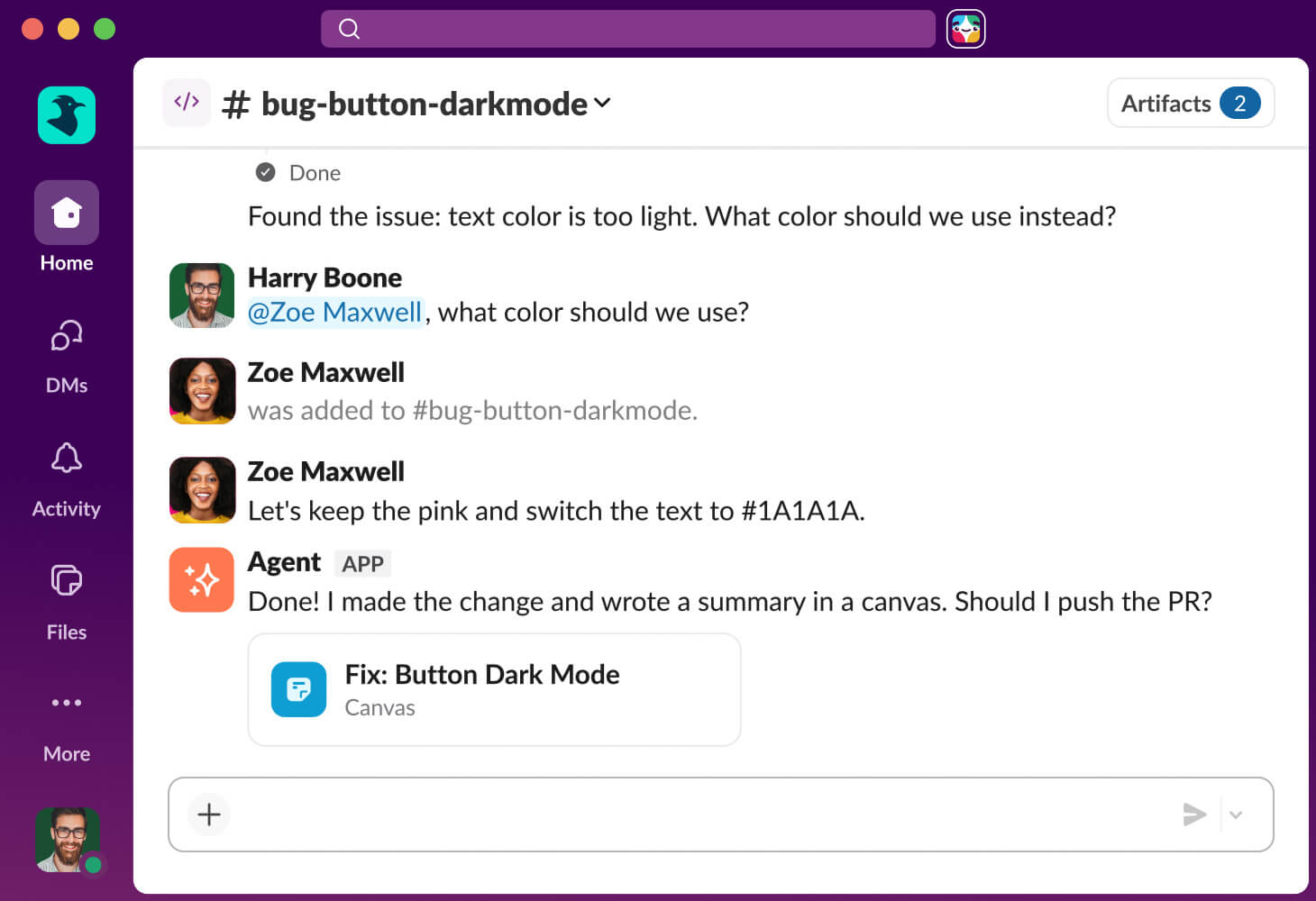
With code channels, AI work isn’t a solo task. Your team can guide agents together in real time. And since agents start with the context of your team’s conversations and knowledge in hand, they can hit the ground running.
Anyone can build
You bring the idea. The agents bring the code.
Slack Code turns any idea into working code in a code channel. Just describe what you want, and an agent builds it while your team follows along, weighs in, and approves the result.
Built on trust
Nothing ships without your sign-off
Every message you send to an AI agent gets the same security treatment as everything else in Slack — EKM, DLP, Discovery APIs and all. You're always the one reviewing, adjusting, and giving the go-ahead.
![Home logo]()
Find agents faster
All your agents live in the Agents tab. Check in on sessions, track live status, and see when an agent needs you.
Keep conversations clean
In Slack, agents do their work quietly in the background, so you can stay focused on yours.
Pick up where you left off
Smarter threads automatically create clear titles, making past conversations easy to find and revisit.

"Slack is a strategic part of a broader GitHub promise: humans set direction, agents close the loop. That has to be true wherever developers are working, which is why we're bringing Copilot into the flow of conversation in code channels to help teams turn shared intent into shippable software."

Slack Code creates a temporary channel, called a code channel, where teams and agents work together on a specific task or project. An agent creates one when it starts working, giving you and your team a dedicated place to collaborate without cluttering your main channels. When the work is done, the code channel gets archived automatically, while the context stays searchable.
No. Code channels follow Slack’s enterprise-grade security and permissions model. Agents only have access to the conversations and information they’re allowed to see, based on the controls already set up for your workspace.
Yup! You don’t need to know how to code to work with agents. Code channels make it easy for anyone to see what an agent is building, review previews, and share feedback directly in Slack.
Claude from Anthropic, Devin from Cognition, Vercel agents, and GitHub Copilot.
Developers can build agents that feel at home in Slack. New APIs and tools make it easier to create rich agent experiences, including dedicated spaces in the Agents tab, focused conversations, and smarter threads that help people find their way back to previous work.