PDFUnlock
Tiny macOS app to unlock PDFs, right from Finder. No uploads, nothing leaves your Mac.
Download for MacFree · macOS 13+ · Apple Silicon & Intel
Motivation
Tons of financial documents I get are password-protected which makes it a pain to share it with anyone (which also includes AI).
To remove the passwords, people often resort to either using online tools, or re-exporting the PDF (using Preview or similar tool). Both are time-consuming, and online tools also put sensitive documents at risk.
I built this tiny app to solve this problem in the most frictionless way as possible. It's both free and open source.
How it works?
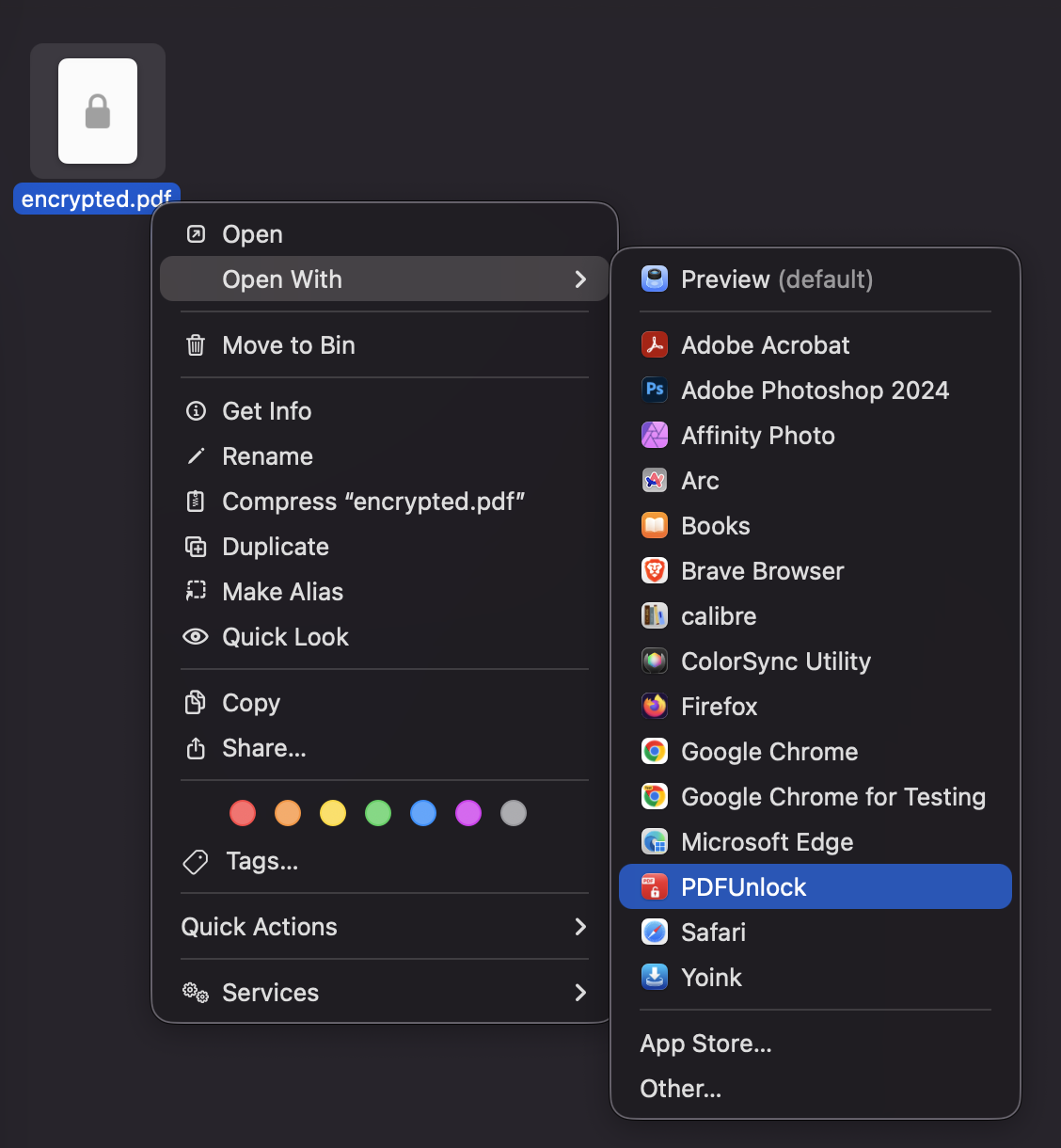
1 Right-click the PDF and open it with PDFUnlock.
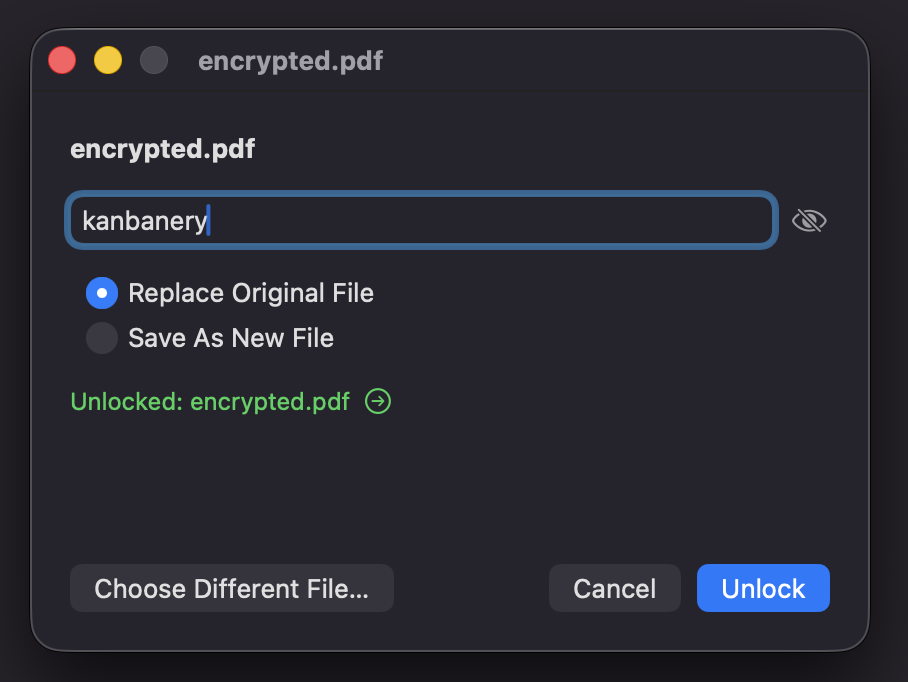
2 Type the password and unlock. Done.