Chord Writer is a macOS app for writing parser-based interactive fiction in Chord. You write the story, and the app composes it as you type, builds it, plays it, runs its test tree, and packages it for release.
What you need
An Apple silicon Mac running macOS 11 or later — the build targets macOS 11, which is what the first M1 Macs shipped with.
That is the whole list. Chord Writer carries the entire Sharpee toolchain inside
its own application bundle — a Node runtime and the command-line tool, vendored
at build time — so there is no npm install, no global CLI, and no Node on your
machine to keep current. Building works on a Mac that has never seen a terminal.
Drag it to Applications and press ⌘B. Full steps are on the download page.
If you already have @sharpee/devkit installed globally, that copy wins — a
deliberate install of your own still takes precedence over the bundled one, so
the in-repo development loop keeps tracking your local build.
The status bar names what you are actually running, the app's own version first and the toolchain it resolved second:
Those versions move independently. Chord Writer is versioned as an app; Sharpee and Chord are versioned as a platform and a language.
The window
Four regions, each with a fixed job.
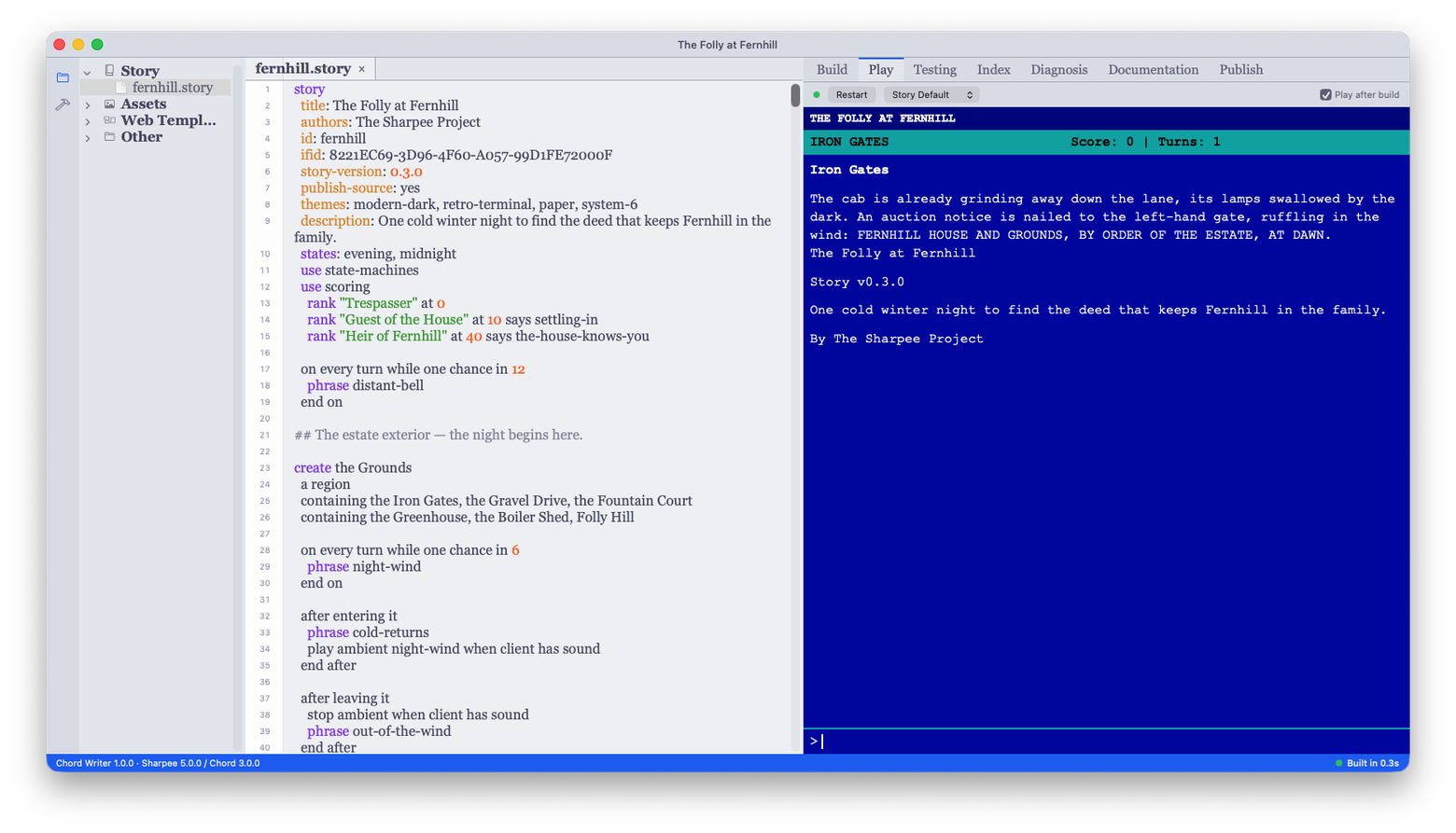
The project pane, on the left, shows your story as typed groups: Story, Walkthroughs, Assets, Feelies, Web Template, and Other. These are lenses over the folder rather than a mirror of it, so a file's position in the tree does not tell you which directory it sits in on disk. Anything that matches no group lands in Other, so nothing is ever hidden from you.
The editor, in the middle, is a tabbed text editor. Opening a file from the project pane opens a tab.
The right panel carries seven tabs:
| Tab | What it shows |
|---|---|
| Build | Output from the build, as it runs |
| Play | The running game |
| Testing | Your test tree — recorded as you play — and its results |
| Index | Everything your story defines, read out of the composed story |
| Diagnosis | A longer explanation of an error you hit |
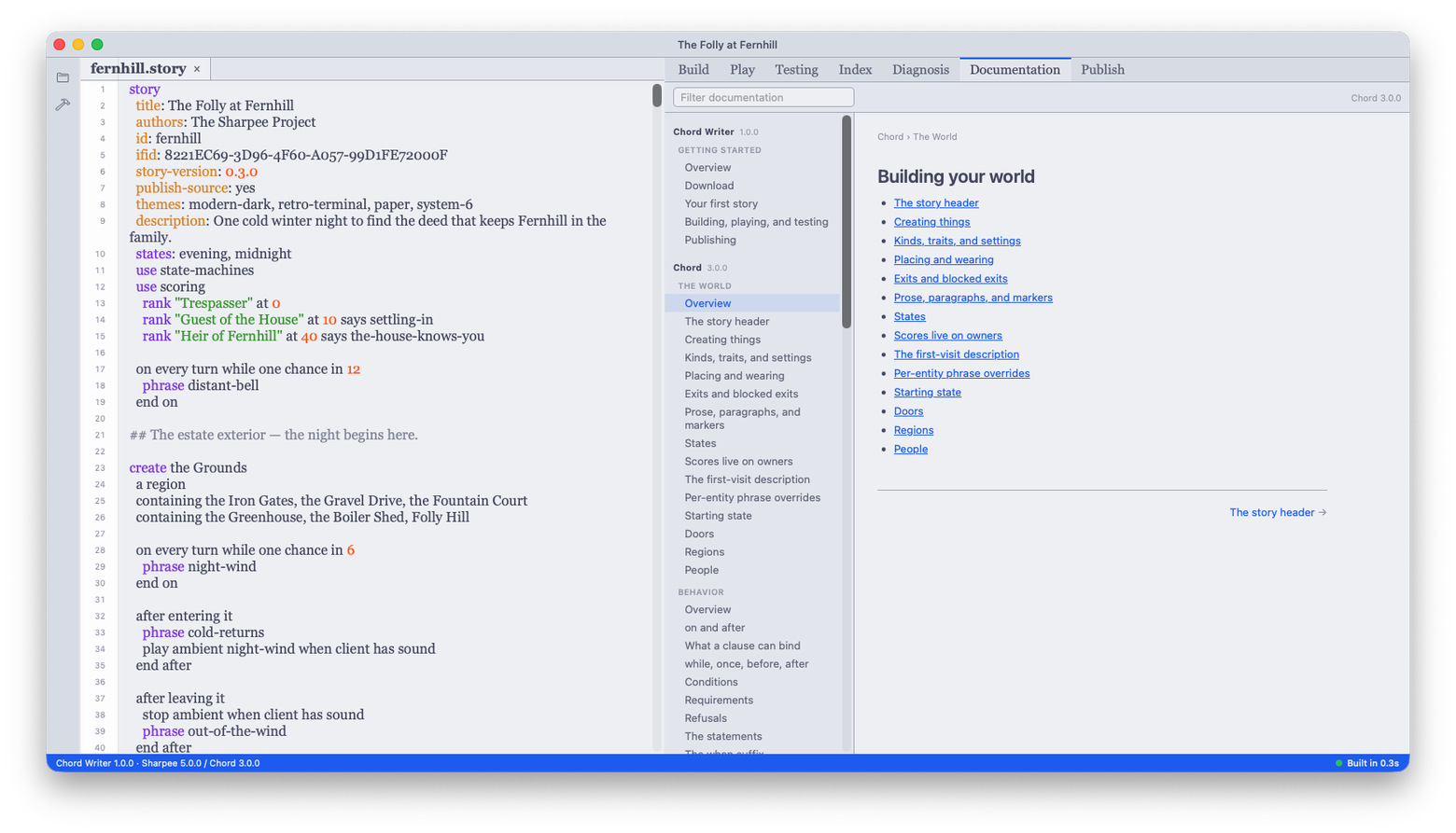
| Documentation | This documentation, bundled into the app |
| Publish | Packaging a release |
The bottom dock carries two: Problems, which lists compile diagnostics for the story you are editing, and Game Errors, which collects runtime errors from the game while you play it.
The Documentation tab is these pages, built into the app:
Next
Your first story walks from an empty screen to a game you can play.