Features
Get a quick glance of all the features
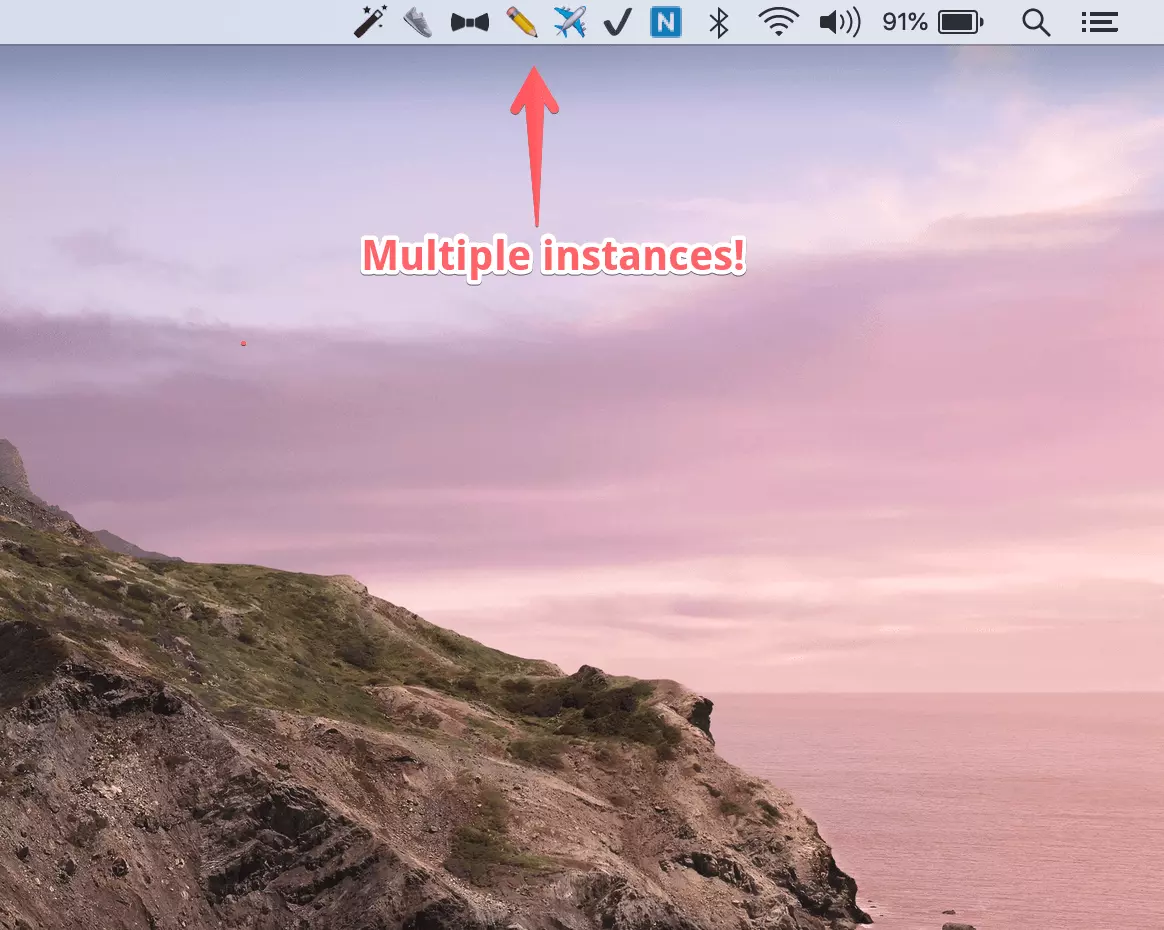
Multiple Instances of Notion ⇒ Maximize Productivity
Have multiple pages of notion just a click away! No more switching and jumping between notion pages
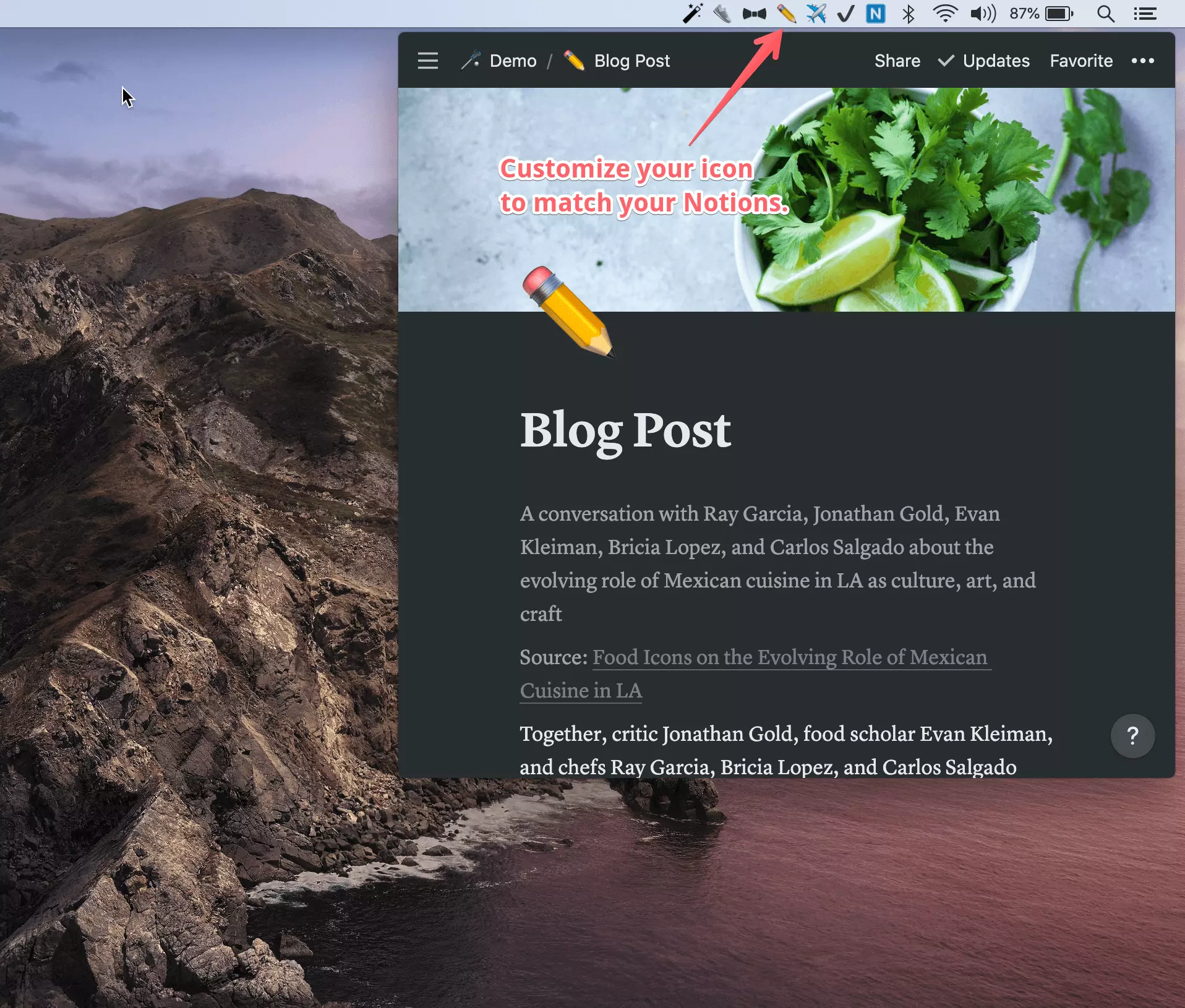
Bring your Emoji icons to Mac's Menubar 🥳
You can customize each instance's icon to an Emoji icon to match your Notion page.
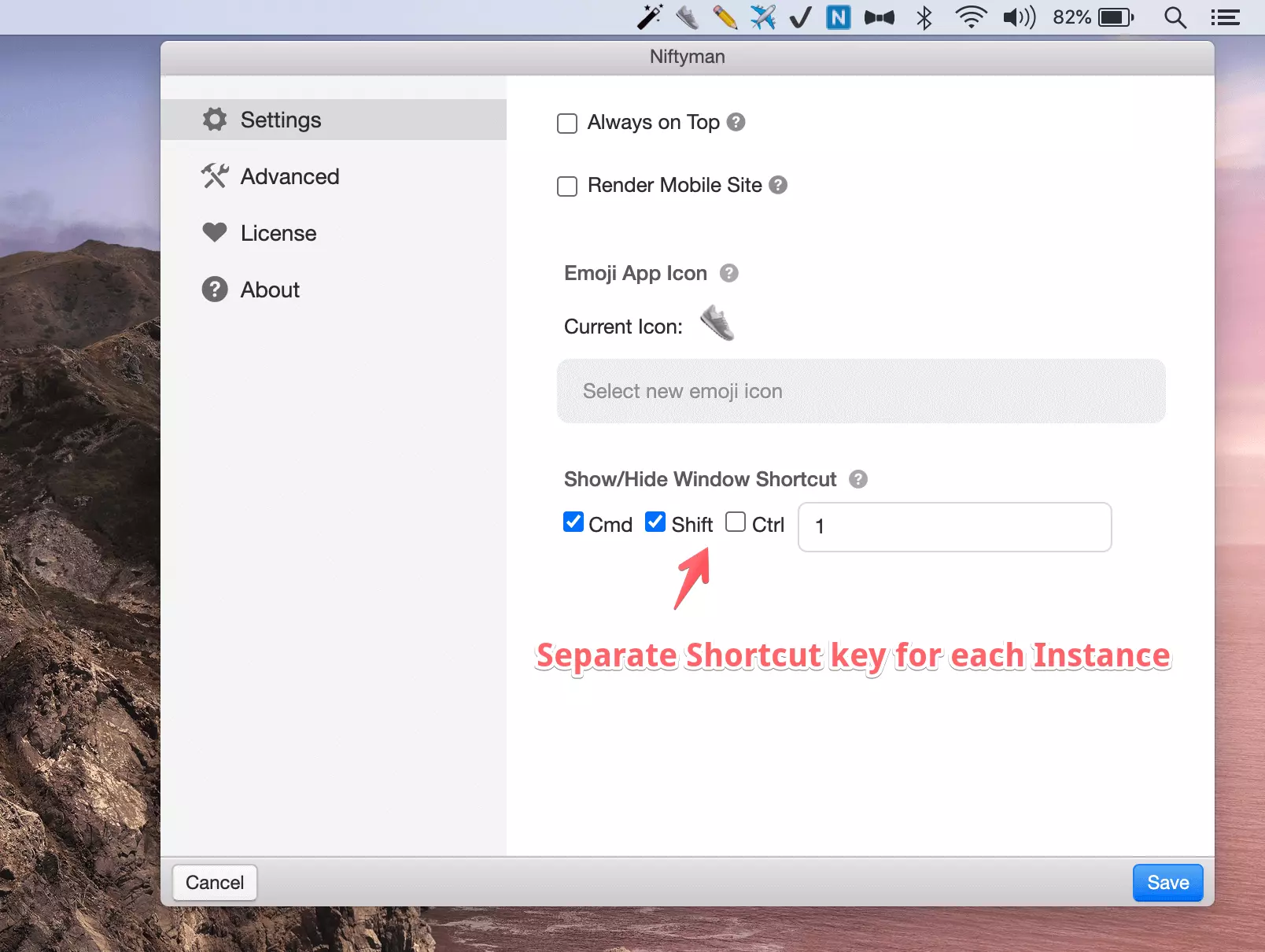
Keyboard shortcut for each instance 🎹
Boost your productivity to new heights by configuring "separate" keyboard shortcuts for each instance.
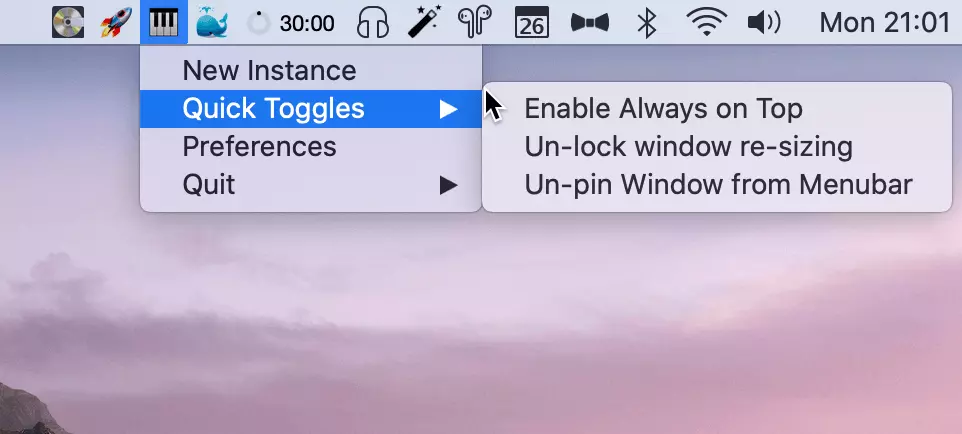
Quick Toggles
Quick toggles enable easy access to some handy features like "Always On Top", "Pin/Un-ping window", etc.
And many more!
Automatically save all customisations!
Niftyman saves all your customisations, like window size, icons, etc so that you don't have to re-configure them across restarts.
Always on top
You can make your Notion page stay on top of other Mac OS applications all the time using this feature in "Preferences"/"Quick Toggles".
Render Mobile site
Prefer Mobile version of site than the Desktop? No problem, you can enable that per instance.
Pin/Un-pin window
You can quickly toggle whether you want your window pinned to the top right hand corner in menubar or float around like a regular window using this option.
Lock window resizing
Triggering accidental re-sizes on your window? You can disable re-size per instance using this setting in "Quick Toggles".
Advanced Features
You can clear your local cache if Notion pages are not working as expected or reset all options to start fresh.