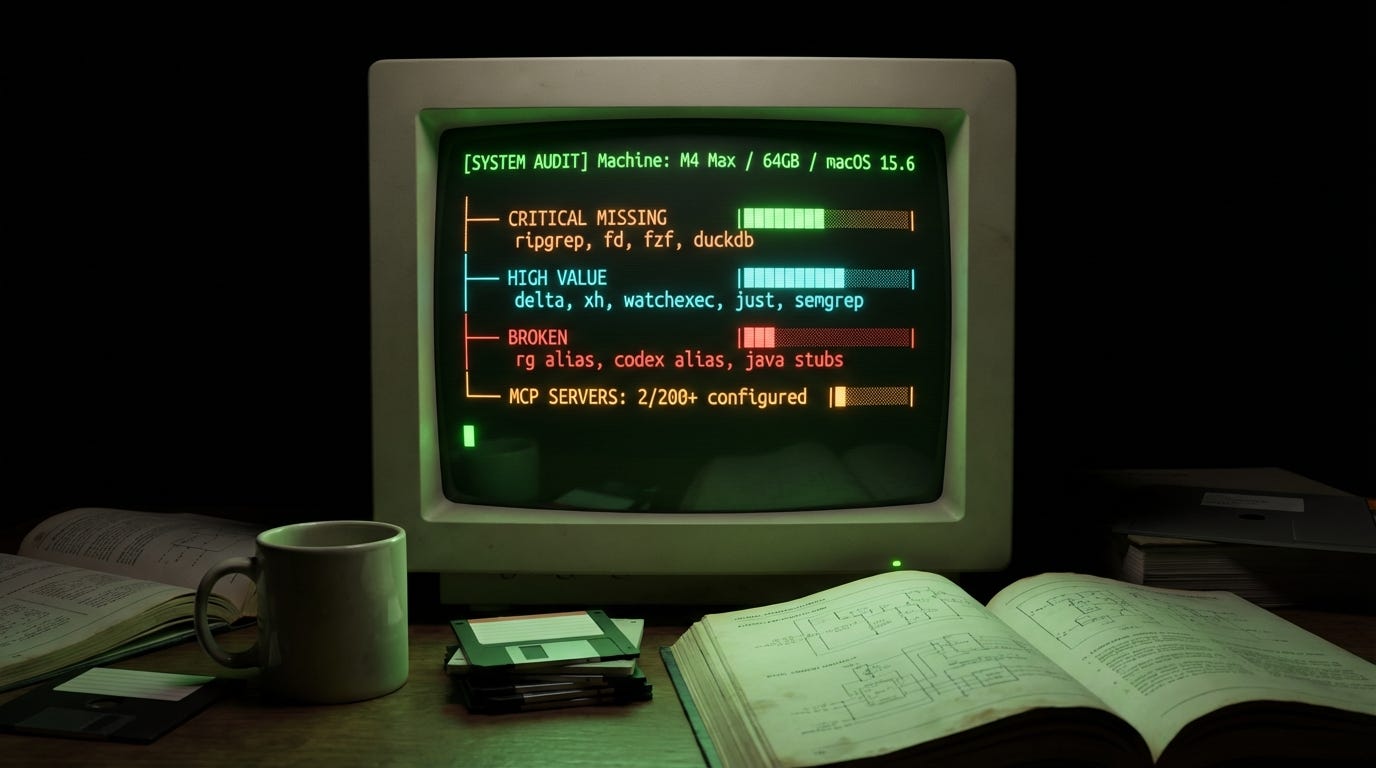
Your AI coding assistant has an environment:
the binaries in your PATH
the MCP servers in your config
the aliases in your shell
That environment directly affects the quality of what it produces and its efficiency. Do you know if it’s optimized for your agent? How do you know? I decided to ask.
“What tools are you missing to be effective on my machine? Analyze what’s installed, what’s missing, what’s broken, what’s redundant. Prioritize by impact on your ability to help me.”
It launched six parallel subagents, looped through every binary in my PATH, parsed my Homebrew packages, checked my MCP server configuration, inspected my shell aliases, and cataloged my global npm installs. It came back with a prioritized report: critical gaps, high-value upgrades, broken configs, and things I should uninstall. (!!!) It has obvious preferences towards its training data and SEO most probably.
Claude Code (probably) doesn't actually have preferences. It's generating recommendations based on patterns from its training data and its knowledge of what tools its own codebase-analysis features depend on. But that's precisely what makes the exercise useful. It knows what tools it can invoke and what happens when they're missing.
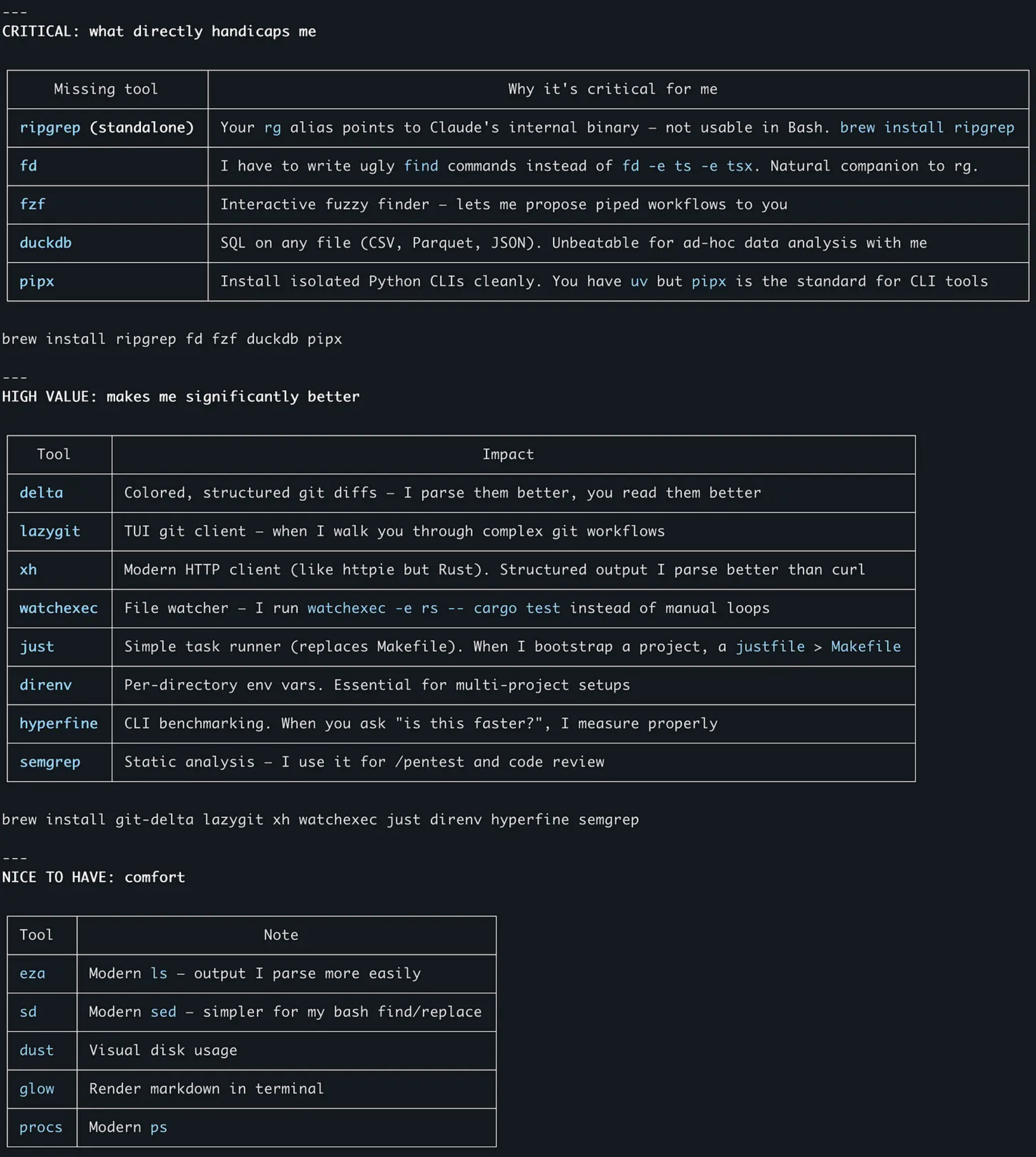
Beyond CLI, it also mentions some MCP servers but I won’t focus on them: @anthropic/mcp-server-fetch|memory|filesystem
ripgrep: a better grep: it's fast and respects `.gitignore` in git repositories.
fd: the modern find. Claude always need to look into files. When it writes shell commands dozens of times per session, shorter commands mean fewer syntax errors and less wasted context.
fzf, for interactive filtering. When Claude builds piped command chains like fd -e ts | fzf to let you select a file interactively.
DuckDB was the one I didn't expect. Claude wanted it for ad-hoc data analysis: running SQL directly on CSV, Parquet, or JSON files without import steps or server setup. It's a ~30MB binary with zero external dependencies. Claude's argument: "When you ask me to analyze data, I currently have to write Python scripts or parse things with jq. With DuckDB, I write one SQL query."
$ brew install ripgrep fd fzf duckdbClaude identified tools that improve the structure of the output it reads.
git-delta makes git diffs more parseable by adding line numbers and cleaner context boundaries. Raw “git diff” output is a wall of text with minimal structure. Delta breaks it into sections the AI can navigate more accurately. Ask Claude to setup its config properly for LLM consumption - the default is not good.
xh is curl with structured output. When Claude tests API endpoints, xh separates headers, status codes, and body cleanly. I don’t see massive different compared to curl -v but if Claude says it’s better (…).
$ brew install git-delta xhTwo tools that reduce back-and-forth in sessions:
watchexec watches for file changes and reruns commands automatically. watchexec -e rs -- cargo test replaces Claude writing polling loops or asking you to re-run things manually.
just as a task runner. When Claude bootstraps projects, it often creates Makefiles. Justfile is just simpler.
brew install watchexec justThis one is a commercial option, but basically, it just means: add any static code analysis to your pipelines!
semgrep lets Claude run static code analysis rules to be deterministic. When you ask for security review, there's a difference between "the AI thinks this looks like SQL injection" and "semgrep rule python.django.security.injection.sql flagged this line.". This is ABSOLUTELY the right kind of feedback loop to have in any LLM loop.
brew install semgrepThe specific tools matter less than what this exercise revealed.
Addy Osmani argues for treating the LLM as a pair programmer that needs clear direction, context, and the right tools. We set up laptops for new engineers. We give them a .env files, IDE, extensions, various CLIs, credentials. We must do the same for for the AI writing code with us. Their tooling is different from ours.
If you use Nix flakes or dev containers, you could version-control this setup and make it reproducible, that would include the AI's preferred tools alongside your own.
For fellow macOS users, the one liner:
brew install ripgrep fd fzf duckdb git-delta xh watchexec just semgrepThe best way to get more from your AI coding assistant isn't just a better prompt, it's a better PATH.