
Easily schedule Claude tasks to run in the background
Wake up to finished work every morning. Stay ahead of the curve while others are still catching up.

macOS 10.13+Apple Silicon & Intel
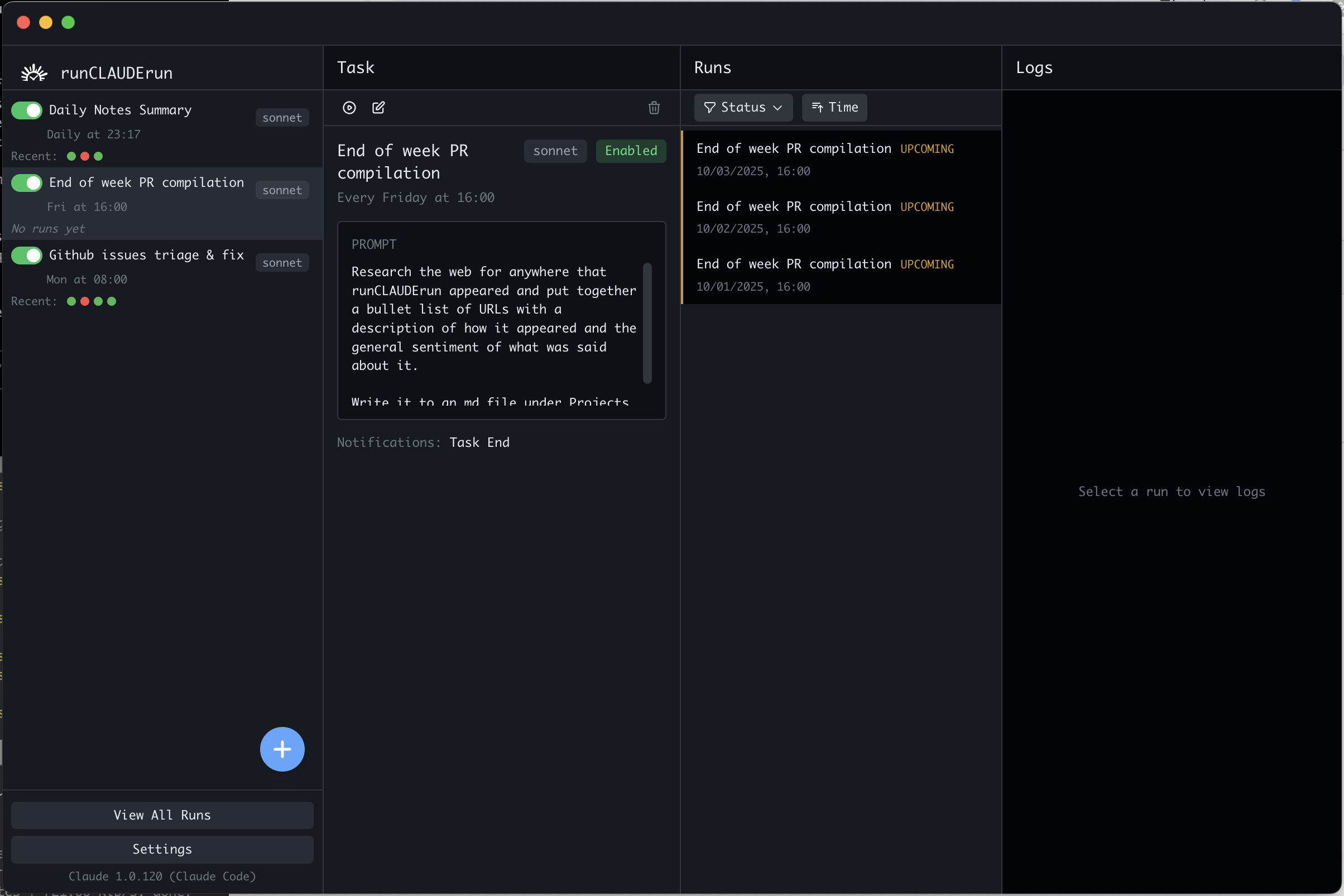
Watch 2-min Demo
Everything You Need
Powerful automation without the complexity
Runs Locally
Everything runs on your Mac. Your data stays with you.
Background Execution
Schedule tasks to run at specific times, even when you're away.
Native macOS App
Clean interface that fits naturally into your workflow.
Flexible Scheduling
Set tasks to run once, daily, weekly, or on custom intervals.
Automatic Updates
New features and improvements download in the background.
Task History
View logs and outputs from past runs.
Support Us on Product Hunt Today! 🚀
We're featured on Product Hunt! Your upvote helps more developers discover runCLAUDErun and shows support for our mission to make Claude automation accessible to everyone.

Every vote counts! Help us reach #1 Product of the Day
What People Are Saying
Feedback from early users
"Way easier than dealing with cron jobs. I can actually understand what's running when."
Sarah Chen
DevOps Engineer
"Clean interface, solid execution. Does exactly what I need it to do."
Marcus Rodriguez
Full Stack Developer
"Love that everything runs locally. No cloud dependencies, no privacy concerns."
Alex Thompson
Data Scientist
Frequently Asked Questions
What is runCLAUDErun?
runCLAUDErun is a native macOS app that lets you schedule and automate Claude Code tasks. Instead of manually running commands or dealing with cron jobs, you can set up tasks to run automatically at specific times or intervals.
How can I schedule Claude Code tasks?
Download runCLAUDErun for macOS. It gives you a simple interface to schedule any Claude Code task to run automatically at specific times or on recurring schedules. Learn how to automate Claude.
Do I need a Claude subscription?
Yes, runCLAUDErun works with the official Claude Code from Anthropic. You'll need an active Claude subscription and Claude Code installed on your Mac.
How do I run Claude Code tasks automatically?
runCLAUDErun lets you automate Claude Code tasks without writing scripts or cron jobs. Just set your task, pick a schedule, and it runs in the background.
What can I automate with runCLAUDErun?
Anything you can do with Claude Code - code reviews, content generation, data analysis, report generation, and more. If you can write a Claude prompt for it, you can schedule it.
Is there a GUI for scheduling Claude Code?
Yes, runCLAUDErun provides a native macOS interface for scheduling and managing Claude Code tasks. No command line required.
Does it work on Apple Silicon and Intel Macs?
Yes! runCLAUDErun supports both Apple Silicon (M1/M2/M3) and Intel Macs running macOS 10.13 or later.
What's the easiest way to automate Claude on Mac?
runCLAUDErun is the simplest solution for Mac users. Download the app, create your tasks, set schedules, and let it run automatically.
Is runCLAUDErun free?
Yes, runCLAUDErun is completely free to download and use.
Do I have to sign up for this?
No, you don't need to sign up, login or pay anything. We recommend you leave your email below, however, to get regular updates.