The trackball that merges pointing and 3D control.
Same hand · Same ball · Different meanings
Invented, designed, and built independently.
Experimental · Limited run
The core idea
One device, many capabilities
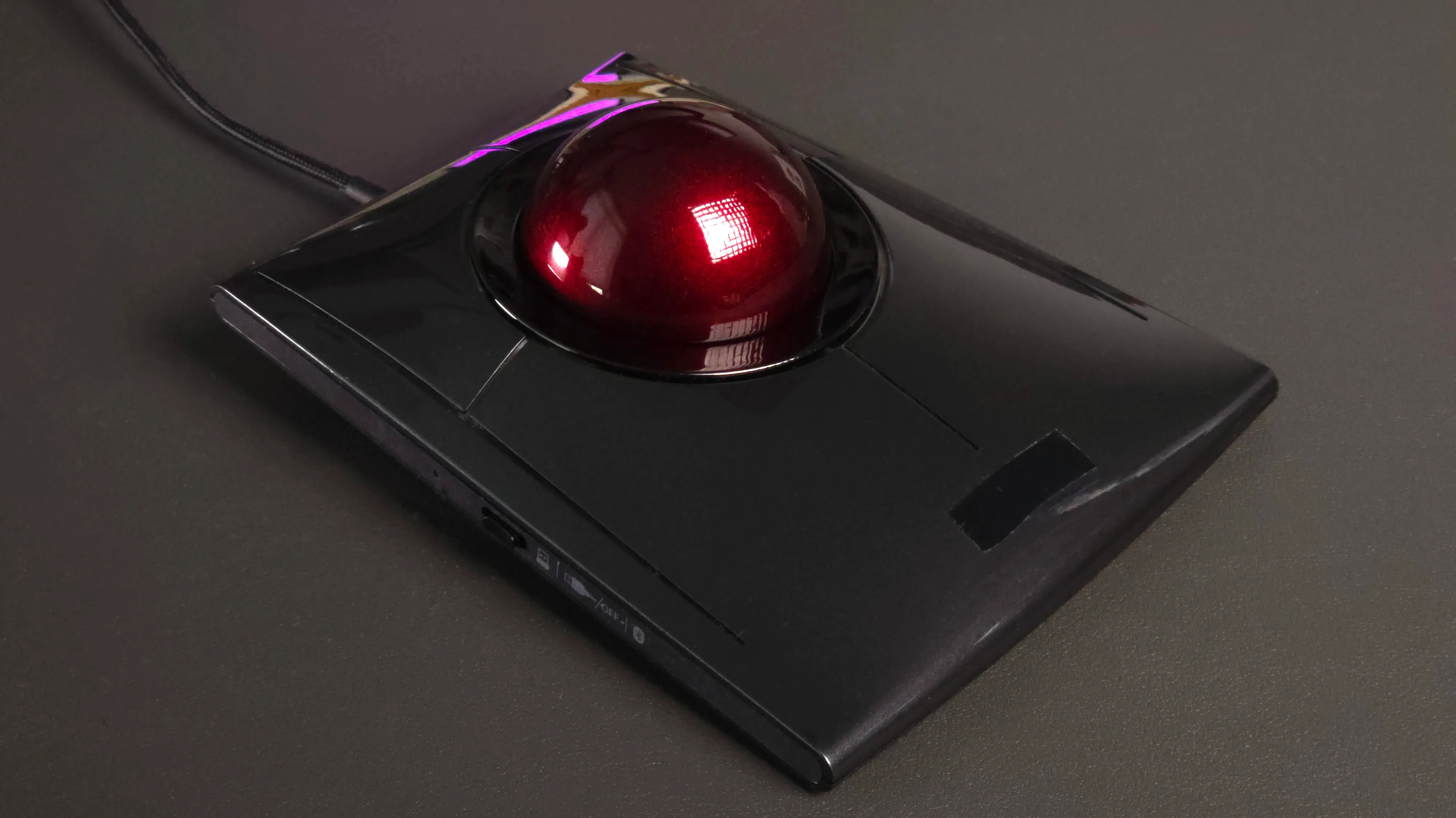
Traditional trackballs treat the ball as a 2D input — at most, twist adds scrolling. There's a whole dimension being underused.
Rotatrix unlocks that extra dimension. Using custom hardware and firmware, it measures high-fidelity, continuous 3-axis rotation of the ball.
It's still your everyday trackball for pointing and scrolling — but in 3D apps, the same ball also gives you direct control of rotation, translation, and camera navigation.
What you can do
Direct position control
Like a mouse, not a joystick: the ball moves, the object follows.
Rotate
Direct 1:1 rotation of the object on screen.
Translate
Move objects on screen like a mouse. Push the side of the ball to slide them back in Z — the physical gesture matches the motion. Direct position control in 3D.
Navigate
Roll the ball to move and strafe, twist to turn — like walking through a space. When you need smooth travel over large distances, switch to rate mode — the trackball's infinite rotation allows silky-smooth adjustment.
Orbit
Rotate the camera around an object for close-up work — then click and select without moving your hands. 3D navigation and 2D pointing on the same device, seamlessly.
All mappings are fully customizable. These are starting points — tune them to your workflow.
Built for control
Switchable modes
Hold a button or key to change what the ball does: mouse, pan and scroll, 3D rotation, translation, 3D movement on a plane, camera look, and more.
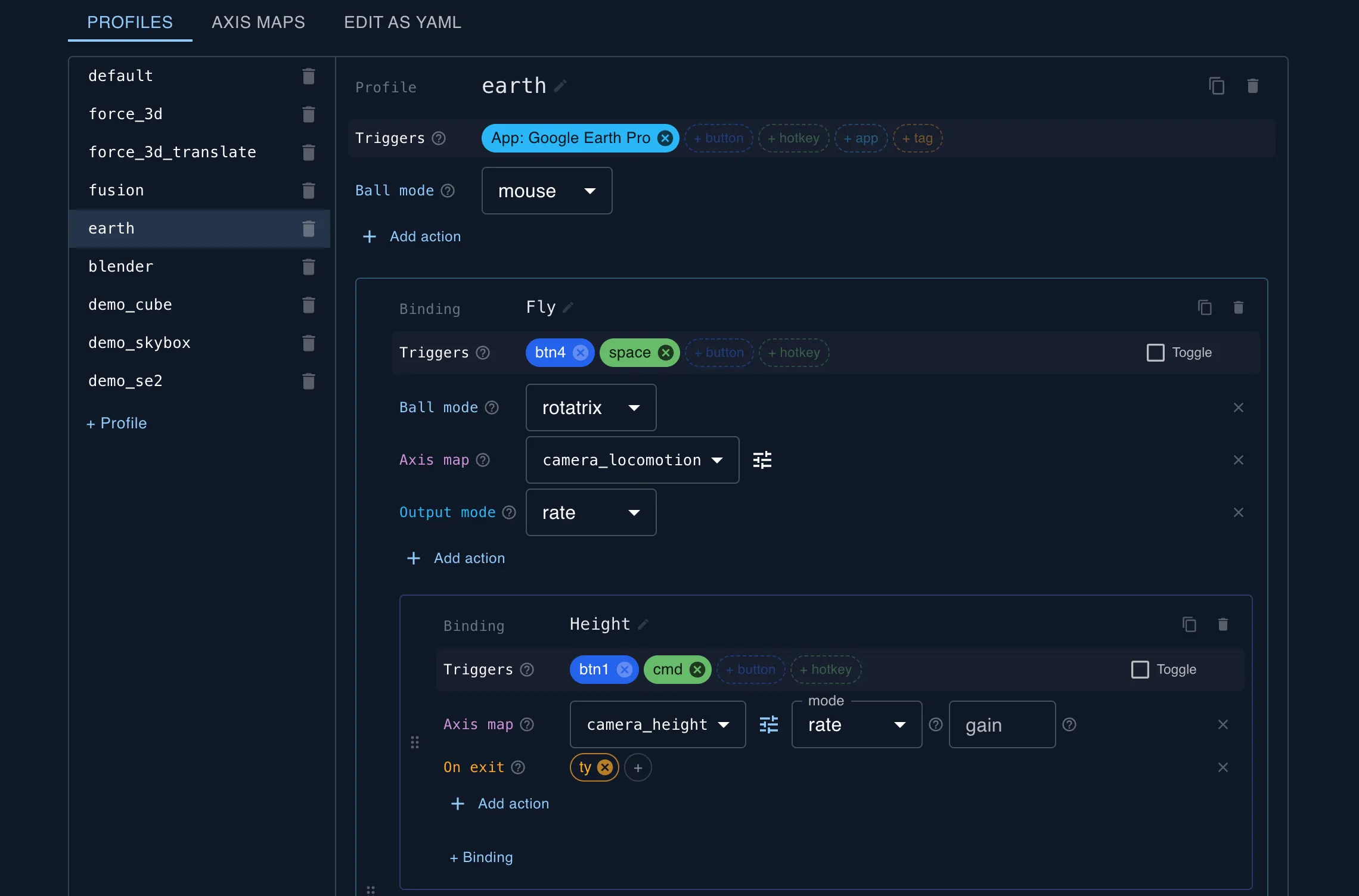
Customizable bindings
Full user control over mappings and bindings per application. Share and import profiles from other users.
Open output protocol
Developers and users can build their own integrations for the apps and sites they care about. Applications can also send context back — like active tool, selection state, or viewport mode — enabling richer, context-aware control beyond simple hotkeys.
Why this exists
I switched to a trackball for ergonomics, and realized it could do much more.
The ball has three degrees of freedom — but traditional trackballs only use two. The twist is only used to scroll, or ignored entirely.
Meanwhile, 3D work on a desktop is frustrating: mouse rotation means endless click-and-drag. Dedicated 3D devices take up desk space and need a second hand. Every workflow involves switching between tools that each do one thing.
What if one device handled all of it?
FAQ
How is this different from a SpaceMouse?
Fundamentally different control model. A SpaceMouse is a rate controller — you push a tiny puck ~2mm to set a speed and direction, like a joystick. A trackball is position control — the ball moves and the object follows directly, like a mouse. This means rotation and translation feel immediate and physical, and you get unlimited continuous rotation in any direction instead of ±6° of twist.
Beyond control feel: Rotatrix is your everyday pointing device with 3D unlocked, not a second device. One hand position, one desk footprint. You keep keyboard access for shortcuts during 3D navigation.
Tradeoff: SpaceMouse gives you 6 simultaneous degrees of freedom vs 3 from the ball, so smooth simultaneous pan+zoom+rotate is where SpaceMouse still has an edge. Rotatrix handles this through mode switching and intelligent mappings.
Why not just use a mouse for 3D?
A mouse gives you 2D input. Rotating a 3D object with a mouse means repeated click-and-drag gestures, constantly fighting the 2D constraint. A trackball has a third degree of freedom — the twist of the ball — that mice physically can't provide. Rotatrix captures that twist at high fidelity, giving you direct 3-axis orientation control in a single gesture.
Why not just use a trackpad for 3D?
A trackpad with gestures (pinch to zoom, two-finger swipe, shift+swipe) can give you roughly 5 degrees of freedom — but only one or two at a time, sequentially. Each gesture is a separate action with a separate hand shape. Rotatrix gives you 3 axes of continuous, simultaneous control in a single motion. That simultaneity is a fundamentally different feel — closer to holding and turning a physical object than issuing a sequence of commands.
Is it hard to avoid unintentional twist/roll input?
It depends on what you're doing. The software has configurable dominant-axis filtering that you can tune to your preference. For full 3D rotation it feels natural with a small amount of axis filtering, and translation seems to benefit from a bit more. Intelligently selecting single-axis movement is an active area of development, and exactly the kind of thing I want early adopter feedback on. Your real-world workflows will shape how this evolves.
What trackball is this based on?
The current version is built on the Kensington SlimBlade Pro, a high-end ergonomic trackball. A custom controller replaces the stock one when connected over the wired connection. The original trackball functionality is fully preserved in Bluetooth and wireless receiver modes.
What software does it work with?
I'm building native plugins starting with the tools early adopters use most. Tell me what applications you'd most like to use Rotatrix with, and I'll prioritize accordingly.
What operating systems are supported?
The codebase is cross-platform. Initial release will focus on one OS based on early adopter interest — mention your OS in your application.
How's the latency?
In mouse mode, the custom controller polls at 1ms — faster than stock. End-to-end latency depends on the application and output path. 3D control currently processes at 60fps with a clear path to 120fps.
How much does it cost?
Rotatrix is priced as a specialized professional tool. Sign up for early access to get pricing details.
Early access
I'm looking for people to try this.
I'm inviting people to use Rotatrix and help shape how it evolves. It's early — rough edges and all — and I want feedback from people who'll actually use it.
The current run is experimental hardware — a custom controller and software built on the Kensington SlimBlade Pro. The original trackball works normally over Bluetooth and wireless — the custom controller only activates over the wired connection.
Units are individually built, calibrated, and tested. Pricing will be closer to specialized professional tools than mass-market peripherals.
Not ready? Get updates on future demos and releases instead.
No spam. No hype.