What This Article Covers
This article presents a practical journey to add Linux support for the HOPERF CMT2300A Sub-GHz RF transceiver - starting from extracting register configuration tables out of vendor firmware, to building and testing a Linux driver on real hardware.
You'll learn:
- How TP-Link's driver situation motivated this effort
- How firmware was extracted and analyzed
- How to build and load the custom driver on Raspberry Pi
- How to verify real on-air packet RX
This is aimed at embedded Linux developers, reverse engineers, and RF hackers. It is not a beginner Linux kernel tutorial nor a full CMT2300A datasheet walkthrough; the focus is on practical bring-up and reproducibility.
About the CMT2300A RF Transceiver
The CMT2300A is a low-power Sub-GHz transceiver chip commonly found in consumer IoT and smart-home products. It supports OOK/FSK modulation, is controlled over SPI-like protocol, and exposes several GPIOs for status and control. The hardware itself is well suited for Linux-based embedded systems when a proper driver is available.
Why this work exists
Several consumer devices (notably TP-Link Sub-GHz products) ship with the CMT2300A transceiver and run Linux internally. While the Linux blobs clearly contain a driver for this radio, the corresponding source code is not released, despite GPL obligations.
The TP-Link partial GPL code for Tapo H200 Smart Hub product is available at Tapo H200 GPL Code.
Rather than speculating or arguing about compliance, this project takes a different approach:
Implement a clean-room, open Linux driver for the CMT2300A.
The goal is to make the hardware usable on mainline Linux systems without relying on vendor blobs or leaked code.
Our HOPERF CMT2300A Linux kernel driver is available at Sub-1G-CMOSTEK-v3.
Why Integrate with the Linux Sub-GHz Stack?
One obvious alternative would be to expose the radio via spidev and handle everything in userspace. That approach was intentionally avoided. Integrating with the Linux Sub-GHz networking stack provides:
Deterministic interrupt handling (important for packet RX)
Kernel-level packet timestamping
A consistent abstraction aligned with existing Sub-GHz radios
A path toward future MAC and regulatory integration
Cleaner long-term maintenance than ad-hoc userspace drivers
Why CMT2300A Support Matters
The CMT2300A (and related CMOSTEK parts) appear in:
Consumer IoT devices
Smart switches and remotes
Low-cost Sub-GHz modules
Linux-based embedded products
Despite this, open Linux support has historically been poor or nonexistent.
This work demonstrates that:
Vendor lock-in is not technically necessary
Sub-GHz radios can be cleanly supported on Linux
Reverse-engineering can be done responsibly and transparently.
Random brain-dump of the commands used in this journey
List TP-Link firmwares:
$ aws s3 ls s3://download.tplinkcloud.com/firmware --recursive --no-sign-request > firmware_files.txt
Grab firmware for the device:
$ wget http://download.tplinkcloud.com/firmware/H200-up-ver1-2-8-P120221202-rel70835-signed_1672196982386.bin
Decrypt the firmware using tp-link-decrypt program.
Analyze the decrypted firmware files using binwalk:
$ binwalk H200-up-ver1-2-8-P120221202-rel70835-signed_1672196982386.bin.dec
...
---------------------------------------------------------------------------------------------------------------------------------------------------------------------------------------------------------------------------------------
DECIMAL                            HEXADECIMAL                        DESCRIPTION
---------------------------------------------------------------------------------------------------------------------------------------------------------------------------------------------------------------------------------------
169525                             0x29635                            uImage firmware image, header size: 64 bytes, data size: 1479775 bytes, compression: lzma, CPU: MIPS32, OS: Linux, image type: OS Kernel Image, load address:
                                                                      0x80000000, entry point: 0x8000C190, creation time: 2022-12-02 11:47:24, image name: "Linux Kernel Image"
1676853                            0x199635                           SquashFS file system, little endian, version: 4.0, ...
...
Extract the kernel image:
$ dd if=H200-up-ver1-2-8-P120221202-rel70835-signed_1672196982386.bin.dec of=uImage bs=1 skip=169525
$ file uImage
uImage: u-boot legacy uImage, Linux Kernel Image, Linux/MIPS, OS Kernel Image (lzma), 1479775 bytes, Fri Dec  2 11:47:24 2022, Load Address: 0X80000000, Entry Point: 0X8000C190...
$ dumpimage -l uImage
Image Name:   Linux Kernel Image
Created:      Fri Dec  2 17:17:24 2022
Image Type:   MIPS Linux Kernel Image (lzma compressed)
Data Size:    1479775 Bytes = 1445.09 KiB = 1.41 MiB
Load Address: 80000000
Entry Point:  8000c190
We then added support for analyzing LZMA compressed uImage files to IDA Pro's uimage.py loader.
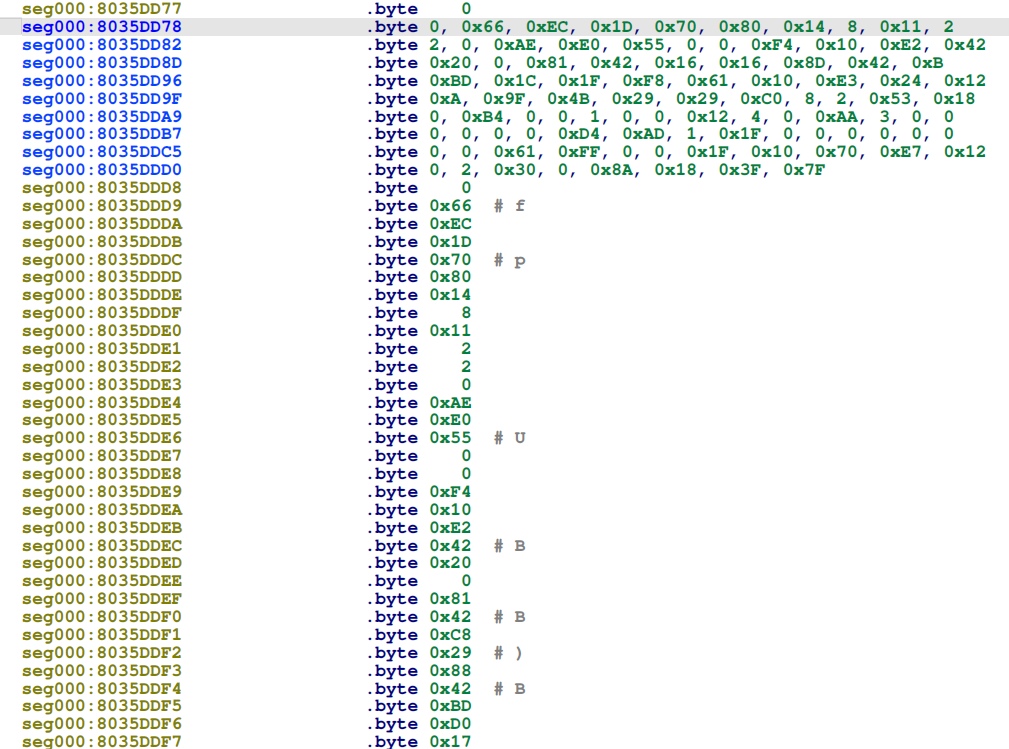
Within IDA Pro, we first locate register bank tables by looking for known patterns of register writes found in other CMT2300A open-source repos (e.g., GitHub CMT2300A projects).
We found a bunch of hits for this EC6600 binary search string. By dumping and reusing these register banks configuration values we ensure that the CMT2300A hardware is configured in the same way as the Tapo ecosystem devices.
Hacking on the Raspberry Pi system
Building the CMT2300A driver on a 64-bit Raspberry Pi Zero 2W Linux system:
$ sudo apt install linux-headers-rpi-v8 git build-essential \
    bc bison flex libssl-dev make device-tree-compiler -y
$ git clone -b Sub-1G-CMOSTEK-v3 --depth 1 https://github.com/kholia/linux.git

$ cd linux/drivers/net/sub1g

$ make; sudo rmmod cmt2300a; sudo insmod ./cmt2300a.ko; sudo dmesg -c; sudo chmod 777 /dev/sub1g_dev00
make -C /lib/modules/6.12.47+rpt-rpi-v8/build M=/home/pi/linux/drivers/net/sub1g modules
make[1]: Entering directory '/usr/src/linux-headers-6.12.47+rpt-rpi-v8'
make[1]: Leaving directory '/usr/src/linux-headers-6.12.47+rpt-rpi-v8'
[ 6543.577012] cmt2300a spi0.0: CMT2300A probe starting
[ 6543.585315] cmt2300a spi0.0: CMT2300A initialized successfully
The HOPERF TRx Development module CMT2300A-EM-868 module can be connected to a Raspberry Pi Zero 2W system using the following connection diagram:
CMT2300A → Raspberry Pi Wiring
| CMT2300A Pin | Raspberry Pi Pin | Function |
|---|---|---|
| SDIO | Pin 11 (GPIO17) | SPI MOSI/MISO |
| SCLK | Pin 12 (GPIO18) | SPI SCLK |
| CSB | Pin 13 (GPIO27) | SPI CS |
| FCSB | Pin 15 (GPIO22) | Secondary CS / Control |
| GPO1 | Pin 16 (GPIO23) | Interrupt / Status |
| VCC | Pin 17 (3.3V) | Power (⚠️ Not 5V!) |
| GPO2 | Pin 18 (GPIO24) | Optional GPIO |
| GPO3 | Pin 22 (GPIO25) | Optional GPIO |
| GND | Pin 14 (GND) | Ground |
pi@rf:~ $ pinout
Description        : Raspberry Pi Zero2W rev 1.0
Revision           : 902120
SoC                : BCM2837
RAM                : 512MB
Storage            : MicroSD
USB ports          : 1 (of which 0 USB3)
Ethernet ports     : 0 (0Mbps max. speed)
Wi-fi              : True
Bluetooth          : True
Camera ports (CSI) : 1
Display ports (DSI): 0

...

J8:
   3V3  (1) (2)  5V
 GPIO2  (3) (4)  5V
 GPIO3  (5) (6)  GND
 GPIO4  (7) (8)  GPIO14
   GND  (9) (10) GPIO15
GPIO17 (11) (12) GPIO18
GPIO27 (13) (14) GND
GPIO22 (15) (16) GPIO23
   3V3 (17) (18) GPIO24
GPIO10 (19) (20) GND
 GPIO9 (21) (22) GPIO25
GPIO11 (23) (24) GPIO8
   GND (25) (26) GPIO7
 GPIO0 (27) (28) GPIO1
 GPIO5 (29) (30) GND
 GPIO6 (31) (32) GPIO12
GPIO13 (33) (34) GND
GPIO19 (35) (36) GPIO16
GPIO26 (37) (38) GPIO20
   GND (39) (40) GPIO21

For further information, please refer to https://pinout.xyz/
Actual traffic sniffing (RX) session
pi@rf:~ $ ./rx_test.sh
=== CMT2300A RX Test ===

Waiting for packets on /dev/sub1g_dev00...
Press Ctrl+C to stop

16:28:35 - Packet #1 received:
c1e0d3622a006c0cef15390227010200078080ea23

16:28:35 - Packet #2 received:
c5e0d3622a006c0cef1539022701020007808e5e5b

16:28:36 - Packet #3 received:
c9e0d3622a006c0cef1539022701020007808d8bca

16:28:40 - Packet #4 received:
cde0d3622a006c0cef1539022701020008010bda

16:28:40 - Packet #5 received:
010cef15390227e0d3622a006c010200090149ac

16:28:40 - Packet #6 received:
d1e0d3622a006c0cef153902270102000a00209f6d8f5c18

16:28:40 - Packet #7 received:
010cef15390227e0d3622a006c010200204f939cceca636cc10000137f <<< session seed shared here (0x4F939CCE)!

16:28:40 - Packet #8 received:
d5e0d3622a006c0cef1539022701020021772deed00023d445000600ca91

16:28:40 - Packet #9 received:
010cef15390227e0d3622a006c010200224f939cceca636cc10d17

16:28:41 - Packet #10 received:
d9e0d3622a006c0cef15390227010200460020fe6600000002d3fc3f66000600000000
RX is simple
$ cat rx_test.sh
#!/bin/bash
# Simple RX test script - reads packets from CMT2300A

DEVICE="/dev/sub1g_dev00"

if [ ! -e "$DEVICE" ]; then
    echo "Error: $DEVICE not found!"
    echo "Make sure the driver is loaded."
    exit 1
fi

echo "=== CMT2300A RX Test ==="
echo ""
echo "Waiting for packets on $DEVICE..."
echo "Press Ctrl+C to stop"
echo ""

# Read packets in a loop
packet_count=0
while true; do
    # Read from device (will block until packet received)
    # Use dd to read binary data properly
    if timeout 60 dd if="$DEVICE" bs=256 count=1 2>/dev/null > /tmp/rx_packet.bin; then
        packet_count=$((packet_count + 1))
        echo "$(date '+%H:%M:%S') - Packet #$packet_count received:"
        # Single-line hexdump with canonical format for easy copy/paste
        xxd -p /tmp/rx_packet.bin | tr -d '\n' && echo
        echo ""
    else
        ret=$?
        if [ $ret -eq 124 ]; then
            echo "$(date '+%H:%M:%S') - No packet in last 60 seconds..."
        else
            echo "$(date '+%H:%M:%S') - Error reading: $ret"
            echo "Check dmesg for details:"
            echo "  sudo dmesg | tail -20"
            break
        fi
    fi
done

echo ""
echo "=== RX Test Stopped ==="
TX is simpler ;)
$ echo -en 'Hello, World!' > /dev/sub1g_dev00
Arduino Support
rfm300-rp2040 provides Arduino support for CMT2300A - both RX and TX are supported as usual.
Tip: Arduino device drivers can be easily ported to the Linux kernel ;)
Renode Fun
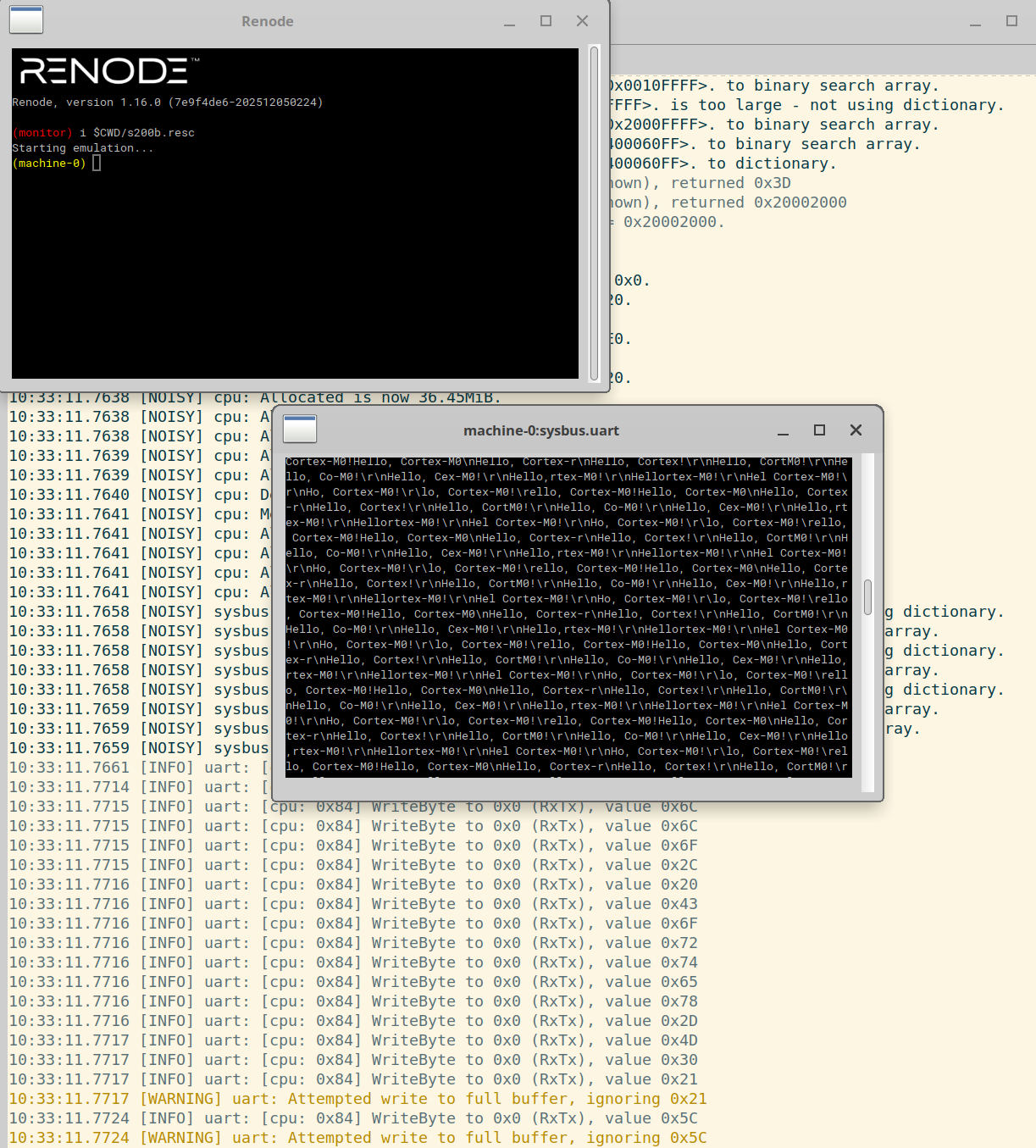
https://renode.io/ is excellent. One idea is to run the extracted Tapo S200B firmware under Renode. So far, we have had limited success with this approach.
Final Thoughts
This project is less about a single RF chip and more about a pattern:
Recovering usable Linux support for undocumented radios in the wild.
If you are working on similar hardware - especially Sub-GHz devices hidden inside consumer products - the same approach applies.
The reversing challenge

How does the Tapo S200B Smart Button communicate with the Tapo H200 Smart Hub using this Sub-GHz transceiver?
Can we generate Tapo S200B like button presses using custom alternate hardware?
Can we replay / predict the RF packets?
Finally, can we build our own Tapo-Compatible devices?
https://fcc.report/FCC-ID/2AXJ4S200B
https://fcc.report/FCC-ID/2AXJ4H200
These FCC test reports serve as good starting points for the reversing work.
By opening up the Tapo S200B Smart Button we found out that it uses the BAT32G133GC24SS MCU chip. We were subsequently able to dump (and even debug!) the firmware from S200B using a J-Link debug probe.
Stay Tuned Folks!
Note: Stay tuned; more updates are on the way for this page.

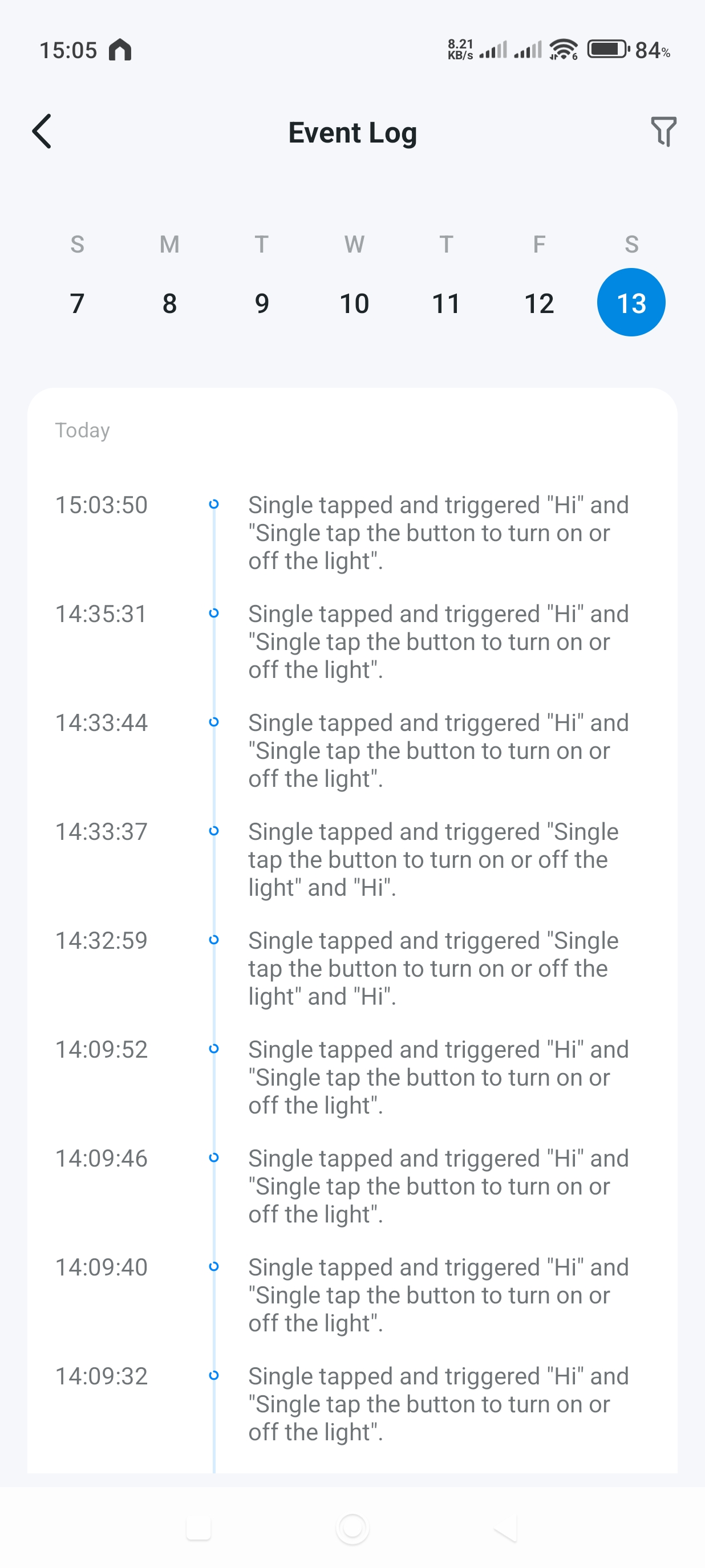
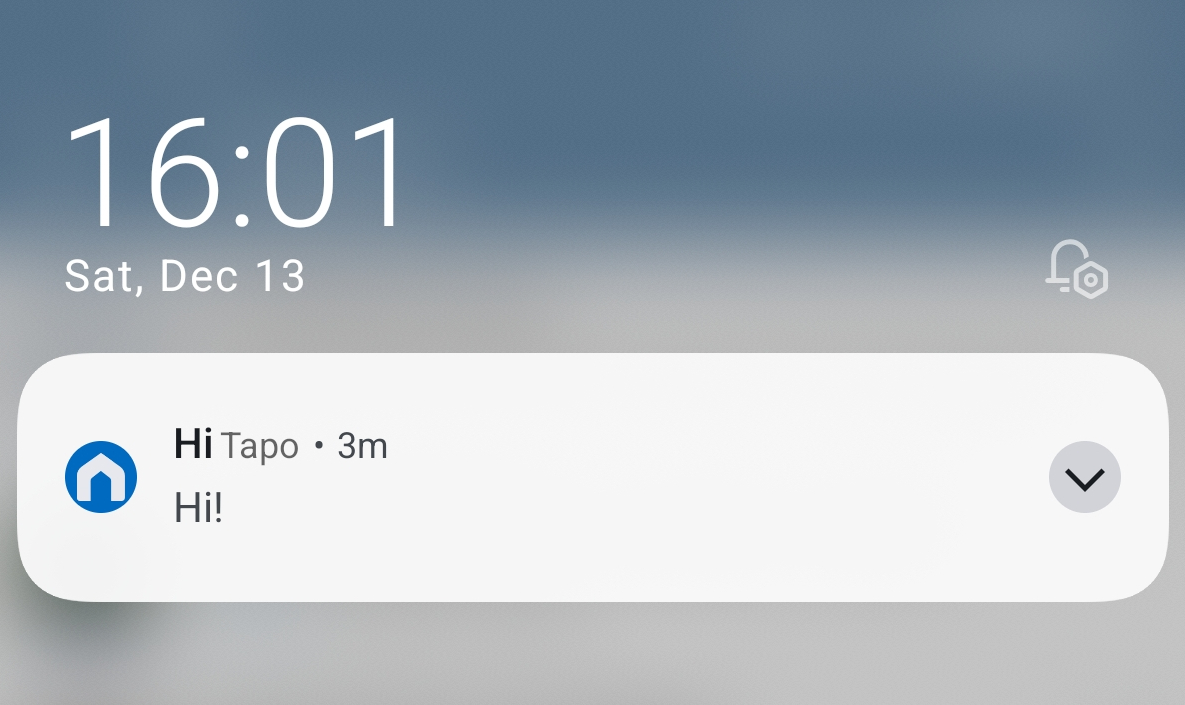
We can now generate valid key-press events from our custom hardware platform.
References: