See how RewriteBar transforms your writing with AI-powered
Open Text With RewriteBar
Trigger RewriteBar with a simple keyboard shortcut. The main window will load your current selection and you can choose from available actions in a clear layout, allowing for quick navigation with either mouse or keyboard.
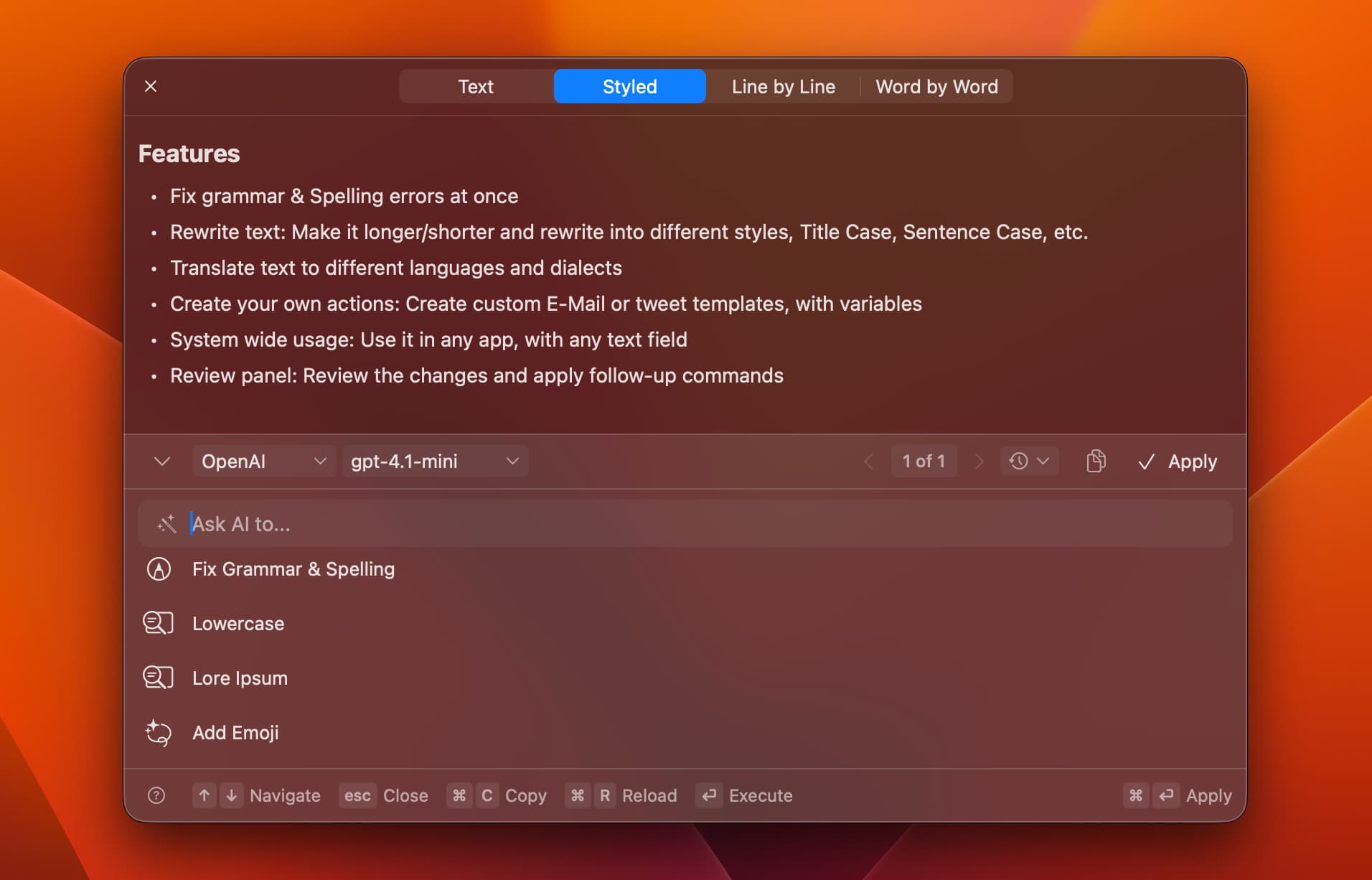
Fix Grammar and Spelling
Instantly correct grammar and spelling errors before sending messages. The AI understands context and fixes all errors at once, catching mistakes that other tools might miss.
Translate to 500+ Languages
Translate text directly inside your current app. It works with words, sentences, or even code across more than 500 supported languages.
For example:
- English -> German
- UK English -> US English
- English -> Yoda-style
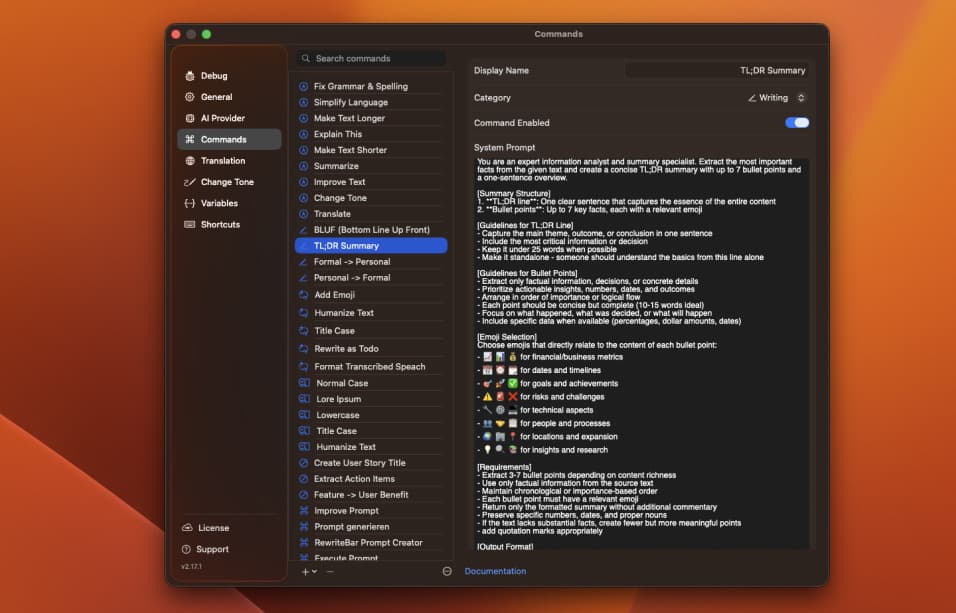
Use Personalized Actions
Create your own actions to match your needs. Choose one of the available presets and customize them to your own needs.
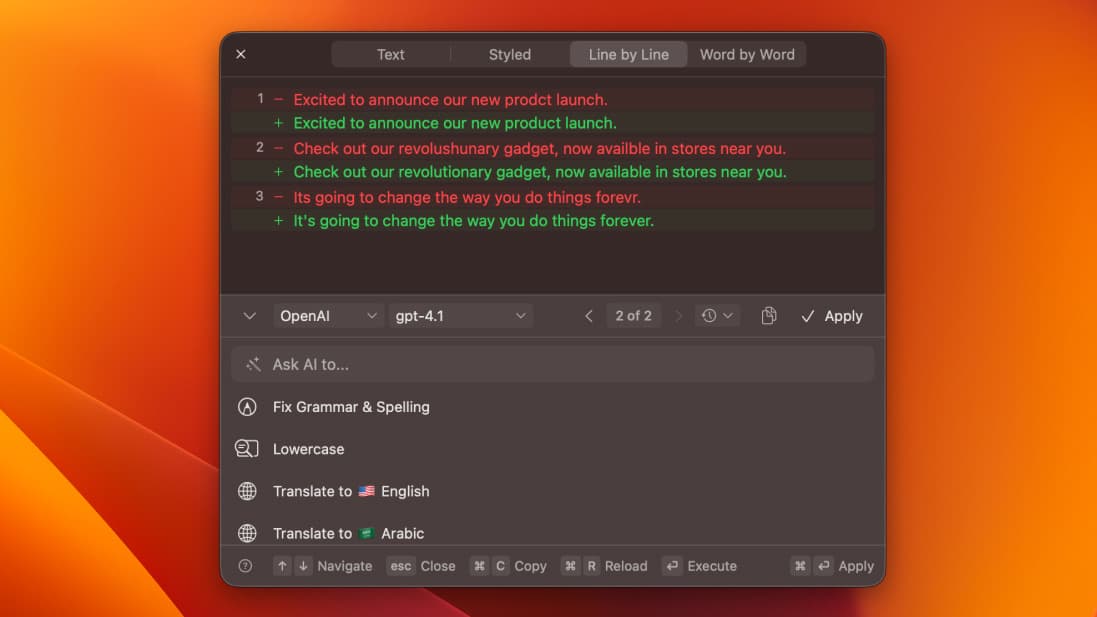
Compare Your Changes
Review your rewritten text side by side with the original. Compare line by line or word by word to see exactly what changed.
Run Multiple Actions in One Flow
Combine several actions to transform your text step by step — expand it, add emojis, translate, or rewrite titles, all in one smooth sequence.
PopClip Integration
Install the RewriteBar extension and trigger RewriteBar directly from the PopClip menu. RewriteBar offers multiple snippets to either trigger commands or open a selection.
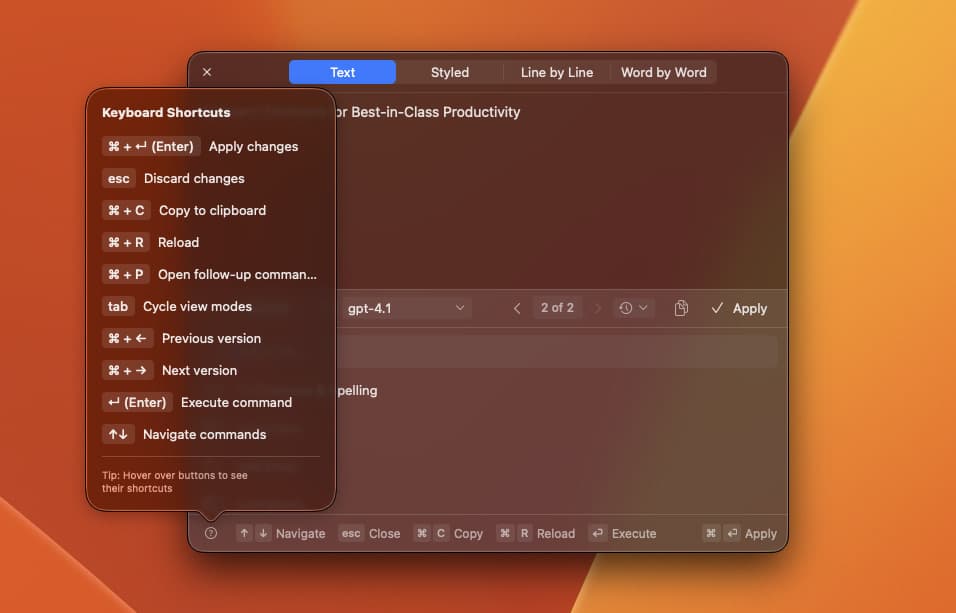
Keyboard Shortcuts
Use keyboard shortcuts to trigger RewriteBar and apply actions with keyboard controls. This allows you to enhance your efficiency substantially.
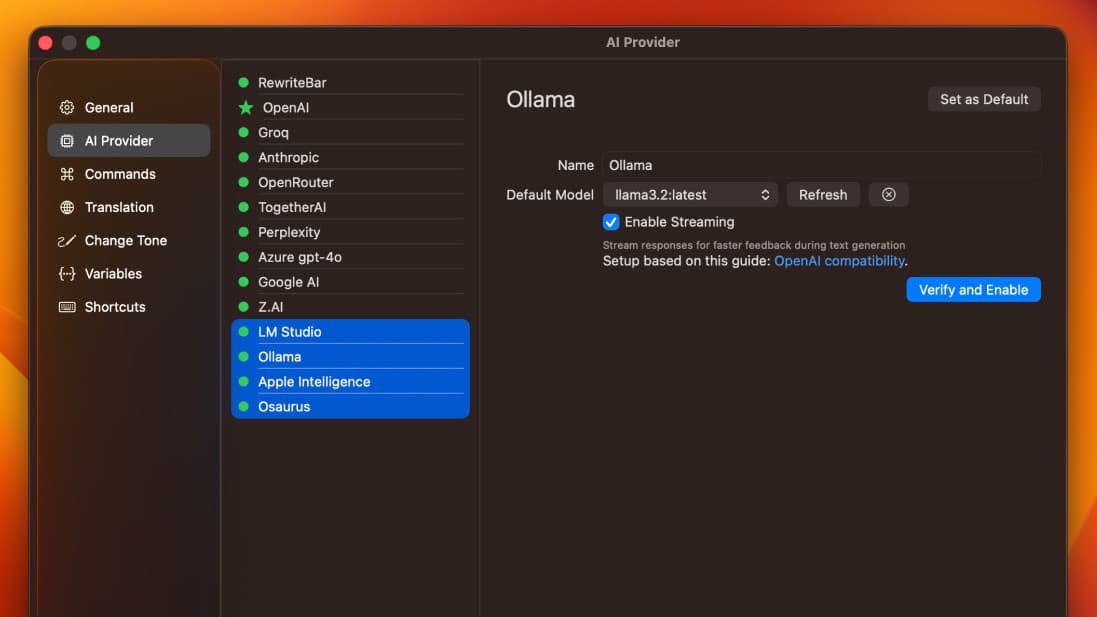
Works With Local AI Models
Use offline AI Models for maximum privacy and speed.
Supported Providers:
- Ollama
- LM Studio
- Apple Intelligence
- Osaurus
Go beyond grammar and spelling. Create custom workflows that fit your writing style — from generating lorem ipsum text to transforming action items into clear user stories.
RewriteBar brings AI-powered improvements to any workflow — from debugging to storytelling.
Use Cases for Daily Writer
Fix Grammar & Punctuation
Editing
Highlight your draft and fix all grammar errors.
Fix grammar & SpellingCorrect punctuation
Adjust Tone for Publication
Tone
Rewrite text to match formal, conversational, or editorial tone.
Adjust toneRewrite for clarity
Expand Short Paragraphs
Expansion
Select a brief paragraph and expand it into a full section.
Expand textMaintain style
Summarize Research Notes
Summarization
Turn long reference material into a concise preparation summary.
Summarize textExtract key insights
Generate Catchy Headlines
Creativity
Select your topic or title and generate multiple headline options.
Generate title ideasMake engaging
Polish Articles & Blog Posts
Editing
Rewrite rough drafts for better flow and readability.
Polish writingSimplify phrasing
Use RewriteBar in Your Favorite Applications
You can use RewriteBar in any Application with a text input. So you can directly rewrite, edit, and improve your writing in you open application without losing focus.
Choose from 500+ models across 37+ AI providers - including local options like Ollama and Apple Intelligence.
RewriteBar complements the tools you already use — from ChatGPT and voice dictation apps to Grammarly — without switching windows or breaking your flow.
ChatGPT + RewriteBar
Refine prompts or polish AI‑generated text instantly.
Generate ideas in ChatGPT, then use RewriteBar to smooth tone, fix grammar, or rewrite entire sections with one shortcut.
Voice Dictation + RewriteBar
Turn spoken thoughts into clean, formatted writing.
Use Mac’s built‑in Dictation or tools like Whisper / MacWhisper — RewriteBar instantly formats and refines your transcribed text.
Grammarly + RewriteBar
Perfect grammar meets better flow.
Grammarly catches small mistakes live — RewriteBar improves full sentences, tone, and clarity once you’re ready to refine.
RewriteBar enhances your favorite AI tools - it doesn’t replace them.
Purchase Once. Own Forever.
All licenses include the full app. Pay once, then add extra devices or RewriteBar Gateway anytime.
Trial
Try it for free
1 device
Free
- 1 Active Device
- 35,000 Credits (One-Time)
- BYOK
- Third Party Providers
Standard
One-time license with cloud credits and API key support.
1 device
- 1 Active Device
- 35,000 Credits (One-Time)
- Unlimited App Updates
- Third Party Providers
- BYOK
- Local AI Providers
Best value
Pro
One-time license with RewriteBar Gateway Subscription for 1 year.
3 devicesAI Gateway included
- 3 Active Devices
- 3 Million Credits (Monthly)
- Unlimited App Updates
- Third Party Providers
- BYOK
- Local AI Providers
- 1 Year RewriteBar Gateway Subscription
Optional Add-Ons
Extra devices or RewriteBar Cloud Subscription.
Extra Device
Add one Active Device to your license.
1 deviceAdd-on
- Add 1 Active Device to your license
- For Standard or Pro licenses
RewriteBar Gateway
Use RewriteBar Gateway as your AI provider without your own API key.
- Access 43 AI models
- 3 Million Credits (Monthly)
- Premium Models Included
Loved by Those
Who Write, Build, and Create.
Discover how creators around the world use RewriteBar to write better and stay in flow.
Everything you need to write faster, clearer, and smarter — all in one place.

About the founder
Hi — I’m Mathias. I built RewriteBar because I wanted an AI writing assistant that lives in the macOS menu bar and fits into real workflows (email, docs, tickets, and everything in-between).
- Pragmatic focus: speed, reliability, and actions that feel like native macOS tools.
- Built in public-ish: ship improvements fast, listen to feedback, iterate.
- Made for people who write all day: founders, PMs, support, and developers.
Frequently Asked Questions
Your Questions, Answered
Work Smarter. Write Sharper.
Download RewriteBar today and see why our users love RewriteBar over the competition. Start your free trial with no credit card required.
Get 35,000 free credits • No credit card required • App size: 25 MB