reWASD Community:
Turn controller support ON!Find the game. Choose the config.
Download reWASD and play.Open community
Choose how to remap Xbox One, DualShock, or Nintendo controller.
Feel the power. Remap your Xbox controller from button to trigger, from pad to paddles, from gamepad to keyboard–just the way you want it. Want to use Switch Pro or DualShock on PC? It's easy with reWASD.
reWASD gives you full control over your Xbox, DualShock, and Nintendo controllers.
By combining various settings, you can assign multiple gamepad buttons to keyboard keys, mouse movements to stick directions, and mouse clicks to the left or right trigger.
Have more ideas on how to remap your Xbox One controller or change DualShock behavior? Turn them into your perfect profile!
DISCOVER reWASD inside:
explore game-changing capabilities
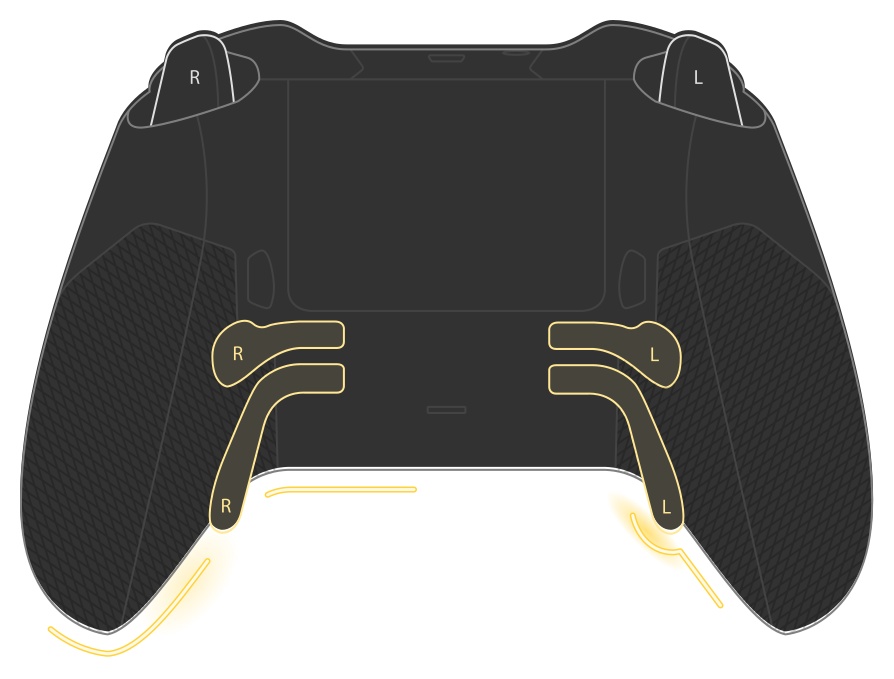
Unleash the Power of Xbox Elite Paddles
Don't have enough freedom with the native Xbox Accessories app while using your Xbox Elite on PC? This is when you should remap your Xbox controller with reWASD. Our gamepad mapper not only reassigns keys and buttons but can also map Xbox Elite paddles to keyboard keys.
The four Xbox Elite paddles give you more control while playing. With reWASD, you can assign any action to them and take advantage of the Elite controller, even in games without native Xbox support.
Try the Gamepad Mapper That Makes Your Controller Truly Powerful
reWASD is tailored to remap controllers like the Xbox One and more. We designed this app with the Xbox Elite Wireless controller in mind, making it ideal for those using the Xbox Elite on PC who want to maximize the use of its paddles.
For users employing the DualShock 4 or DualSense on PC, there's an added bonus: reWASD allows you to partition the touchpad into zones and assign up to four different mappings to it. Additionally, Nintendo Switch Pro controller support enables you to utilize all reWASD capabilities with this gamepad. Currently, reWASD supports dozens of controllers.
reWASD enhances the native features of any supported device.
You can transform an ordinary gamepad into a Macro Controller, add a Turbo button, toggle certain keys, apply up to four configs at once, switch controls with Advanced Mapping, make your Android or iOS device a Mobile Controller, and go beyond the usual gaming experience with the Radial Menu.
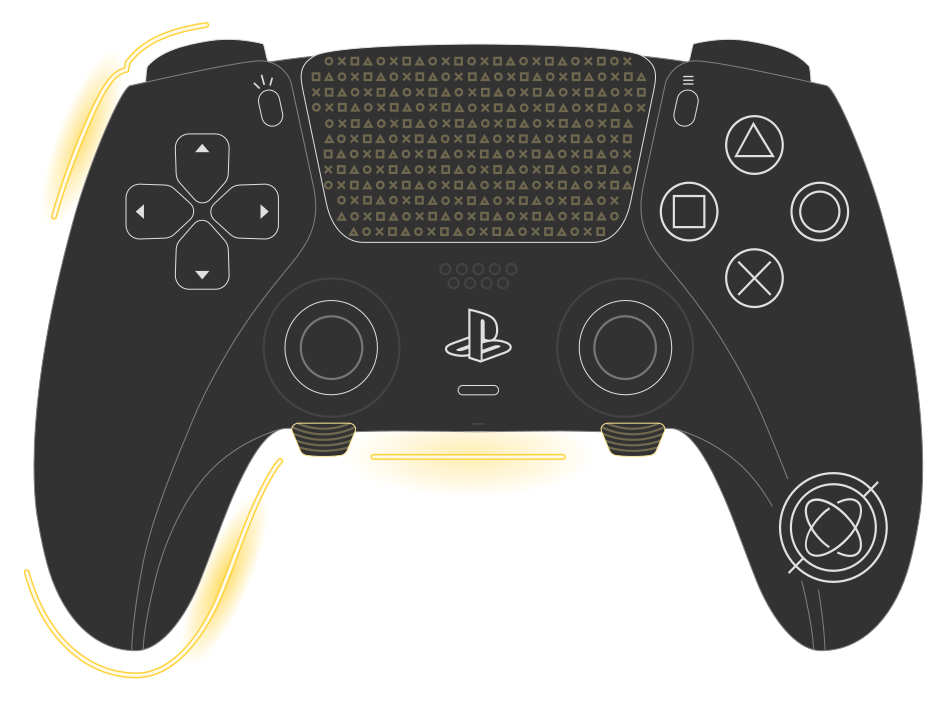
Map Gamepad to Keyboard and Share Your Configs
reWASD brings a new dimension to customization. If it's your first time remapping your DualSense Edge or Xbox Elite controller and assigning paddles and additional buttons, you may check the preset profiles added to our gamepad remapper. You can also find some useful tips on how to map paddles on the Xbox Elite 2 controller on PC on the reWASD blog.
And here comes the reWASD community with more custom configs for popular games. Get some ideas on how to map your PlayStation or Xbox gamepad and share your own!
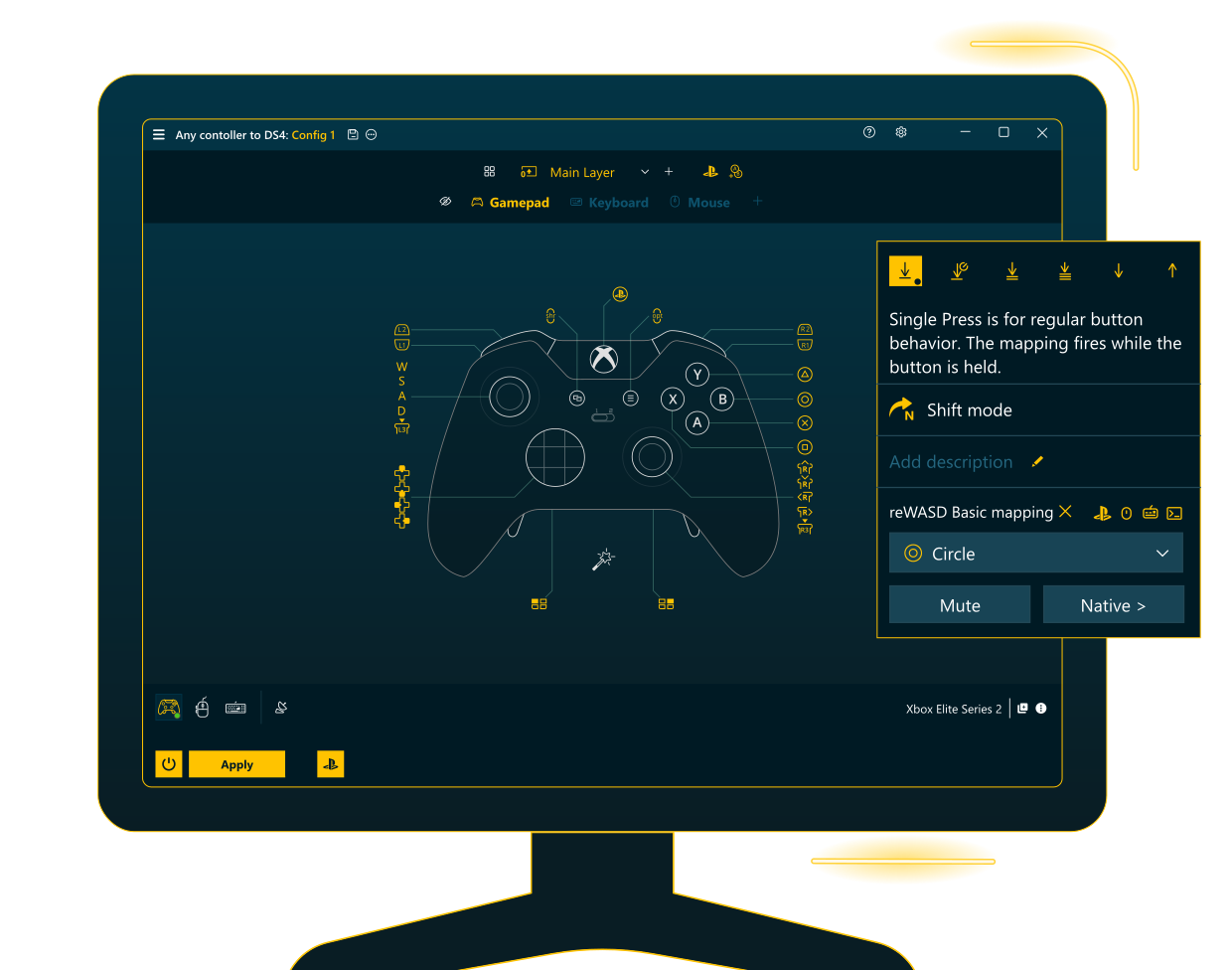
Meet

Focused. Streamlined. Essential
Basic is perfect for anyone who wants to remap buttons, build streamlined layouts, use their favorite controllers, and leave unnecessary complexity behind. You won’t find advanced combos, multiple Shift Layers or Slots, or external-device workflows here - just a clean, refined tool built around core reWASD functionality.
And just like the full version of reWASD, Basic supports a wide range of devices - over 100 gamepads and virtually all keyboards and mice - so you can jump in, set everything up your way, and start playing right away.
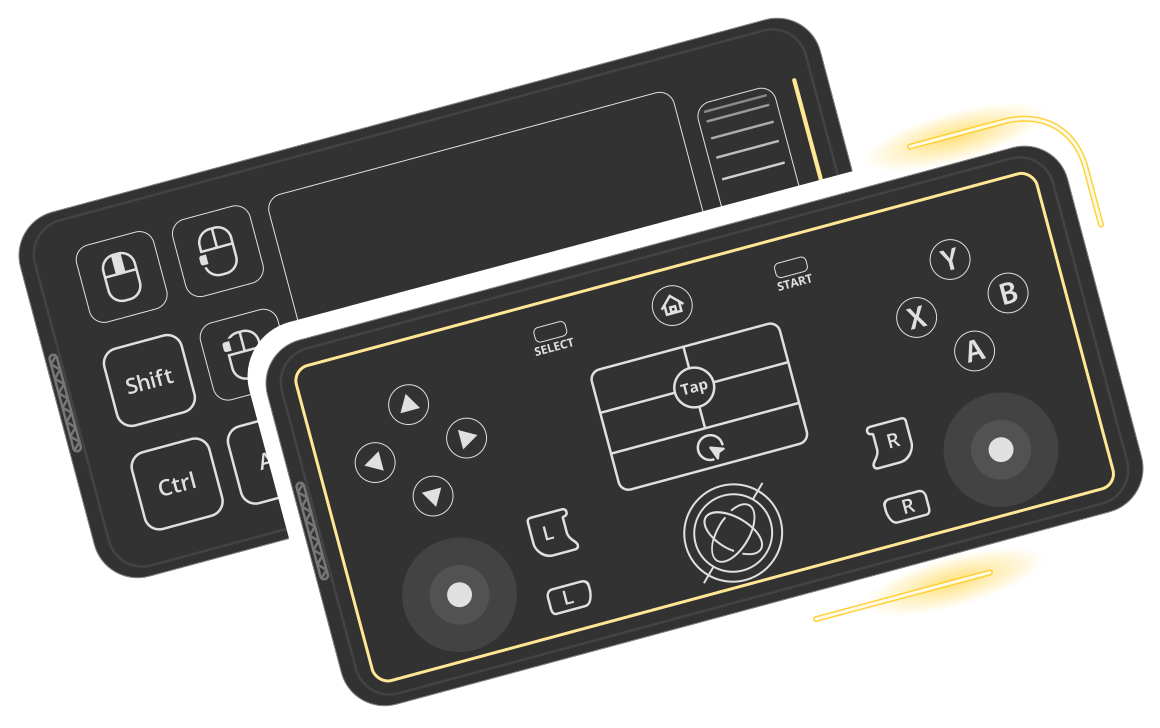
Remap on the Fly with reWASD Mobile
reWASD Mobile is a vital part of the reWASD ecosystem, giving seamless access to personalized configs and full control over remapping directly from your phone or tablet. Create, edit, and apply configs on the fly - without leaving the game - and elevate your gaming experience to a whole new level.
Experience the next level of gaming as reWASD Mobile transforms your Android or iOS device into a multi-functional controller. Effortlessly switch between gamepad, mobile keyboard, mouse, and more, unlocking boundless possibilities at your fingertips.
Reviews from users
Leave your own feedback or review about reWASD.
The best program, if you want to customize your controller! I use it with the Xbox elite series 2 and it has changed my gaming experience so extremely. now I can use the paddles in that way, how I want. a nice feature is, that you can double map buttons. I love this program and it is every cent worth.
Enrico Gall
I just wanted to say thank you developers for this amazing program! I've been using reWASD (full pack) for almost a full year now and have LOVED IT! It's made my gaming experience so much more enjoyable in many games, especially for games that don't allow in-game button re-mapping.
NesslyKruntch
The only software of its kind I've used so far that "just works". The downside is that it isn't free and perhaps not as flexible as some alternatives, but it does everything it says, is clear and easy to use, and more importantly for me has worked with every device and piece of software I've thrown at it.
Light_Bringer777
Excellent software, beautiful UI, extremely fair price. Great customer support. Highly recommend.
Nes Martinez
It is very powerful software, easy to use, an elegant UI and the support is amazing, fast and super useful. 1000% recommended.
Paulino Angulo
Great remapping tool! Highly recommend for MMOs without controller support.
Stefana Andrei
I heard about rewasd through a couple forums as an upgrade from xpadder but wasnt sure in shelling out the 6$ but once i played around with the app, i realized it was totally worth it, not only that but when I had a problem with the app customer service was there helping me the entire time to get my problem fixed, definitely recommend for any gamers!
Ricky Monico
Excellent app. Amazing to use for any game, customize to your play style when the game settings don't allow. You can even tweak the settings to make up for bunky controllers, or make the sensativity OP compared to your opppents.Phenomenal work ReWASD, you take the cake and eat it too.
Donald Aaron Lavey
Does exactly what it says it will. Works perfectly, easy to understand UI, includes instructions immediately where you need them.
Steven Hodges
Absolutely amazing. Intuitive, clean, powerful, and I've finally unlocked the potential of my Xbox One Elite controller!
Sean Tebor
Just what we needed. Cheers guys. Thank you for a great product
Martin Narnie Mellor
Perfection. Now go get a job at Microsoft, PLEASE.
Kirk Robinson
Whoa this software is truly a gift from above. Too bad i didn't discover it earlier. Spent countless of hours trying to solve something that your program did in no time. Looks very nice as well!
Kalles Kaviar
This is what the Xbox Accessories app should be. Microsoft should hire these guys.
Sam Charlize
Paddles are not useless anymore, thank you!
Maxim Volko
Hey guys. So you just saved Gamestop $150 refund now I can map my elite paddles for Elite Dangerous and Star Citizen!
N3orion3
You can remap whatever button you want or let them as usual controller input!
Damián J. Méndez
Bought an Xbox 360 Elite controller thinking that I'd get some extra buttons in the form of the paddles (to play Elite Dangerous) and was extremely disappointed that they paddles were not independent buttons. Rewasd allowed me to map keys to the paddles flawlessly, thanks!
Hai Tran
DAEMON Tools has been my favorite image mounter for many years. reWASD is another great app. Looking forward to seeing what other features get added.
Vince Serfillippi
This wonderful app just complete my Elite controller. 3m away from monitor, no mouse or keyboard, works like a champ!
Khánh Đàm
This app does what Microsoft never did, made my Xbox controller perfekt for gaming on my pc. Thanks ReWASD!
Anders Abildgren Hudecek
Best app for mapping controllers, easy to understand and quick set up.
Wendy Mcgill
The perfect keybinding program that you can use for your XBoxOne controller. Thank you for making my dream come true.
Efren Vergara
The app does exactly as it promises. Remapped my controller to some keyboard keys allowing me to swap between controller and keyboard without having to re-configure the keys I used in the past. It is also a fantastic solution to not having windows 10 compatibility for the xbox one elite controller (and the only one around it seems)
Roy Nguyen
By far the easiest I've ever had to set up. Love the ease and extensive capabilities of this application.
Tom Gregory
Went out and bought a Xbox 360 Elite controller. Then I find out that with the Xbox Accessories App, the extra paddles on the back can only be mapped to existing buttons on the controller. Just about gave up hope, then I came across ReWASD! It is amazing and actually makes the Elite controller ELITE! Make your buttons whatever you want......they way it should have been in the first place. Thanks a 1000 times for ReWASD.
Bart Bond
Excellent app. Amazing to use for any game, customize to your play style when the game settings don't allow. You can even tweak the settings to make up for bunky controllers, or make the sensativity OP compared to your opppents.Phenomenal work ReWASD, you take the cake and eat it too.
Donald Aaron Lavey
Excellent software that beats xpadder hands down (macros coming soon) and an amazing dev team. Great Work.
Jon Kent
Great program, works flawlessly and never unexpectedly closes while playing a game. I personnaly use it for For Honor with an Xbox One controller and it is awesome! Thanks for the awesome software.
Étienne Pelletier
Item 1 of 29
Why to use
- Map controller to keyboard and mouse
- Use Xbox Elite paddles in any game
- Remap hardware buttons of Xbox, DualShock and Nintendo on PC
What is new
- Introduced a new advanced feature, Send Input, allowing reWASD to receive clean input events from assistive tools and custom workflows;
- Added support for ESP32-S3 boards, with Wi-Fi connection now available for both ESP32-S2 and ESP32-S3 devices;
- Added support for Flydigi Apex 5 controller;