Resterm is an Open Source API client that keeps requests in plain .http files next to your code. Use keyboard-driven TUI, or run the same files in CI with resterm run.
HTTPGraphQLgRPCWebSocketSSEmacOS, Linux, WindowsApache-2.0
Screens
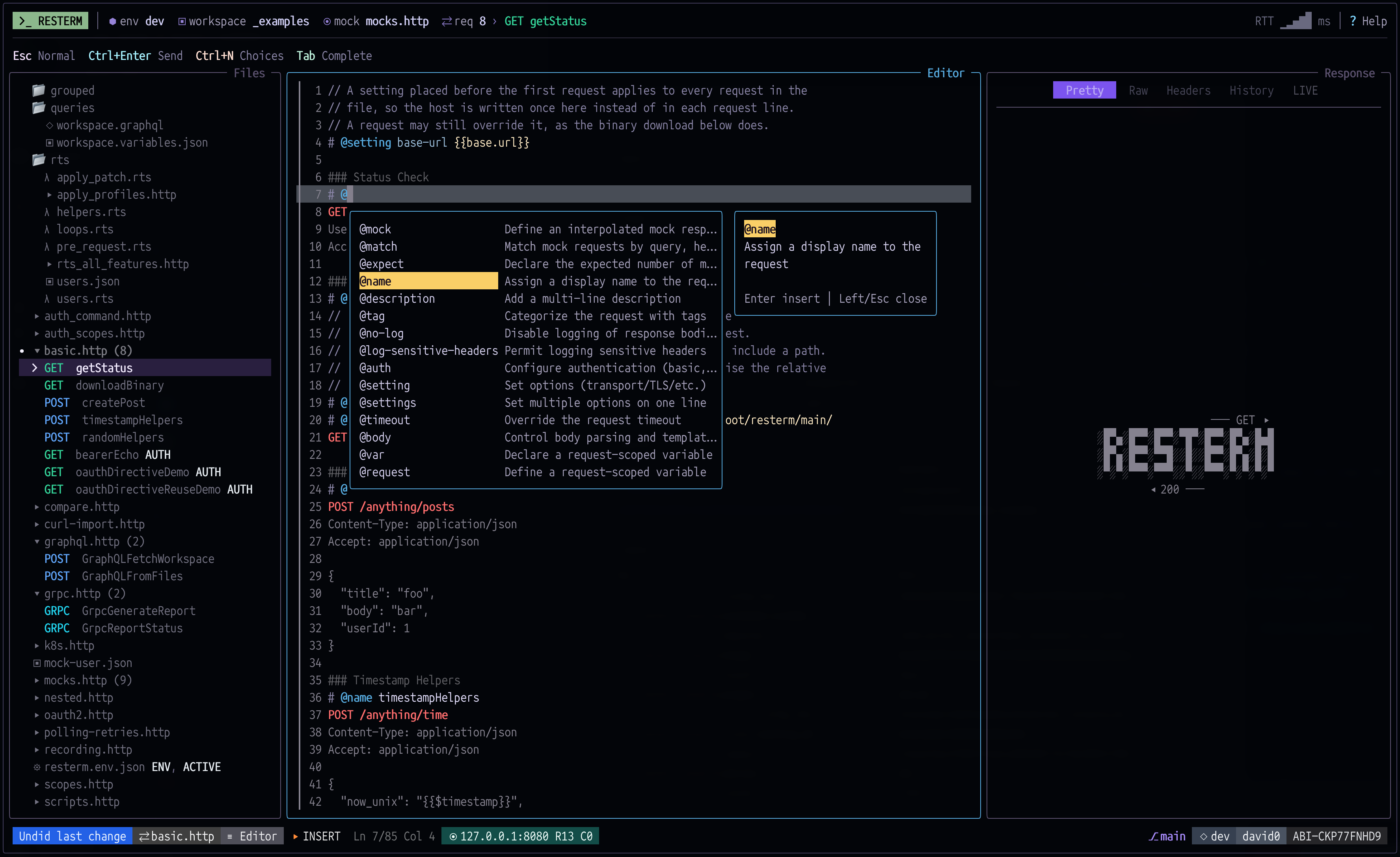
Requests are plain text
Requests, mocks, workflows and environments are files in your repository. Edit them in any editor or in the terminal UI with autocomplete, and review changes in Git with the rest of your code. One file can hold both mocks and requests. resterm mock serves the mocks and resterm run sends the requests, so you can test without a real backend.
requests.http
### Mock: say hello
# @mock method=POST path=/hello
# @match json={"kind":"greeting"}
HTTP/1.1 200 OK
Content-Type: application/json

{"message":"hello from the mock","name":{{json.body.name}}}

### Mock: create a member
# @mock method=POST path=/users
# @match headers={"Authorization":{"prefix":"Bearer "}} json={"role":"member"}
HTTP/1.1 201 Created
Content-Type: application/json

{"id":{{json.body.id}},"name":{{json.body.name}}}

### Say hello
# @name Hello
# @assert response.statusCode == 200
# @assert response.json("name") == "Resterm"
POST {{base.url}}/hello
Content-Type: application/json

{"kind":"greeting","name":"Resterm"}

### Create users from a list of names
# @name CreateUsers
# @for-each ["ada","linus","grace"] as name
# @auth bearer {{auth.token}}
# @assert response.statusCode == 201
# @assert response.json("name") == name
POST {{base.url}}/users
Content-Type: application/json

{"id":"user-{{= name }}","name":"{{= name }}","role":"member"}
Terminal
$ resterm mock requests.http &
Mock server listening on http://127.0.0.1:8080 (2 routes, 2 scenarios)
$ resterm run --env dev --all requests.http
Running 2 target(s) from requests.http with env dev
PASS POST Hello [200 OK in 12.5625ms]
  Source Target: {{base.url}}/hello
  Effective Target: http://127.0.0.1:8080/hello
PASS FOR-EACH POST CreateUsers [3 passed, 0 failed, 0 skipped in 2.807625ms]
  1. PASS POST CreateUsers (1/3) [201 Created in 958.5µs]
  2. PASS POST CreateUsers (2/3) [201 Created in 789.708µs]
  3. PASS POST CreateUsers (3/3) [201 Created in 928.375µs]
Summary: total=2 passed=2 failed=0 skipped=0
What it does
Pick a feature to see how it looks in a request file.
request-files.http
# Plain .http and .rest files. Directives in # @ comments
# add names, captures, asserts and settings.

### Log in
# @name login
# @capture file auth.token {{response.json.token}}
# @assert response.statusCode == 200
POST {{base.url}}/login
Content-Type: application/json

{"user": "ada", "password": "{{password}}"}Install
A single binary for macOS, Linux and Windows.
Install
brew install resterm
macOS and Linux
Release binaries for macOS, Linux and Windows are on the releases page. Installed without Homebrew? resterm --update updates in place.
Quick start
$ mkdir my-api && cd my-api$ resterm init$ resterm
resterm init writes a small project with local mocks. Press g Shift+M to start the mock server, then Ctrl+Enter to send the request under the cursor.
Response
HTTP/1.1 200 OK
Content-Type: text/plain
No telemetry. No account.
Resterm is free and open source under the Apache 2.0 license.