
Overview
SnapCode is a full-featured Java IDE that runs in the browser. It is free, modern, powerful, tailored for education and is the fastest and easiest way to start writing and sharing Java code. SnapCode offers modern coding features, support for Java REPL (Read-Eval-Print-Loop), support for working with projects in the cloud and full-featured library support for UI, graphics, charting, 3D and more. The full list of compelling advantages includes:
- Runs in any modern browser
- Runs on all major desktops (download)
- REPL coding - just start coding (no class/main-method boilerplate needed)
- REPL style output (shows stacked output as rich interactive views)
- Support for working in the cloud
- Support for sharing running apps/code and embedding in HTML
- Block Coding support
- Modern IDE Features
- Full Featured Library Support
- Integrated UI Builder
- Java Markdown
- Integrated help system
- Integrated developer tools
Runs in Browser
SnapCode is the only full Java IDE that runs in the browser.
Run SnapCode Now
Additionally, SnapCode can be embedded in an HTML page. Any HTML element can be made runnable and editable with only one line of code. See this page for more details:
Embed SnapCode in HTML Page
And here is an example page showing a Java tutorial with SnapCode enhanced code blocks:
Learn Java Tutorial
Modern IDE Features
SnapCode has everything you expect from a modern IDE to make writing code fast and easy:
- Syntax highlighting
- Code completion (receiving class/type aware)
- Matching symbol highlighting
- Balanced character pair handling for parens/brackets
- Inline as-you-type warnings and errors
- Project level search (strings or symbols, references and declarations)
- One click jump to symbol declaration, super declarations, JavaDocs and source
- Editor shows the AST hierarchy of selected symbol
Java REPL (Read-Eval-Print-Loop)
SnapCode allows you to avoid boilerplate code and evaluates code snippets as you type for instant feedback.
- Implicit Class and main method declarations - just start typing code
- Variable type 'var' for implicit variable type declaration
- Statement terminators (semi-colons) are optional
- Direct access to common System methods without preamble (print(), println(), etc.)
- REPL style output (shows stacked output as rich interactive views)
Java REPL support is optional - full Java is supported, and can be auto-generated, for when code needs to be portable and compliant.
Full Featured Library Support
SnapCode is built using the SnapKit and SnapCharts libraries giving access to advanced application features.
- Complete UI programming with SnapKit
- Label, Button, Slider, TextField
- ListView, TableView, TreeView, TabView, Browser
- SplitView, ScrollView, DrawerView
- Vector graphics shapes, arbitrary transforms, image effects, gradients, textures
- 3D library support with OpenGL/WebGL (CameraView, VertexArray, Scene, Shape3D, Texture)
- UI Animation to make things sizzle, slide, jiggle and bounce
- Complete charting support with SnapCharts
- Bar, Pie
- Scatter, Area, Line
- Contour, Polar Contour, Contour 3D
- Log Axes, Multi-Y axes
- Pan, Zoom, Mouse-Over labels
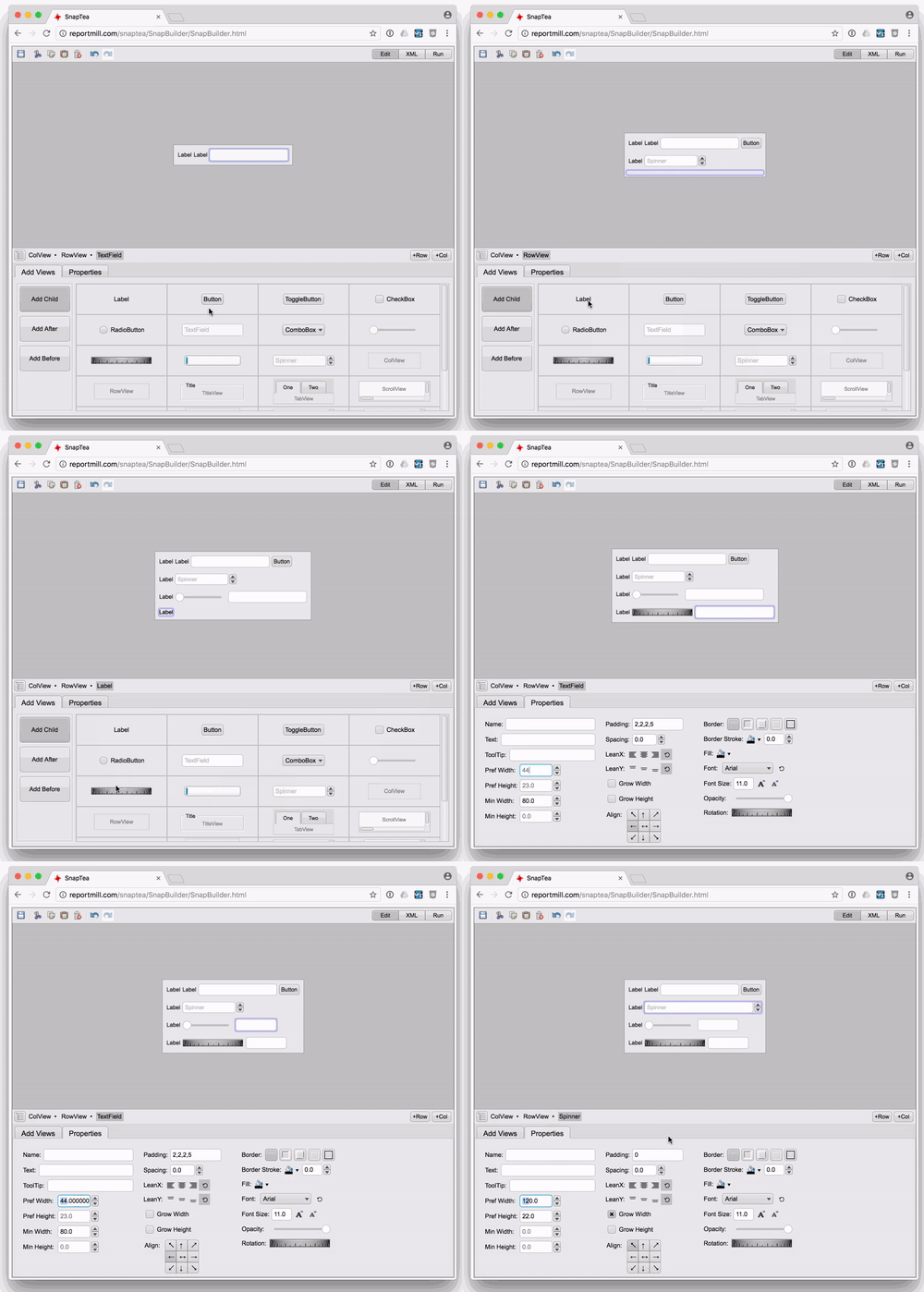
Integrated UI Builder
Because the best line of code is the one you don't have to write, UI is almost always created using the with the integrated UI builder and stored in simple XML files ('.snp' files). Simply create/save a .snp file with the same name as your custom controller class, and the default controller.createUI() method will load it.
Block Coding
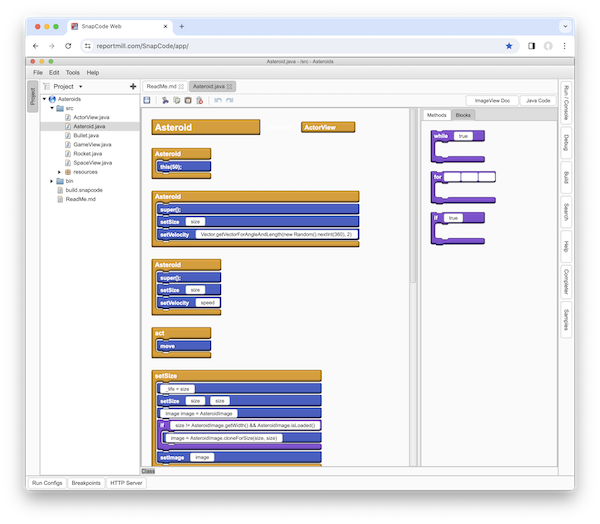
Learn the basic concepts of coding in a visual way, by drag and drop. More available here.
Java Markdown
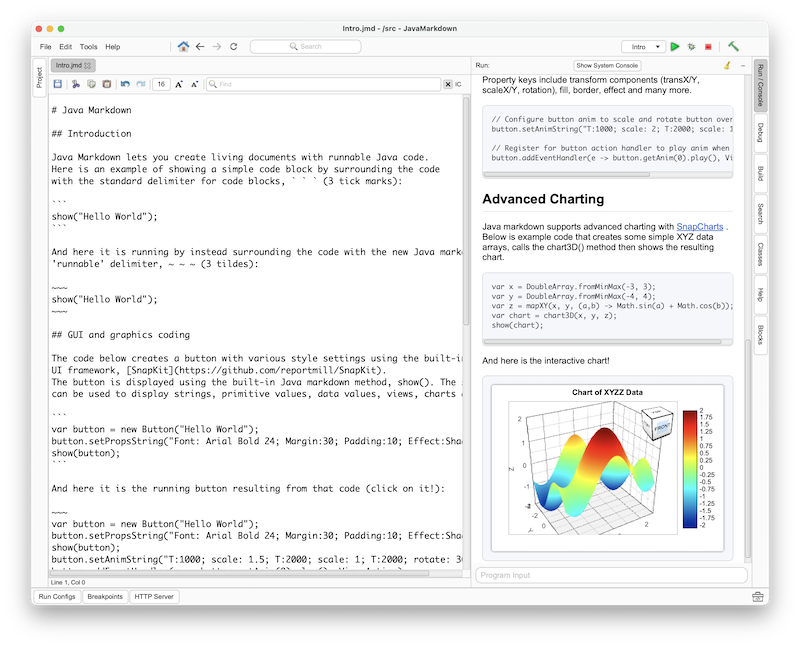
Java Markdown (JMD) is a simple extension of standard markdown that adds a new "Runnable block". Simply surround Java code in a standard markdown file with the delimiter '~~~', and code inside that block is compiled, executed and displayed. There is support for a simple show(anything) method that tells the viewer what to display in the block. The parameter can be anything: text, images, views, UI components, charts, etc.
# Java Markdown - run live Java code in a document

~~~
show("Hello World");
~~~
Java Markdown files are edited in SnapCode and can be a part of a full Java project to draw from supporting classes, packages and external library depnencies. JMD can be viewed as a stand-alone browser page or inside SnapCode. This feature is still in development with many improvements to come. Click on this image to see Java Markdown in action:
Interactive Help System
SnapCode also has an integrated help system to quickly find templates for almost any kind of code.
Coming Soon
Many features are on the immediate roadmap:
- Visual debugger in browser version
- Support for Java 25 in browser version
- Github support in browser version
Technology
This project is built with the following tools:
- SnapCode - Source for SnapCode (Github)
- SnapKit - Java UI Kit (Github)
- SnapCharts - Java charting library (Github)
- CheerpJ - A Java JVM in the browser