A powerful network reconnaissance and asset discovery tool built with Go and HTMX, designed to help map and monitor network devices with precision and elegance.
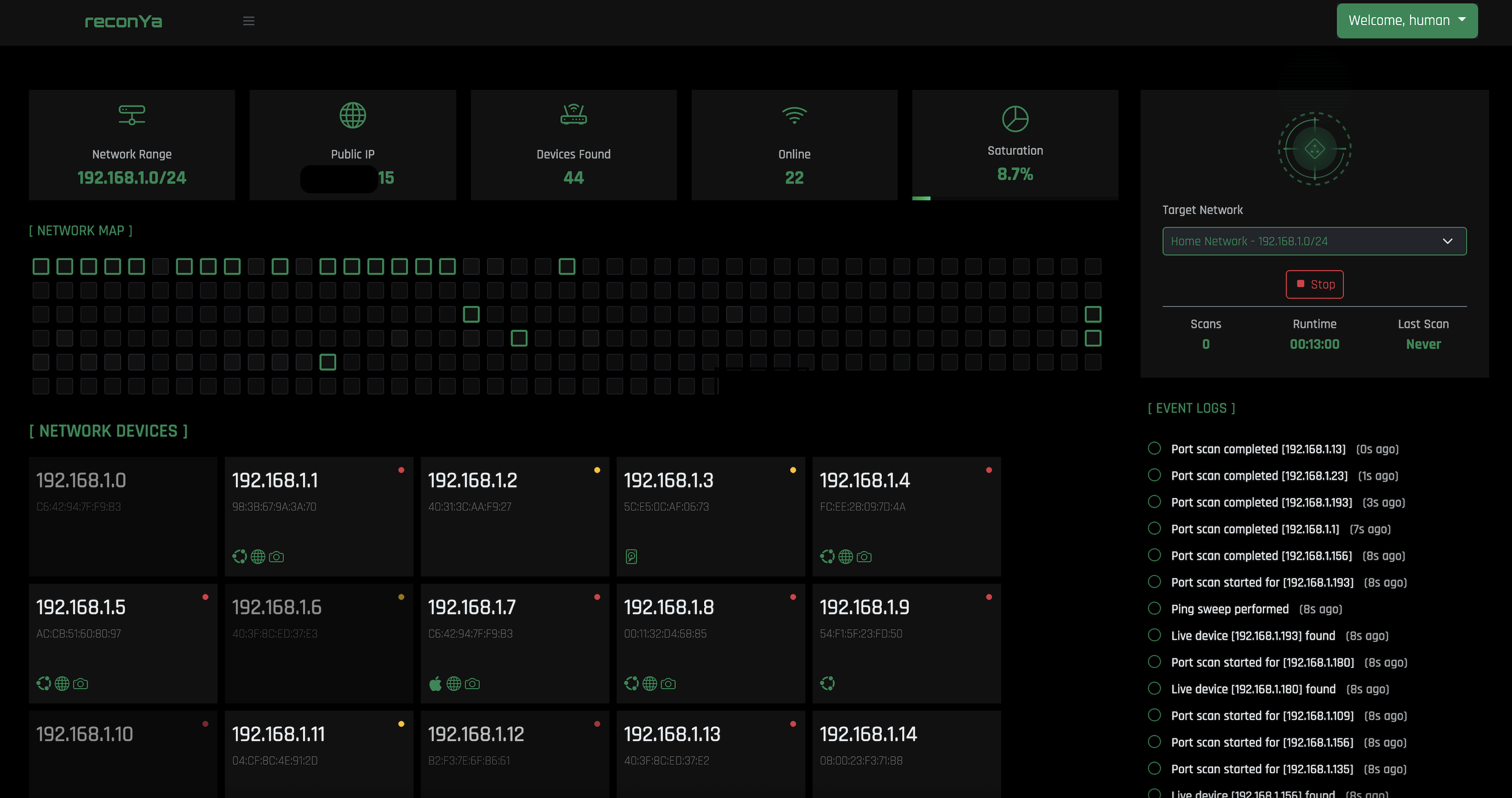
Key Features
Advanced Scanning
Comprehensive port scanning and ping sweeping to discover all devices on your network quickly and efficiently.
Device Identification
Accurate identification and classification of network devices to help you understand your network infrastructure.
Network Visualization
Clear and interactive network topology mapping for a comprehensive view of your entire network.
Event Monitoring
Real-time logging and monitoring of network events to stay informed about changes and potential issues.
Modern Dashboard
Sleek, responsive web interface for all devices, making network management accessible from anywhere.
Security Focused
Built with security in mind, helping you identify potential vulnerabilities in your network infrastructure.
Installation
Prerequisites
- Go 1.21+
- nmap
- make (pre-installed on most systems)
Quick Start
                                $ git clone https://github.com/Dyneteq/reconya.git

                                $ cd reconya

                                $ make install

                                $ make start
Access the application at http://localhost:3008
Available Commands
After installation, use these commands to manage reconYa:
- Start reconYa:
$ make start - Check service status:
$ make status - Stop the service:
$ make stop - Access the application at
http://localhost:3008
Architecture
Technology Stack
- Backend: Go API server with SQLite for storage
- Frontend: HTMX templates with responsive Bootstrap UI
- Scanning: Network operations through nmap and native Go libraries
- Real-time: Polling system with configurable intervals
- Deployment: Simple Makefile-based installation and management
Database: SQLite
The application uses SQLite for its database, offering several advantages:
- Self-contained, no separate database service required
- Simple setup with minimal configuration
- Perfect for personal or organizational deployments
- Lightweight and portable
- Data is stored locally in a single file
- No need for database administration
Security Notes
- Always use strong passwords in production environments
-
Use an
.envfile for all sensitive configuration - Never expose the backend API directly to the internet
- Run with least privilege required for network scanning
- Keep dependencies updated to patch security vulnerabilities
- Regularly test your deployment for security issues
Contributing
Contributions are welcome! Please feel free to submit a Pull Request.
- Fork the repository on GitHub
- Create your feature branch
git checkout -b feature/amazing-feature - Commit your changes
git commit -m 'Add some amazing feature' - Push to the branch
git push origin feature/amazing-feature - Open a Pull Request with a detailed description