Why "Random" Isn't Random
Computers are deterministic machines. LLMs like ChatGPT predict the next most likely token based on training data. They fail the two core requirements of randomness.
The "47" Phenomenon
We tested hundreds of "random" requests. ChatGPT overwhelmingly chooses numbers like 47, 81, or 82. This isn't luck—it's statistical bias from human text data.
Not Uniform
For a draw to be fair, every participant needs an exactly equal probability. LLMs "feel" which answer fits best, destroying the uniformity required for giveaways.
Predictable Outcomes
If a system is predictable, it can be gamed. In our tests, we could even trick ChatGPT into picking a specific "random" winner by hiding instructions in the input list.
Try the Bias Test
* Standard LLMs statistically favor certain numbers (like 42, 47, 7) due to training data frequency. Our app uses cryptographically secure entropy.
Powered by Real Entropy
We don't let the AI guess. Our app connects ChatGPT to a source of true physical randomness—atmospheric noise, radioactive decay, or secure OS entropy.
External Hardware Source
The app fetches data from certified randomness providers like Real Random, bypassing the LLM's neural network logic entirely for the decision phase.
Interactive UI Cards
Instead of plain text, get a beautiful interactive card. Click to re-roll, view ranges, and ensure the process was handled securely.
Pick a winner from this list of 500 emails...
Everything You Need
Integrated directly into your workflow.
Number Generation
Set any range (e.g., 1-1,000,000). Perfect for cryptographic keys, lottery simulations, or statistical sampling.
List Selection
Ask ChatGPT to generate a list (e.g., "Top 10 sci-fi movies") and let Randomizer pick one fairly.
Fair Giveaways
Paste a list of entrants. The app parses them and selects a winner using unbiased entropy. No rigging possible.
Digital Dice
Need to roll a D20? A D6? Or a D100? Get visualized dice rolls for your TTRPG sessions instantly.
Important Notice
This connector does NOT work on mobile devices (iOS/Android apps). You must use the web version of ChatGPT (chatgpt.com) in a desktop browser.
Installation Guide
Follow these 5 simple steps to connect our Randomizer app to your ChatGPT in under 3 minutes.
1
Subscribe to ChatGPT Plus (Requirement)
Ensure you have an active ChatGPT Plus (or Pro/Team/Enterprise) subscription, as this feature is not available for free accounts.
2
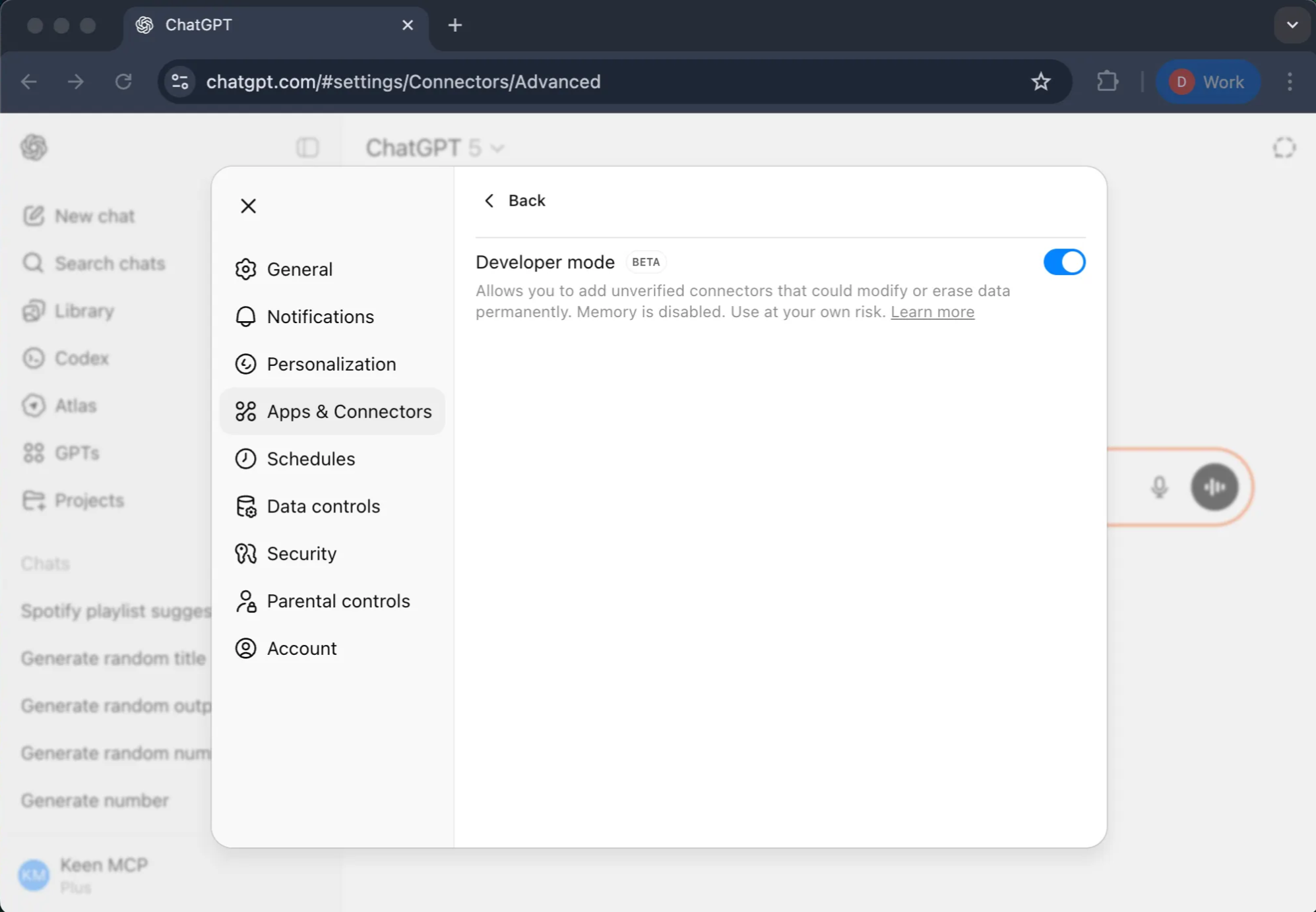
Enable Developer Mode
This unlocks the ability to create and test custom connectors.
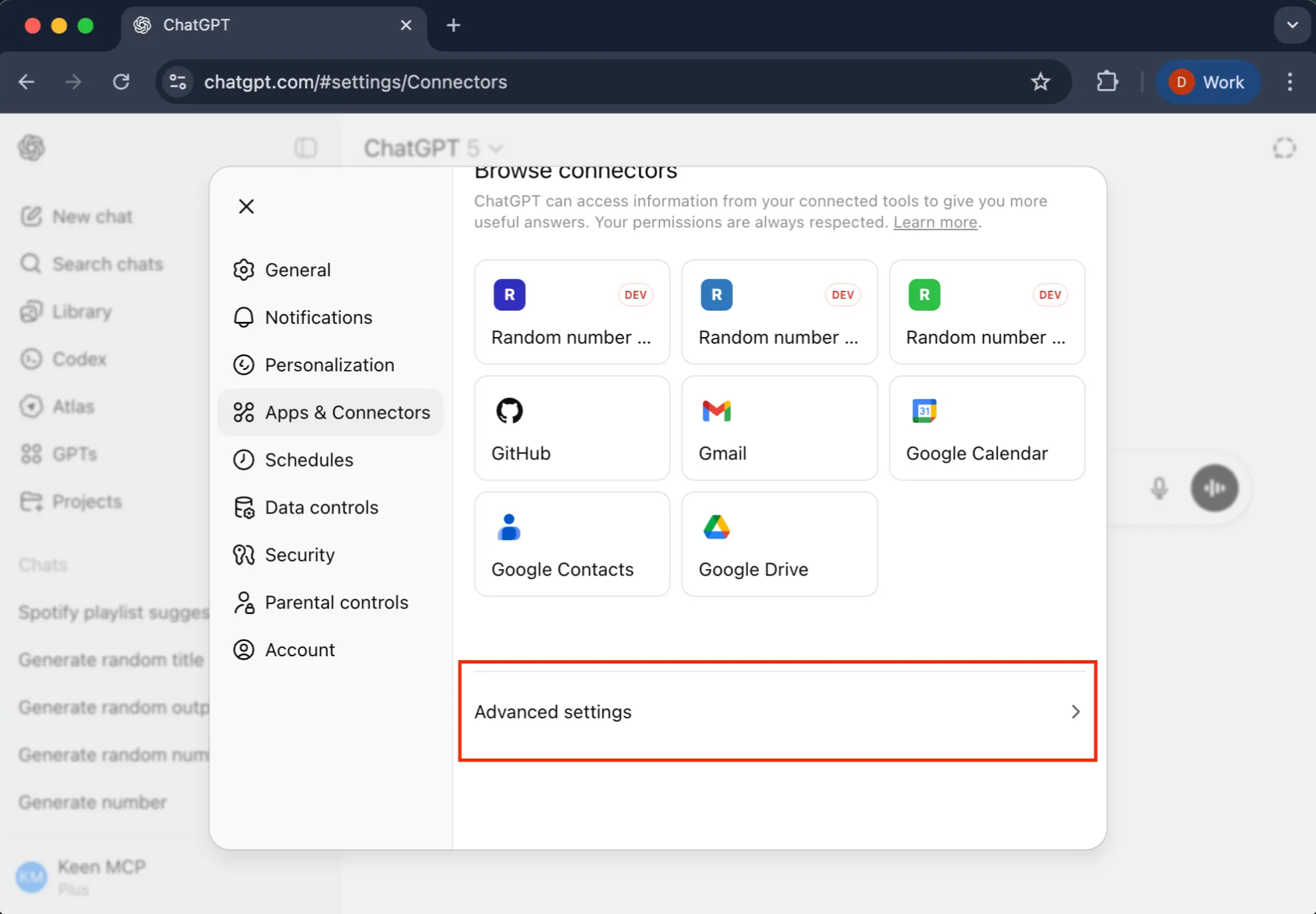
Navigate to Settings by clicking your profile icon.

Go to the Apps & Connectors section.
Find and click on Advanced Settings (this may be at the bottom of the page).
Toggle Developer Mode to ON.
3
Start Connector Creation
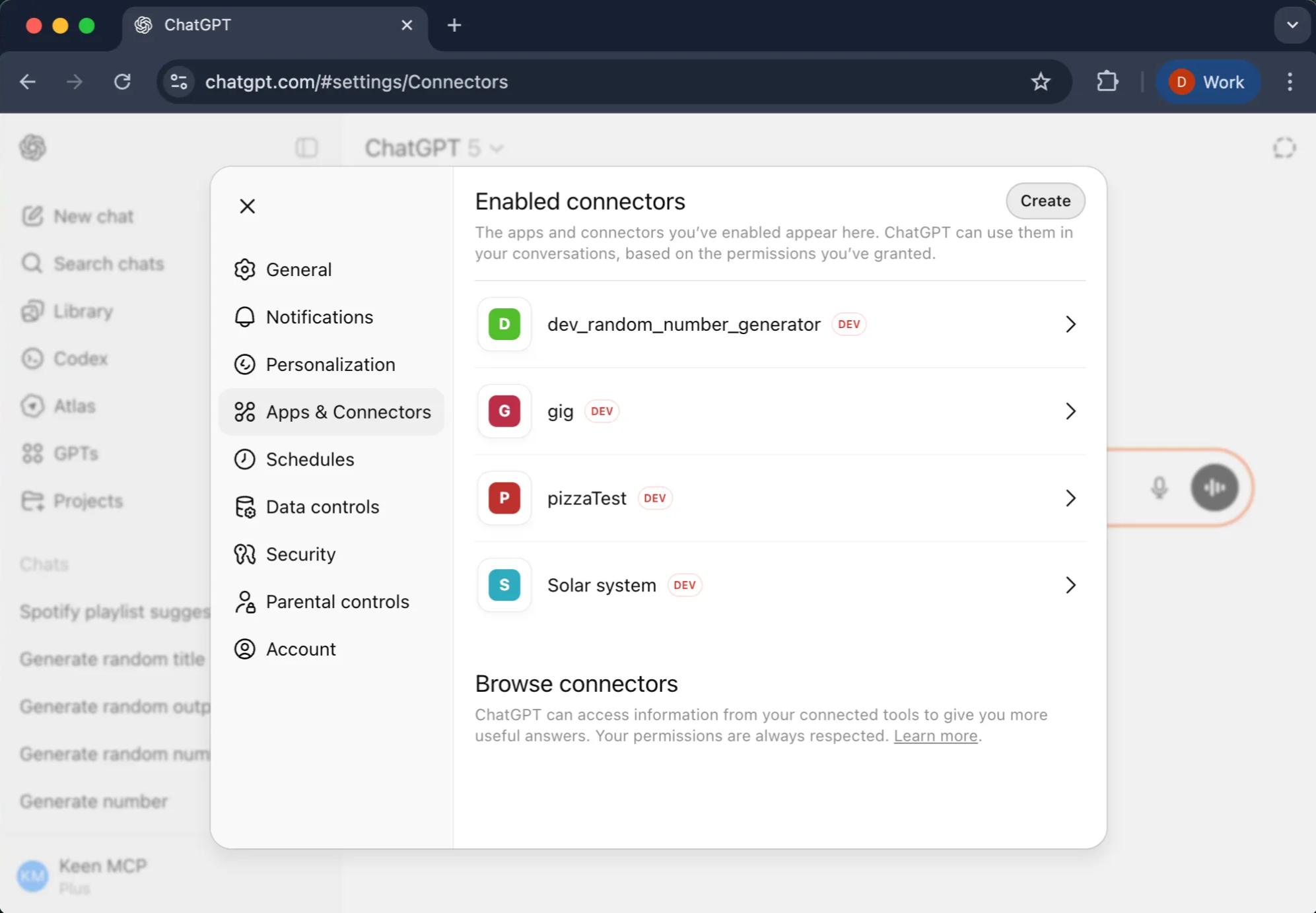
Once Developer Mode is active, a "Create" option will appear.
In Settings → Apps & Connectors, click the Create button.
4
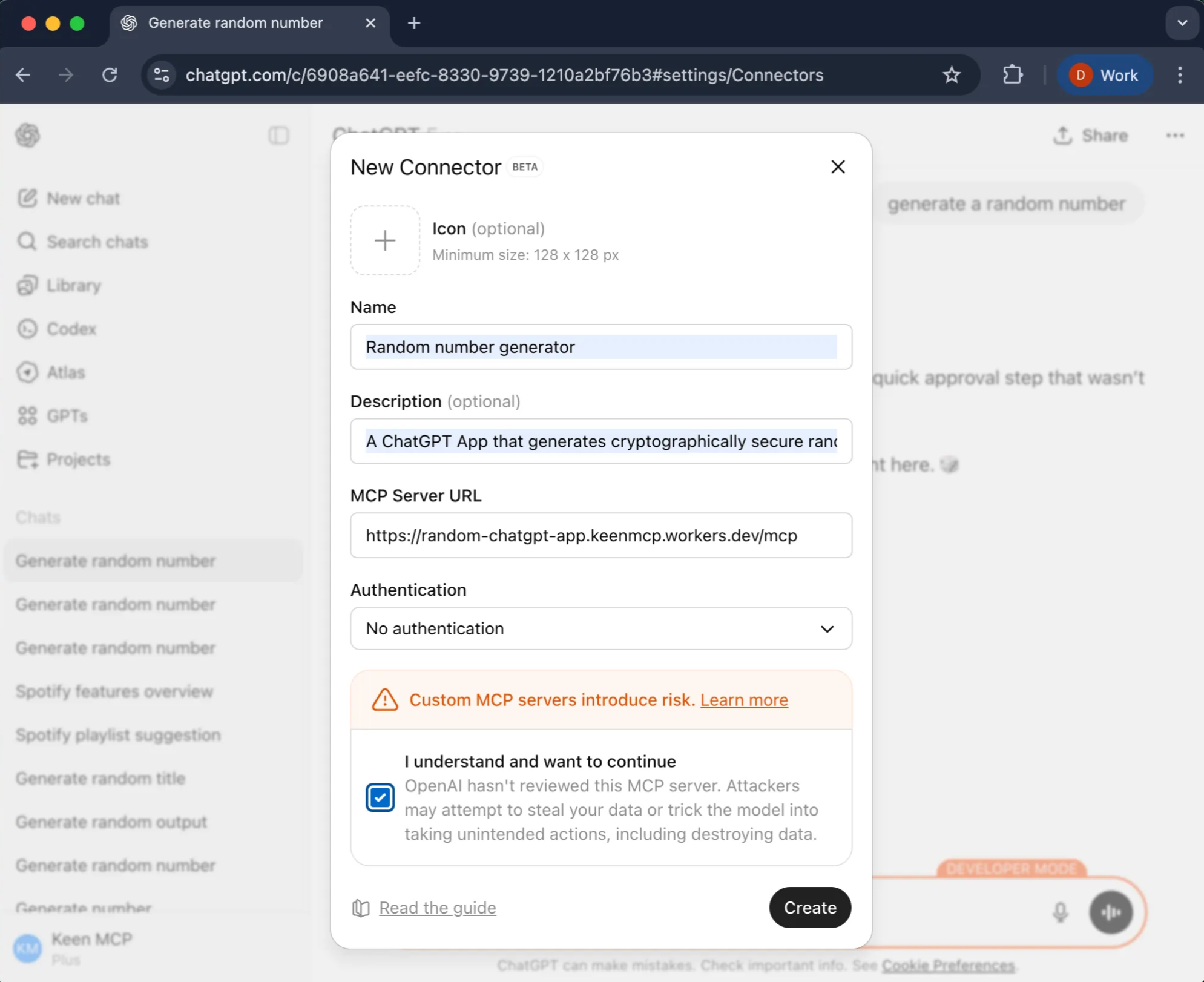
Configure Your Custom Connector
Random number generator Main DEV
A ChatGPT App that generates cryptographically secure random numbers, supports single values, multi-range combinations (e.g., lottery draws like Powerball), and random selection from custom item lists with visual emojis for enhanced interactivity.
https://random-app.keenethics-labs.com/mcp
Configure Authentication:
Select No authentication
5
Test and Verify
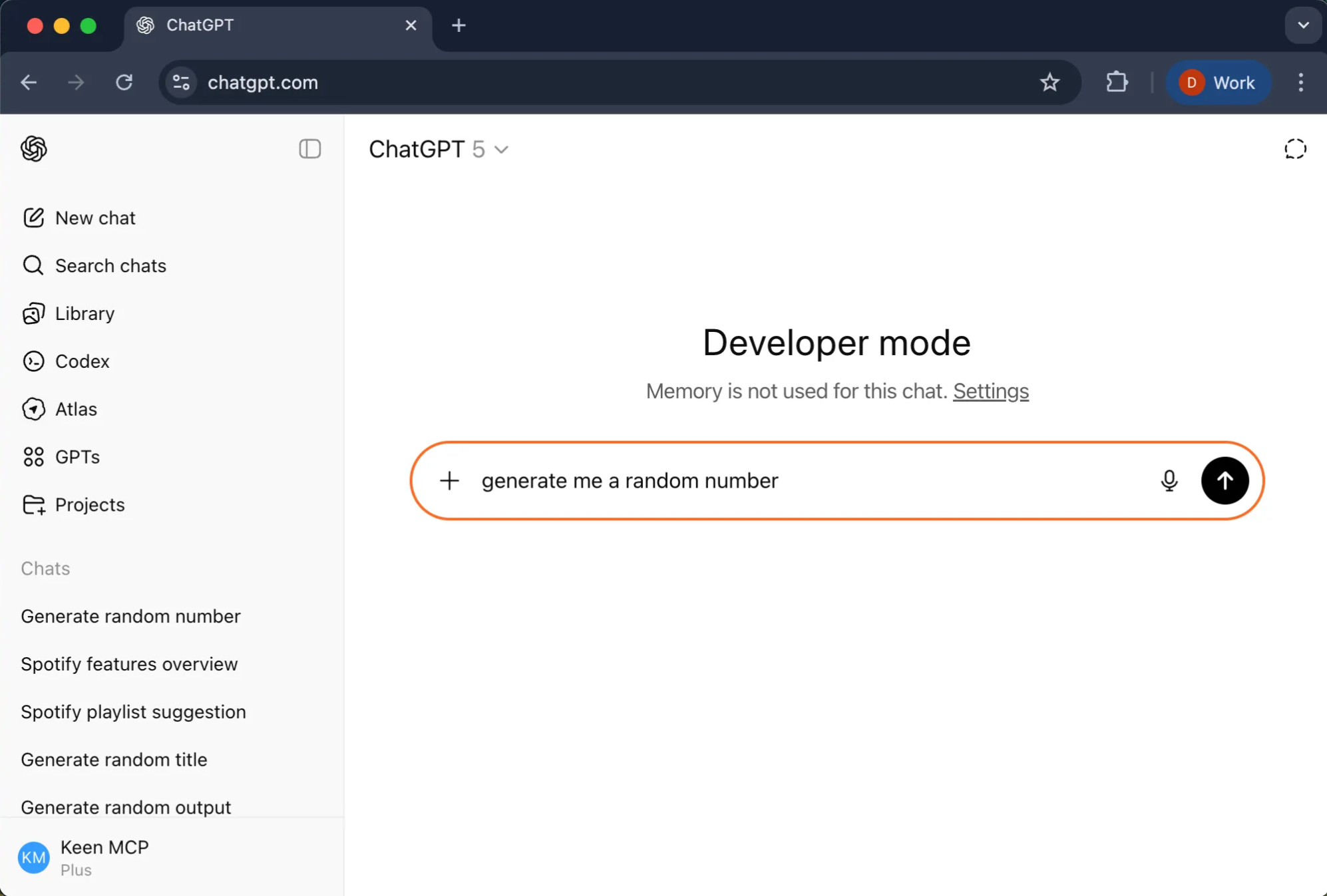
1Open a new chat in ChatGPT.
2
Type and send:
generate me a random number
3
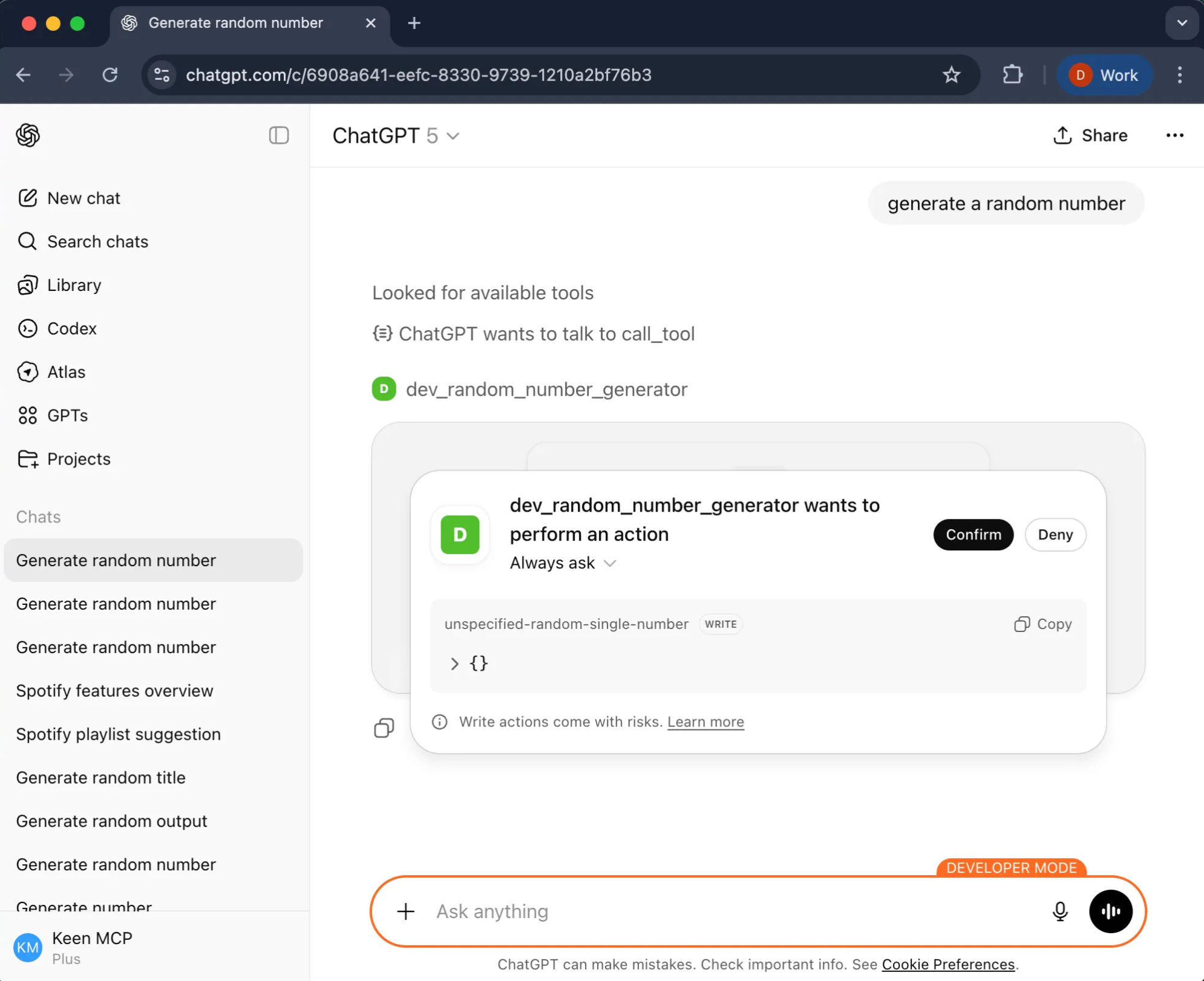
Wait for permission request
ChatGPT will show a pop-up asking for permission to use the custom connector.
This is normal and required every time you use a new connector.
Click Confirm.
💡 Note: If the permission request does not appear, open a new chat and try sending the prompt again.
4
Loading delay is normal
The response may take 10–30 seconds to appear.
This delay is caused by OpenAI's backend routing, not our app. Be patient.
5
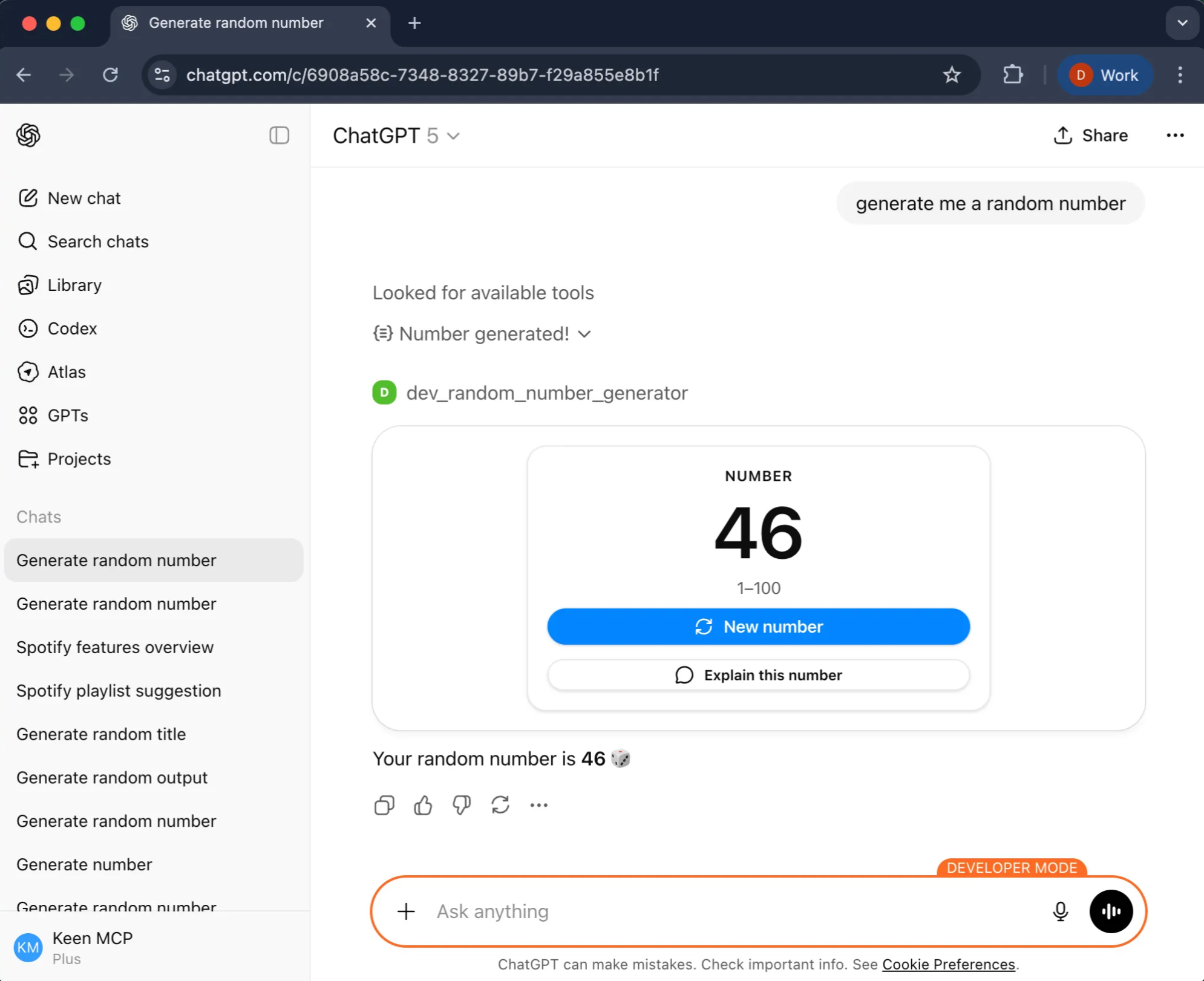
Final result with widget
Once loaded, you'll see a visual widget with the random number and a dice emoji.
Requires ChatGPT Plus subscription
Contact Us
We build ethical AI tools and custom solutions. Drop us a line — we reply within a business day.