Render Markdown in macOS Quick Look. Free & open source.
A tiny macOS Quick Look extension. Select a .md file in Finder,
press space, and read it rendered the way it was meant to look —
headings, code, tables and task lists included. No app window, just a
menu-bar helper that stays out of the way.
Download MarkdownQuickLook.dmg ↓
macOS 12+ · MIT · source on GitHub
What it does
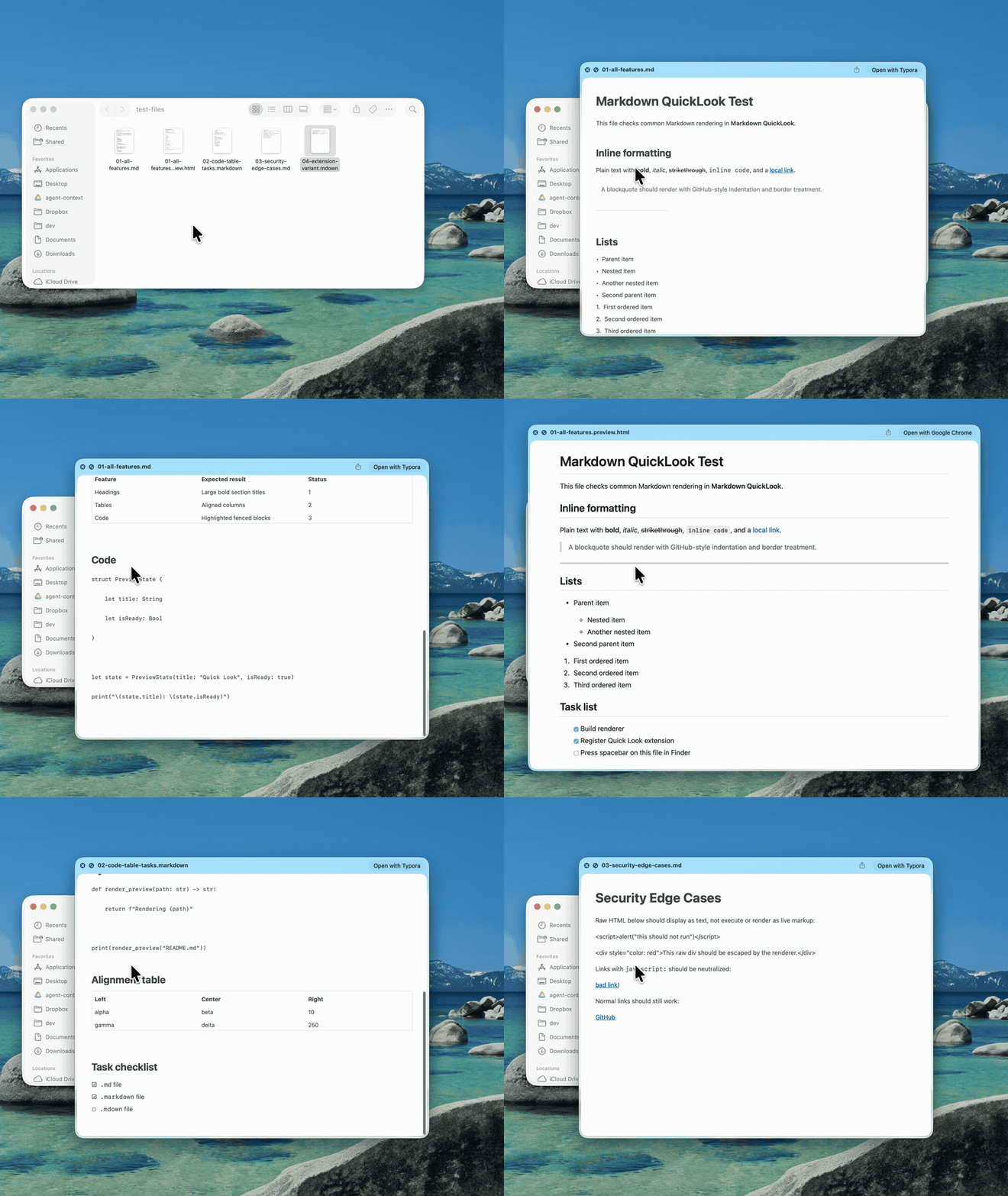
- Rich rendering. Headings, lists, task lists, blockquotes, links, bold, italic, strikethrough and inline code.
- Syntax-highlighted code. Fenced code blocks highlighted with a clean GitHub-style theme, light and dark.
- Real tables. GitHub-flavored Markdown tables render as native AppKit tables — not raw pipes.
- Sandboxed & offline. Runs in a sandboxed Quick Look extension with no network access. A menu-bar helper, no Dock icon.
Install
- Download & open the disk image. Drag Markdown QuickLook into your Applications folder.
- Launch it once. Open it from Applications. It lives in the menu bar and registers the Quick Look extension.
- Press space. Select any .md file in Finder and hit space. If an old preview is cached, use the menu-bar item → Reset Quick Look Cache.