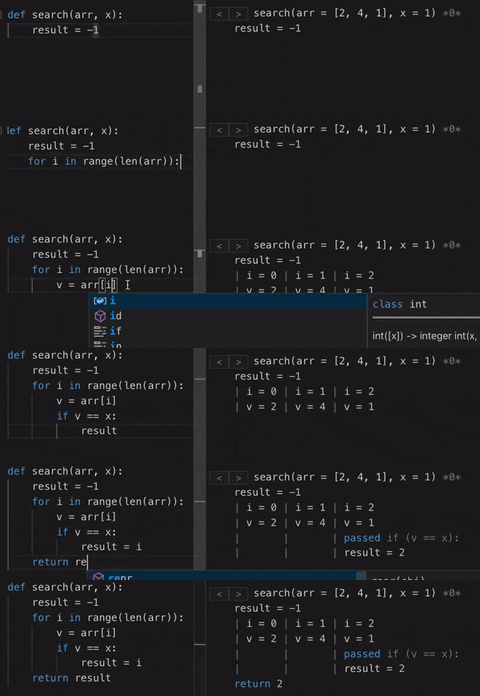
Live Coder shows how your code runs as you type.
Features
See the execution of all functions called for given test.
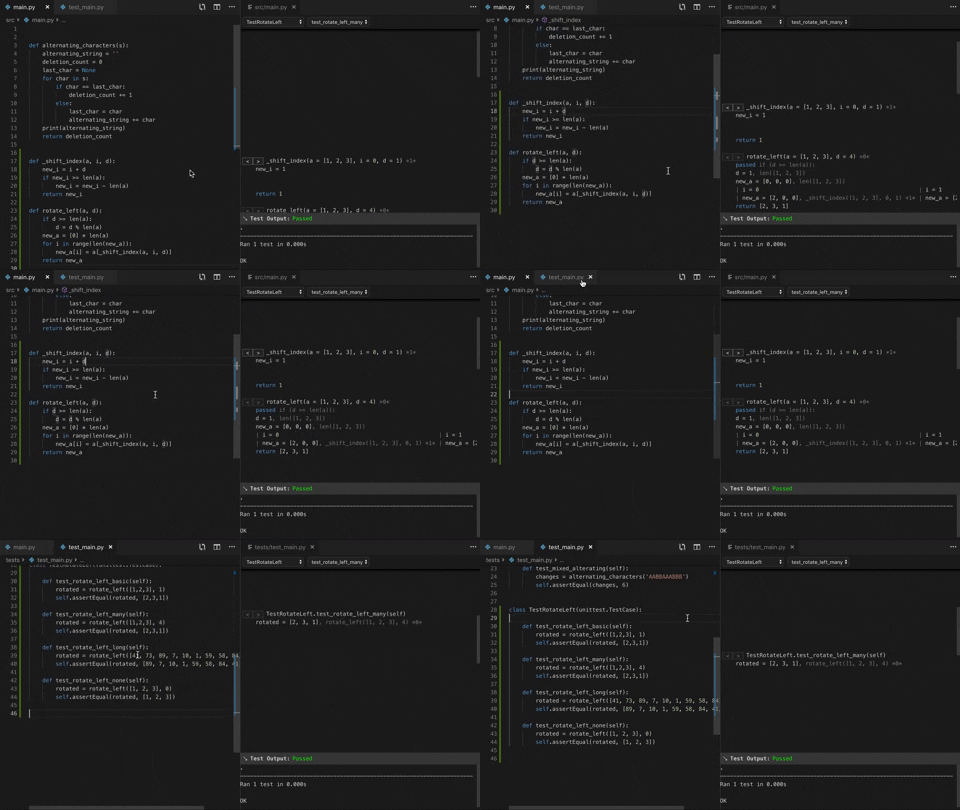
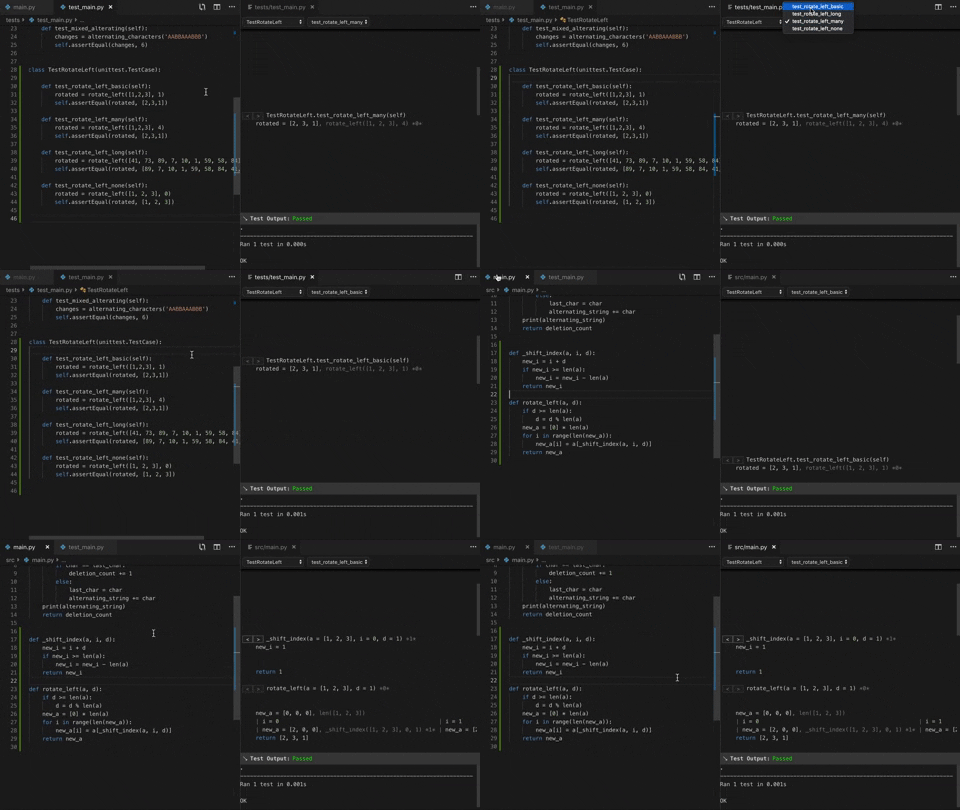
Pick between function calls and tests.
Install
It comes in 2 parts, a server (here) and a VSCode Extension
Requirements
It only runs Python3 unittests.
Setup
- Install the Server using:
pip install live-coder - Install the VSCode Extension
- Watch the intro video
- Try the demo project.
Having Issues?
Please add an issue.
If the server isn't starting, you can start it within Python:
from live_coder.server import app
app.run(host='0.0.0.0', port=5000, debug=False)
Note: The host and port arguments cannot be changed since the editor extension expects the given ones.
Thanks
Thanks to the Pioneer community for the encouragement, it's worth checking out if you love making things!
If your interested in other new coding tools you should check out the Future of Coding community!
Release files for live-coder 1.0.2
For a detailed explanation of source distributions (sdists) and built distributions (wheels), please see the package formats documentation.
Source distribution (sdist)
| File | Size | Uploaded | |
|---|---|---|---|
| live-coder-1.0.2.tar.gz | 22.7 kB | Details |
Built distribution (wheel)
| File | Interpreter | ABI | Platform | Reset |
|---|---|---|---|---|
| live_coder-1.0.2-py3-none-any.whl 37.4 kB | Python 3 | none | any | Details |
Total release size: 60.2 kB