Your pull requests,
always under control
See every open PR across all your repos in one place. CI status, review state, and what's actually blocking things. At a glance.
app.pulsar.arkham-advisory.com
Works with any GitHub repository
GitHub.com · Actions & Check Runs · Orgs & Personal Repos · Enterprise PAT auth
Features
Less time figuring out what to work on
Pulsar groups your PRs by what actually needs doing. Open the app and you know where to start.
Smart PR Sections
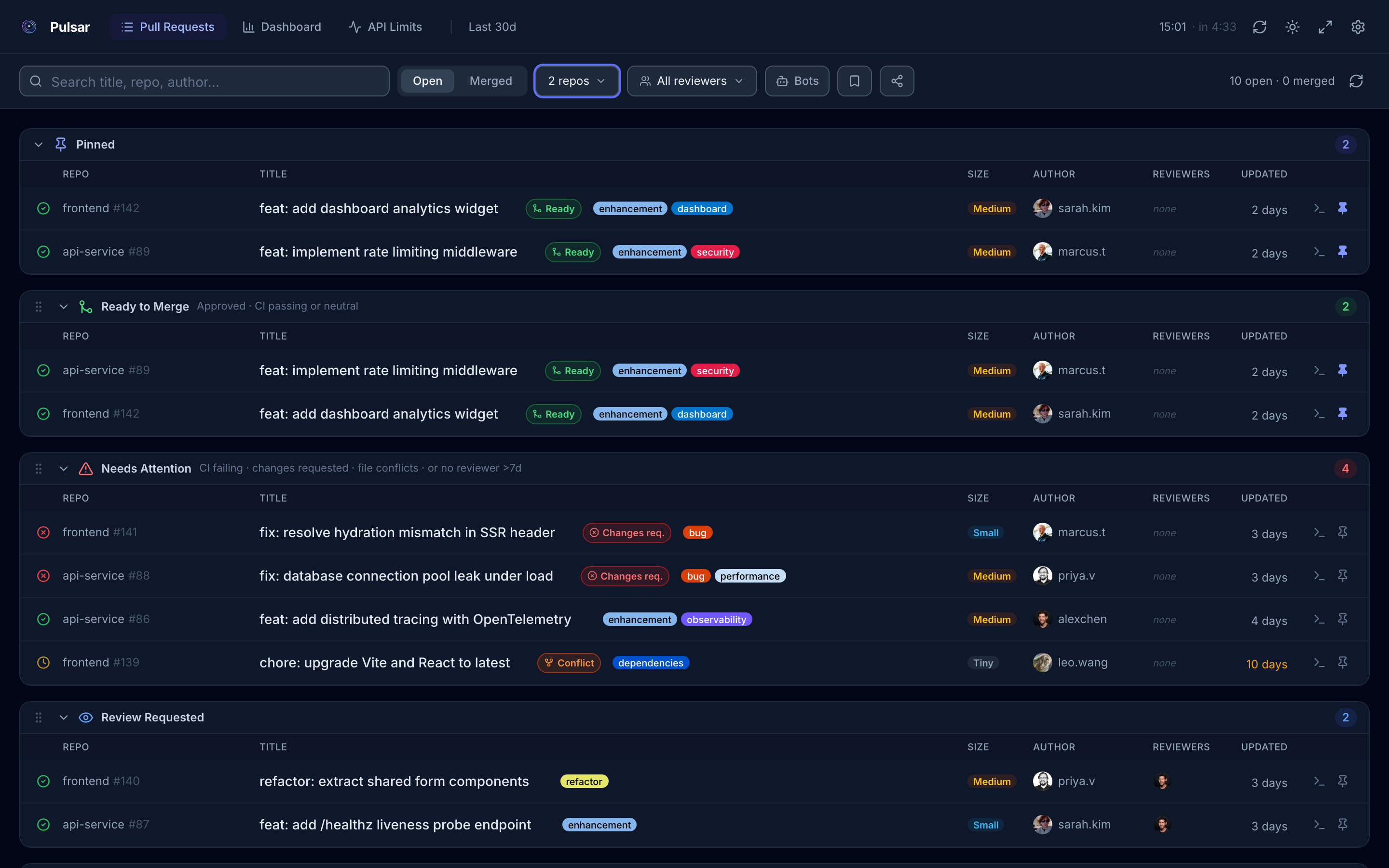
PRs land in Ready to Merge, Needs Attention, Review Requested, My PRs, or Drafts based on their current state. PRs with merge conflicts are automatically escalated to Needs Attention. No manual sorting needed.
feat: add dashboard analytics widget
Approved
feat: rate limiting middleware
marcus.t
Approved
fix: resolve hydration mismatch in SSR
marcus.t
CI failed
chore: upgrade Vite and React to latest
leo.wang
Conflict
Live CI Status & PR Size
Each PR shows its build status inline, pulled from GitHub Actions check runs. Green, yellow, red. A size badge (Tiny, Small, Medium, Large, Huge) tells you how big the change is before you even open it.
Engineering Analytics
Charts for cycle time, merge rate, time to first review, and PR velocity. Pick a window (7, 14, 30, 60, or 90 days) and see what's actually going on.
Multi-Repo Monitoring
Watch your whole GitHub org, a filtered subset, or specific repos from one view. Works with orgs and personal accounts, mixed or separate.
Review Workload Insights
See who's reviewing what across your team. The workload chart and author activity table make it easy to notice when reviews are piling up on one person.
Filter Presets & Auto-Refresh
Save filter combinations as named presets and switch back to them in one click. Auto-refresh keeps everything current on a schedule you set.
0
Data leaves your browser
Recently Added
What's new in Pulsar
New features shipped to make your workflow even faster.
✦ New
Shareable Links
Share your exact filtered workspace: selected repos, search, reviewers, section order, all in a single URL. The recipient gets a preview modal before anything is applied. Opening without a token shows a built-in PAT prompt.
✦ New
Drag & Drop Sections
Reorder PR sections exactly how you want them. Drag the handle on any section header to rearrange Ready to Merge, Needs Attention, Review Requested, and more. Your order is saved and included in share links.
✦ New
Pinned PRs
Bookmark PRs you want to keep on your radar with the pin icon on any row. Pinned PRs are always shown in a dedicated section at the top and survive page refreshes.
✦ New
Quick Checkout
Every PR row has a terminal button that copies the exact command to check it out locally. One click and it's ready to paste in your terminal.
$ gh pr checkout https://github.com/acme/frontend/pull/142
✦ New
Reviewer Filter
Focus on PRs that involve specific reviewers. Multi-select from the team members already in your data, useful for code owners, leads, and review rotation tracking. Saveable as a preset.
✦ New
PR Lifecycle Timeline
The PR detail panel now shows a visual timeline: when it was opened, who reviewed it and when, when it was approved, and when it was merged. All at a glance, without leaving Pulsar.
✦ New
Contributor Heatmap
A weekly activity heatmap on the Dashboard shows contribution intensity per team member across the selected time range. Spot who's heads-down and who might need a hand.
✦ New
Issue Tracker Links
Configure Jira, GitHub issue references, or any custom tracker with a regex pattern. Pulsar auto-links matching references in PR titles and descriptions — click through to the issue without leaving your dashboard.
PROJ-123 → Jira · #42 → GitHub · LIN-456 → Linear
Screenshots
See it in action
A clean, focused interface. Works in dark and light mode, on desktop and mobile.
PR list with sections: Ready to Merge, Needs Attention, Review Requested, and more
pulsar · Pull Requests · Pinned
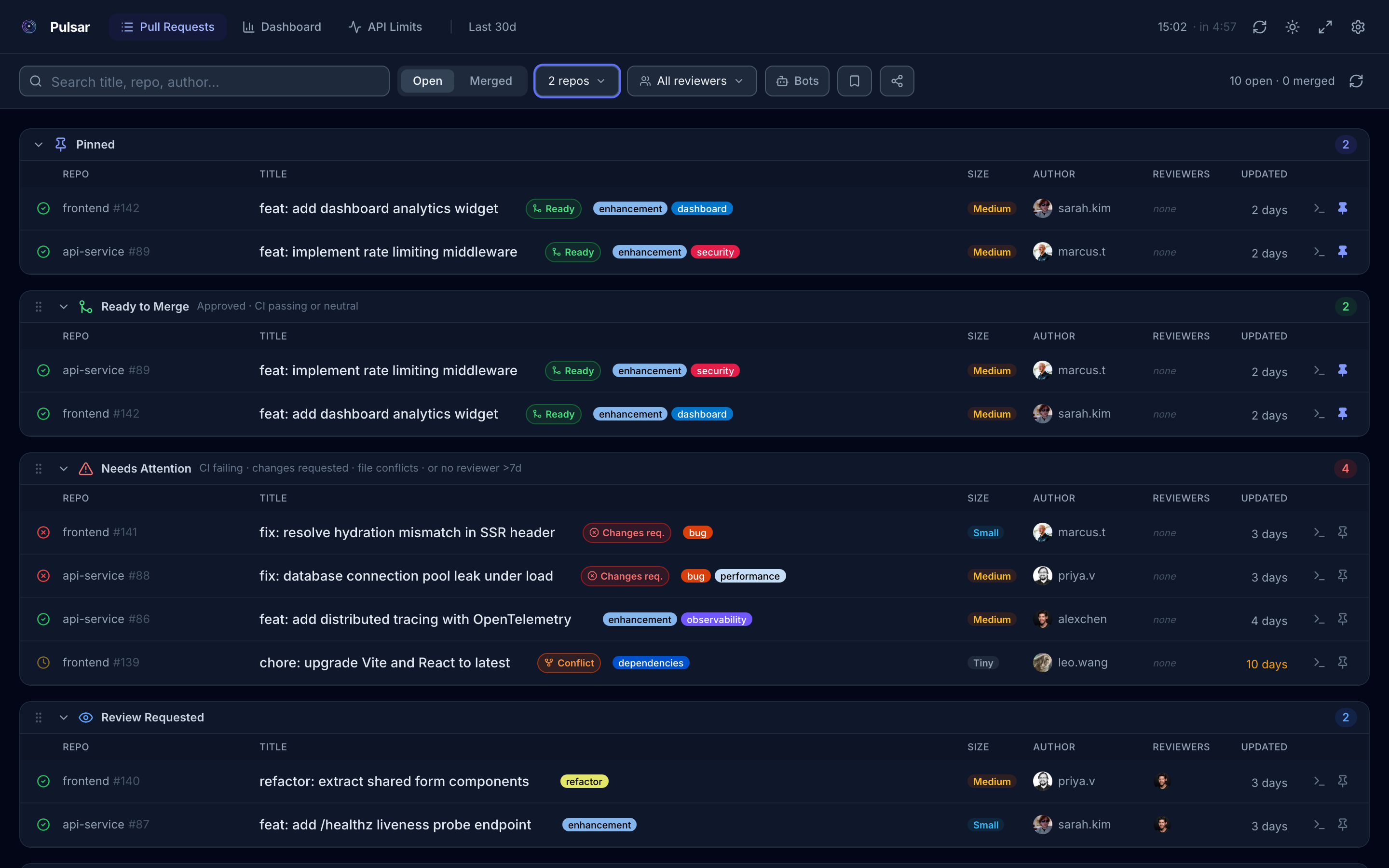
Pinned PRs appear in a dedicated section at the top. Bookmarked on any row via the pin icon, persisted across refreshes
pulsar · Pull Requests · Reviewer filter
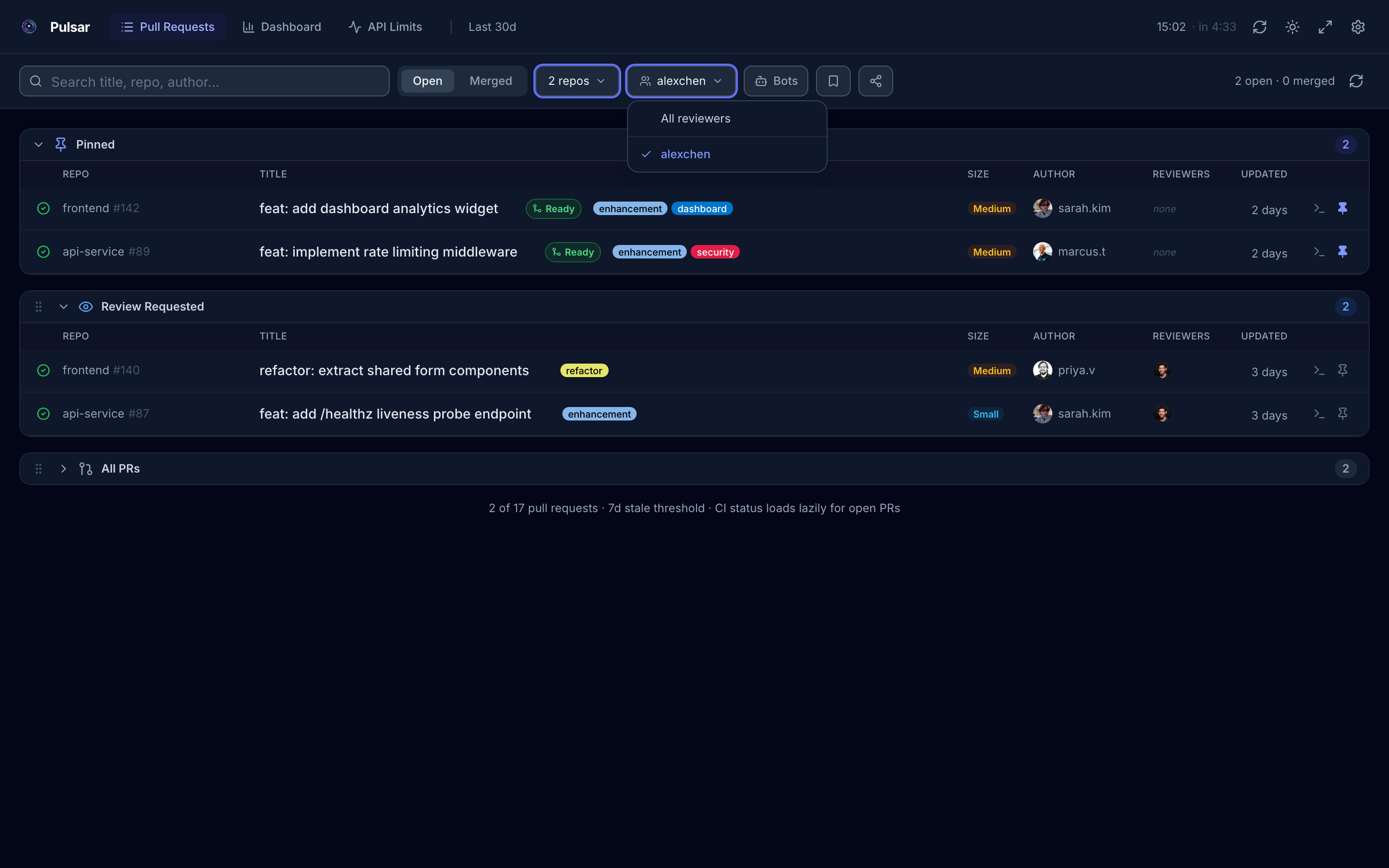
Filter PR sections by reviewer. Multi-select from the team members already in your data, saveable as a named preset
pulsar · Pull Requests · Detail
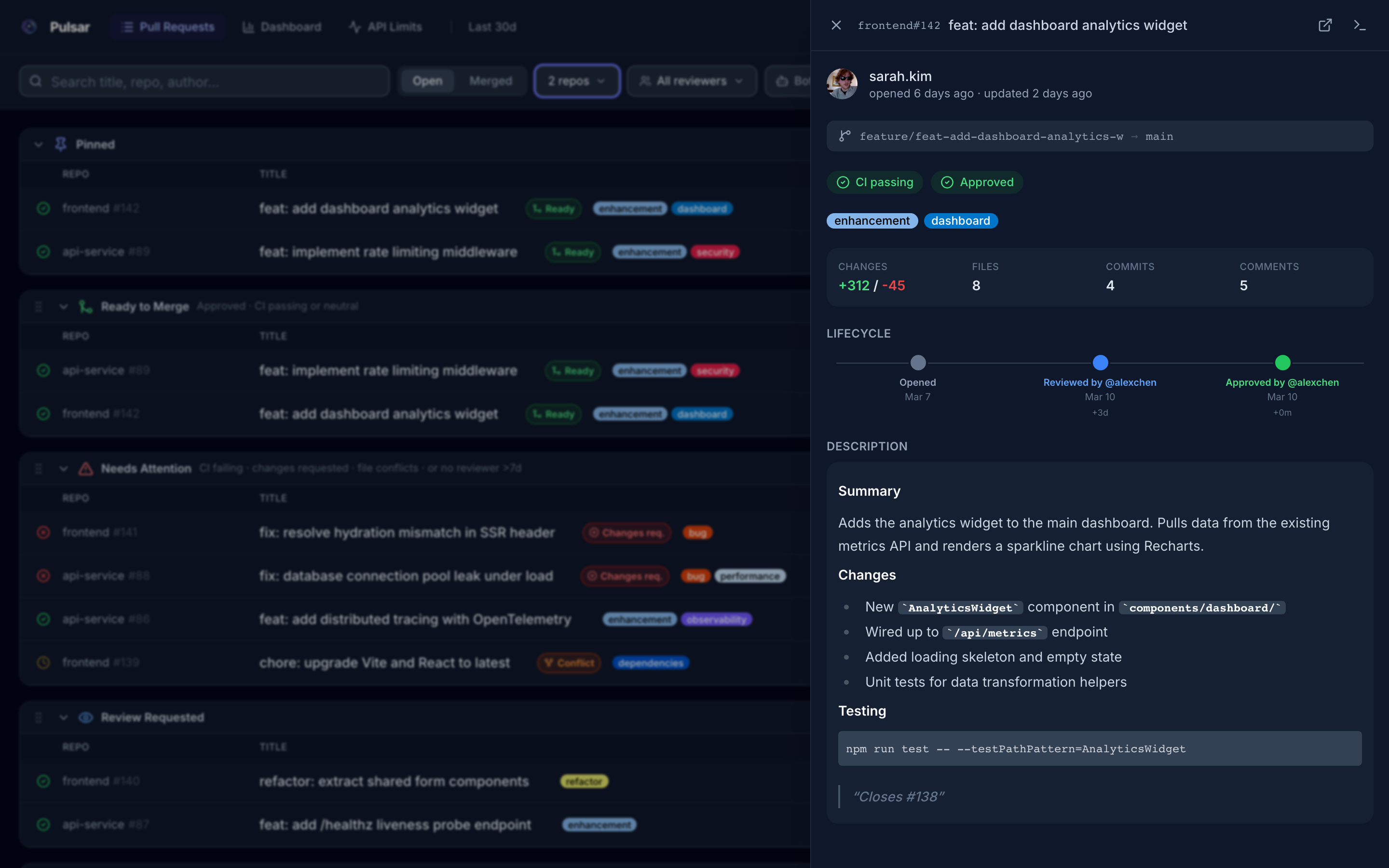
Click any PR to open a side panel: author, branch, CI status, review state, labels, diff stats, and description
pulsar · Pull Requests · Timeline
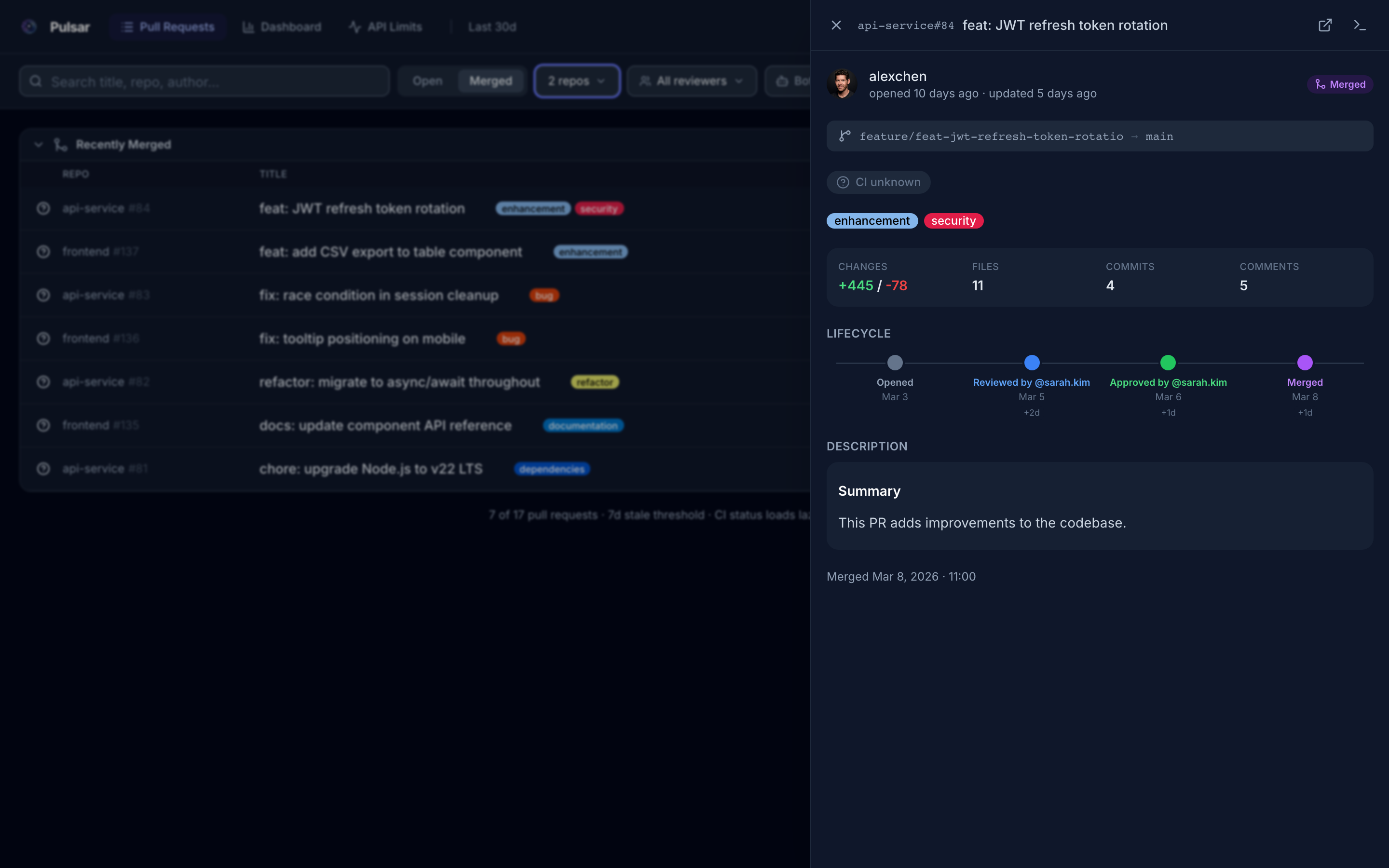
PR detail panel shows a visual lifecycle timeline: opened → first review → approved → merged, with exact timestamps
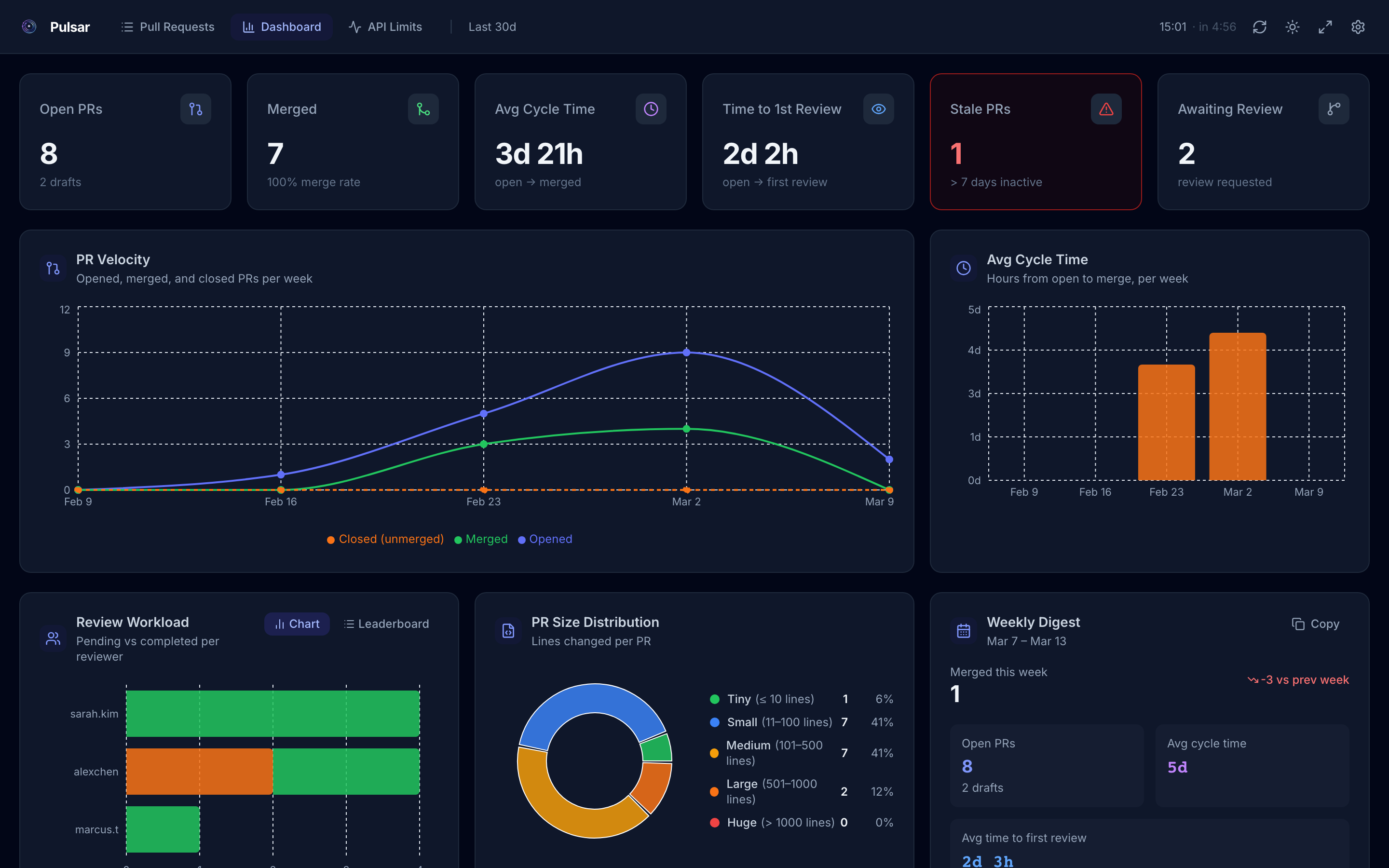
Analytics dashboard with metric cards, PR velocity chart, cycle time, and review workload
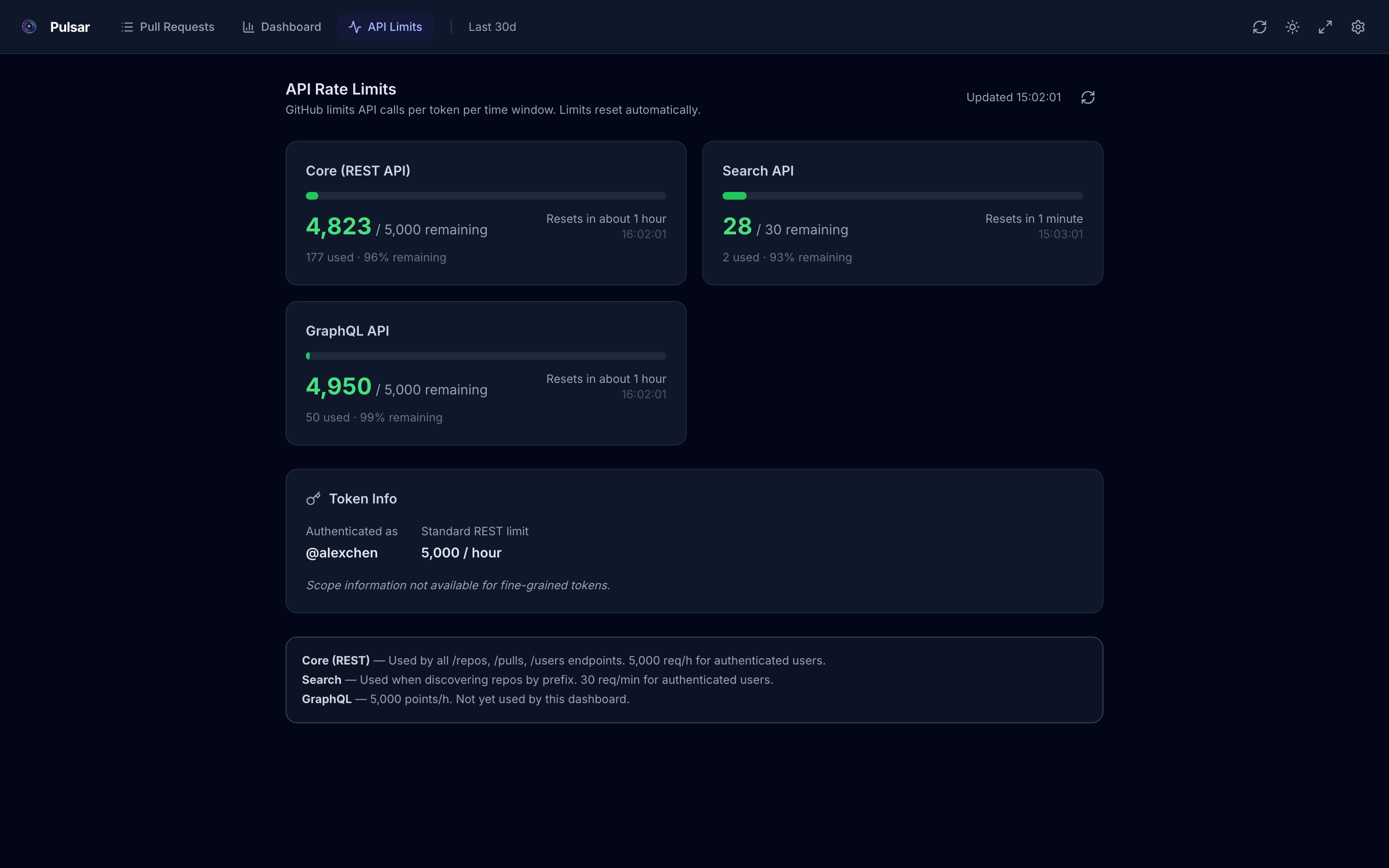
See your GitHub API quota at a glance: Core, Search, and GraphQL buckets with reset times and token scopes
pulsar · Pull Requests · Light mode
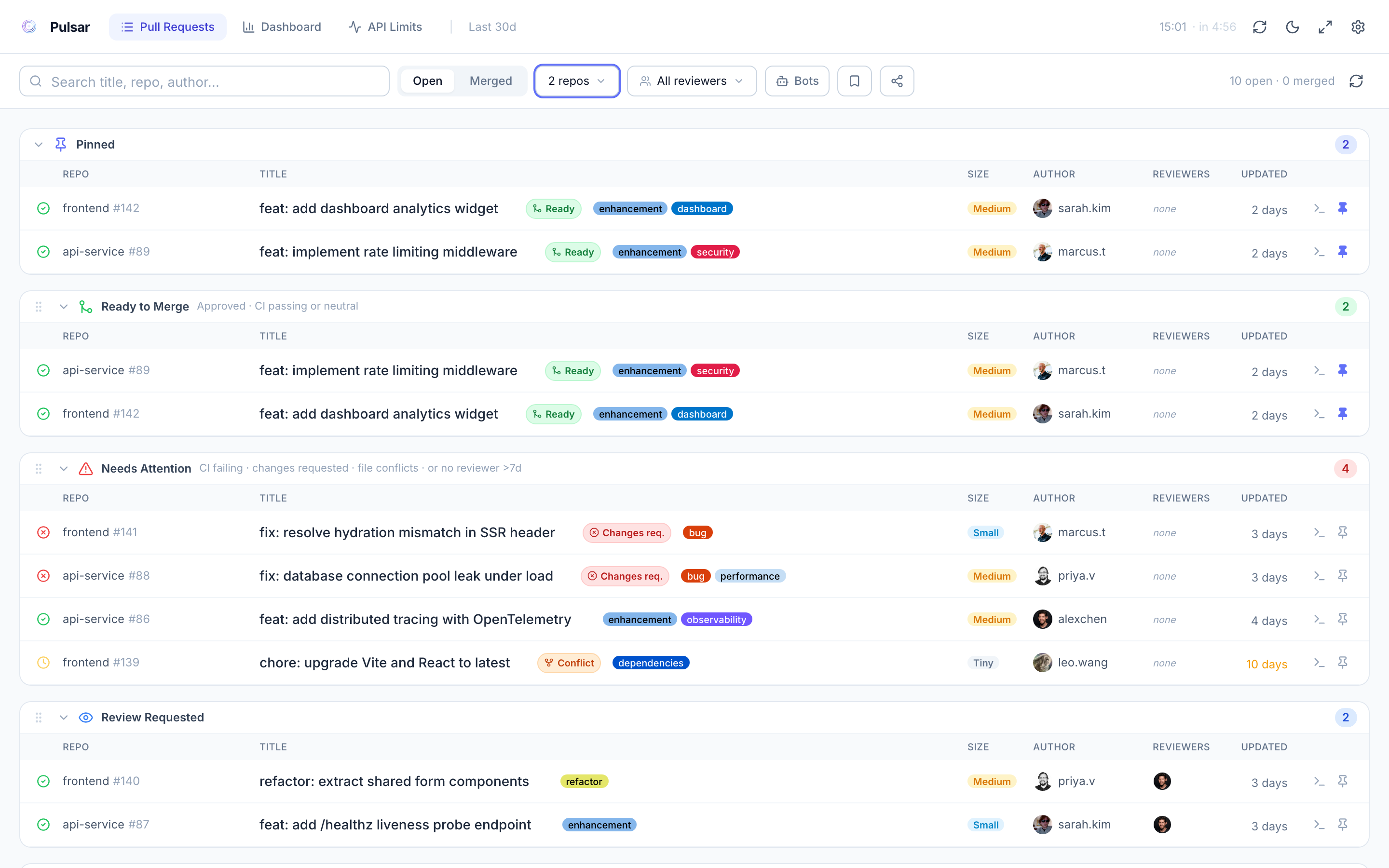
Light mode too. Toggle with one click.
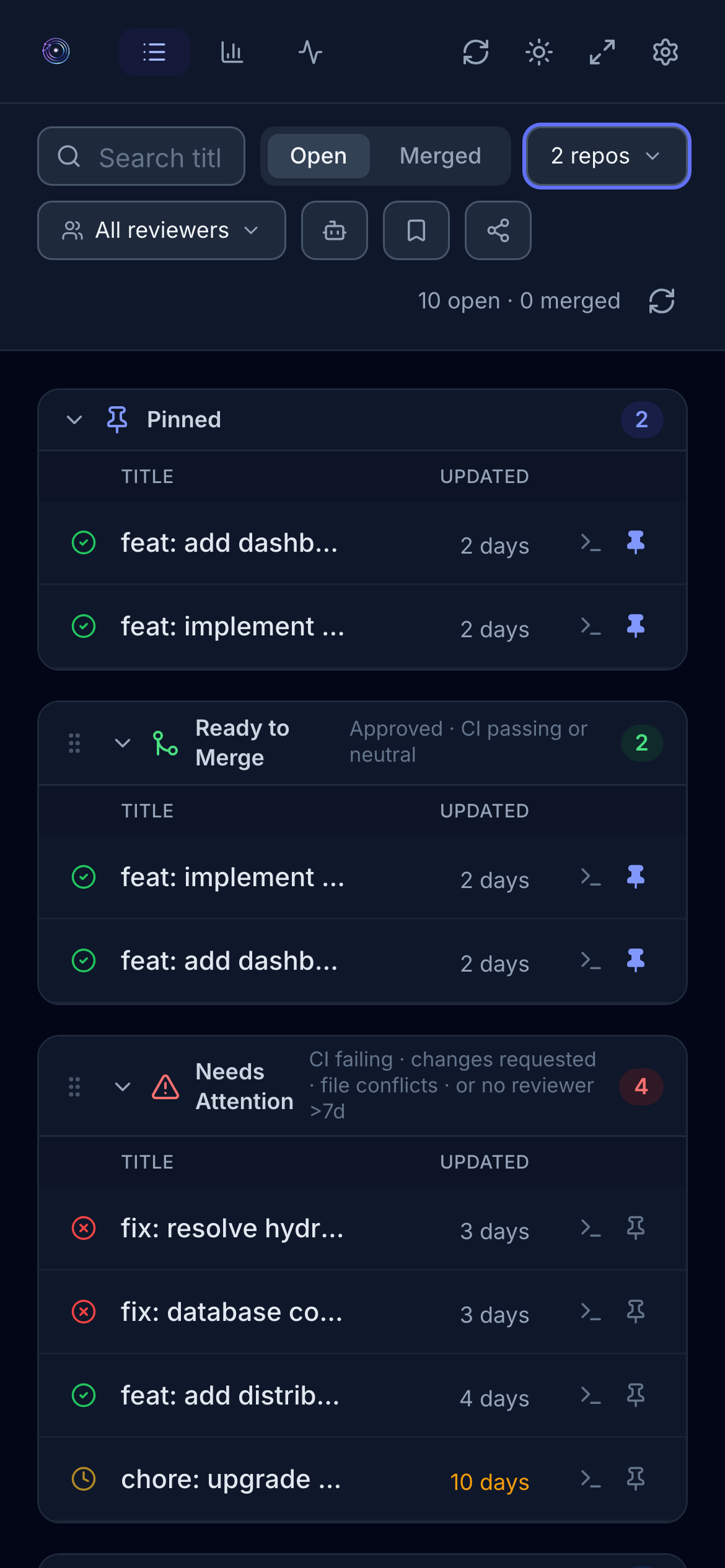
Fully responsive, works on any screen size
pulsar · Drag & Drop Sections
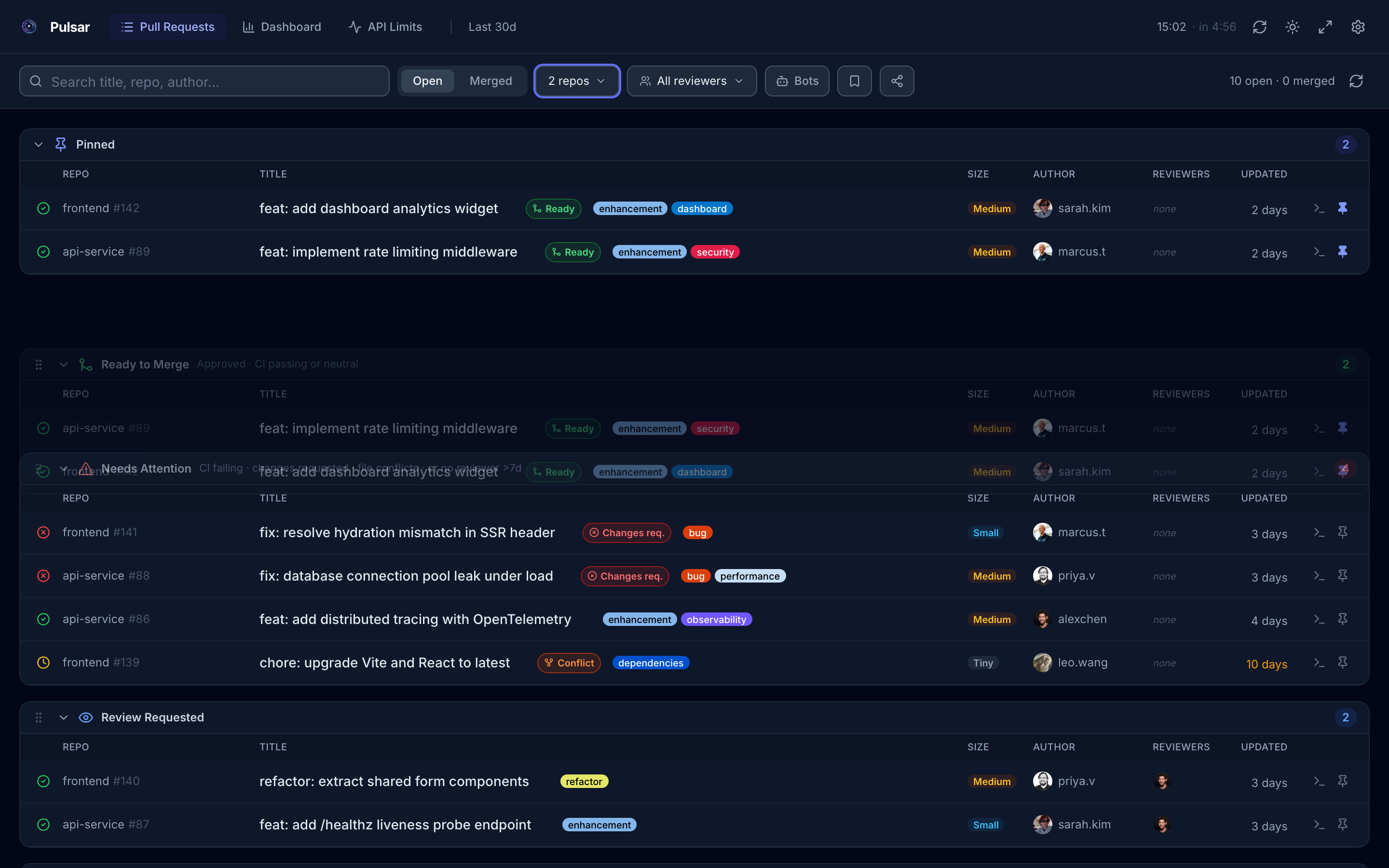
Drag the grip handle on any section header to reorder. Your layout is saved and syncs through share links
pulsar · Contributor Heatmap
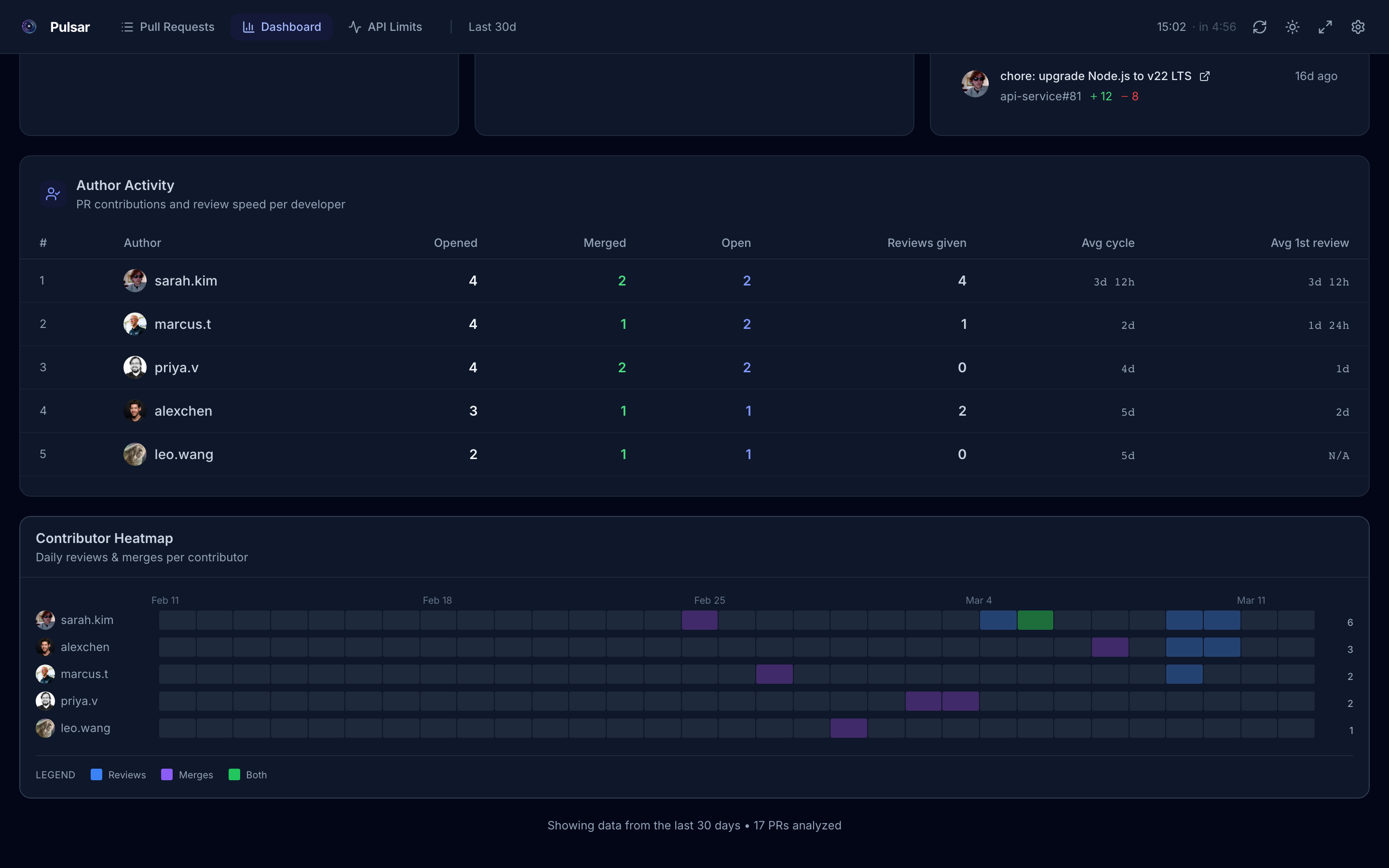
Weekly contributor heatmap shows activity intensity per team member. Spot who is heads-down and who might need a hand
How it works
Up and running in 60 seconds
No server to deploy. No data to sync. Paste a GitHub token and you're good.
1
Create a GitHub PAT
Generate a Personal Access Token from your GitHub settings with repo and read:org scopes. It never leaves your browser.
2
Connect your repos
Add your GitHub org, a prefix filter, or individual repositories. Pulsar fetches your PR data directly from the GitHub API. No backend, no sync.
3
Stay on top of everything
PRs are sorted into sections automatically. Head to the Dashboard for engineering metrics. Set up auto-refresh and you're done.
Privacy first
Your data never leaves your browser
Pulsar runs entirely client-side. Your GitHub PAT, repository data, and PR history are stored only in your browser's localStorage. No servers, no databases, no third-party data collection. Anonymous analytics are opt-in only.
🔒