Hello  employee! Programmable Tooltip automates your
micro-workflows
on any Mac app. You can select text on any app, open the tooltip, and choose the action you want to perform. This cuts down the number of clicks and the amount of hand movement by multiple folds.
You will work faster, reduce hand strain, lower the risk of Repetitive Strain Injury (RSI), and improve your overall health.
employee! Programmable Tooltip automates your
micro-workflows
on any Mac app. You can select text on any app, open the tooltip, and choose the action you want to perform. This cuts down the number of clicks and the amount of hand movement by multiple folds.
You will work faster, reduce hand strain, lower the risk of Repetitive Strain Injury (RSI), and improve your overall health.



 Loved by thousands of people!
How it works
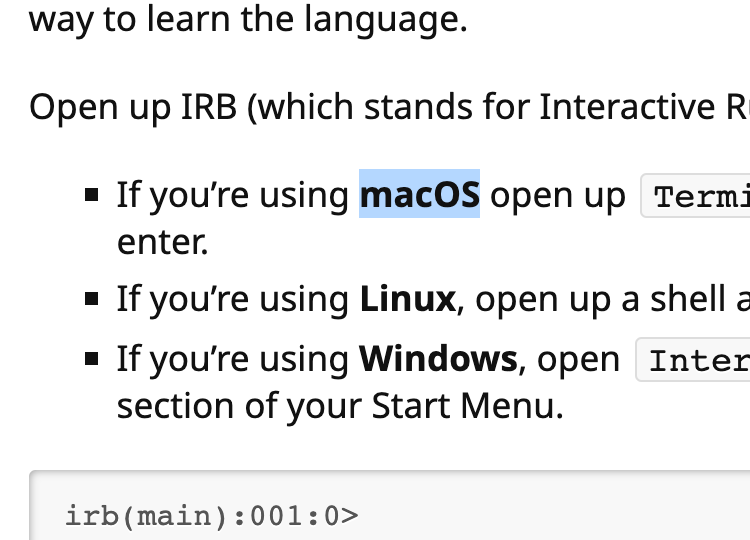
Select a piece of text on any app.
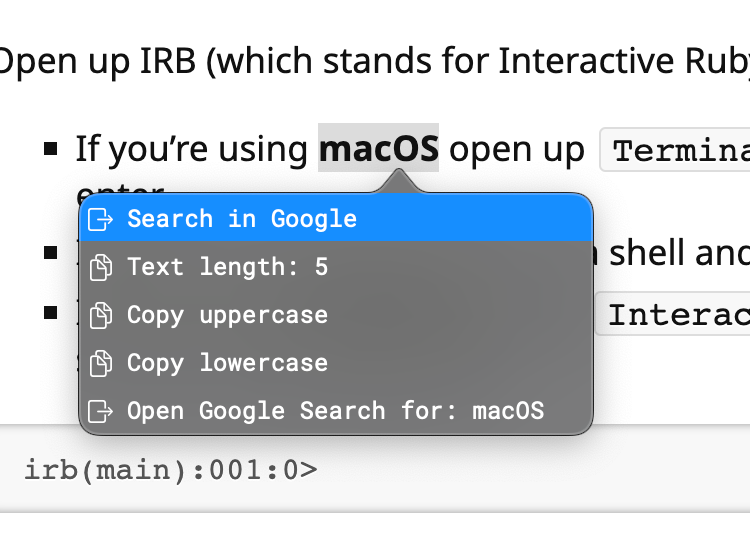
Press the shortcut to open the tooltip.
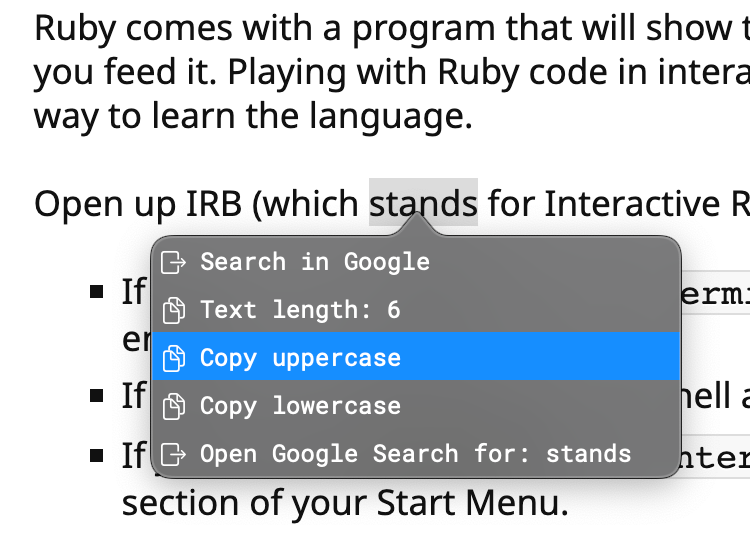
Select the Tip that you want.
You program the tips based on the shape of the input e.g. numbers only, starting with, contains, or regex matching
Use cases for  employees
Convert an epoch millis to a human-readable date Collapse
Scenario: You are looking at an AJAX request in Chrome's Developer Tool. You are seeing the epoch millis, 1721285574539, and want to know what date it is.
Setup:
You enable the pre-configured Tip named 'Convert Unix Timestamps'
Action: You select the epoch millis and open the tooltip. Now you see the human-readable date.
Step 1

Select the epoch millis
Step 2
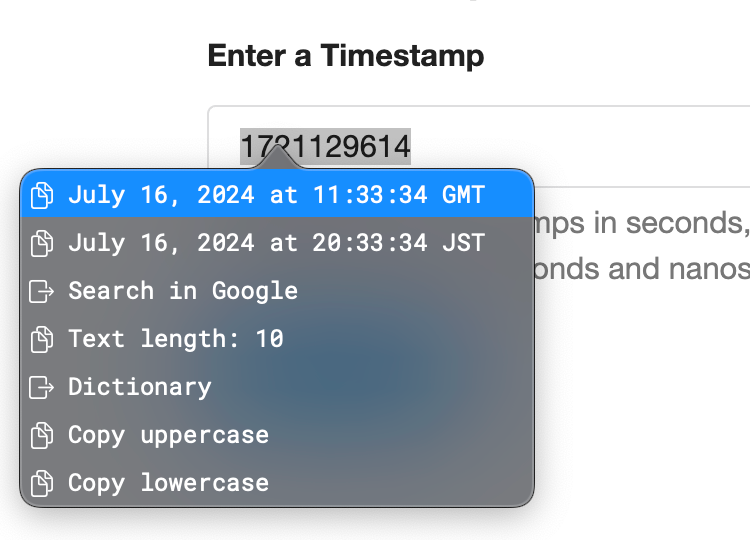
Open the tooltip
Open go/obj Collapse
Scenario: Your co-worker sent you a Slack message about the charge: ch_3PYB6wDfMvygSfDR4NhurNMG. You want to look up the charge in the company's admin view.
Setup:
You add the pre-configured Tip named 'Open URL' and configure it as follows: 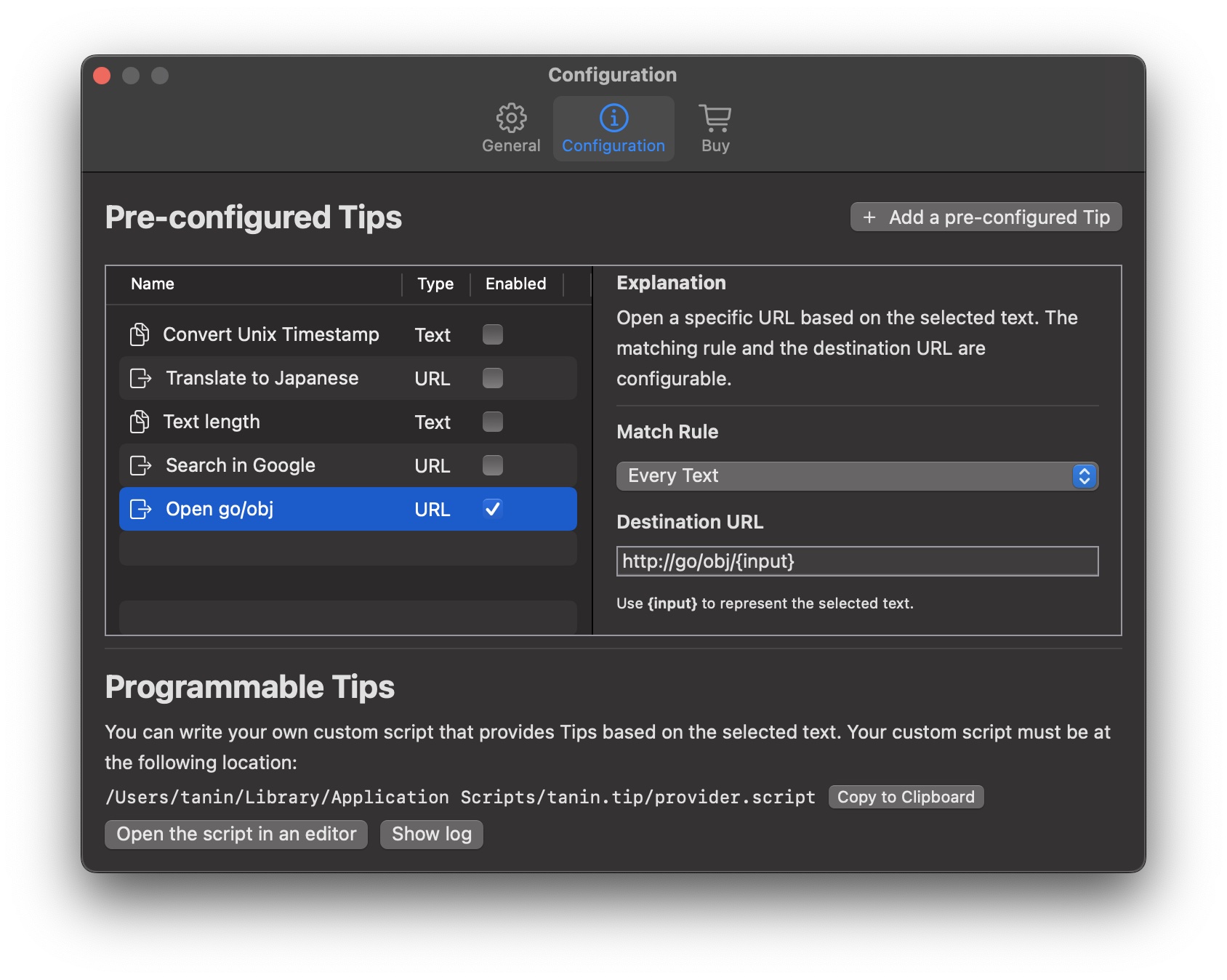
Action: You highlight the charge ID, open the tooltip, and select 'Open go/obj'
Open a JIRA ticket Collapse
Scenario: Your colleague sent you the JIRA ticket, JBR-563, on Slack. You want to open the JIRA ticket.
Setup:
You write a custom Tip that accepts the input matching /\A[A-Za-z]+-[0-9]+\z/ and returns an Open URL Tip whose destination URL is go/jira/{input}
Action: You highlight the JIRA ticket on Slack, open the tooltip, and choose 'Open JIRA'. Now the browser opens the JIRA ticket.
Step 1

Select the JIRA ticket
Step 2

Open the tooltip
Step 3

Select 'Open JIRA'
Step 4

The JIRA ticket is opened
Open a file on VSCode Collapse
Scenario: You are looking at an error stack and seeing the HomeController class name. You want to open HomeController.scala on VSCode.
Setup:
You write a custom Tip that searches through files in specific folders and returns an Open URL Tip whose destination URL is vscode://file/<file_path>
Action: You highlight the class name, open the tooltip, and select 'Open HomeController.scala in VSCode'
Step 1
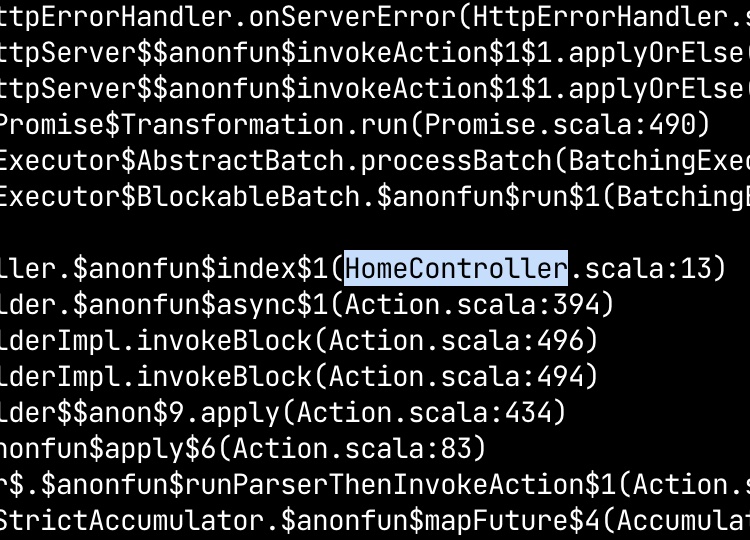
Select the class name
Step 2
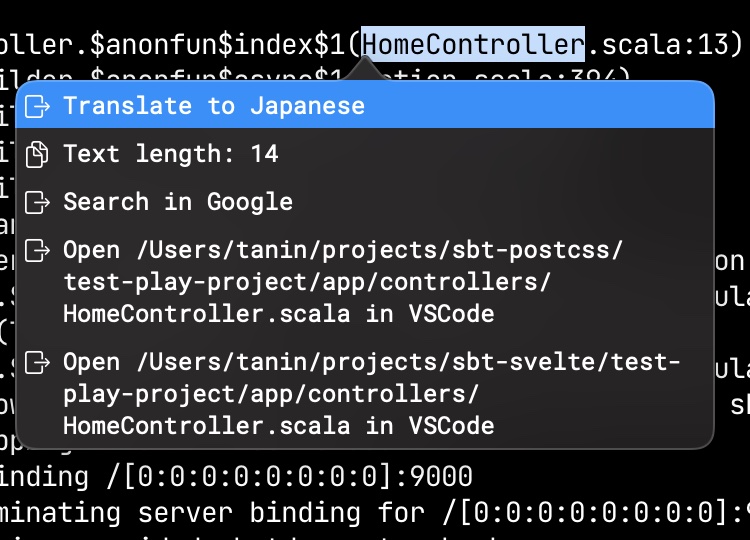
Open the tooltip
Step 3
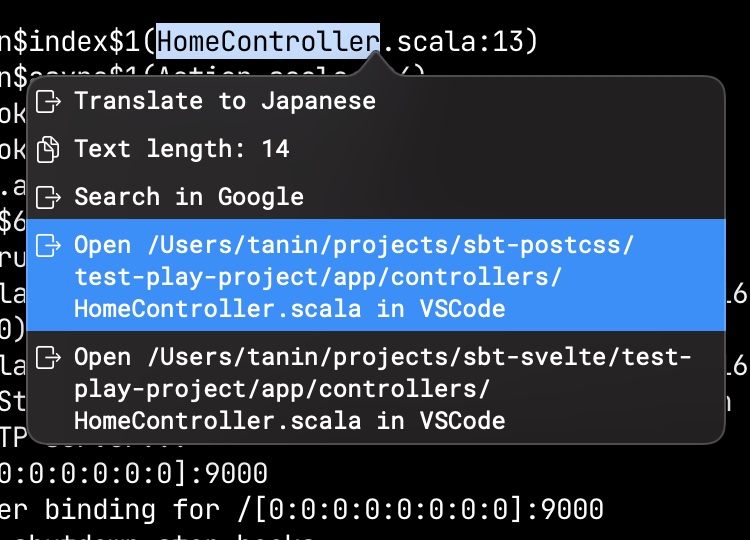
Select 'Open in VSCode'
Step 4
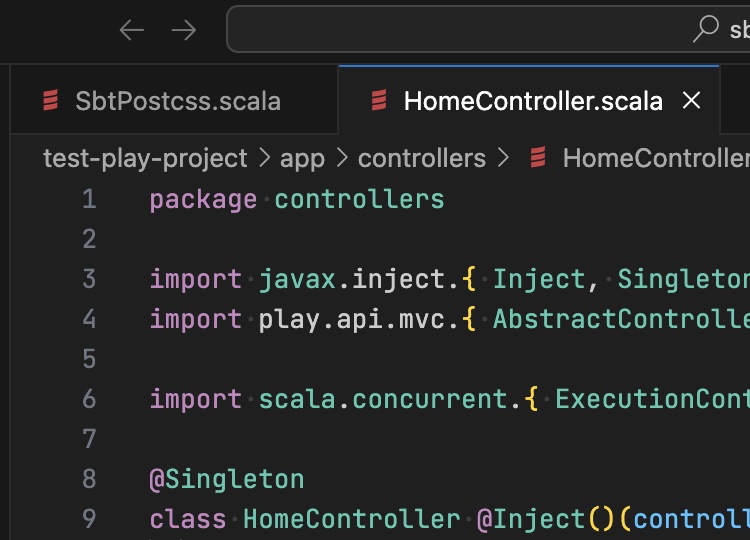
The file is opened on VSCode
Search Splunk with a keyword Collapse
Scenario: You want to open Splunk and search through it with a specific keyword
Setup:
You add the pre-configured Tip named 'Open URL' and configure it as follows: 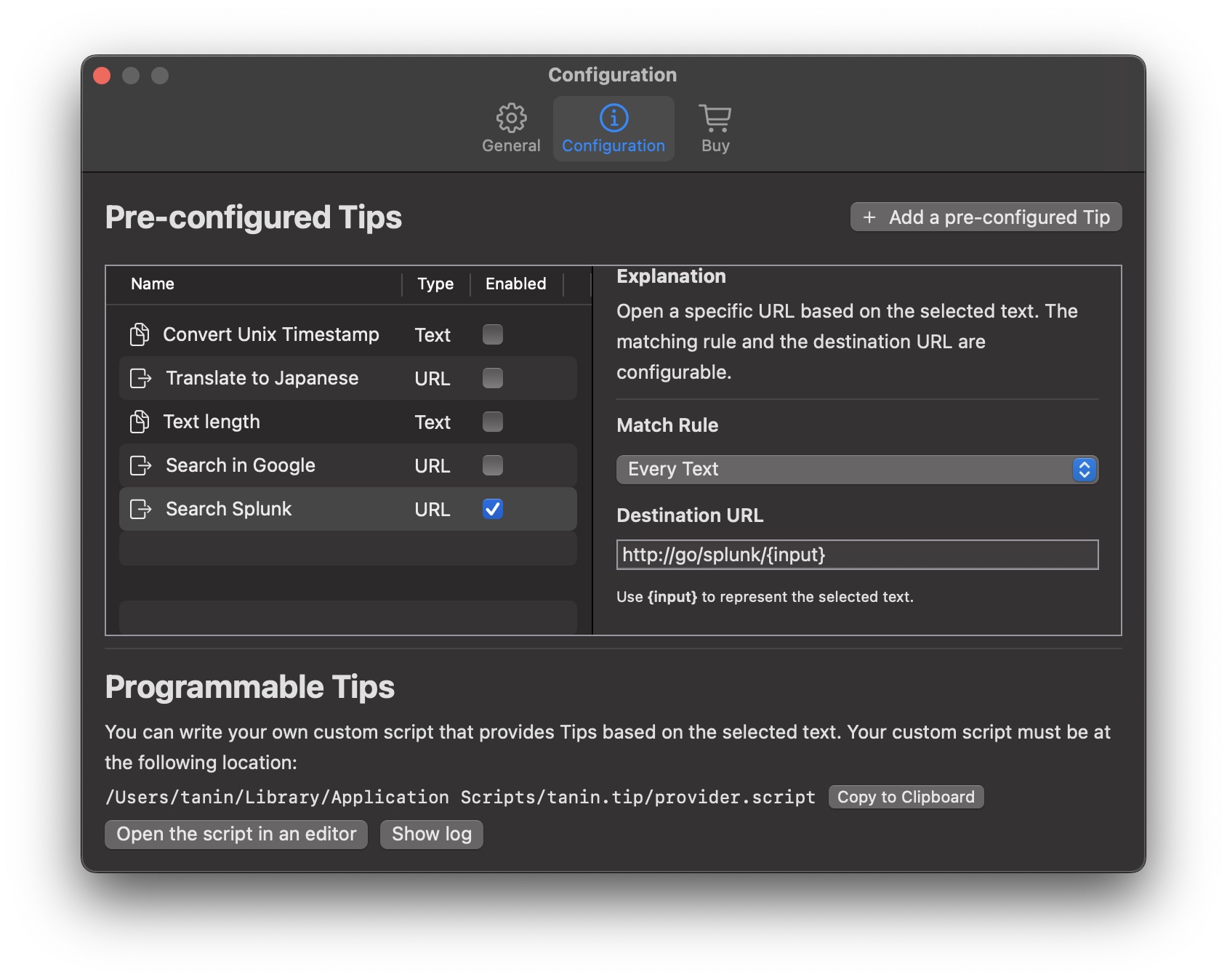
Action: You highlight the keyword, open the tooltip, and select 'Search Splunk'
... and many more. Since you can program it, only your imagination is the limit.
What other people said
Very cool idea! I can immediately thing of like 5 things I could use this for.
Easy to setup and near-instant productivity enhancement.
Interesting: Programmable Tooltip is a programmable tooltip that can be "used with any Mac OS app”. Looks cool.
Very cool idea! I also like that the provider script was written in Ruby, makes it easy to start hacking on it.
this is a pretty rad interface
I'm very interested that you can open Intellij code. Do you have example code from your GIF you could link? Is Intellij opened with the type url or a script? Can't wait to use this! Thanks
Don't ignore your health
As an office worker, we work on our computers 8 hours / day. We'll work for years to come. It's important to optimize our work routine in order to avoid the deterioration of our health.
Reducing the number of clicks and the amount of hand movement is one way to reduce straing on your hand, arm, and body. Using Programmable Tooltip is one of the simplest ways to achieve just that.
Programmable Tooltip is free for simple usage and costs $39.99 (a one-time lifetime fee) for advanced usage. As a Stripe employee, you should be able to reimburse a productivity software. Please review your software reimbursement policy.
Investing in good ergonomics (e.g. Programmable Tooltip, good desk, great chair, split keyboard) will pay off on your health in the long run. I implore you to start investing in ergonomics right now.
Strong privacy
Programmable Tooltip runs in App Sandbox, is distributed through App Store, and has gone through the Apple's rigorous review process.
By running in App Sandbox, it is NOT allowed to read, write, or execute files in any user's directory except the directories whose permission is explicitly granted by the users. Since we don't require any permission, we cannot see user's activity. The app only sees the selected text when you open the tooltip. The strong degree of privacy is what sets us apart from our alternatives.
Get started
Improve your productivity and ergonomics today!