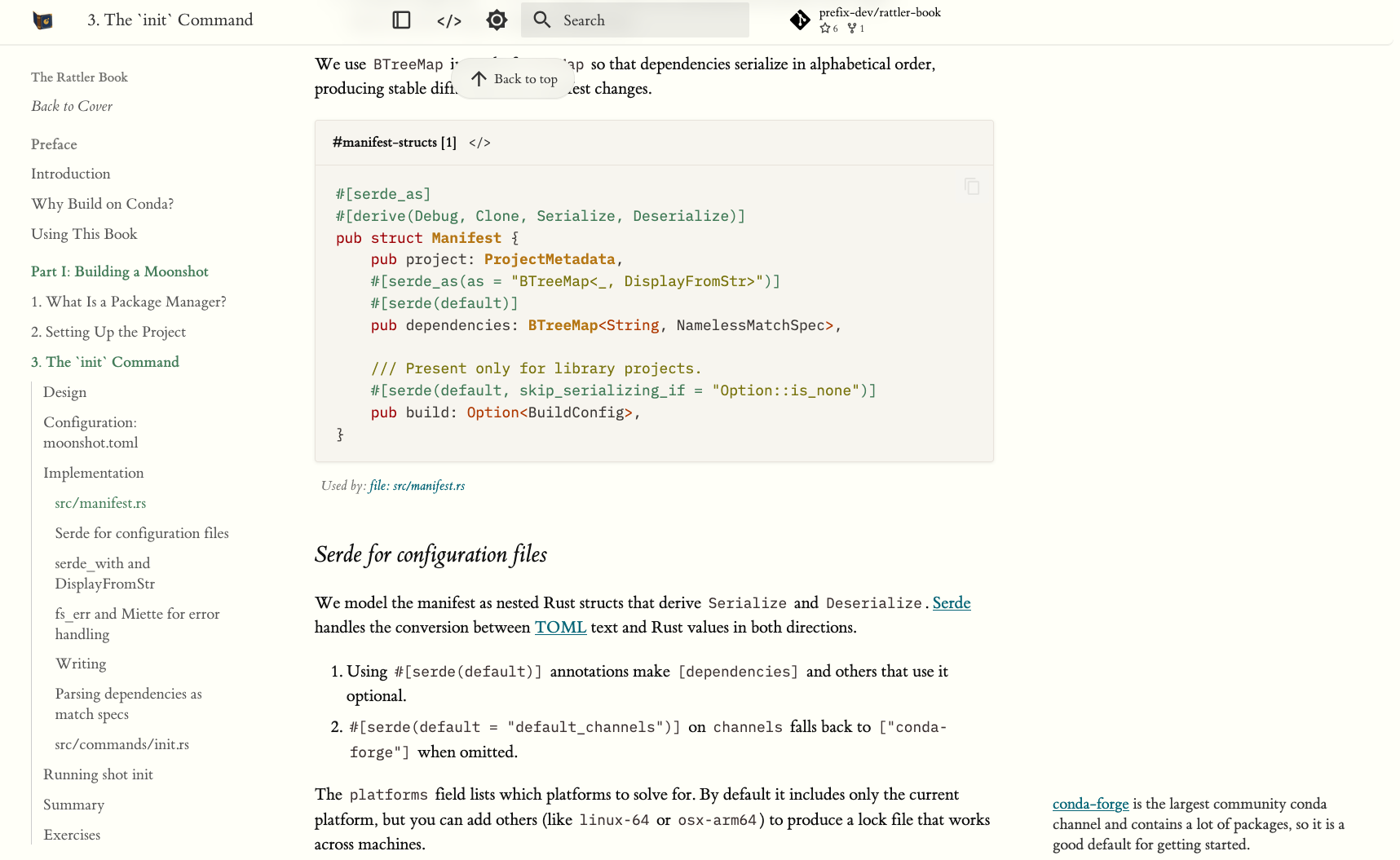
Ever wanted to write your own package manager but don't know what to use or how to get started? We wrote a small book that should help with that and is available at: Rattler Book. And the corresponding Github Repo is also open-source, which contains both the rendered source code and literate programming markdown. The result is a readable web-first book based on heavily modified MkDocs theme. This is a small preview:
So why?
A while after we started building our core library, rattler, which powers pixi, rattler-build and prefix.dev, we became pretty bullish on the idea that it should be possible to use rattler to build your own package manager for a programming language, whether one you made yourself or any other! In order to facilitate a workshop with Anaconda, we decided to write a book where we walk through the process of writing such a custom package manager. And we believe it might be interesting for other people as well. rattler is already widely used today, even in Mise, but of course we'd love to see it adopted in other tools as well. We hope this book is a great read and helps with that.
Conda as a Foundation
While the conda ecosystem is sometimes incorrectly identified with python-only tools, the underlying format is very neat: binary packages, platform-specific variants, one-version-per-environment semantics, and a huge existing package set on conda-forge. For example, a lot of programming languages integrate with C libraries, and conda-forge provides a lot of these already!
rattler the library, then extracts the useful parts into composable Rust crates: an extremely fast solver, a parallelized installer, a networking stack, shell activation hooks, and more! Together they make a good combination to build a package manager on top of.
About the Book
The book walks through building "Moonshot", a simple but working package manager for the Lua language that resolves dependencies with a SAT solver, installs binary packages, and activates shell environments.
These are some of the sample commands you can run:
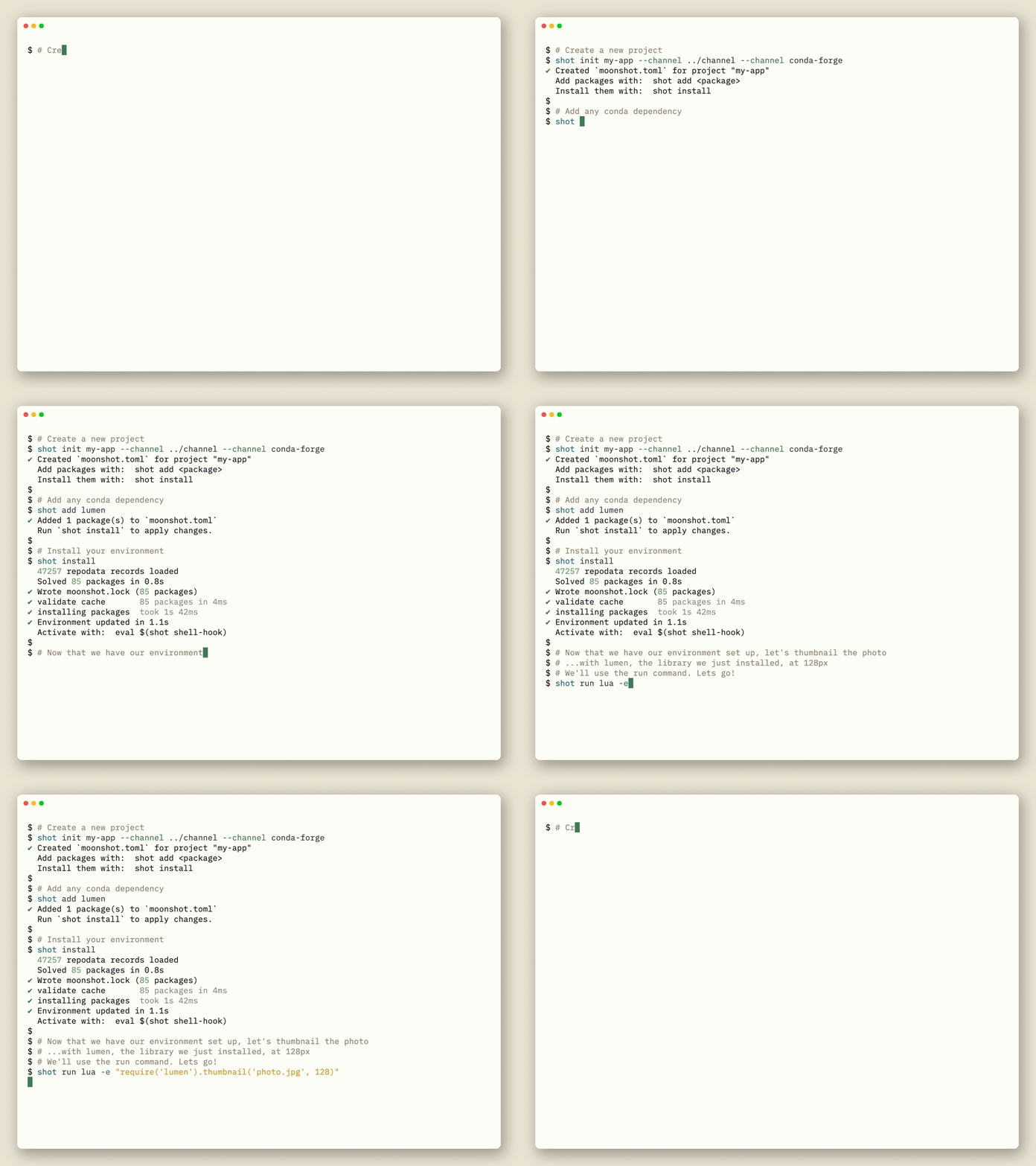
What you see in the code snippet above is lua from conda-forge. imagemagick is a C library with loads of other native dependencies. Adding lua explicitly might seem a bit strange as a lua native package manager, don't worry, there is an exercise in the book to change that! Yes the book has exercises too :)
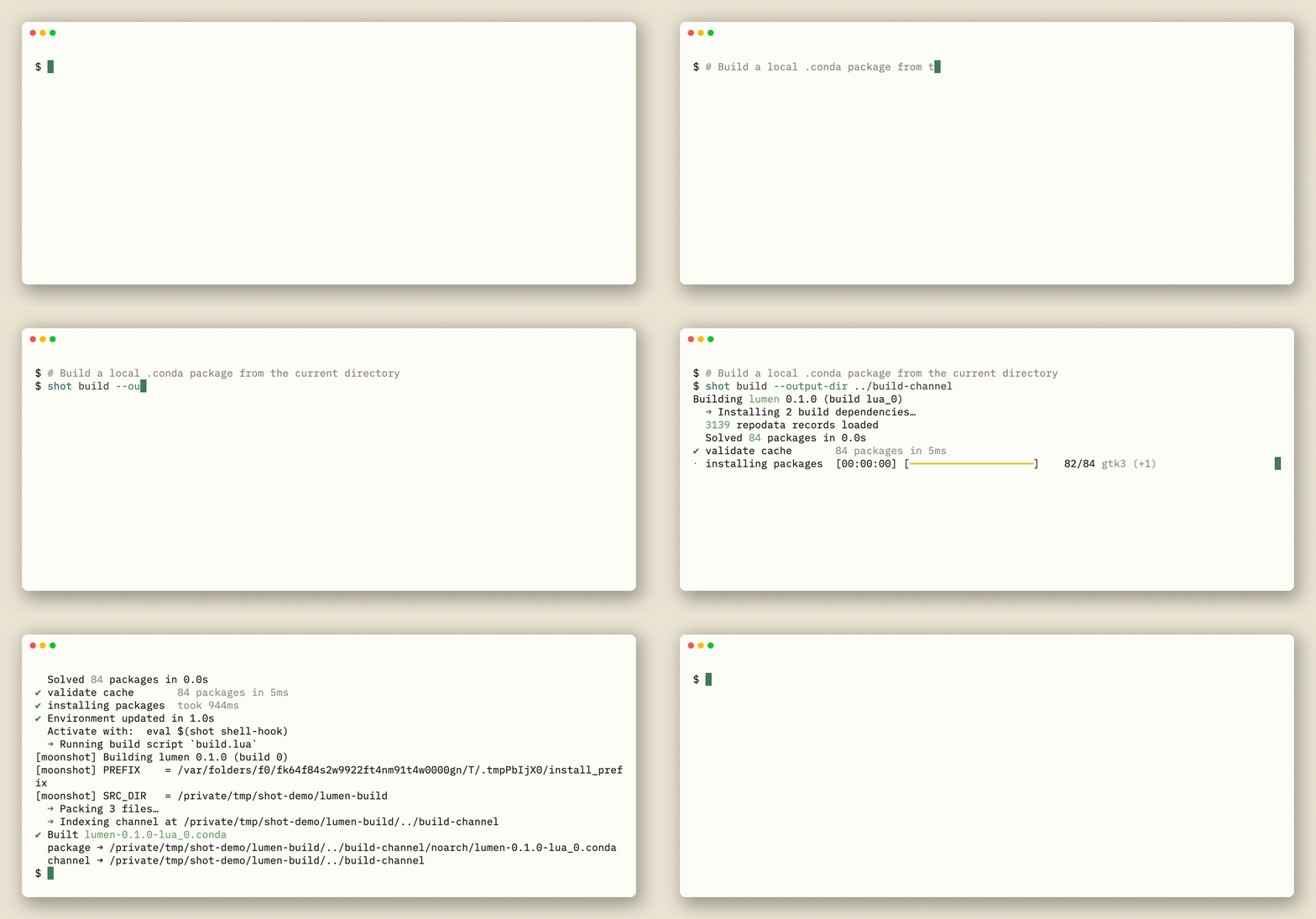
Lumen as seen above, is a Lua library we built with moonshot using the following command:
What is covered?
A first part has eight chapters that implements one command end-to-end:
init: scaffold a project manifest
search: query the repodata index
add: modify the manifest
lock: resolve dependencies via the
resolvoSAT solverinstall: fetch and unpack packages into a prefix
shell: generate activation scripts
run: execute commands inside the environment
build: produce a distributable
.condapackage
We also have a bunch of exercises per chapter that should help you learn more about each command and potentially more about the conda ecosystem itself
A second part covers the internals, and serves more of a reference:
and the networking stack that handles parallel downloads and CDN mirroring.
... and more
Literate programming
Literate programming a concept introduced by Knuth, and used by excellent books such as Physically Based Rendering. This means that the entire source code, including imports comments etc. Needs to be present in the book.
This means the entire program can and should be generated from the book. We wanted to try this out and its been quite excellent and useful, because it forces the book to always be up-to-date. Entangled the project that we used even provides a way to "stitch" source code back into the markdown. Usually, with literate programming, its one-way.
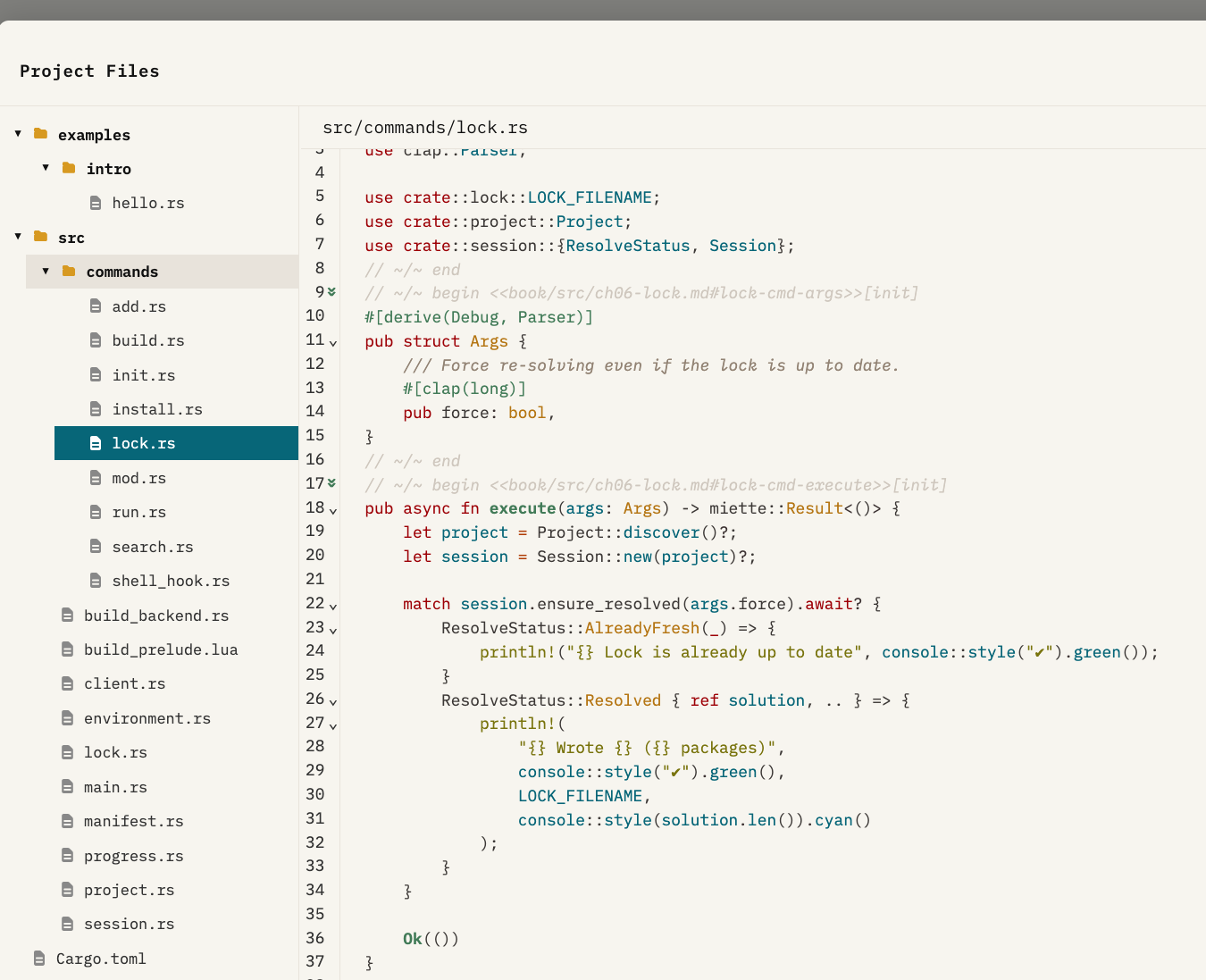
Some cool extensions we added is the ability to navigate between code blocks, and even view the whole of the rendered source code inside the book:
Conclusions
If we piqued your interest in any way, why don't you start with reading the introduction. If you are specifically interested in adopting it for your language of choice, we have a chapter on that as well. And as always feel free to log on onto discord to chat some more, we always like talking about package managers!
Acknowledgements
The book was made possible by Anaconda! Thank you for generously funding this project.