UI runtime for
every kind of
computer
PocketJS is a portable application runtime that turns modern component code into native pixels across radically different hardware.
Nintendo 3DS
Loading Nintendo 3DS
Drag the shell to rotate. Drag the lower screen to scroll, or use the arrow keys.
PS Vita
Loading PS Vita
Drag to inspect the shell, rear touch pad, cameras and ports.
Modern DX solid · vue vapor · octane
Write components as you already do, in Solid, Vue Vapor or Octane. Each one compiles to the same native tree and runs on QuickJS, so the framework you pick changes your code and nothing below it.
import { createSignal, Show } from "solid-js";
import { Text, View } from "@pocketjs/framework/solid/components";

export default function App() {
  const [count, setCount] = createSignal(0);
  return (
    <View class="w-full h-full flex-col items-center gap-4 p-4 bg-slate-50">
      <Text class="text-xl text-slate-950 font-bold">Count: {count()}</Text>
      <View class="px-4 py-2 rounded-xl shadow-md bg-blue-600 focus:bg-blue-500"
        focusable onPress={() => setCount(count() + 1)}>
        <Text class="text-base text-white font-bold">Press Circle</Text>
      </View>
      <Show when={count() > 3}>
        <Text class="text-sm text-emerald-600">Reactive on real hardware.</Text>
      </Show>
    </View>
  );
}
import { ref } from "vue";
import { Text, View } from "@pocketjs/framework/vue-vapor/components";

export default function App() {
  const count = ref(0);
  return () => (
    <View class="w-full h-full flex-col items-center gap-4 p-4 bg-slate-50">
      <Text class="text-xl text-slate-950 font-bold">Count: {count.value}</Text>
      <View class="px-4 py-2 rounded-xl shadow-md bg-blue-600 focus:bg-blue-500"
        focusable onPress={() => { count.value++; }}>
        <Text class="text-base text-white font-bold">Press Circle</Text>
      </View>
      {count.value > 3 ? (
        <Text class="text-sm text-emerald-600">Reactive on real hardware.</Text>
      ) : null}
    </View>
  );
}
import { useState } from "octane";
import { Text, View } from "@pocketjs/framework/octane/components";

export default function App() {
  const [count, setCount] = useState(0);
  return (
    <View class="w-full h-full flex-col items-center gap-4 p-4 bg-slate-50">
      <Text class="text-xl text-slate-950 font-bold">{`Count: ${count}`}</Text>
      <View class="px-4 py-2 rounded-xl shadow-md bg-blue-600 focus:bg-blue-500"
        focusable onPress={() => setCount(count + 1)}>
        <Text class="text-base text-white font-bold">Press Circle</Text>
      </View>
      {count > 3 ? (
        <Text class="text-sm text-emerald-600">Reactive on real hardware.</Text>
      ) : null}
    </View>
  );
}
$ pocket create my-app
$ pocket check --target psp
ok 480x272 · text.glyphs.baked · input.buttons
$ pocket check --target vita
ok same bundle, density 2, no component edited
from your component to a pixel
pocketjs1 thread, 1 process
- your componentguest
- renderer adapterguest
- native treecore
- flexbox layout, baked style tablecore
- drawlistcore
- backend drawcore
pixels
browser or webview4 threads, 2 processes
- your componentmain
- framework runtime, vdom diffmain
- dom mutationmain
- cssom, cascade, specificitymain
- style recalculationmain
- layout, reflowmain
- paint recordsmain
- commit the layer tree across threads
- layer tree, tilingcompositor
- queue raster tasks, track invalidations
- rasterizationraster pool
- ipc to the gpu process, sync fences
- draw quadsgpu
- presentgpu
pixels
Motion compiled at build time
Animation is compiled. Keyframe timelines and spring curves are baked into the style table at build time and advanced by the Rust core on its own clock, so a page can animate with no per-frame JavaScript at all. The panel beside this runs the yui540 motion studies in WebAssembly, inside the handheld they were written for.
Loading the motion studies
Performance quickjs guest, rust core
Your app runs as a QuickJS guest on a Rust core that draws every pixel itself. With no browser engine in the middle, the cost of a screen is close to what the bare metal can do, whether the metal is a 333 MHz handheld or a Mac.
how much machine this asks for
Memory, against a current phone
iPhone 17 Pro Max 12 GB
Sony PSP, 2004 32 MB
The same left edge, magnified 384 times
Sony PSP RAM 32 MB
A PocketJS app 8 MB
Clock, one core
A19 Pro, performance core 4.26 GHz
Sony PSP, one MIPS core 333 MHz
A whole app, drawing a smooth interface, lives in 8 MB on a single 333 MHz core. That is a quarter of what the handheld has, one part in 1536 of the phone's memory, and a core clocked 13 times slower than the one in your pocket.
Benchmarked on a Sony PSP
one MIPS core at 333 MHz · 32 MB RAM · 2004
Frame budget at 60 fps (ms)
016.67 ms budget
javascript 2.2 ms rest of cpu work, to 8.4 ms headroom
That budget holds OpenStrike: a bot-populated BSP map with a Solid JSX HUD, running at 60 fps on hardware from 2004.
Why not just ship a virtual DOM · hero demo (ms)
solid15.15
vue vapor16.74
vue, vdom90.75
Classic Vue does run here, and on this screen its virtual DOM costs about six times the frame work of the same UI without one. Compiled reactivity is why the other two fit in the budget at all.
The three shipped frameworks · hero demo (ms)
solid3.66
vue vapor3.61
octane6.53
Seven samples per app, same 16.67 ms budget. These two charts come from separate runs and the toolchain got faster in between, so read each on its own terms rather than across them.
A markdown editor, built three ways
Apple M3 Max · medians of committed runs
Cold start to first painted frame (ms)
pocket149
tauri v2380
electron301
Idle resident memory (MB)
pocket83
tauri v2193
electron382
On disk the same three are 10, 9 and 242 MB, and only the pocket build runs in a single process. Left alone with a document open, it redraws about twice a second: the caret blinking, and nothing else. The published report also says where the pocket build loses, and why.
Architecture the frame contract
PocketJS makes time the frame counter: one frame(buttons) call is a
transaction nothing outside it can interrupt.
Nothing waits on a wall clock, so tests run as fast as the CPU allows without changing the timing they
measure: a journey that takes six seconds in front of a user is a few dozen frames in CI.
where an effect actually lands
wall clock
network reply arrives mid-frame
input tape
0000000400040000 2000000000010000
A reply that arrives partway through frame +3 is queued, not applied. It is delivered at the start of frame +4, in FIFO order, before any app hook runs. Nothing lands halfway through a transaction: no wall clock, no microtask races, no mid-frame callbacks, and after() replaces setTimeout with a deadline measured in frames.
staten+1 = F(staten, inputn)
pixelsn = G(staten)
Which frame the same async task lands on, 60 runs each
Same app, same awaited confirmation, same assertion. Driven by requestAnimationFrame against a wall clock it lands on 22 different frames, and the timing assertion passes 9 times out of 60. On the frame clock it lands on frame 144 in every run. That spread on the left is where a flaky test lives: the assertion is really a question about a race.
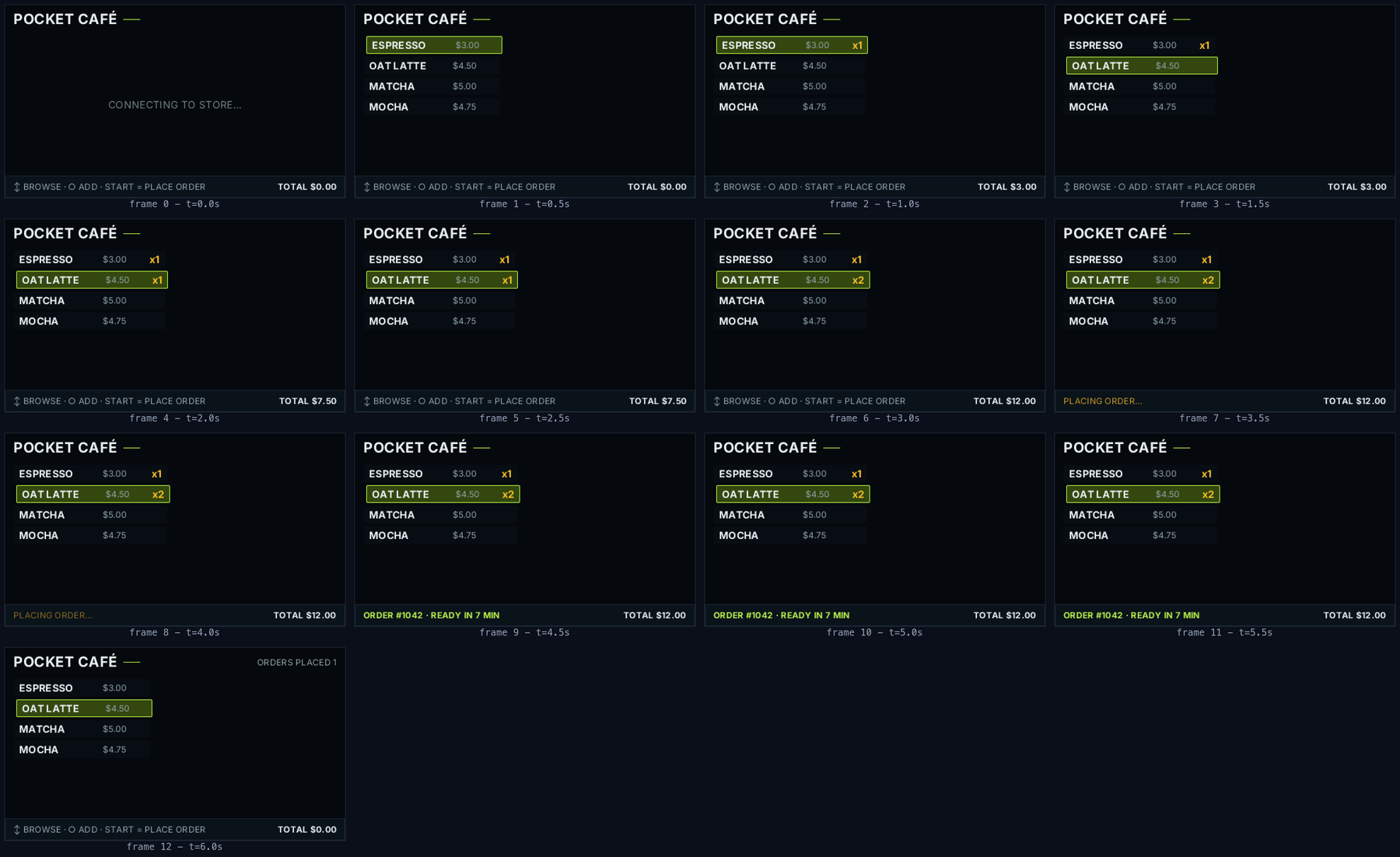
SUBSAMPLED · a whole session in 13 frames at 2 Hz, byte-identical to its counterpart in the 390-frame 60 Hz run.
Because history is a data structure, hypotheticals are cheap: fork the tape at frame 9, splice in a different press, re-run the fold, and a counterfactual world exists in 22 ms. Chaos mode proves the floor holds, injecting real sleeps, allocation churn and forced GC between frames without moving the trace by one bit.
Beyond 2D UI mount what the content needs
PocketJS is an application runtime with a game engine's architecture, so a game and an app are built the same way.
one guest, different cores Pocket TalkOpenStrikePocket Voxel
guest programyour JavaScript, one frame at a time
uitree, layout, draw, input, focus
netpoll batches audiopcm mixer strikebsp, bots, hits voxelchunks, meshing
Cores are independent native modules, loaded the way a kernel loads drivers. An app takes the ones its content needs and the rest never enters the build. Adding one widens what your program is allowed to ask for; it never changes how your program is written.
Compatibility run on the metal, not emulated
PocketJS has booted on every operating system below, on the real machine, and what changes between them is one native submission layer, never the application. Each entry links to the post or pull request that brought it up. Keeping the hardware bootable is its own work, so the Pocket Museum project repairs these machines and keeps them running.
Ecosystem shipped on the runtime
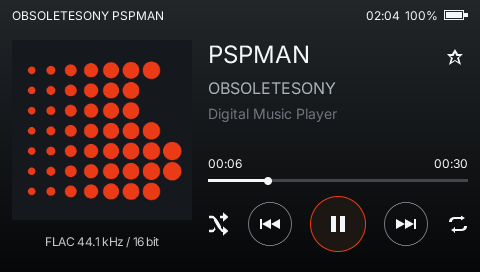
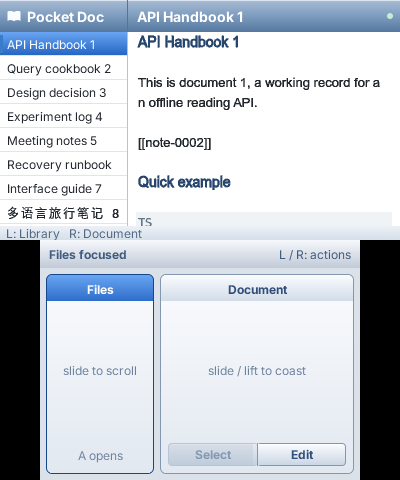
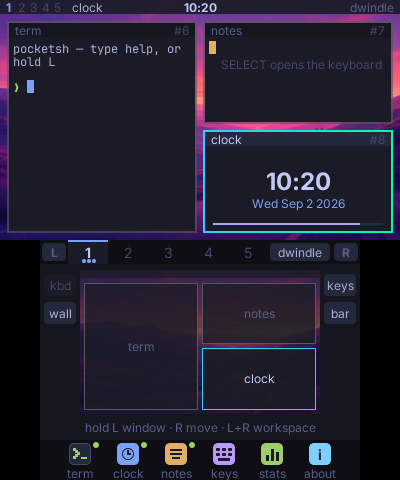
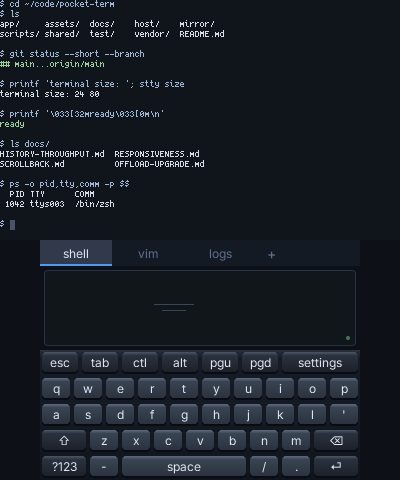
PocketJS carries complete applications on the machines this runtime was built for: music, video, maps, documents, shells, games, and developer tools. Each card links to the project or its setup guide.
11 cases
Nintendo 3DSPSPPS Vita
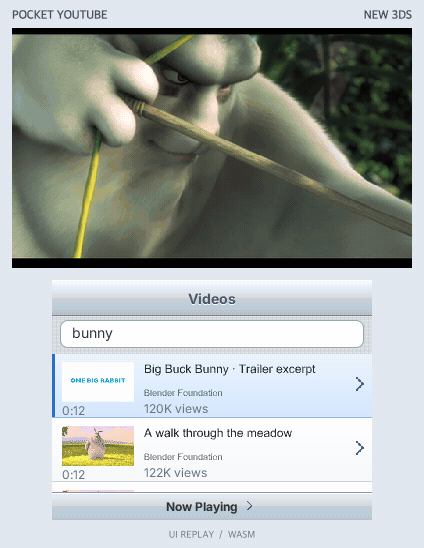
Pocket YouTubeclient
Watch on the upper screen while searching and browsing on the touch screen. A Mac companion streams video to the 3DS over Wi-Fi; PSP and PS Vita builds are available too.
PSPPS Vita
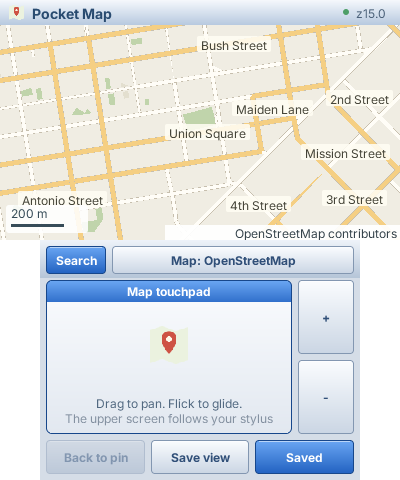
Pocket Figmaviewer
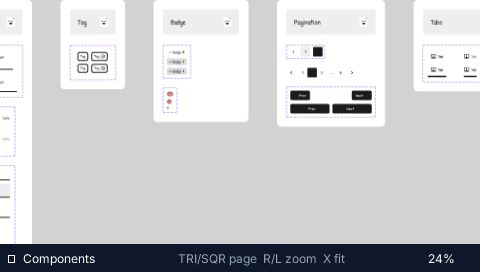
A real 14,430-node design file, cooked into streamed tile pyramids and panned with the analog nub at 60 fps on a handheld with 32 MB of RAM.
PSPPS Vita
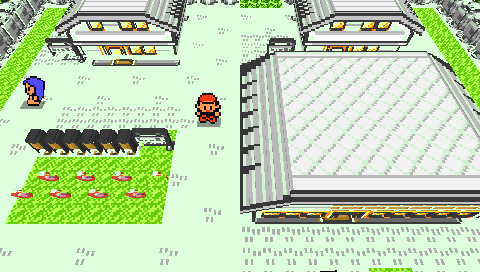
Pocket Voxelworld
A creature-RPG town rebuilt as a walking voxel diorama. Game state lives in the JS guest; logic runs at 60 Hz while presentation holds a locked 30 fps beat, two ticks per presented frame.
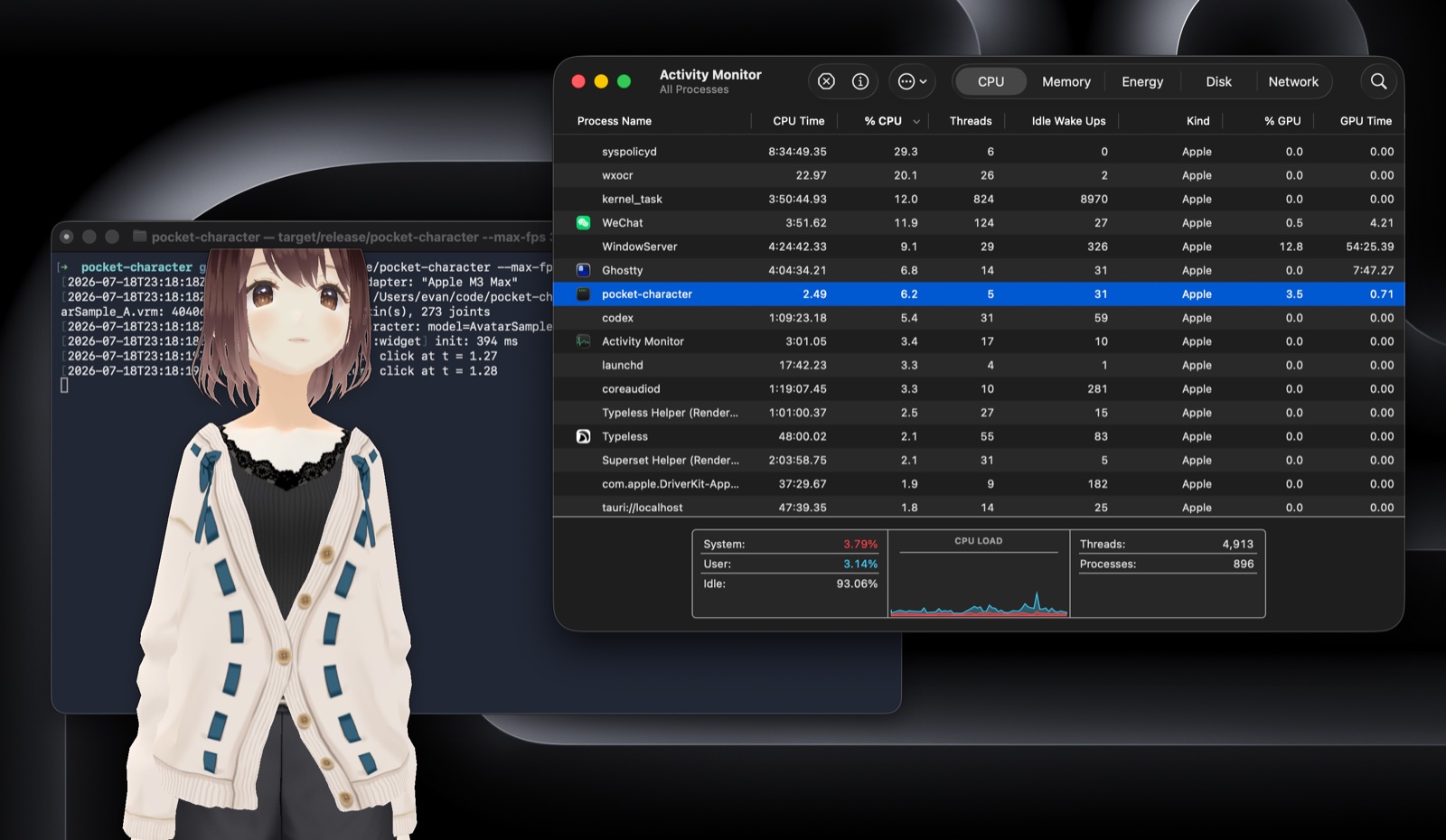
Pocket Characterdesktop
A rigged VRM companion in a transparent always-on-top window, rendering skinned 3D at 60 fps in one process and 118 MB. The Electron build of the same idea takes 8 processes and 2184 MB.
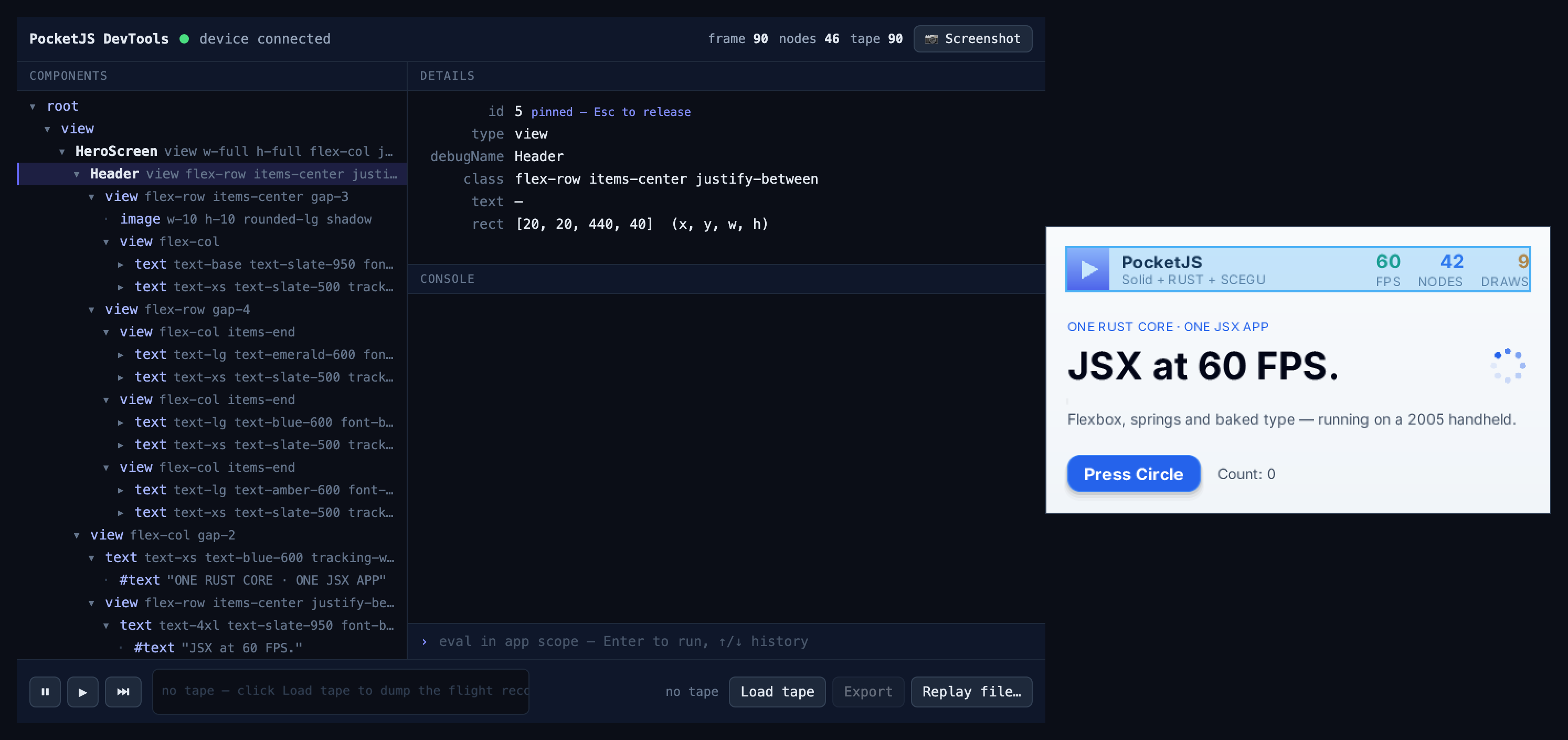
Pocket DevToolstooling
Time-travel debugging over a USB cable at 2 bytes per frame. The inspector highlight is emitted by the core into the DrawList, so it renders on the real device, on every backend.
PSPPS Vita
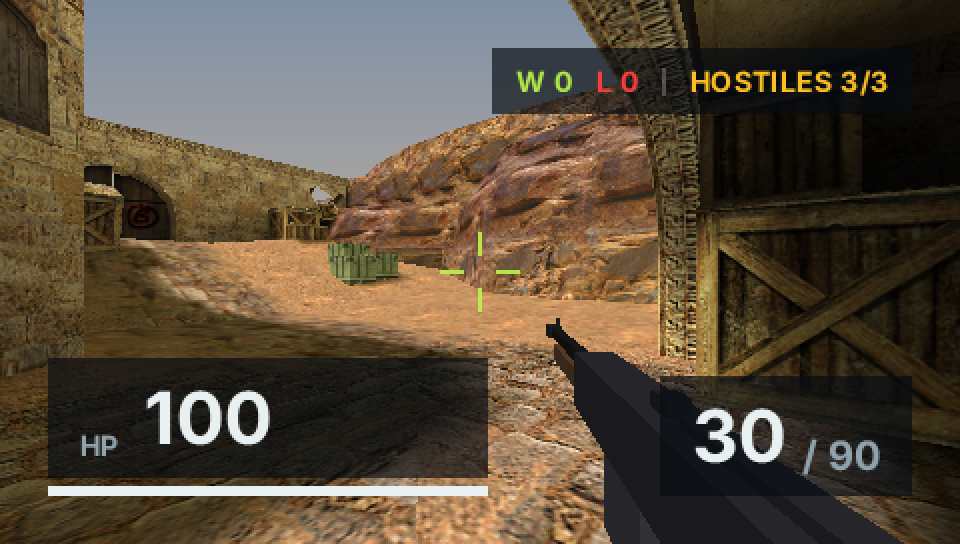
OpenStrikefps
A Counter-Strike-shaped shooter on 2004 hardware: BSP maps, bots, and a HUD written in Solid JSX. 60 fps, with 2.2 ms of JavaScript per frame and a worst observed frame of 9.7 ms.
who builds this
Pocket Lab is an independent, non-VC-backed organization built on this runtime, so that the joy of creating belongs to everyone.