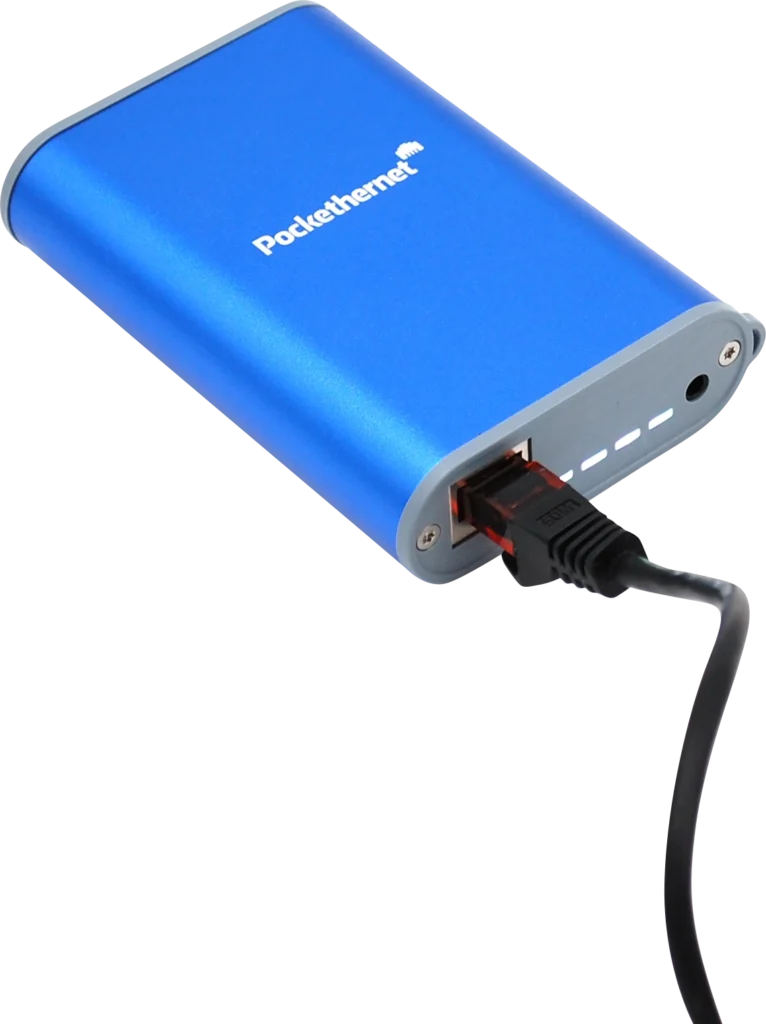

A smartphone connected Ethernet network analyzer and cable tester that fits into your pocket
A tool designed for IT admins
Pockethernet comes with 15+ features that are essential for anybody working with Ethernet networks
Functions
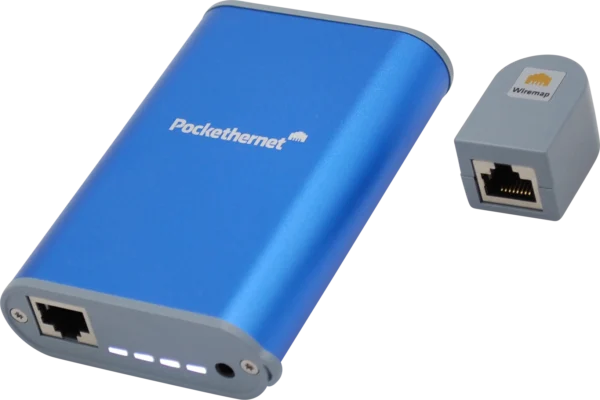

Cable tester
Find cable faults and verify installations

Network tester
Check the Layer 2

IP analyzer
All the way to the internet

Reporting
Document your findings
Have all networking features in one app
The Pockethernet smartphone app, created for use with the Pockethernet hardware, is the control center for the hardware. The app is easy to use and has an intuitive UI.
You can individually select which tests you’d like Pockethernet to perform, and conveniently run multiple, consecutive tests in order to generate a complete measurement report. Once you're finished, you can export your results with the press of a button in PDF.
Buy now
In stock
Delivery time is about 2-6 business days.
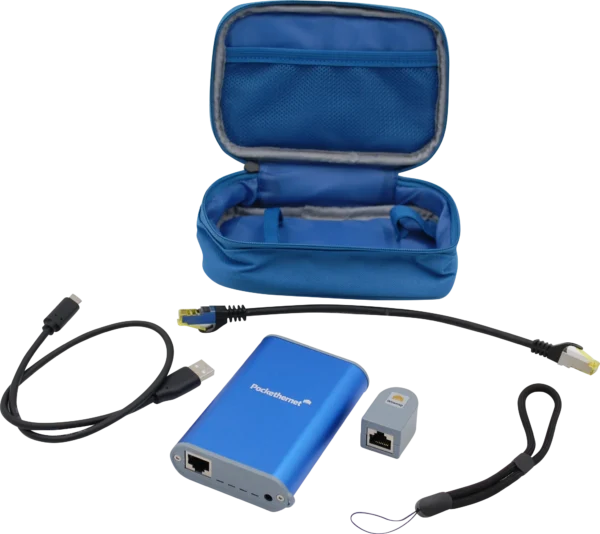
Accessories
All the features
Wiremap
Using the remote wiremap adapter, check whether pins on RJ45 jacks have been crimped in the correctly. Pockethernet also tests the shield for continuity.
Display wiring in TIA 568A or 568B colors.
TDR
Advanced cable testing with only one end connected to Pockethernet. Determine how long a cable is and if it contains any short circuits, split pairs or bad terminations.
Graphical TDR
Generate a graph of signal reflections and crosstalk throughout the entire cable length. You can view the length of connected cables and any imperfections they may have (such as extenders or patch panels).
PoE
Measure the presence and voltage of Power over Ethernet to ensure a sufficient power supply for your PoE devices. Checks Power Supply (PSE) type (AF/AT/BT) and maximum class. Shows open circuit and loaded voltage, also for passive injectors.
Link speed detection up to 10G
Find out the Ethernet capabilities of the connected port including speed and duplex. Pockethernet detects autonegotiation advertisements from 10M to 10G.
Link establishment test (10/100/1000)
Determine whether a link can be established at different speeds and make sure the wiring is up to date for gigabit.
Network discovery (CDP, LLDP)
View the content of CDP and LLDP messages to identify network ports more easily. If the switch port supports it, you can instantly view the connected chassis and port ID as well as the native VLAN.
VLAN support
Set the VLAN tags for outgoing packets to perform tests on a specific VLAN.
VLAN detect
Listen for and view IDs of VLAN tagged packets on the port.
IPv4 DHCP / static
Set a static IP to see if it's working or request an address via DHCP. See detailed information about the DHCP offer (server IP address, Ethernet address, DNS, relay, options).
IPv6
Use SLAAC or DHCPv6 to get an IPv6 and see the packet fields and flags in detail.
Ping
Check for network reachability and latency. Set your own targets IPs and domain names or let Pockethernet ping the default gateway and DNS server.
External IP detect
Check for an Internet connection, see the external IP address, ISP name and AS and geolocation.
Cable toner with multiple tones
Determine the location of cables in a wall and identify single cables in batches or at patch panels. You can set different tones and even control their volume to keep signals separate.
Port blinker
Let Pockethernet toggle the Link LED on switches and routers to easily find the cable you are looking for. Set the link speed to toggle a change of color for the port LED.
Generate PDF reports
Keep a detailed, up-to-date log of your work just by noting locations and port IDs.
Here's a sample report.
Export your results
Email reports for your own records, or share via messaging or upload to a cloud drive. No more lost reports, tedious downloads from the device or manual editing.
News
May 10, 2026: Pockethernet 2 v16 (iOS) released: ER test fix
A maintenance update for the Pockethernet 2 app fixes UI-related issues that could cause unexpected termination during the Error Rate test.
April 24, 2026: Pockethernet 2 protective sleeves released
Another long standing request fulfilled: We’re offering silicone protective sleeves for your device so that it survives drops from heights without a scratch. Available in 5 colors.
March 31, 2026: Pockethernet 1 firmware update v34: Support for v2 wiremap adapter
Over 10 years after it’s release we’re proud to still support the original v1 Pockethernet. Customers are still loving and using it, which means wiremap adapters get lost. Since we can’t manufacture the old ones any more, we have created a firmware update that allows the v1 devices to recognize the v2 adapters. This way, we can continue supplying the much needed spare part, letting users continue using their devices.
February 16, 2026: Pockethernet 2 app v15: DHCP compat, MAC display fixes
This update extends the DHCP timeout to 48 seconds for non-portfast switch ports, fixes the device MAC address display, and resolves UI-related stability issues.
February 12, 2026: Pockethernet wiremap ID sets available for all customers
The Wiremap ID set with IDs 2-7 are available in our webshop for everyone needing quick identification of multiple drops without running back and forth
Pockethernet V2 vs V1
| Pockethernet 2 | Pockethernet 1 | |
|---|---|---|
| Hardware | Grey plastic endplates with lanyard attachment |
Clear plastic endplates |
| Wiremap | Remote ID set supported: Set of 7 IDs | No IDs |
| TDR | 0.4m resolution with Crosstalk graph to visually locate more fault types |
0.8m resolution |
| PoE | Determines max power class available and PSE type Voltage test under load |
Simple detection |
| Link | Multi-Gbit port capability detection (2.5G/5G/10G) | Detection up to 1G |
| IPv6 | Detect/request SLAAC/DHCPv6 | No IPv6 support |
| Error rate test |
Remote adapter with loopback end: Available here (v17+ firmware required) |
Supported Loopback adapter included |
| Report | New PDF layout. Sample report. | Old layout |
| Sleeve | Protective silicone cover: Available here | None |
All other features remain the same