Introduction
Shuffle Cloned Instances is a Framer component that randomly displays one of several connected instances each time a visitor loads the page. Instead of always showing the same content, it picks from a pool of instances using a configurable probability, giving you a simple no-code way to run A/B tests, rotate ad creatives, vary hero sections, or surface different CTAs for different visitors, all within Framer.

How Does It Work?
Every unique page load, the component picks one instance from the connected pool and shows it, hiding all others. The selection is random by default, but you can designate a preferred instance and set a win rate to control how often it appears. At 50%, the preferred instance shows half the time. At 80%, it wins eight times out of ten.
The pick stays stable for the duration of the page load and resets on every true page refresh, so each new visitor gets a fresh draw.
Use Cases
A/B Testing
The most direct use case. Connect two variants of a hero section, a headline, a CTA button, or an entire above-the-fold layout and let the component split traffic between them. Set the preferred index to the control variant, dial the win rate to 50%, and both versions get equal exposure without any external tooling.
You can also weight the test. If you want to soft-launch a new variant and only expose it to a fraction of visitors, set the win rate to 80% in favor of the original, then gradually shift it as confidence grows.
Ad and Creative Rotation
Connect multiple ad banners, promotional cards, or sponsored placements and let the component rotate them across page loads. Each visitor sees one version chosen at random, giving campaigns natural rotation without requiring JavaScript outside Framer or any third-party ad infrastructure.
Pairing this with the win rate control lets you prioritize a high-performing creative while still giving exposure to newer variants.
Content Variation
Use the component to vary non-critical content across visits: testimonials, feature highlights, imagery, or social proof blocks. Returning visitors who reload the page are likely to see something different, making the page feel less static without the complexity of full personalization infrastructure.
This works especially well for portfolio pages, landing pages, and editorial layouts where the goal is to surface a range of content rather than optimize a single outcome.
Seasonal or Contextual Swaps
Maintain multiple versions of a component, a default and a seasonal variant, and use the win rate to control when the seasonal version gets exposure. At launch, set it low. As the season peaks, increase it. This requires no code changes, just a property control adjustment.
Getting Started
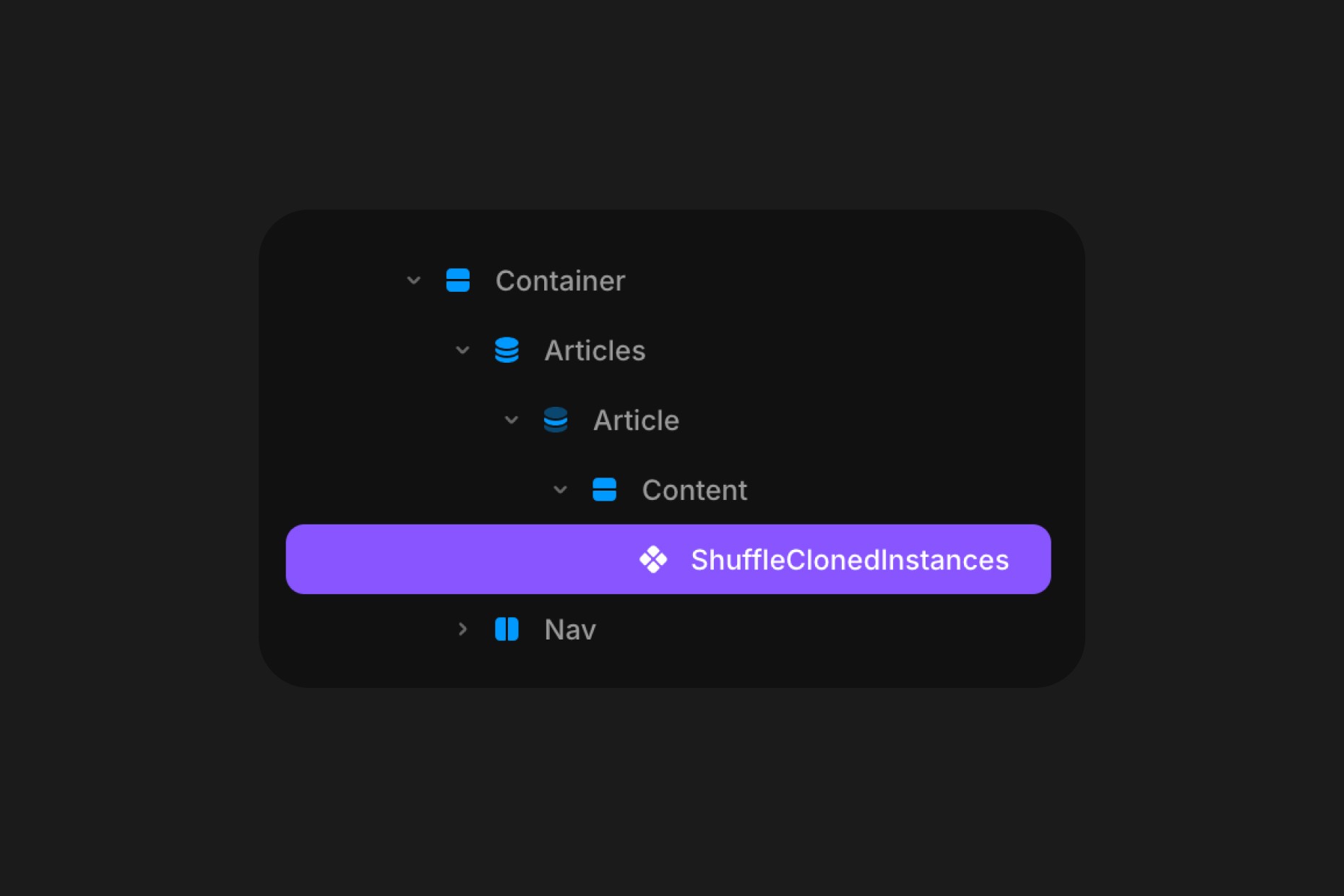
Click the remix link received from Polar, which will open the project in Framer. Grab the component from the canvas by copying and pasting it into your own project, connect your desired instances to the Component and customize to your needs.
If you're using Preferred and want to set a probability, the best way to test it is by using Framer's Live Preview and doing a refresh by CMD+R on MacOS or CTRL+R on Windows.
Component Features
Testing
Ignores the saved pick and reshuffles on every load.
Leave this off in production. Turn it on while you are checking how a Win Rate actually spreads, or stepping through each connected instance, then turn it off before you publish. While it is on, nothing is written to or read from the visitor’s browser.
Remember
How long a visitor keeps seeing the same pick, in days. Set it to 0 to reshuffle on every page load.
By default the component remembers its choice for two days. The first visit decides, and every page view after that shows the same instance until the period runs out. This is what makes an A/B test worth running. A visitor stays in one bucket instead of seeing both variants and blurring the result, and it also stops the design changing under someone while they browse. The choice is kept in a first-party cookie in the visitor’s own browser.
Key
Optional. Names a shuffler so its saved pick can be tied to a specific slot.
You rarely need this. The component works out its own name from the instances you connect, so two shufflers on one page keep separate picks automatically, while copies of the same shuffler agree with each other. Set a Key only to override that, or when you deliberately want two separate shufflers to always land on the same pick.
Preferred
Enables a preferred instance, one that appears more often than chance would otherwise dictate.
When off, every connected instance has an equal probability of being selected. When on, you can designate a specific instance and control how often it wins through the Win Rate control.
Instance
Selects which connected instance is treated as the preferred one. Options run from Instance 1 through Instance 10, corresponding to the order in which instances are connected in the Instances array. Only visible when Preferred is enabled.
Win Rate
Sets the probability (1 to 100%) that the preferred instance is shown on a visitor’s first view. At 50%, the preferred instance and the remaining pool share equal probability. At 90%, the preferred instance appears nine times out of ten on average. Only visible when Preferred is enabled.
Stretch
Fills the container instead of keeping each instance at its own size.
Leave this on Auto when the component sits on the page at a fixed size. Switch it to Fill when you place it inside a slider, a CMS list, or any parent that resizes it. Otherwise the connected instances keep their canvas dimensions and are clipped by the edges of the slot.
Loader
Holds the instances behind a spinner for a moment while the page settles.
Without it a visitor can see one instance paint and then swap for another, because the published page ships with the preferred instance already rendered and the real choice is made once the browser takes over. One second covers that on most sites. Set it to 0 to turn the loader off and show the instances straight away.
Spinner
The size of the spinner in pixels.
It sits on a fully transparent background and blends with whatever is behind it, so it stays visible on a light or a dark section without a color to set.
Instances
The array of component instances to shuffle between. Connect any Framer components here: variants, frames, images, CMS-bound components, or fully designed sections. The component accepts up to ten instances and will show exactly one at a time.
How the Randomization Works
The component uses a module-level in-memory store to ensure the random pick happens once per true page load and stays stable across Framer's internal re-render cycles. Each component instance on the page gets a slot in the store based on its render position, and the pick for that slot is computed the first time the component has valid instances to choose from.
Because the store lives in module memory rather than sessionStorage or cookies, it resets cleanly on every page refresh, giving each visitor an independent draw without persisting picks across sessions or requiring any browser storage permissions.
Every copy of the same shuffler agrees. Framer renders each breakpoint into the page, and sliders clone their slides in order to loop, so one shuffler on your canvas can become several on the published site. They all read the same pick, which is why a slide no longer changes as a slider loops past it.
The published HTML is not random. Framer builds your site into static files, and a random choice made at that moment would be frozen into the page for every visitor and every search engine. The component renders the preferred instance while the page is being built, then makes its real choice in the visitor’s browser.