Small screen. Clear perspective.
A little e-paper display with one simple job: keep your connected portfolio in view, right on your desk.
Build your own See what you’ll need
A Raspberry Pi project, powered by SnapTrade.
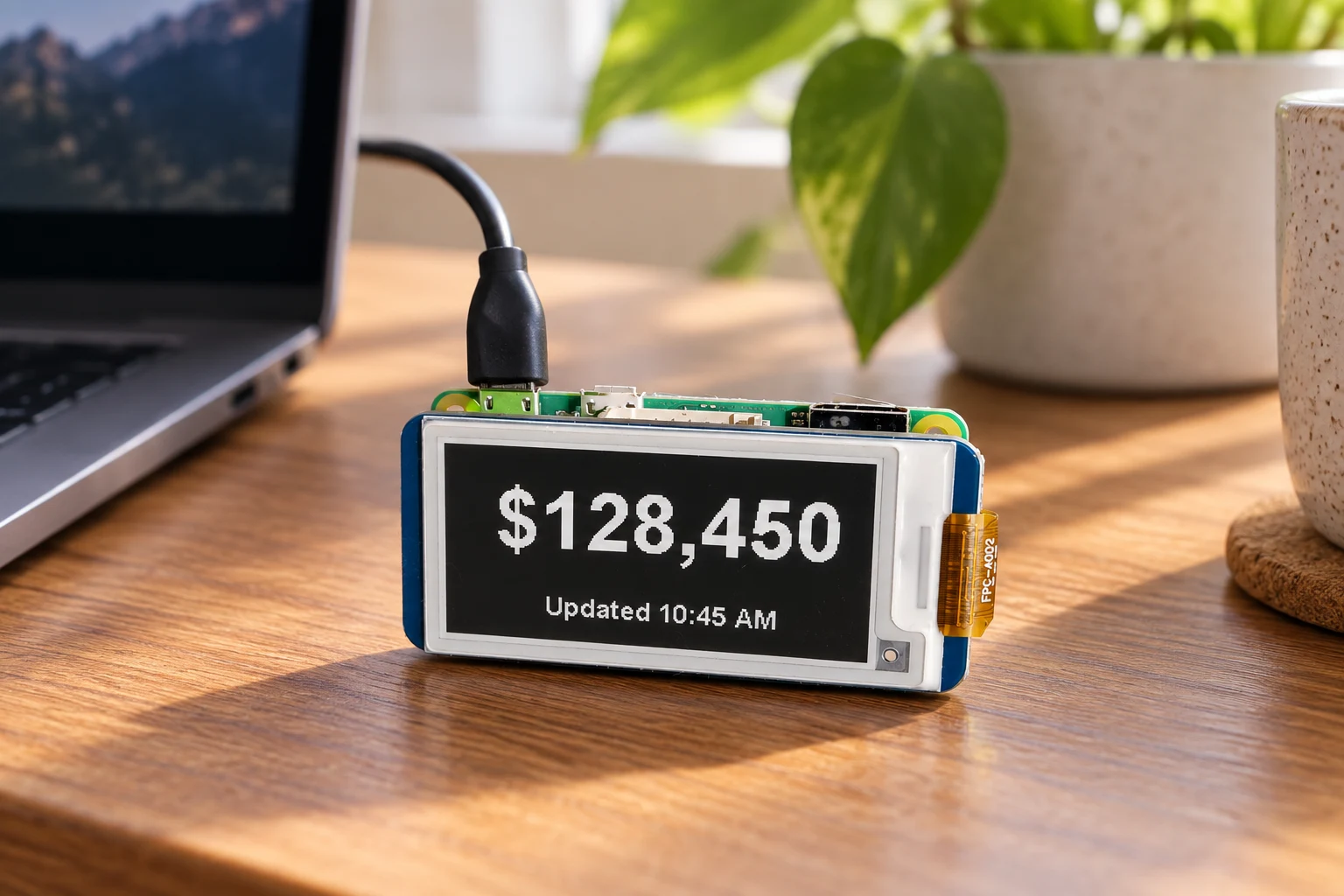
A portfolio glance, without another tab.
No scrolling. No notifications. Just the number you came for.
From connected accounts to your desk
Pair once.
Glance whenever.
Your phone handles the sign-in. Your Pi handles the display.
- 01
Scan to connect
The display shows a QR code. Open it on your phone and approve access through SnapTrade.
- 02
Bring your portfolio together
The app reads your connected account data and totals supported balances in the display currency.
- 03
Leave it in view
The screen refreshes on a schedule, every 15 minutes by default. An update time and stale or partial-data notices keep the number in context.
The little build behind the number
Real hardware.
A quieter interface.
A DIY prototype built around a Raspberry Pi Zero W and a small monochrome e-paper screen.
No enclosure required
- The brain
- Raspberry Pi Zero W
- The screen
- Waveshare 2.13″ e-Paper HAT
250 × 122 pixels · black & white - The connection
- Wi-Fi + SnapTrade device-code OAuth
- The software
- Python on Raspberry Pi OS Lite
- The access
- Read-only account & holdings data
Make your own with the parts list, assembly photos, and downloadable DIY kit. Open the build guide · View the source on GitHub