bank apps have the worst search ux. every single one makes you click through calendar widgets to filter transactions or search is overly complex. I tried to fix this in the paperright budgeting app.
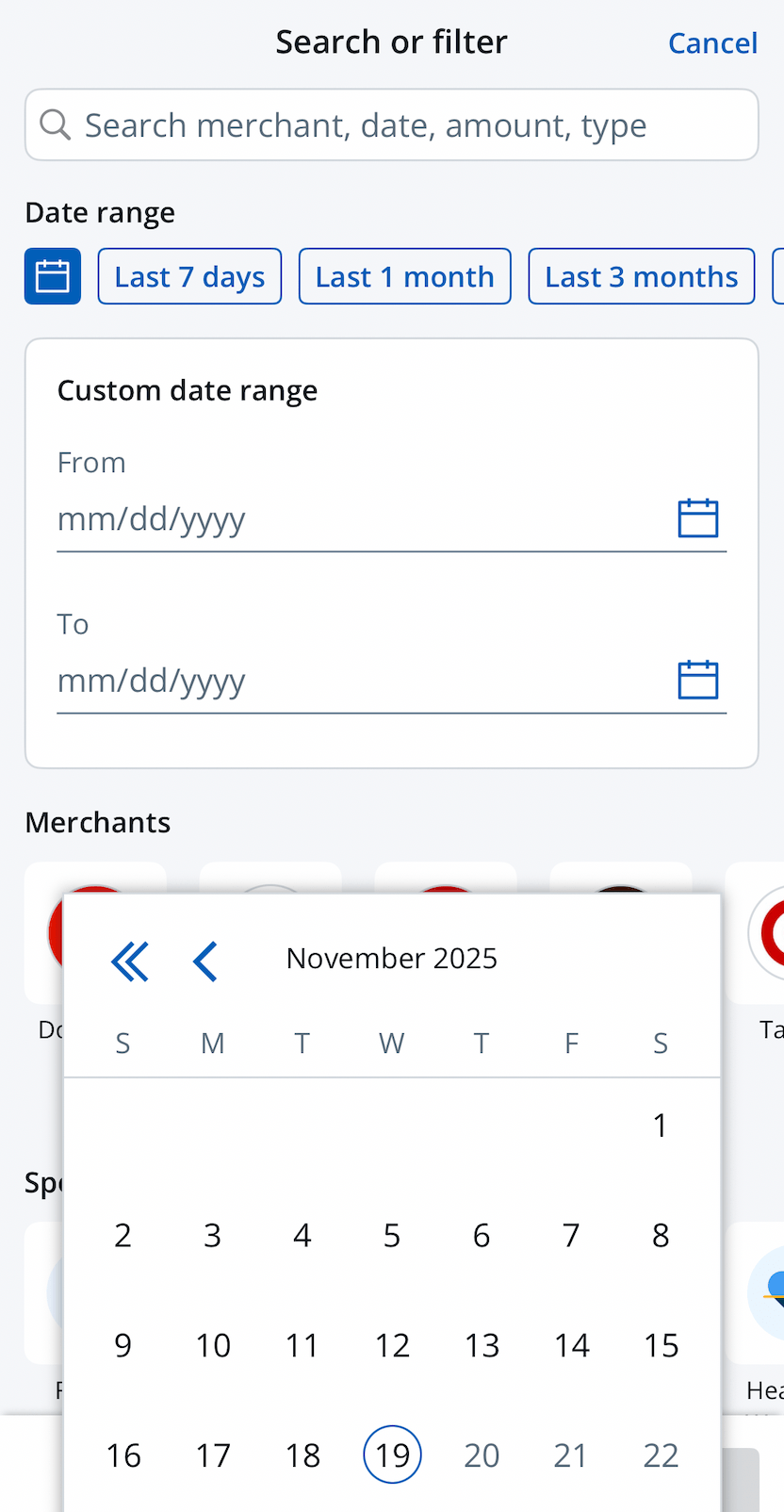
The flow is normally: you want to see last week's spending? click "filter", click "date range", open calendar, select start date, select end date, click "apply". ten clicks to answer "what did i spend nov 3-15?"
jesus! just let me type things in! why do apps add so much friction to simple tasks? just give me a text box.
paperright.xyz just lets you type
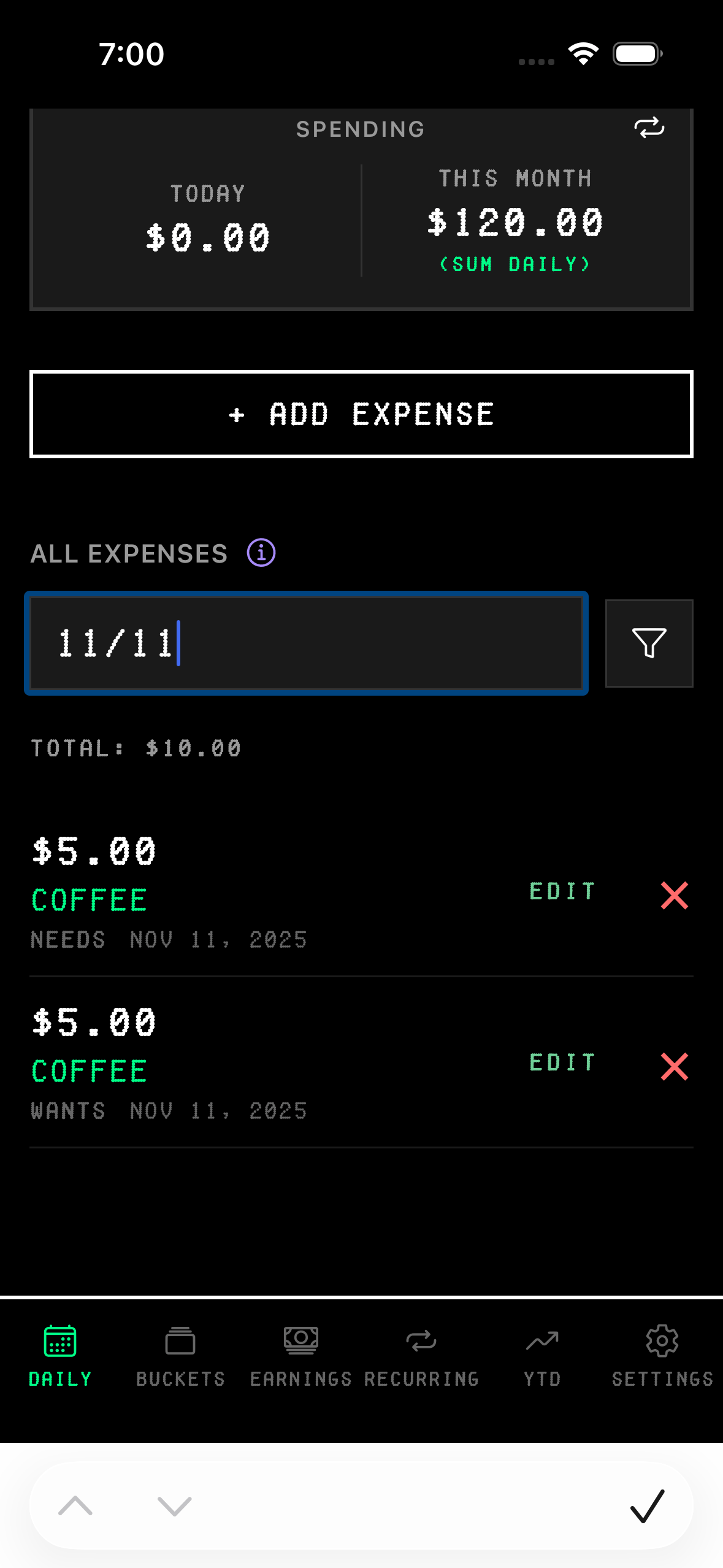
type nov 12 or 11/12. done. see that day's expenses.
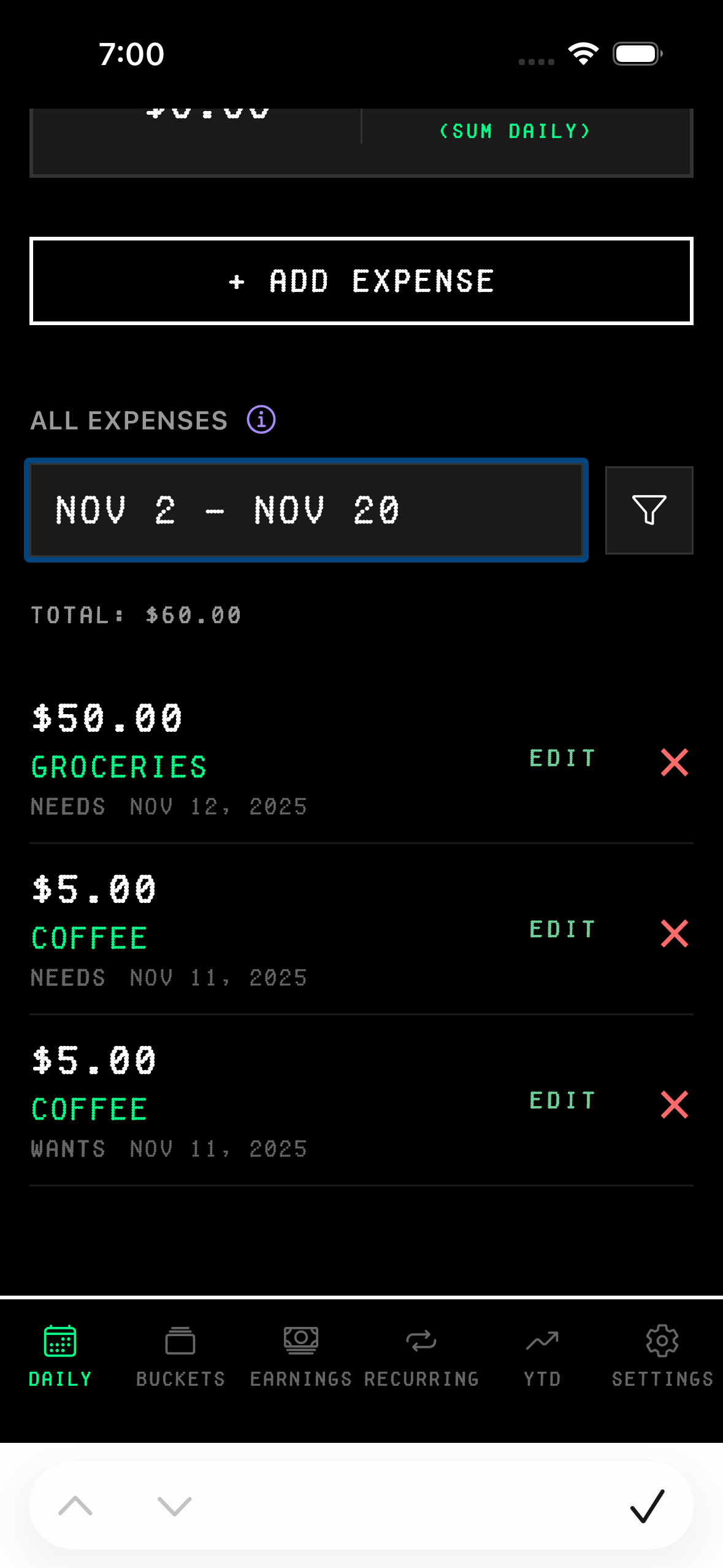
type nov 3 - nov 15 or 11/3-11/15. see everything between those dates.
works with any format:
• nov 12 – november 12th
• 11/12 – same thing
• nov 3 - nov 15 – date range
• 11/3-11/15 – same range, numbers
• nov coffee – all coffee in november
no calendars. no dropdowns. no "apply" button. just type what you want.
amounts work the same way
paperright: type 5.00 to find all $5 charges. type 2-7 to see everything between $2 and $7.
amount search:
• 5 – exactly $5
• 2-7 – between $2 and $7
• 2.75-3.49 – precise range
search by description works too. type coffee and see every coffee purchase. type uber for all rides. case-insensitive, matches partial words.
every search type in detail
single date search: type any date format: nov 12, 11/12, nov 12 2025. all work. shows that day's expenses.
date range search: put a dash between two dates. nov 3 - nov 15 or 11/3-11/15. spacing doesn't matter. 11/3 -11/15 works. nov 3- nov 15 works. sees the dash, understands it's a range.

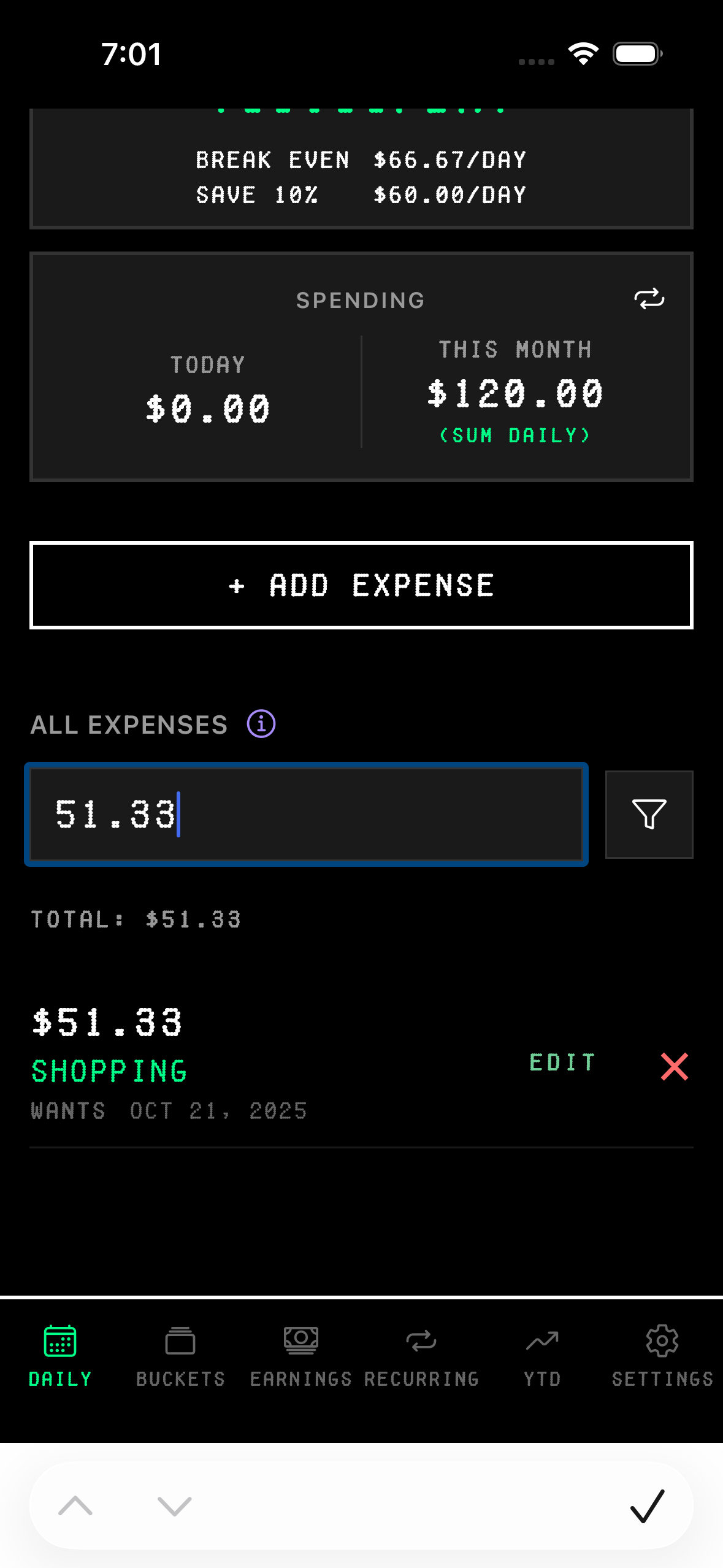
exact amount search: just type a number. 5 finds all $5.00 charges. 5.00 same thing. 12.50 finds exactly $12.50.
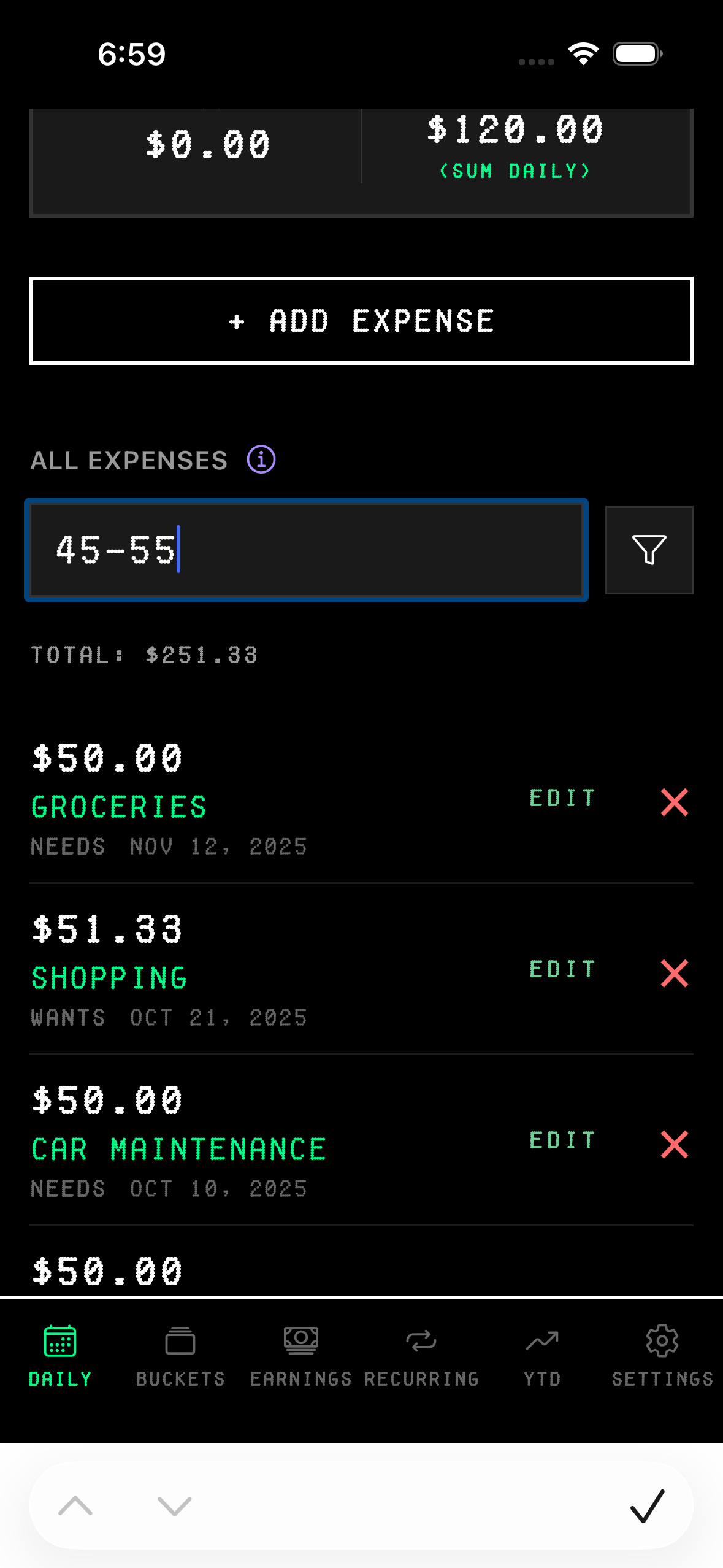
amount range search: two numbers with a dash. 2-7 shows everything between $2 and $7. 2.75-3.49 for precise ranges. 10-50 for bigger ranges.
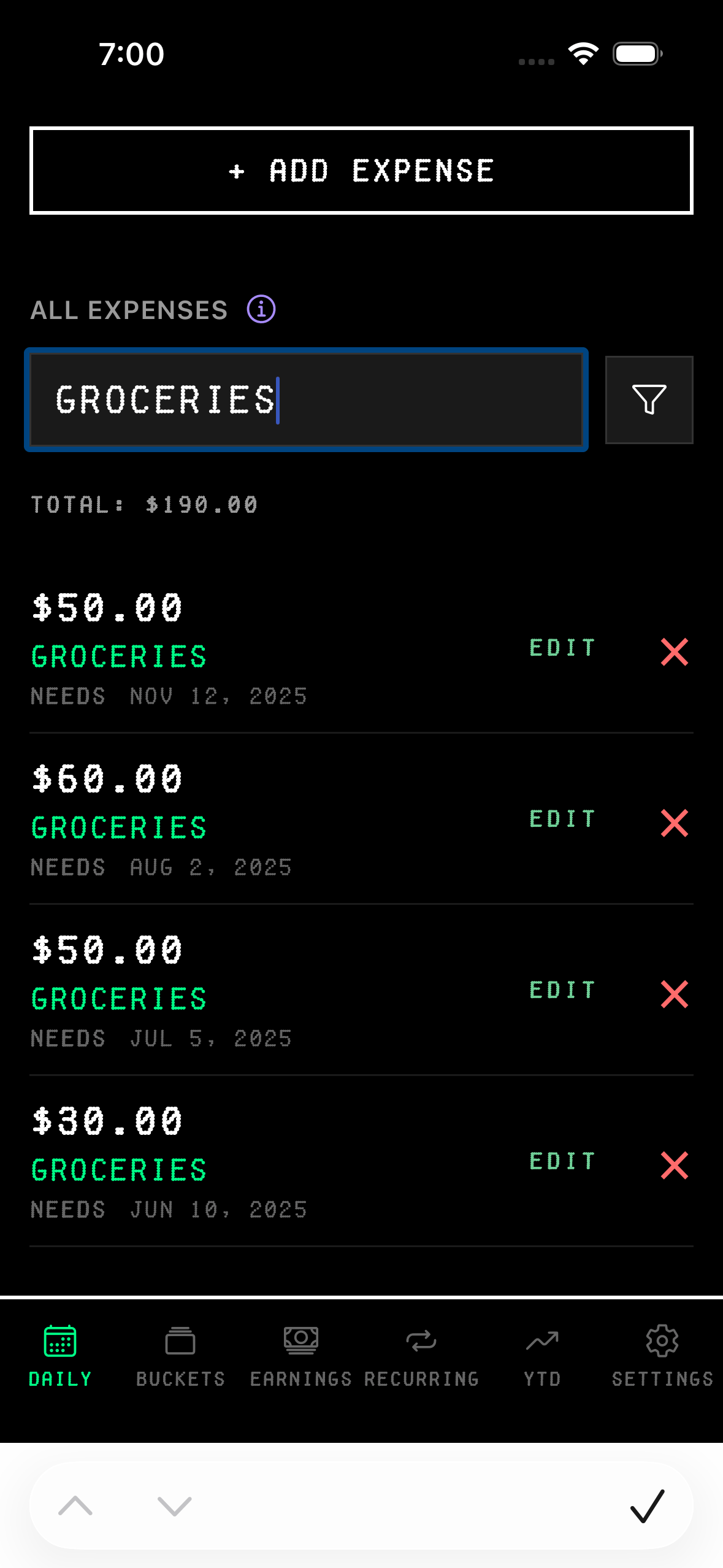
text search: type any word from the description. groceries shows all grocery charges. gas shows gas stations. subscription finds all your subscriptions.
partial matches work: groc still finds groceries. netfl finds netflix.
category search: type needs, wants, or save to filter by bucket. shows everything categorized that way.
month + keyword search: combine a 3-letter month with any search term. nov coffee finds all coffee purchases in november. jan groceries shows january groceries. dec wants shows all wants from december.
month keyword examples:
• nov coffee – all coffee in november
• jan groceries – all groceries in january
• dec wants – all wants in december
• oct 5 – all $5 charges in october
mini total
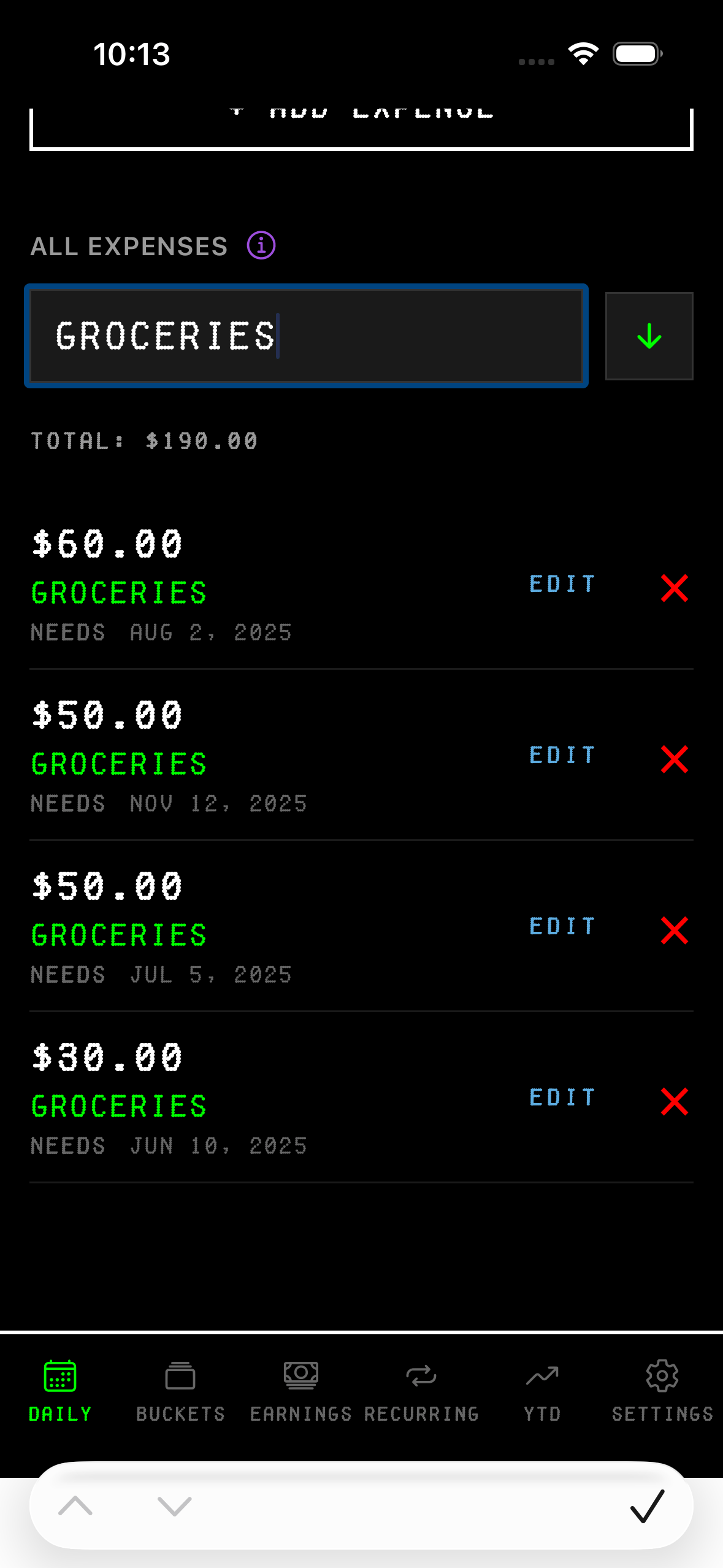
when you search, a small "TOTAL: $XX.XX" appears below the search bar. sums up everything in your filtered results.
type groceries → see total spent on groceries. type nov 1 - nov 15 → see first half of month spending. type 10-50 → see how much you spent in that price range.
instant answers to "how much did i spend on X?"
try it in your daily tab at paperright.xyz