Throughout my career I have seen and used various ways of connecting to the internal infrastructure, the most common was probably a direct SSH connection (managing the authorized_keys manually), I also used manually configured “jump hosts” and more mature tools like Teleport. And a few months ago I learned and used a new great open source bastion software - Warpgate. Now I enjoy using it so much that I decided to share that experience with you.
First, what is a bastion and why do we need it? In a nutshell, a bastion is the the only server which accepts SSH connections from the outside. If a user wants to access another machine, they need to connect to the bastion first, and then make another SSH connection from the bastion to the final destination. Sometimes this process is called “jumping” and SSH bastions are also called “jump hosts”. The concept can also apply to database connections, Kubernetes cluster connections and so on.
Warpgate is an open source project written in Rust that doesn’t require a client, has an enormous amount of features that would be even hard to fit into this article, so I will showcase the most important to me at least.
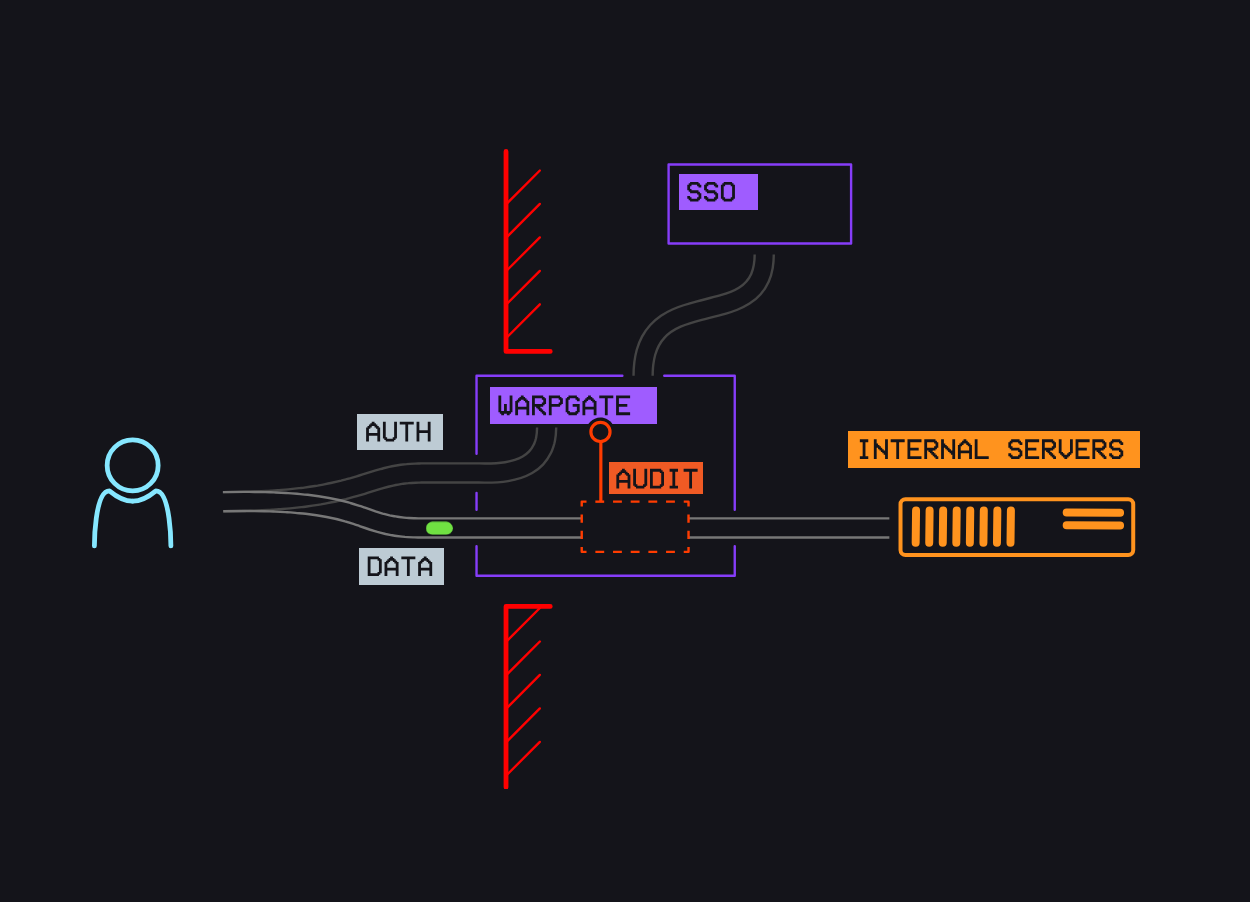
So the main features advertised are:
Add user accounts and easily assign them to specific hosts and URLs within the network.
Warpgate will record every session for you to view (live) and replay later through a built-in admin web UI.
Browser-based SSH, RDP and VNC access is built in; native clients continue to work.
Not a jump host - forwards connection straight to the target in a way that’s fully transparent to the client.
Native 2FA and SSO support (TOTP & OpenID Connect)
Built-in brute-force protection with IP blocking and user lockout
Single binary with no dependencies.
For my project the main needs were to distribute the access via RBAC, support browser-based connections (still keeping native clients), have 2FA auth with SSO. Let’s now go through the installation / configuration process to showcase the result.