2.2K
Are you a Firefox user on Linux who's been annoyed by those pesky "restart required" messages after an update? Or perhaps you've wished for a snappier browsing experience with less memory use? Good news is here! Mozilla has rolled out a fantastic solution called ForkServer, specifically designed for Firefox on Linux, to tackle these very issues.
In this article, we will learn what ForkServer is, its benefits and the notable features in the latest Firefox 141 browser.
What Exactly is ForkServer?
Firefox has evolved significantly over the years, moving from a single-process browser to a multi-process architecture. This shift, known as Electrolysis or e10s, brought great improvements in security and performance by running web content in separate processes. However, creating these new processes still costs CPU time and memory.
This is where ForkServer comes in. It's a dedicated process that helps Firefox manage and create new processes more efficiently on Linux.
Mozilla engineer Alexandre Lissy, along with a few other contributors, is the key figure in this development.
How Does It Work?
Traditionally, when Firefox needs a new process (for example, when you open a new tab), it has to load everything from disk.
If your Linux package manager has updated Firefox in the background, the version on disk might not match the version currently in memory, leading to frustrating "restart required" prompts.
ForkServer addresses this by keeping a "pre-initialized" process ready to go, like a template.
New content processes can then be "forked" from this template using a technique called copy-on-write memory sharing.
This means that instead of each new process starting from scratch and using more memory, they share memory pages with the template process, only copying data when it needs to change.
This simple yet powerful design avoids the need to reload core libraries (libxul.so) and re-perform system setup every time.
Key Benefits for Linux Users
The introduction of ForkServer brings some major wins for Firefox users on Linux:
- No More Forced Restarts: This is a huge relief for many!. Firefox on Linux no longer requires a forced restart after your package manager applies an update. This means smoother, uninterrupted browsing, even during system updates.
- Reduced Memory Usage: ForkServer leads to a significant reduction in memory consumption for content processes. The base resident memory for a content process is now around 50% lower. This helps Firefox run more efficiently, especially if you have many tabs open.
- Faster Process Startup: You'll notice that content process startup times are reduced by approximately 35%. This translates to snappier new tab openings and overall improved responsiveness.
The Evolution of Firefox's Architecture
ForkServer is the latest step in Firefox's journey towards a highly performant and secure multi-process browser.
This evolution also includes initiatives like Site Isolation (Project Fission), which separates each unique website into its own operating system process to protect against advanced security threats like Meltdown and Spectre.
These architectural changes ensure Firefox remains robust, stable, and secure while also becoming more efficient.
What's New in Firefox 141?
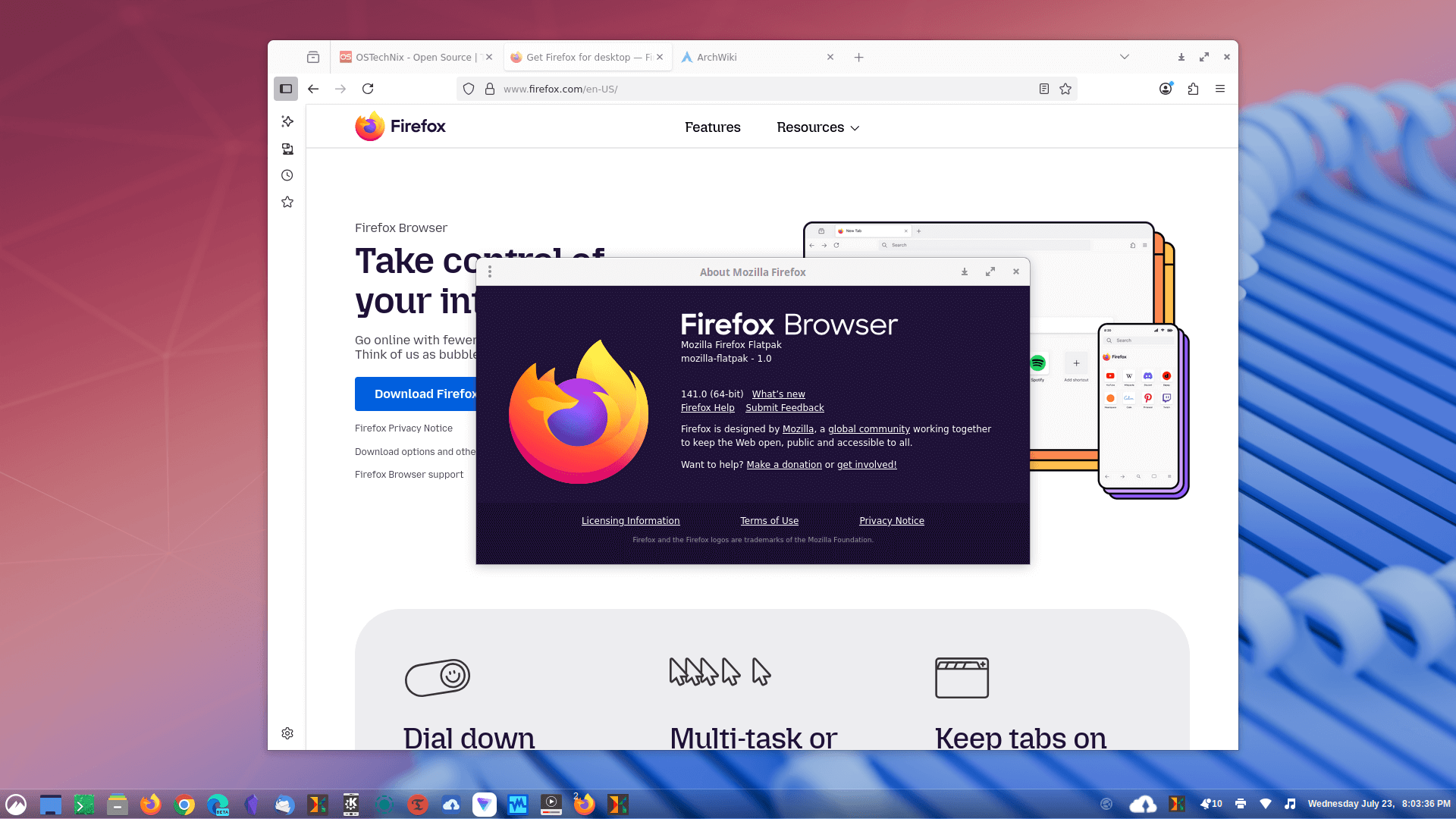
Firefox 141 introduces a range of new features, performance enhancements, and security improvements for users.
Here's a comprehensive breakdown of what's new in Firefox 141:
1. No More Forced Restarts on Linux
As we already discussed, a major highlight for Linux users is that Firefox no longer requires a forced restart after updates are applied by a package manager.
This was a common annoyance caused by the package manager updating Firefox on disk while an older version was still running in memory, leading to communication issues when new processes were spawned.
2. Reduced Memory Usage
Firefox 141 "uses less memory" on Linux. Specifically, the base resident memory for a content process is around 50% lower.
3. Faster Process Startup
Content process startup times are reduced by approximately 35%. These improvements are largely thanks to the introduction of ForkServer.
ForkServer is a dedicated process on Linux that helps Firefox manage and create new processes more efficiently. It keeps a "pre-initialized" process ready, like a template, from which new content processes can be "forked" using copy-on-write memory sharing.
This avoids the need to reload core libraries (libxul.so) and re-perform system setup every time a new process is created. ForkServer has been enabled by default on Nightly builds for Linux since the end of October.
4. AI-Enhanced Tab Grouping
Firefox 141 introduces AI-assisted tab grouping, building on the tab grouping feature added in Firefox 137.
This feature can automatically collect your tabs into groups, generate group names based on inferred content, and suggest other open tabs that match the same theme or topic.
This process happens locally on your device to protect your privacy. Mozilla states it aims to help users stay focused, save time, and reduce clutter, though it may not always work reliably.
This feature is part of a progressive rollout, meaning some users may see it before others.
5. Unit Converter in Address Bar
You can now use the Firefox address bar as a unit converter. It supports converting units of length, temperature, mass, force, angular measurement, and timezones (e.g., "now in GMT" or "10am EDT to CET"). Clicking on a result copies it to your clipboard.
6. Vertical Tab Tool Resizing
For users of vertical tabs, this update adds a resize grip to the bottom of the sidebar. You can drag this divider to adjust how many tool icons (like AI chatbot, AI summary, history) are visible, providing more vertical space for your tabs.
7. WebGPU API (Windows)
The WebGPU API is now enabled by default on Windows. Mozilla's Graphics Team plans to ship WebGPU on Mac and Linux "in the coming months".
8. Expanded Picture-in-Picture (PiP) Support
Firefox 141 adds support for Peacock, SkyShowtime, Showmax, and Now TV to its Picture-in-Picture mode.
It also includes optional formatting for captions displayed within the PiP window.
9. Developer and Platform Changes
- Firefox will now clear the back-forward-cache when receiving the
Clear-Site-Data: "cache"response header. - The
closedbyattribute and its relatedclosedByproperty have been implemented on dialogs, indicating howdialogelements can be closed. - Support for Cookies Having Independent Partitioned State (CHIPS) is re-enabled, allowing developers to opt a cookie into storage partitioning per top-level site.
HTMLElement.showPopover()andHTMLElement.togglePopover()methods now take anoptions.sourceargument, andtogglePopover()also accepts aforceoroptions.forceargument to force the popover open or closed.
10. Other Noteworthy Changes
- Pinned shortcuts on the New Tab page now only show the pin icon on hover.
- Text Fragment creation uses a less memory- and CPU-intensive algorithm.
- Wayland proxy timeout increased, which benefits graphics performance.
- Xdg-activation Wayland protocol is supported.
- Address autofill has been enabled for users in Brazil, Spain, and Japan.
- Firefox on Windows 11 now uses system-provided font icons for the caption buttons.
- Firefox builds in Valencian now come with a built-in Catalan (Valencian variant) dictionary for the spellchecker.
- New languages are available for translation, including Albanian, Gujarati, Hebrew, Hindi, Kannada, Malay, Malayalam, Persian, and Telugu.
- And more importantly many security fixes have been applied.
For more details, please check the official Firefox 141 release notes.
Upgrade or Get Firefox 141 Now!
ForkServer has been enabled by default on Firefox Nightly builds for Linux since the end of October 2024.
The benefits, such as lower memory usage and no forced restarts, are already implemented in the latest Firefox 141 version, which is released on 22 July 2025.
Firefox 141 is already included in the Flathub. Make sure you have flatpak installed and flathub enabled on your system and then install it using the command:
flatpak install flathub org.mozilla.firefox
It will be soon available in the official repositories of most Linux distributions. You can use the default package manager, for example apt on Debian-based systems, to install the latest Firefox.
Conclusion
With ForkServer, Firefox continues to enhance its performance and user experience on Linux, making your daily browsing smoother and more reliable than ever before.
If you're using latest Firefox 141 version on Linux, you can now enjoy these fantastic improvements!

sk
Senthilkumar Palani (aka SK) is the Founder and Editor in chief of OSTechNix. He is a Linux/Unix enthusiast and FOSS supporter. He lives in Tamilnadu, India.