Remap any button
Bind any of 44 built-in actions to each physical button, per device. Custom shortcuts, app launchers and scripted actions too.
OpenLogi
HID++BoltUnifyingBluetoothUSB
A local-first alternative to Logitech Options+, written in Rust.Remap buttons, drive DPI and SmartShift over HID++.No account, no telemetry.
$brew install --cask openlogi
.dmg.deb / .rpm / .pkg.tar.zst.msiMIT / Apache-2.0Not affiliated with Logitech
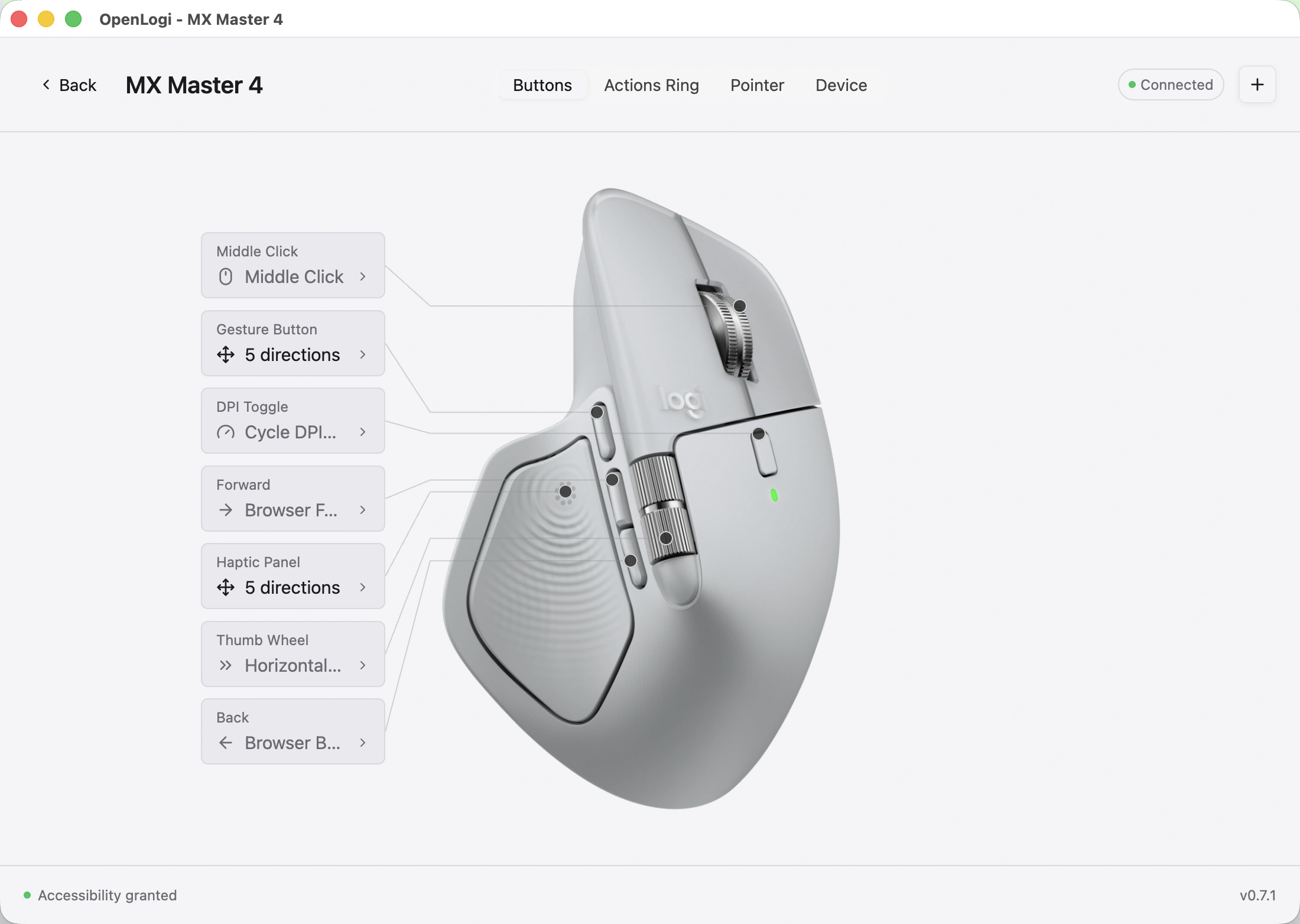
The center of the app, working right here: a mouse diagram with clickable hotspots and a per-button action picker. Choose a hotspot, then bind any of the built-in actions.
config.tomlschema_version = 2

schema_version = 2
selected_device = "2b042"
[devices.2b042.bindings]
MiddleClick = "MissionControl"
DpiToggle = "CycleDpiPresets"
Thumbwheel = "VolumeUp"
Forward = "BrowserForward"
Back = "BrowserBack"
GestureButton = "AppExpose"
MX Master 4Writes straight to config.toml, the file you own.
OpenLogi drives your mouse over HID++ directly: buttons, DPI and SmartShift, from a native app that never phones home.
HID++ 2.044 actions
Bind any of 44 built-in actions to each physical button, per device. Custom shortcuts, app launchers and scripted actions too.
Set pointer resolution and cycle your own presets, written straight to the sensor over HID++.
HID++ 0x2201
Flip the wheel between ratchet and free-spin, or let it switch automatically by scroll speed.
HID++ 0x2111
Per-application overlays that switch the moment your focused app does. Ships in a later release.
Reach devices over a Logi Bolt, Unifying or Lightspeed receiver, a direct Bluetooth pairing, or a USB cable. No receiver required.
A carousel of paired devices with battery percentage and charge state for everything online.
HID++ 0x1004
No account, no telemetry, no cloud. Bindings live in a plain TOML file you own, and every change goes straight to the device over HID++.
NetworkDevice renders only
Signed builds for macOS, Linux and Windows. Pick your platform below. Step-by-step setup lives in the docs.
.dmg.deb.rpm.msi
$brew install --cask openlogi
Download .dmgHomebrew is recommended, or grab the signed .dmg for Apple silicon or Intel.
Packages for amd64 and arm64, with .rpm and Arch .pkg.tar.zst builds also available.
The newest port: signed x86_64 and arm64 installers, validated on Windows 11.
Quit Logi Options+ before launching: the two fight over HID++ access, and only one app can own a receiver at a time. On Linux, the same applies to Solaar.
It's on the roadmap, at the far end: a cross-computer pointer and clipboard bridge is a very large feature. The half that lives in the protocol already ships. OpenLogi drives Easy-Switch host switching over HID++ (0x1814/0x1815), and paired mice follow the keyboard when it switches hosts. If the rest lands, it will be opt-in and local-network only.
Bolt pairing ships in the GUI, and Unifying and Lightspeed pairing is in progress. Until it lands, pair once with Logitech's tool or Solaar; OpenLogi drives the device from then on.
Not yet, though an importer is in progress. In the meantime, bindings are a short TOML file you can rebuild in minutes, and unlike Options+ they stay in one portable, hand-editable file.
OpenLogi remaps the side buttons (Back, Forward, middle click) through a CGEventTap, and macOS puts event taps behind the Accessibility permission. The HID++ paths (gesture button, thumb wheel, DPI, SmartShift) don't need it.
Only when you ask. The in-app update check is opt-in and off by default; new builds come from Homebrew (brew upgrade --cask openlogi) or the signed installers on the releases page.
Copy the TOML file. Devices are keyed by physical identity (receiver serial and slot, or the device's own serial), so the same mouse keeps its bindings wherever the file goes. Built-in sync may come one day, but it's hard to square with the no-account principle.